Tag: 2026

  • Payoneer vs Wise vs PayPal: What’s Best for SL Freelancers in 2026

    Payoneer vs Wise vs PayPal: What’s Best for SL Freelancers in 2026

    Payoneer vs Wise vs PayPal: What’s Best for SL Freelancers in 2026

    If you are a freelancer in Sri Lanka, choosing the right payment platform can make a big difference in how much money you actually keep and how easily you can access your earnings. With options like Payoneer, Wise, and PayPal, it can be confusing to decide which one is best for your needs. Each platform has different fees, features, and limitations, especially when used from Sri Lanka.

    In this guide, you’ll find a clear comparison of all three, so you can choose the right option, reduce costs, and get paid without hassle. 

    What is Payoneer

    Payoneer is a US-based financial platform founded in 2005 that helps freelancers, businesses, and online sellers send and receive money across borders. It is built specifically for people who work with international clients and platforms, which makes it one of the most practical tools for Sri Lankan freelancers today.

    Instead of relying on a traditional bank for international transfers, Payoneer gives you virtual receiving accounts in major currencies like USD, EUR, and GBP. Your client sends money to those accounts just like a local bank transfer in their country, and you withdraw it directly to your Sri Lankan bank account in LKR.

    Here is how it works step by step:

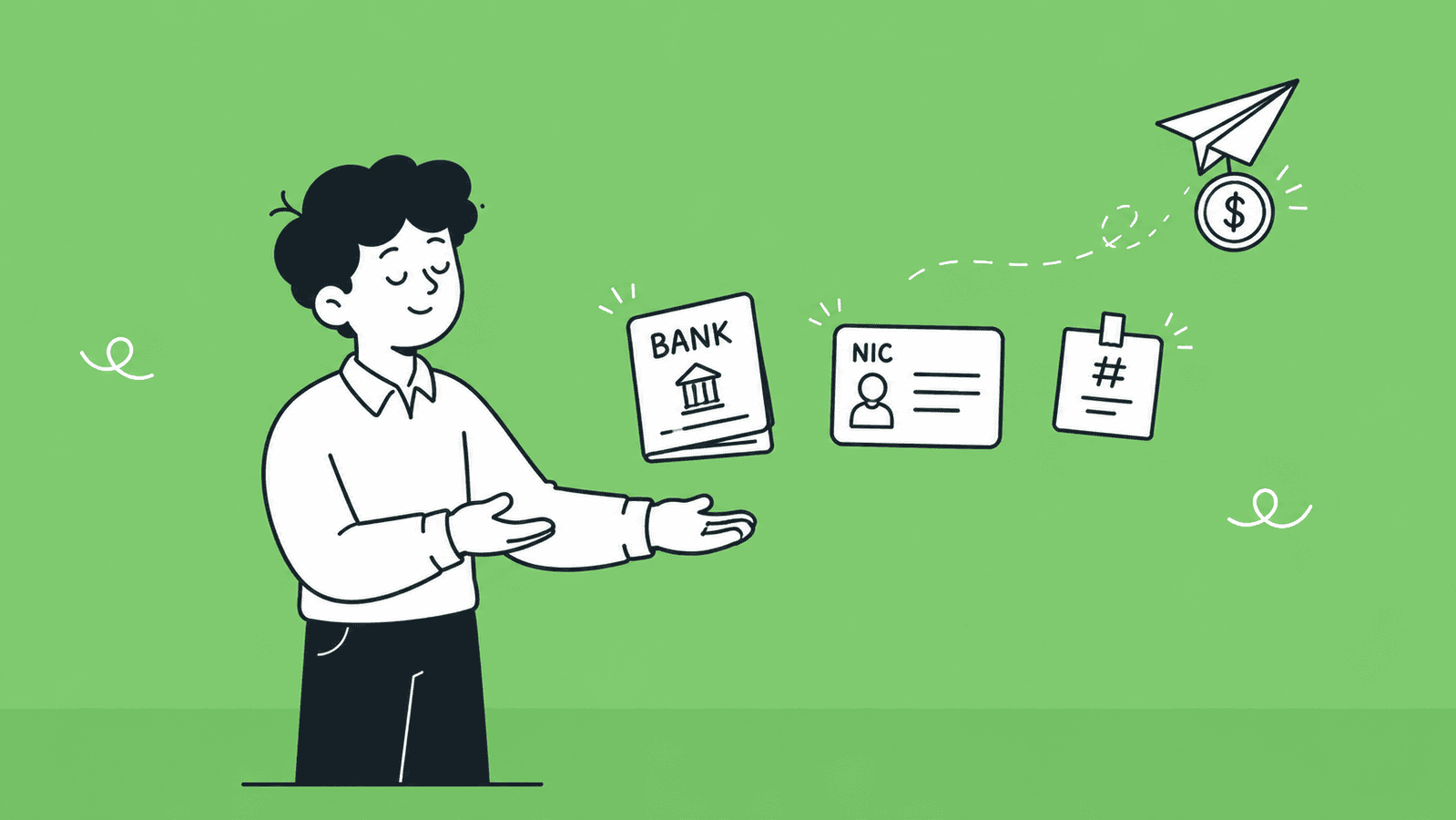
    1. You sign up for a free Payoneer account and complete KYC verification with your NIC or passport and bank details.
    2. Payoneer gives you virtual local bank account numbers in USD, EUR, GBP, and more.
    3. Your client sends payment to that account number as if they are making a local transfer in their country.
    4. The money lands in your Payoneer balance.
    5. You withdraw to your Sri Lankan bank account in LKR at the current conversion rate.

    This is also why Payoneer is the default payout method on platforms like Fiverr, Upwork, and Toptal, as those platforms send your earnings directly into your Payoneer account, and you withdraw from there. 

    Key Features of Payoneer

    • Virtual receiving accounts in USD, EUR, GBP, AUD, CAD, and JPY, so clients can pay you like a local transfer.
    • Direct integration with Fiverr, Upwork, Amazon, Toptal, 99designs, and 2,000+ other platforms.
    • Multi-currency balance, hold funds in multiple currencies and convert when the rate is good.
    • Withdraw to local bank, transfer your balance directly to your Sri Lankan bank account in LKR.
    • Payoneer Mastercard, a physical and virtual debit card to spend your balance or withdraw at ATMs.
    • Payment requests: Send a professional payment request to any client by email, even if they are not on Payoneer.
    • Can get mass payouts, useful if you run an agency and need to pay multiple people at once.
    • Available in 190+ countries and supports 70+ currencies.

    Pros and Cons of Payoneer

    ProsCons
    Platform SupportDirectly integrated with Fiverr, Upwork, and most major freelancing platformsNot as useful if all your clients pay by direct invoice
    Receiving FeesFree to receive from platforms and other Payoneer users (in most cases)Up to 1% fee when receiving USD via local bank details
    Currency ConversionSupports 70+ currencies with multi-currency balanceAdds a 0.5–2% markup over the mid-market exchange rate
    WithdrawalWithdraw directly to your Sri Lankan bank in LKRWithdrawal fees apply depending on the amount and method
    CardPhysical and virtual Mastercard availableAnnual card fee of $29.95 applies
    AvailabilityFully available and working in Sri LankaAccount can be frozen during verification checks
    SetupStraightforward signup processKYC verification can be strict for new users
    Dormancy Fee$29.95 fee if your account is inactive for 12 months

    What is Wise 

    Wise, formerly known as TransferWise, is a UK-based financial platform founded in 2011. While Payoneer is built around freelancing platforms and marketplaces, Wise is built around one core idea, sending and receiving money internationally at the real mid-market exchange rate with no hidden markups.

    For Sri Lankan freelancers who work with direct clients through invoices rather than platforms like Fiverr or Upwork, Wise is often the smarter and cheaper option. Your client sends money to your Wise account details just like a local bank transfer in their country, and Wise converts it and sends it to your Sri Lankan bank account at a rate that is almost always better than what Payoneer or your local bank would offer.

    Here is how it works step by step:

    1. You sign up for a free Wise account and complete identity verification with your NIC or passport.
    2. Wise gives you local bank account details in USD, EUR, GBP, AUD, and several other currencies.
    3. You share those account details with your client on your invoice.
    4. Your client pays as if they are making a domestic bank transfer in their country, no international wire fees on their end.
    5. Wise receives the funds and converts them at the mid-market exchange rate with a small transparent fee.
    6. The converted amount lands in your Sri Lankan bank account in LKR.

    The biggest advantage of Wise over the other two platforms is transparency. You see exactly what fee you are paying and exactly what exchange rate you are getting, before you confirm the transfer. There are no surprises when the money hits your bank. 

    Key Features of Wise

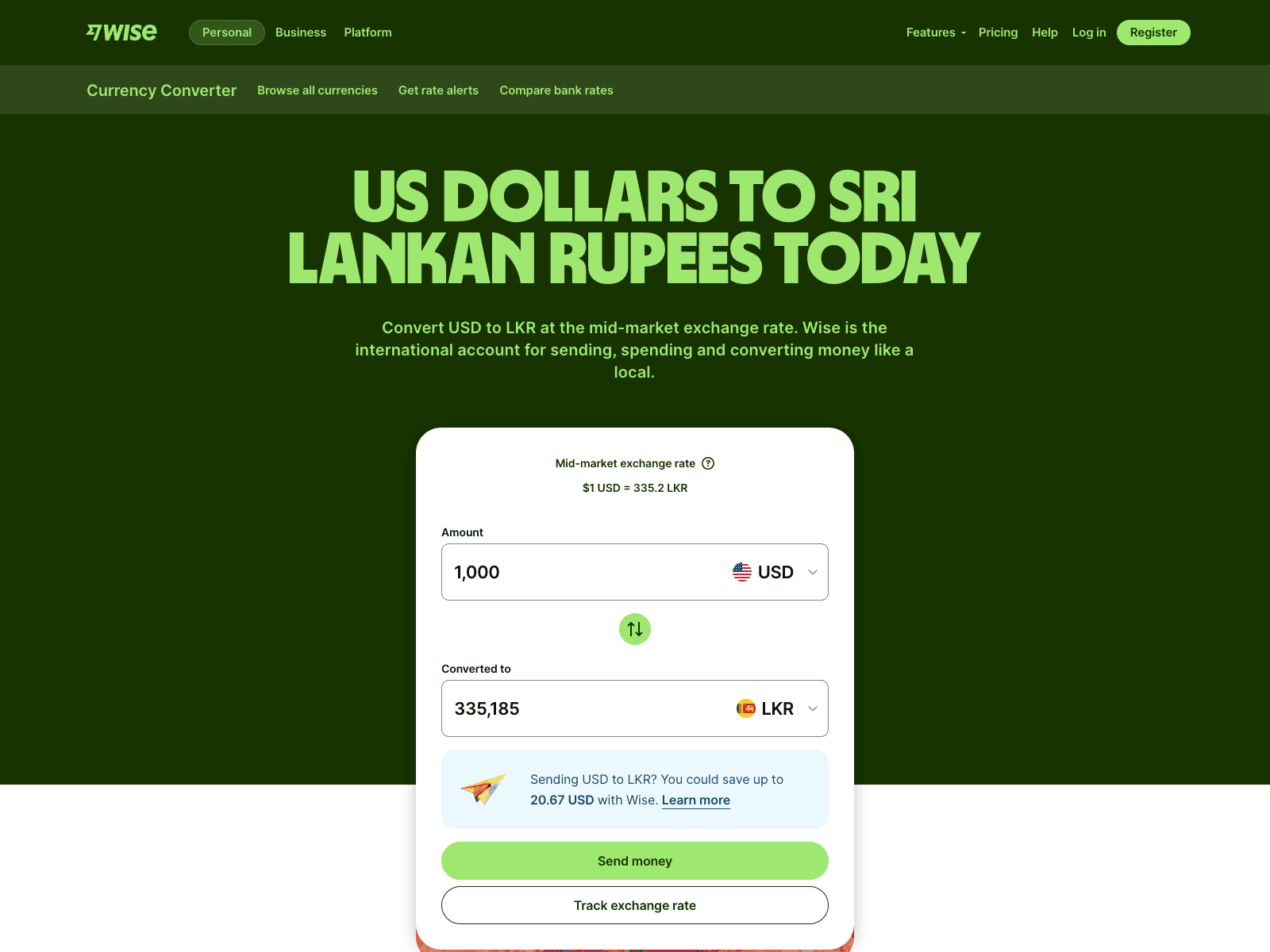
    Wise currency converter showing 1,000 USD converted to Sri Lankan Rupees
    • Mid-market exchange rate, the real rate you see on Google, with no hidden markup added on top.
    • Local account details in USD, EUR, GBP, AUD, NZD, SGD, and more, so clients pay you like a local transfer.
    • Multi-currency balance, hold and manage 40+ currencies in one account.
    • Wise debit card, a physical and virtual card to spend in any currency while travelling or shopping online.
    • Transparent fee structure, you see the exact fee and rate before sending or receiving.
    • Fast transfers, 90% of payments arrive within 24 hours.
    • Available in 160+ countries with support for 40+ currencies.
    • No monthly fees, you only pay when you make a transaction.
    • Batch payments, send payments to multiple people at once, useful for small agencies.

    Pros and Cons of Wise

    ProsCons
    Exchange RateUses the real mid-market rate with no hidden markupSmall variable fee still applies on top of the rate (typically 0.6–0.7%)
    TransparencyYou see the exact fee and rate before every transactionFee structure can feel complex for first-time users
    Receiving FeesFree to receive payments via local account details in most currenciesNo direct integration with Fiverr, Upwork, or most freelancing platforms
    Platform SupportWorks well for direct client payments and invoice-based workNot a good fit if most of your income comes through freelancing marketplaces
    Transfer Speed90% of transfers arrive within 24 hoursOccasional delays during compliance or verification checks
    CardPhysical and virtual debit card available for international spendingWise card not yet widely supported at all Sri Lankan ATMs
    AvailabilityFully available in Sri Lanka for receiving and withdrawing fundsDoes not offer a Sri Lankan LKR local account, only conversion to LKR
    FeesNo monthly or annual account feesWithdrawal fees to local bank apply per transaction
    Trust4.3 stars on Trustpilot with 220,000+ reviewsAccount freezes can happen during routine compliance checks

    What is PayPal 

    PayPal is an American financial platform founded in 1998 and is the most widely recognised online payment service in the world. With over 400 million active users across 200+ countries, it is the platform most international clients already know and trust. For buying online, paying subscriptions, sending money, and now receiving international payments in Sri Lanka, PayPal works smoothly almost everywhere in the world.

    Following the official launch of full PayPal services in Sri Lanka in May 2026, Sri Lankan users can now send money, receive international payments, and withdraw funds directly to their local bank accounts through approved partner banks.

    In terms of how it works, PayPal operates as a digital wallet. You link your bank account or card, and you can send and receive money using just an email address. Clients do not need your bank details, they just need your PayPal email, which makes it extremely easy to get paid quickly. 

    Here is how it works step by step:

    1. You create a PayPal account using your email address.
    2. You link your bank account or debit/credit card to the account.
    3. You link your PayPal account to an approved Sri Lankan partner bank (Bank of Ceylon, Commercial Bank of Ceylon, or Sampath Bank) through your mobile banking app.
    4. Your client sends money to your PayPal email address from anywhere in the world.
    5. The funds land in your PayPal balance.
    6. You withdraw to your linked Sri Lankan bank account in LKR through your partner bank’s mobile app. 

    The process is simple and fast. Note that PayPal in Sri Lanka currently supports cross-border payments only. You can receive money from PayPal users abroad, but not from other Sri Lankan PayPal users. 

    Key Features of PayPal

    • Global recognition, accepted by millions of clients, businesses, and online platforms worldwide.
    • Pay with email, no need to share bank details, clients just send to your PayPal email.
    • Multi-currency support, hold and transact in 25+ currencies.
    • Buyer and seller protection, built-in dispute resolution and fraud protection.
    • PayPal business debit Mastercard, spend your balance or withdraw at ATMs.
    • Batch payouts, send up to 15,000 payments in one batch across 156 countries.
    • Integration with e-commerce platforms. Shopify, WooCommerce, and most online stores support PayPal checkout.
    • Available in 200+ countries, the widest country coverage of the three platforms. 

    Can I Receive Foreign Funds Through PayPal in Sri Lanka?

    PayPal country and region availability selector

    Yes. As of May 2026, Sri Lankan PayPal users can now receive international payments directly into their PayPal account and withdraw funds to a local Sri Lankan bank.

    This became possible following the official launch of full PayPal services in Sri Lanka on May 15, 2026, in partnership with three local banks: Bank of Ceylon, Commercial Bank of Ceylon, and Sampath Bank.

    To receive and withdraw money, your PayPal account must be linked to at least one of these partner banks through your mobile banking app. Once linked, international clients can send money directly to your PayPal email, the funds appear in your PayPal balance, and you can withdraw to your LKR account through your bank’s app.

    One important limitation: 

    PayPal in Sri Lanka supports cross-border payments only. You can receive money from PayPal users abroad, but you cannot receive money from other Sri Lankan PayPal users. Local peer-to-peer transfers are not supported.  

    Is It Okay to Open a PayPal Account Under a Foreign Business?

    Yes, it is completely legal and in some cases the smarter choice, even now that PayPal works locally in Sri Lanka. Most freelancers who only need to receive client payments through PayPal will be fine with the local setup introduced in May 2026. But for some, setting up a US or UK business and linking PayPal to that foreign entity still makes a lot of sense.

    Here is when it is worth doing:

    • You also need Stripe, which is still not available in Sri Lanka, and want one foreign business setup that covers both PayPal and Stripe together
    • You run an agency or e-commerce business that operates under a US or UK brand and want clients to invoice a foreign entity
    • Your enterprise clients prefer or require payments to go through a US or UK registered company
    • You want access to higher PayPal transaction limits and fewer account restrictions that come with a foreign business account

    If any of these apply, registering a company in the United States or the United Kingdom gives you a fully functional PayPal business account under that entity, a registered business address, a foreign bank account, and the ability to receive international payments without any local restrictions. The entire setup can be done remotely from Sri Lanka without ever traveling abroad.

    If you are a solo freelancer with no need for Stripe or a globally branded business presence, the local Sri Lankan PayPal setup is simpler, faster, and costs nothing extra to maintain. 

    Need Help Registering Your Business in the USA or UK from Sri Lanka?

    If you are ready to unlock Stripe and other global payment platforms alongside PayPal, BR.lk helps Sri Lankan freelancers and online sellers set up their business abroad, legally, quickly, and without the stress.

    • Expert Guidance and Compliance: Full support through every step of company registration, in line with international and local regulations
    • Seamless Payment Setup: Get linked to PayPal, Stripe, Wise, and more, all from Sri Lanka
    • Fast and Hassle-Free: Registration and account setup completed in just 24 to 48 hours
    • Local Language Support: Personalised assistance available in Sinhala or Tamil

    Take the first step to get paid globally and grow your online business with confidence.

    Pros and Cons of PayPal

    ProsCons
    RecognitionMost recognised payment platform globally, clients trust it instantlyHigh currency conversion markup, up to 4% over the mid-market rate
    Ease of UseSimple to send and receive using just an email addressHigher transaction fees compared to Payoneer and Wise
    ReceivingNow fully supported in Sri Lanka since May 2026, receive international payments directlyOnly cross-border payments supported, local Sri Lanka to Sri Lanka transfers are not available
    Client CompatibilityMost international clients already have a PayPal accountAccounts can be frozen or limited with little warning
    E-commerceDeep integration with Shopify, WooCommerce, and online storesRequires linking to a partner bank to receive and withdraw funds
    SecurityStrong buyer and seller protection with dispute resolutionPartner banks currently limited to Bank of Ceylon, Commercial Bank, and Sampath Bank
    WithdrawalWithdraw funds directly to your Sri Lankan bank account via partner banksWithdrawal fees are set by each partner bank and vary
    Global ExpansionUS or UK company registration gives access to Stripe and other platforms not yet available in Sri LankaForeign company setup involves additional costs, compliance, and maintenance

    Payoneer vs Wise vs PayPal: A Head-to-Head Comparison 

    Now that you know what each platform does, here is how they stack up directly against each other across the factors that matter most for Sri Lankan freelancers. 

    Fee Comparison: How Much Do You Actually Keep?

    Comparing how much money Sri Lankan freelancers keep after Payoneer Wise and PayPal fees

    Fees are rarely just one number. Each platform charges at different points, when you receive money, when you convert currency, and when you withdraw to your bank. Here is a full breakdown so you know exactly where your money goes.

    Payoneer is generally free to receive from platforms like Fiverr and Upwork, but charges when clients pay you directly. Wise charges a small transparent fee on conversion but gives you the best exchange rate. PayPal charges the most at almost every step, though Sri Lankan users can now receive and withdraw payments following the May 2026 launch.   

    Fee TypePayoneerWisePayPal
    Account Opening FeeFreeFreeFree
    Receiving from Platforms (Fiverr, Upwork)FreeNot supportedNot supported
    Receiving via Local Bank Details0% to 1% depending on currencyFree in most currenciesSupported via partner banks. Fees apply
    Receiving via Credit CardUp to 3.99% + $0.49Not applicableUp to 4.40% + fixed fee
    Currency Conversion Fee0.5% to 2% markup0.6% to 0.7% (mid-market rate)Up to 4% markup
    Withdrawal to Sri Lankan BankFee applies per withdrawalFee applies per withdrawalFees set by partner bank (BOC, Commercial Bank, Sampath)
    Annual/Dormancy Fee$29.95 if inactive 12 monthsNoneNone
    Debit Card Annual Fee$29.95Free (card issuance fee may apply)Free

    Exchange Rates: Where You Lose the Most Money Without Knowing

    The exchange rate is where most freelancers lose money without realising it. A platform can advertise low fees but quietly take a large cut through a poor exchange rate. Here is how each platform handles currency conversion.

    Wise is the clear winner here because it uses the real mid-market rate, the same rate you see on Google, and only adds a small transparent fee on top. Payoneer adds a markup over the mid-market rate, which costs you more on larger amounts. PayPal has the highest markup of the three, which means receiving $1,000 through PayPal puts less LKR in your pocket compared to Wise.

    Exchange Rate FactorPayoneerWisePayPal
    Rate UsedWholesale market rate + markupReal mid-market rateMid-market rate + up to 4% markup
    Conversion Markup0.5% to 2%0.6% to 0.7%Up to 4%
    Rate TransparencyShown after transactionShown before transactionShown before transaction but markup is buried
    Best ForAcceptable for platform payoutsBest for direct client paymentsHigher cost option, compare before using
    Example: Receiving $1,000Approx. $985 to $995 after feesApprox. $993 to $994 after feesLess than Wise due to higher markup

    Platform and Marketplace Compatibility

    If you earn through freelancing platforms, compatibility is one of the most important factors. Not every platform lets you choose how you get paid.

    Payoneer dominates here. Most major freelancing platforms have built Payoneer directly into their payout system. Wise is excellent for direct client work but is not integrated into freelancing marketplaces. PayPal now supports direct client invoicing and receiving for Sri Lankan accounts, but is still not natively integrated with most freelancing platforms.

    Platform / MarketplacePayoneerWisePayPal
    FiverrYes, native integrationNoNo
    UpworkYes, native integrationNoLimited
    ToptalYesNoNo
    99designsYesNoNo
    Amazon MarketplaceYesNoNo
    Direct Client InvoiceYes, via payment requestYes, via local account detailsYes, now supported in Sri Lanka
    Shopify / WooCommerceLimitedNoYes
    Affiliate NetworksYesNoVaries

    Withdrawal Speed to Your Sri Lankan Bank Account

    Once money is in your account, how fast does it reach your local bank? This matters when you have bills to pay or need to manage cash flow.

    Speed FactorPayoneerWisePayPal
    Processing Time to Local Bank2 to 5 business days1 to 2 business days3 to 5 business days via partner bank
    Same Day WithdrawalNoRarelyNo
    Weekends and HolidaysDelays possibleDelays possibleDelays possible
    Minimum Withdrawal Amount$50Varies by currencySet by partner bank
    Transfer NotificationYes, email and appYes, email and appYes, via partner bank app

    Account Setup and Verification

    Getting started with any of these platforms requires identity verification. The strictness of the KYC process varies across platforms and can affect how quickly you can start receiving money.

    Setup FactorPayoneerWisePayPal
    Signup ProcessOnline, straightforwardOnline, straightforwardOnline, straightforward
    Documents RequiredNIC or Passport, bank detailsNIC or PassportNIC or Passport, card details
    KYC StrictnessModerate to strictModerateModerate
    Approval Time1 to 3 business days1 to 2 business daysUsually instant
    Can Receive Money ImmediatelyNo, after verificationNo, after verificationNo, after verification and bank linking
    Account Freeze RiskModerateLow to moderateModerate to high
    Local Bank Account RequiredYes, for withdrawalYes, for withdrawalYes, partner bank required to receive and withdraw

    Safety and Reliability

    All three platforms are regulated financial services companies, but their track records and local relevance differ. For Sri Lankan freelancers, the key concern is whether your money is safe and whether the platform is stable enough to rely on as your primary income channel.

    Security FactorPayoneerWisePayPal
    Regulatory StatusRegulated in the US (FinCEN)Regulated in the UK (FCA)Regulated in the US (FinCEN)
    PCI DSS ComplianceYes, Level 1Yes, Level 1Yes, Level 1
    Two-Factor AuthenticationYesYesYes
    Fraud DetectionYes, built-inYes, built-inYes, advanced
    Trustpilot Rating3.9 stars (53,000+ reviews)4.3 stars (220,000+ reviews)1.3 stars (Poor rating)
    Account Freeze HistoryReported occasionallyReported occasionallyFrequently reported
    Fund ProtectionHeld in regulated accountsHeld in regulated accountsHeld in PayPal balance
    Sri Lanka AvailabilityFully availableFully availableFully available since May 2026

    Tax and Legal Side for Sri Lankan Freelancers

    Earning foreign income through Payoneer, Wise, or PayPal does not mean you are outside the tax system. The Inland Revenue Department (IRD) of Sri Lanka treats freelance income as self-employment earnings, and you are expected to declare it.

    Here is what you need to know:

    • Income Tax: Freelance income is taxable progressively in Sri Lanka. As of 2026, income above LKR 3,000,000 per year is subject to income tax at rates between 6% and 18%. You are required to file with the IRD and declare all foreign income received.
    • Central Bank Compliance: The Central Bank of Sri Lanka permits inward remittances for freelance and export services. Payoneer, Wise, and now PayPal (via partner banks) are all compliant channels for receiving this income. You should keep records of all transactions including invoices, payment confirmations, and bank statements. Proper bookkeeping makes this much easier at tax time.
    • Documentation: When you receive payments through any of these platforms, download and save your transaction statements regularly. These serve as proof of income when filing taxes or if the IRD requests documentation.

    VAT: 

    If your annual turnover exceeds LKR 60,000,000, you are required to register for VAT. Most individual freelancers will not reach this threshold, but agencies should keep it in mind.

    Tax / Legal FactorPayoneerWisePayPal
    Accepted by IRD as income proofYesYesYes, now applicable
    Transaction statements availableYes, downloadableYes, downloadableYes, downloadable
    CBSL Compliant ChannelYesYesYes, via partner banks since May 2026
    Supports Invoice GenerationYesYesYes
    Suitable for Tax Filing PurposesYesYesYes

    Summary Table: Payoneer vs Wise vs PayPal for SL Freelancers

    FactorPayoneerWisePayPal
    Available in Sri LankaYes, fullyYes, fullyYes, fully since May 2026
    Best ForPlatform-based freelancersDirect client work and invoicingDirect client payments, subscriptions, and e-commerce
    Account FeeFreeFreeFree
    Receiving FeeFree from platforms, 0 to 1% via bank detailsFree in most currenciesFees apply, check PayPal Sri Lanka fees page
    Currency Conversion0.5 to 2% markup0.6 to 0.7% at mid-market rateUp to 4% markup
    Exchange RateWholesale rate + markupReal mid-market rateMid-market rate + high markup
    Withdrawal to LK BankYes, 2 to 5 business daysYes, 1 to 2 business daysYes, 3 to 5 business days via partner bank
    Fiverr / Upwork IntegrationYes, nativeNoNo
    Direct Client PaymentsYes, via payment requestYes, via local account detailsYes, now supported locally
    Debit CardYes, Mastercard ($29.95/year)Yes, free cardYes
    Minimum Withdrawal$50Varies by currencySet by partner bank
    Dormancy Fee$29.95 after 12 months inactiveNoneNone
    KYC StrictnessModerate to strictModerateModerate
    Account Freeze RiskModerateLow to moderateFrequently reported
    Trustpilot Rating3.9 stars4.3 stars1.3 stars
    Regulatory ComplianceUS regulated (FinCEN)UK regulated (FCA)US regulated (FinCEN)
    CBSL Compliant ChannelYesYesYes, since May 2026
    Tax DocumentationYes, downloadable statementsYes, downloadable statementsYes, downloadable statements
    Overall CostModerateLowestHighest
    Recommended For SL FreelancersYes, primary for platformsYes, primary for direct clientsYes, especially for clients who prefer PayPal

    Final Verdict: Which One Should You Pick?  

    Sri Lankan freelancer choosing between Payoneer Wise and PayPal based on how they work

    The right platform depends on how you work and where your income comes from. Here is a clear breakdown to help you decide.

    If You Work on Freelancing Platforms: Use Payoneer

    If most of your income comes through Fiverr, Upwork, Toptal, or any other major freelancing marketplace, Payoneer is your best choice. These platforms have Payoneer built directly into their payout system, the fees are reasonable, and it is fully recognised by the Central Bank of Sri Lanka as a compliant inward remittance channel.

    If you are just starting out and unsure which platform to pick, start with Payoneer. It works with almost every marketplace you sign up for.

    If You Work with Direct Clients: Use Wise

    If you send invoices directly and get paid outside of a marketplace, Wise is the smarter option. You give your client a local USD, EUR, or GBP account number and they pay you like a domestic bank transfer. Wise uses the mid-market rate with a transparent low fee, which means more money lands in your Sri Lankan bank account.

    Tip: Use our Wise calculator to estimate exactly what you will receive.

    If you have retainer clients who pay monthly, the savings add up significantly over a year.

    If Your Clients Prefer PayPal: Use PayPal

    Since May 2026, PayPal is now fully available in Sri Lanka. If your clients already use PayPal and prefer it, there is no longer any reason to turn it down. Simply link your PayPal account to one of the partner banks (Bank of Ceylon, Commercial Bank of Ceylon, or Sampath Bank) and you can receive payments and withdraw directly to your LKR account.

    PayPal still carries higher fees and a larger currency conversion markup compared to Wise, so it is worth comparing costs before making it your primary platform. But as a receiving option for clients who insist on PayPal, it now works without any workaround.

    If you also need Stripe or want to operate under a foreign business entity, registering a US or UK company through BR.lk remains a practical option alongside your local PayPal setup.

    When to Combine Two or All Three

    The smartest setup for most Sri Lankan freelancers is not choosing just one platform. It is using the right platform for the right type of income. Here is how a combined setup looks in practice:

    • Payoneer + Wise (Recommended for most freelancers): Use Payoneer for marketplace earnings and Wise for direct client payments. This combination keeps your fees low and your exchange rate competitive, meaning more money in your Sri Lankan bank account every month.
    • Payoneer + Wise + PayPal (For freelancers with diverse client bases): If some of your clients already use PayPal, adding it to your setup is now straightforward. Use Payoneer for platform income, Wise for direct invoice clients, and PayPal for clients who prefer it. No foreign company required for basic receiving.
    • Payoneer + Wise + PayPal via Foreign Company (For agencies and global businesses): If you also need Stripe, operate under a US or UK brand, or work with enterprise clients who require invoicing from a foreign entity, setting up a US LLC or UK company through BR.lk opens up the full picture. BR.lk can handle the entire setup remotely from Sri Lanka.
    Your SituationRecommended Setup
    Just starting on Fiverr or UpworkPayoneer only
    Working with direct international clientsWise only
    Clients who prefer PayPalPayPal (local Sri Lankan account)
    Mix of platforms and direct clientsPayoneer + Wise
    Mix of platforms, direct clients, and PayPal clientsPayoneer + Wise + PayPal
    Agency, e-commerce, or need StripePayoneer + Wise + PayPal + US/UK company via BR.lk

    Key Takeaways 

    • Payoneer is the best choice for freelancers who earn through platforms like Fiverr and Upwork because of its direct integrations.
    • Wise is the most cost-effective option for direct client payments due to its real mid-market exchange rate and transparent fees.
    • PayPal is now fully available in Sri Lanka since May 2026, meaning Sri Lankan users can receive international payments and withdraw funds to local bank accounts via partner banks.
    • Wise offers the best exchange rates among the three, helping freelancers keep more of their earnings.
    • Payoneer charges small fees on currency conversion and withdrawals but remains reliable and widely supported.
    • PayPal carries the highest currency conversion markup of the three platforms, so it is worth comparing costs before making it your primary receiving method.
    • Wise transfers are usually faster, with most payments reaching Sri Lankan bank accounts within 1 to 2 business days.
    • Payoneer is fully compliant with the Central Bank of Sri Lanka and works well for both individuals and agencies.
    • PayPal is now also a CBSL compliant channel for receiving inward remittances through its approved partner banks: Bank of Ceylon, Commercial Bank of Ceylon, and Sampath Bank.
    • The best setup for most freelancers is Payoneer for platform income, Wise for direct client payments, and PayPal for clients who specifically prefer it.
    • Freelancers who also need Stripe or want to operate under a foreign business entity can register a US LLC or UK company through BR.lk to unlock those platforms alongside their local PayPal setup. 

    FAQs

    Which is cheaper, Payoneer or Wise, for Sri Lankan freelancers?

    Wise is generally cheaper for direct client payments, using the real mid-market rate with a 0.6 to 0.7% fee. Payoneer adds a 0.5 to 2% markup. However, if you earn through Fiverr or Upwork, Payoneer is free to receive, making it the cheaper option for marketplace income.

    How do I withdraw from Payoneer to a Sri Lankan bank account?

    Log in to Payoneer, go to Withdraw, select To Bank Account, and enter your Sri Lankan bank details. The minimum withdrawal is $50 and funds typically arrive within 2 to 5 business days. Withdrawal fees apply per transaction and vary depending on the amount transferred.

    Can I now receive money through PayPal in Sri Lanka?

    Yes. Since May 2026, Sri Lankan users can receive international payments and withdraw to a local bank account. Link your PayPal to an approved partner bank: Bank of Ceylon, Commercial Bank of Ceylon, or Sampath Bank. Note that only cross-border payments are supported, not transfers between Sri Lankan PayPal users.

    Is PayPal now better than Payoneer or Wise for Sri Lankan freelancers?

    Not necessarily. PayPal still carries the highest conversion markup, up to 4% above the mid-market rate. Wise remains cheapest for direct client payments and Payoneer is best for marketplace earnings. PayPal works best when clients specifically prefer it or when you need PayPal Checkout for an e-commerce business.  

  • Best 7 Payment Methods for Freelancers in Sri Lanka (2026)

    Best 7 Payment Methods for Freelancers in Sri Lanka (2026)

    Getting paid should be the easiest part of freelancing. But if you are based in Sri Lanka, you already know it is anything but. PayPal still does not let you withdraw money. Stripe is not available locally. And if you ask five different freelancers which payment method they use, you will get five different answers. The truth is, there is no single perfect solution for everyone. The right method depends on how you work, who your clients are, and how much you are willing to pay in fees.

    In this guide, we break down every practical option available to Sri Lankan freelancers in 2026, what each one actually costs, and which one makes the most sense for your situation. 

    What to Look for in a Freelancer Payment Method (Before You Pick One)

    Five criteria for choosing a freelancer payment method in Sri Lanka including fees speed and KYC

    Choosing the right payment method is not just about receiving money. It directly affects how much you actually keep, how fast you get paid, and how easy your workflow becomes. Here are the key things every freelancer in Sri Lanka should check before picking a payment option:

    1. Transaction Fees and Exchange Rates

    This is where most freelancers lose money without realizing it. Every platform charges something, either a fixed fee, a percentage, or both. On top of that, the exchange rate they offer can be lower than the real market rate.

    Even a small difference in exchange rates can cost you thousands of rupees over time, especially if you get paid regularly in USD or EUR. Always check:

    • Receiving fees
    • Withdrawal fees
    • Currency conversion margins

    A platform with “low fees” but poor exchange rates can actually cost you more. 

    2. Withdrawal Speed to a Sri Lankan Bank Account

    Getting paid is one thing, accessing your money is another. Some services process withdrawals within a few hours, while others can take 2–5 business days.

    If you depend on freelancing as your main income, faster withdrawals can help with cash flow and day-to-day expenses. Look for:

    • Average withdrawal time
    • Weekend or holiday delays
    • Bank processing times in Sri Lanka 

    3. Platform Compatibility (Fiverr, Upwork, Freelancer.com, etc.)

    Not all payment methods work with every freelancing platform. For example, some platforms directly support certain payment providers, making withdrawals much easier.

    Before choosing a method, make sure it works smoothly with platforms like:

    • Fiverr
    • Upwork
    • Freelancer.com

    Using a supported method avoids extra steps, delays, and unnecessary fees. 

    4. KYC Requirements and Documentation

    Most payment platforms require identity verification (KYC – Know Your Customer). This is normal, but the process can vary.

    You may need to provide:

    • National ID or passport
    • Proof of address (utility bill or bank statement)
    • Sometimes income proof or invoices

    Some platforms approve accounts quickly, while others may take a few days. Choosing a service with a smooth verification process can save time and frustration. 

    5. Currency Support (USD, EUR, GBP, LKR)

    Freelancers usually get paid in foreign currencies like USD, EUR, or GBP. A good payment method should support holding and converting these currencies easily.

    Key things to check:

    • Can you receive payments in multiple currencies?
    • Can you hold money without converting immediately?
    • How easily can you convert to LKR when needed?

    Having multi-currency support gives you more control, especially when exchange rates fluctuate. 

    If you choose a payment method carefully based on these factors, you can avoid hidden costs, reduce delays, and keep more of what you earn. 

    The 7 Best Payment Methods for Freelancers in Sri Lanka

    Below are the 7 best payment methods freelancers in Sri Lanka can use in 2026, based on reliability, cost, and ease of use. 

    1. Payoneer: Best Overall for Sri Lankan Freelancers

    Payoneer is a global payment platform that gives you a multi-currency account with virtual receiving numbers in USD, EUR, and GBP. Your overseas client pays you like they are paying a local bank in their country, no foreign bank account needed on your end. It is the most widely used and reliable way to receive international payments in Sri Lanka right now, with direct integrations into almost every major freelance platform. 

    To sign up, you will need your NIC or passport, a Sri Lankan bank account, and basic proof of freelance work. 

    How to Withdraw to a Sri Lankan Bank

    To withdraw your Payoneer balance to a local bank, log in to your account and go to Withdraw, then select To Bank Account. From there, add your Sri Lankan bank details, including your account number and SWIFT code, enter the amount, and confirm the transfer. 

    Here, the money usually arrives within 2 to 5 business days. Keep your client invoices handy, as some Sri Lankan banks may ask for documentation on larger incoming transfers as part of their standard compliance process. 

    Fees Breakdown

    Fee TypeAmount
    Receiving from Upwork, Fiverr & platformsFree
    Receiving from another Payoneer userFree
    Requesting payment via client’s credit card3.2% + $0.49
    Withdrawing under $400Fixed $4 fee
    Withdrawing above $400 to local bank$1.50 flat fee
    Currency conversion (USD → LKR)Up to 2% above market rate
    Inactivity fee (if under $2,000/year received)$29.95/year

    Tip: Withdraw in larger amounts less frequently to avoid paying the $4 flat fee on small transfers. 

    Platforms That Support Payoneer

    Upwork, Fiverr, Freelancer.com, Toptal, 99designs, Amazon, and Airbnb, plus direct client invoicing. 

    Pros and Cons

    ProsCons
    Works with almost every freelance platformUp to 2% conversion fee on LKR withdrawals
    Free to receive from marketplace payouts$29.95 inactivity fee if you earn under $2,000/year
    Withdraws directly to Sri Lankan banks$4 flat fee on small withdrawals
    Supports USD, EUR, GBP and moreAccount freezes reported during verification

    2. Wise (formerly TransferWise): Best for Direct Client Payments

    Wise (formerly TransferWise) is a UK-based payment platform that lets you receive money from international clients using local account details in USD, EUR, GBP, AUD, and more, without needing a foreign bank account. What makes Wise stand out from the rest is its use of the real mid-market exchange rate with no hidden markup. 

    This means you keep more of what your client pays you compared to most other methods. It is best suited for freelancers who work directly with clients rather than through platforms like Upwork or Fiverr. 

    How to Receive Payments from International Clients

    Once you sign up and verify your identity, Wise gives you local account details in multiple currencies. You share these details with your client like a regular bank account number, and they pay you as if they are making a local transfer in their country. Your client does not need a Wise account to send you money. You can also send invoices directly through Wise, making it a clean end-to-end solution for freelancers with direct client relationships. 

    Fees and Exchange Rate Advantage

    Fee TypeAmount
    Receiving via local bank transfer (ACH/SEPA)Free
    Receiving via USD wire transfer$6.11 fixed fee
    Receiving via GBP wire transfer$2.16 fixed fee
    Receiving via EUR wire transfer$2.39 fixed fee
    Currency conversion fee0.33% (expected to rise to 0.5–0.75% by mid-2026)
    Monthly or inactivity feeNone

    Wise uses the mid-market forex rate with no hidden charges, which is the same rate you see on Google. This is a significant advantage over banks and most other payment platforms that quietly add a margin to the exchange rate before converting your money. 

    How to Transfer to a Sri Lankan Bank

    To move your Wise balance to a local bank account, log in and go to Send, select your Sri Lankan bank as the destination, enter the amount, and confirm. Once Wise receives and converts your money, it usually arrives in your recipient’s bank account on the same working day, though conversion can take up to 2 working days. As with any inward remittance, have your invoices ready in case your bank requests documentation.  

    Pros and Cons

    ProsCons
    Real mid-market exchange rate, no hidden markupNo direct integration with Upwork or Fiverr
    No monthly or inactivity feesUSD wire receiving fee of $6.11 per transfer
    Fast transfers, often same working dayCannot send money from an LKR account
    Clean invoicing tool for direct clientsConversion fee expected to increase in mid-2026
    Supports 40+ currencies in one accountNot ideal for platform-based freelancers

    3. Skrill: Good Backup Option for Freelancers

    Skrill is a UK-based digital wallet that supports multiple currencies and is technically available in Sri Lanka. 

    However, Sri Lankan freelancers face some real practical limitations that are worth knowing before you sign up. Visa card deposits are restricted locally, meaning you cannot simply top up your account with a Sri Lankan bank card. 

    To fund a Skrill account, most local users source a Skrill balance from existing Skrill holders, which adds an extra step that Payoneer and Wise do not require. That said, it is still useful if a specific client or platform only supports Skrill. 

    How to Receive and Withdraw in Sri Lanka

    Receiving money into your Skrill account from a client is straightforward and free. The problem starts when you try to withdraw. Not all Sri Lankan banks accept transfers from Skrill, so check with your bank before committing to it. Withdrawals that do go through generally take 2 to 7 working days, though you can withdraw to eZ Cash instantly.  

    Fees to Watch Out For

    Skrill’s fees are noticeably higher than both Payoneer and Wise, especially on currency conversion.

    Fee TypeAmount
    Receiving money into SkrillFree
    Sending to another Skrill user1.45% (capped at €10)
    Withdrawing to a bank account€5.50 fixed fee
    Withdrawing to a credit card7.5%
    Currency conversion fee3.99% above base exchange rate
    International transfer markupUp to 4.99% on exchange rate
    Inactivity fee (no login or transaction in 12 months)$5/month deducted from balance

    The biggest cost to watch is the currency conversion. Skrill’s exchange rate markup can be as high as 4.99% per transaction, meaning you lose money not just on the fee but also on the rate itself. If you are converting USD to LKR regularly, this adds up quickly. 

    Pros and Cons

    ProsCons
    Free to receive payments3.99% currency conversion fee
    Instant withdrawal to eZ CashUp to 4.99% exchange rate markup
    Useful when clients only support Skrill€5.50 fixed fee per bank withdrawal
    Available and functional in Sri LankaNot all Sri Lankan banks accept Skrill transfers
    Supports 40+ currenciesNo direct integration with Upwork or Fiverr
    No monthly fee if account stays active$5/month inactivity fee after 12 months
    Visa card deposits restricted in Sri Lanka 
    Need to source Skrill balance from existing holders locall 

    4. Direct Bank Wire Transfer: Old but Reliable

    A direct bank wire transfer is the most traditional way to receive international payments in Sri Lanka. Your overseas client sends money from their bank directly to your Sri Lankan bank account using your account number and SWIFT code. It is slower and sometimes more expensive than Payoneer or Wise, but it sits fully within the formal banking system, making it the most compliant option for larger, one-off payments. 

    How It Works in Sri Lanka

    Your client initiates a SWIFT transfer by entering your full name, bank name, branch, account number, and SWIFT/BIC code. Transfers can take several business days, and those initiated outside business hours or on weekends may take longer. Keep your client invoices ready, as your bank will likely ask for documentation to process the inward remittance. 

    PFCA and BFCA Accounts Explained Simply

    When foreign currency arrives, your bank will ask if you want to hold it in foreign currency or convert to LKR. 

    1. A PFCA (Personal Foreign Currency Account) lets you hold USD, GBP, or EUR inside a Sri Lankan bank without converting immediately, useful when exchange rates are unfavorable. Any Sri Lankan resident can open a PFCA through any inward remittance received via banking channels, no regular foreign income required. 
    2. A BFCA (Business Foreign Currency Account) works the same way but is designed for registered businesses. 

    Most major banks support inward remittances, Commercial Bank, People’s Bank, BOC, Sampath, Seylan, and HNB. DFCC Bank is the most freelancer-friendly, with a dedicated account that accepts payments from Payoneer, Skrill, and direct wire transfers. 

    Fees and Processing Time

    Fee TypeAmount
    Sender’s bank wire fee (client’s side)$15 – $50
    Intermediary/correspondent bank fee$10 – $25 (deducted in transit)
    Exchange rate markup (USD → LKR)Up to 2–3% above market rate
    Processing time1 to 5 business days

    Pros and Cons

    ProsCons
    Fully within the formal banking systemSlow, 1 to 5 business days
    PFCA lets you hold USD without convertingClient’s bank charges high sending fees
    Best for large, one-off paymentsCorrespondent fees deducted in transit
    No third-party platform neededNot practical for small frequent payments

    5. PayPal: What Sri Lankan Freelancers Need to Know

    PayPal is the most recognized payment platform in the world, and almost every international client knows how to use it. Following the official launch of full PayPal services in Sri Lanka in May 2026, Sri Lankan freelancers can now receive international payments and withdraw funds directly to a local bank account. 

    The Current Reality of PayPal in Sri Lanka

    PayPal officially launched full services in Sri Lanka on May 15, 2026, in partnership with three local banks: Bank of Ceylon, Commercial Bank of Ceylon, and Sampath Bank. Thus, Sri Lankan users can now receive international payments and withdraw funds to a local bank account by linking their PayPal account to one of these partner banks through their mobile banking app.

    One important limitation to note: 

    PayPal in Sri Lanka currently supports cross-border payments only. You can receive money from PayPal users abroad, but not from other Sri Lankan PayPal users. 

    What You Can and Cannot Do

    FeatureAvailable in Sri Lanka?
    Create a PayPal accountYes
    Link a local Visa or MastercardYes
    Pay for software and subscriptionsYes
    Shop on international sites (eBay, Amazon)Yes
    Send money to overseas freelancersYes
    Receive payments from clientsYes, via partner banks (Bank of Ceylon, Commercial Bank, Sampath) 
    Withdraw funds to a Sri Lankan bank accountYes, via partner bank mobile app 

    When It Might Still Be Useful

    PayPal is now useful as both a sending and receiving tool. Use it to pay for tools like Adobe Creative Cloud, SEMrush, or Ahrefs, fund ad campaigns, pay international freelancers, and receive payments directly from clients who prefer PayPal. 

    For freelancers who also need Stripe or want to operate under a US or UK brand, registering a foreign company remains a valid option alongside the local PayPal setup 

    Pros and Cons

    ProsCons
    Universally recognized by clients worldwideHigher currency conversion markup, up to 4% over the mid-market rate. 
    Useful for paying tools and subscriptionsOnly cross-border payments supported, no local Sri Lanka to Sri Lanka transfers.
    Free to create an accountPartner banks currently limited to Bank of Ceylon, Commercial Bank, and Sampath Bank.
    Now fully available in Sri Lanka since May 2026, receive and withdraw internationally. Accounts can be frozen or limited with little warning.

    6. Western Union: A Reliable Option for One-Off Payments

    Western Union is one of the oldest and most widely recognized money transfer services in the world. While it is not built specifically for freelancers, it works well when a client prefers a traditional, non-digital method to send payment, especially for larger, one-time projects. Your client does not need a bank account to send money, and you do not need any third-party platform account to receive it. 

    How It Works for Freelancers in Sri Lanka

    Your client visits a Western Union agent location or uses the Western Union app or website to initiate a transfer. They enter your name and either your Sri Lankan bank account details for a direct deposit, or send it as a cash pickup using a reference number. Money can be collected from over 260 Commercial Bank branches island-wide, and transfers between clients and recipients across more than 200 countries and territories are supported. 

    For bank deposits, funds usually arrive within 1 to 2 business days. For cash pickup, it can be near-instant.  

    Fees and Exchange Rates to Expect

    Fees vary depending on the sending country, the amount, and whether the client sends online or through an agent location.

    Fee TypeAmount
    Online transfer fee (client side)Typically low, around 0.4% of the amount sent
    In-person agent transfer feeHigher, varies by location and country
    Exchange rate markup (USD → LKR)1–3% above mid-market rate
    Receiving fee (your side)Free
    Processing timeMinutes (cash pickup) to 1–2 days (bank deposit)

    Note: Sending money from physical agent locations with Western Union is usually much more expensive than using their online service, so encourage your client to use the app or website rather than walking into an agent. 

    When It Makes Sense to Use Western Union

    Western Union works best when your client is not tech-savvy, does not have a Payoneer or Wise account, and simply wants to send money the traditional way. It also suits larger one-time project payments rather than frequent small transfers, where the exchange rate margin would eat into your earnings. 

    Pros and Cons

    ProsCons
    No platform account needed for either partyExchange rate markup of 1–3%
    Cash pickup available island-wideIn-person agent fees can be high
    Trusted and familiar to older or non-tech clientsNot practical for frequent small payments
    Fast, cash pickup can be near-instantClient needs to manually initiate each transfer
    Accepted at major Sri Lankan banksNo direct integration with freelance platforms

    7. Stripe: Can Sri Lankan Freelancers Use It?

    Unlocking Stripe for Sri Lankan freelancers by registering a US LLC or UK company

    Stripe is one of the most popular payment processors in the world, widely used by SaaS businesses, digital product sellers, and agencies to accept card payments from clients. 

    However, Sri Lanka is not listed among the countries where Stripe currently operates, meaning businesses based in Sri Lanka cannot use Stripe’s payment processing services directly. That said, some freelancers and digital entrepreneurs have found legal ways to access it, though it requires extra effort and cost.  

    The Current Availability of Stripe in Sri Lanka

    Stripe is not natively available in Sri Lanka. You cannot sign up with a Sri Lankan address and start accepting payments. This restriction is not unique to Sri Lanka, it affects dozens of countries where Stripe has not yet established local banking partnerships or regulatory agreements. There is no confirmed timeline for when Stripe will officially launch in Sri Lanka. 

    Workarounds Some Freelancers Use

    Two common workarounds exist, both involving registering a business entity in a supported country:

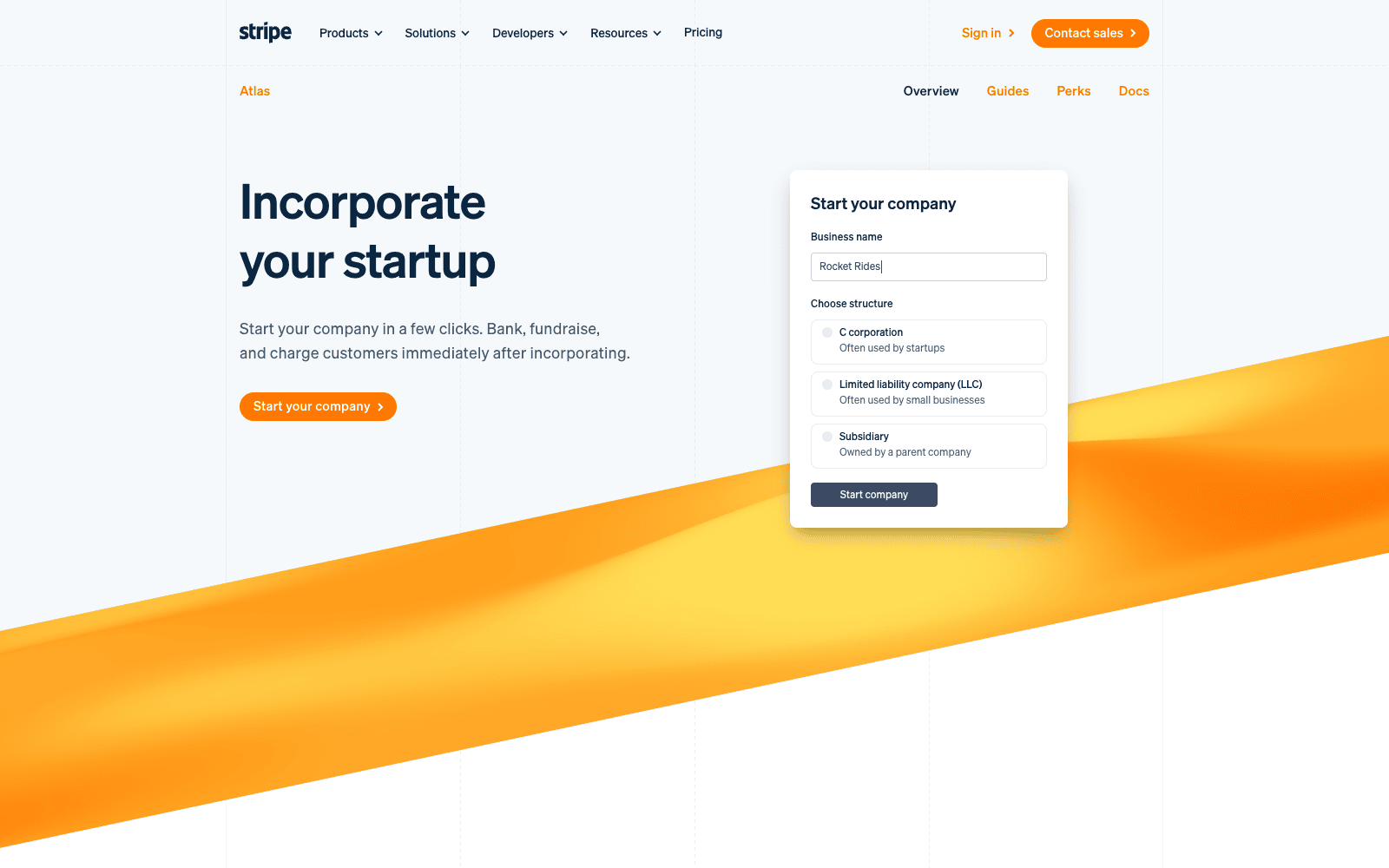
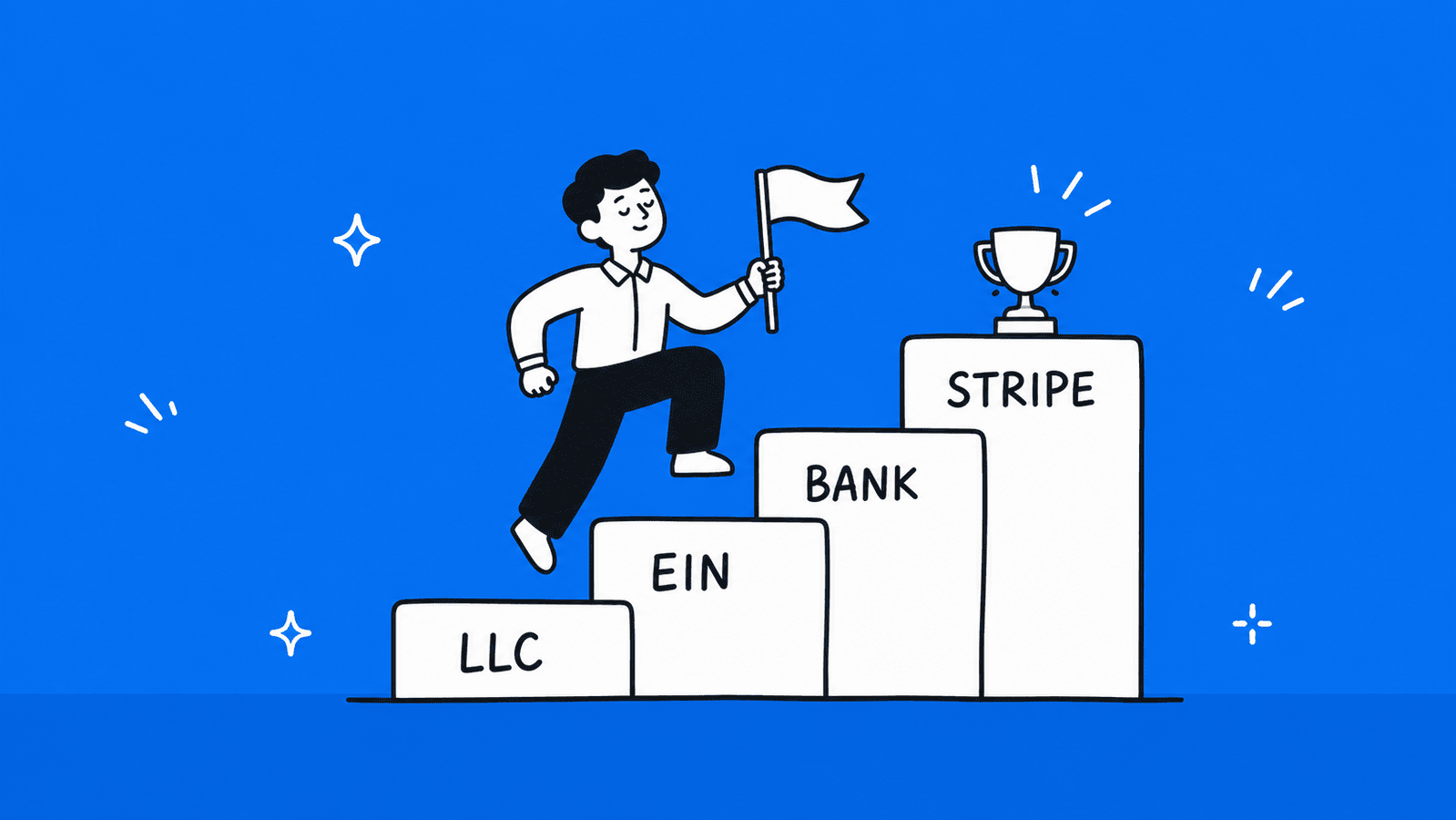
    • Option 1 — Register a US LLC: You can open a Stripe account by forming an LLC in the United States, obtaining an Employer Identification Number (EIN), and linking a US-based bank account such as Wise or Mercury to receive Stripe payouts. 
    • Option 2 — Register a UK Limited Company: You can incorporate a UK company as a non-resident, open a UK business bank account, and link it to a Stripe account from Sri Lanka.

    Both options are legal, but they come with real costs, like company registration fees, annual compliance costs, and the administrative overhead of running a foreign entity. This is not a practical path for a beginner freelancer. 

    Who This Might Suit

    Stripe makes the most sense for freelancers who have built a digital product, SaaS tool, or agency that needs to embed a payment form directly on a website and charge clients via card. If you simply invoice clients on Upwork or Fiverr, Payoneer already covers everything Stripe would do for you at a fraction of the setup cost. 

    Pros and Cons

    ProsCons
    Best-in-class payment experience for clientsNot natively available in Sri Lanka
    Supports card payments, subscriptions, and invoicingRequires registering a foreign company to access
    Ideal for digital products and SaaS businessesCompany registration and compliance costs
    Widely trusted by international clientsToo complex for beginner freelancers
    Payouts via Wise are possible once set upAccount can be frozen if Stripe detects misuse

    Want to Access Stripe, PayPal, and Global Payments from Sri Lanka?

    If registering a US LLC or UK company sounds like the right move for your freelance business, BR.lk makes the entire process simple from Sri Lanka.

    • Legal company registration in the US or UK, completed in 24–48 hours
    • Full setup with Stripe, PayPal, Wise, and other global payment platforms
    • Step-by-step support in Sinhala or Tamil

    Side-by-Side Comparison of All 7 Methods

    Not sure which method fits your situation? Here is a quick breakdown of all seven options across the factors that matter most to Sri Lankan freelancers.

    PayoneerWiseSkrillBank WirePayPalWestern UnionStripe
    Receiving FeeFree (platforms)Free (local transfer)FreeFree
    Fees apply, check PayPal Sri Lanka fees page 
    FreeNot available locally
    Withdrawal Fee$1.50 – $4 flat$2–$6 per transfer€5.50 flat$10–$25 (intermediary)Set by partner bank Free (receiver side)Varies
    Currency ConversionUp to 2%0.33–0.75%3.99%2–3% markupUp to 4% markup1–3% markup~2%
    Speed2–5 business daysSame day – 2 days2–7 business days1–5 business days1 to 3 business days 1 to 3 business daysMinutes – 2 days2–7 business days
    Platform SupportUpwork, Fiverr, Freelancer.com & moreDirect clients onlyLimited platformsDirect clients onlyDirect clients, Shopify, WooCommerceDirect clients onlyRequires foreign company
    Ease of Setup⭐⭐⭐⭐⭐ Easy⭐⭐⭐⭐ Easy⭐⭐⭐ Moderate⭐⭐⭐ Moderate⭐⭐⭐⭐ Easy⭐⭐⭐⭐ Easy⭐ Complex
    Best ForPlatform-based freelancersDirect client invoicingBackup option onlyLarge one-off paymentsClients who prefer PayPal, e-commerce Non-tech-savvy clientsDigital product businesses

    How to Pick the Right Payment Method for You

    With seven options on the table, the right choice comes down to one simple question: how do your clients pay you? Here is how to narrow it down fast. 

    1. If you work on Upwork, Fiverr, or Freelancer.com, Payoneer is the obvious starting point. It integrates directly with all major freelance platforms, withdrawals go straight to your Sri Lankan bank account, and almost every local bank already knows how to handle incoming Payoneer transfers. Set it up first before anything else.
    2. If you work with direct clients abroad, meaning you send invoices yourself rather than through a platform, Wise gives you the fairest exchange rate and the cleanest invoicing experience. Your client pays you like a local bank transfer in their country, and you receive it in Sri Lanka without the hidden markup that most other methods charge.
    3. If your client only supports one specific method, do not fight it, follow the client. A client who only uses Western Union or insists on a direct bank wire is not going to change their process for one freelancer. In those cases, set up whatever method they need, keep your invoices ready for your bank, and factor the fees into your rate.
    4. If you want a dedicated local bank solution that keeps your freelance income organized and separate from your personal account, look into the DFCC Freelancer Account. It is one of the few banking products in Sri Lanka built specifically for gig workers. It supports PFCA and BFCA accounts, accepts inward remittances directly, and works alongside Payoneer and Skrill. Other major banks like Commercial Bank, People’s Bank, and Sampath also support inward remittances, but DFCC is currently the most freelancer-friendly in terms of dedicated features. 

    The simplest rule:

    Start with Payoneer if you are on a platform. Start with Wise if you are not. Add the others only when a specific client or situation requires it.

    Additionally, you can use our Wise calculator to estimate what you’ll receive after fees. 

    How to Withdraw Foreign Earnings to Your Sri Lankan Bank Account

    Once money arrives in your Payoneer or Wise account, getting it into your local bank is straightforward. But doing it cleanly from the start saves you headaches later. 

    Payoneer → Sri Lankan Bank

    Log in to your Payoneer account and go to Withdraw, then select To Bank Account. Enter your Sri Lankan bank name, branch, account number, and SWIFT code. Choose the amount and confirm. The transfer arrives in 2 to 5 business days. Your bank converts the USD to LKR at their prevailing rate on the day it lands. 

    Wise → Sri Lankan Bank

    Log in to Wise and go to Send. Select your Sri Lankan bank as the destination, enter your account details and the amount, then confirm. Wise converts your balance at the mid-market rate before sending. Funds typically arrive the same working day, though conversion can occasionally take up to 2 working days.  

    Documents You May Need

    Your bank may ask for supporting documents when processing inward remittances, especially for larger amounts. Keep these ready:

    • Client invoices showing the amount, currency, and nature of the work.
    • Service contracts or agreements, especially for large or recurring payments.
    • Form A, a Central Bank document some banks require for inward remittances above certain thresholds.
    • Platform screenshots, Upwork or Fiverr payment history as supplementary proof if needed.

    Tips to Avoid Delays and Compliance Issues

    Always make sure the name on your Payoneer or Wise account matches exactly with your bank account name, a mismatch is one of the most common reasons for delays. Keep a folder of invoices for every payment you receive, even small ones. If your bank contacts you about an incoming transfer, respond promptly with documentation rather than leaving it unresolved. 

    For large transfers, consider calling your bank branch in advance to let them know it is coming. 

    Taxes and Compliance for Sri Lankan Freelancers

    Tax is the part most freelancers ignore until it becomes a problem. Here is what you need to know. 

    Do You Need to Declare Foreign Freelance Income?

    Yes. Effective from April 1, 2025, foreign-sourced income earned in foreign currency and remitted to Sri Lanka through a licensed bank is taxed at a flat rate of 15%. This applies directly to freelancers, remote workers, and digital service providers who receive foreign payments into a Sri Lankan bank account. 

    The good news is that the tax-free threshold for individuals has increased to Rs. 1,800,000 per year from the 2025/2026 assessment year, meaning if your annual freelance income after expenses stays below that, you will not owe income tax. 

    Above that threshold, the first Rs. 1 million is taxed at 6%, with higher income taxed up to a maximum of 15%.  

    Self-Employment Income and the IRD

    Freelancers must pay quarterly self-assessment taxes and are eligible to deduct legitimate business expenses such as software subscriptions, internet costs, and payment gateway fees, unlike regular employees who cannot claim deductions. You need a Taxpayer Identification Number (TIN) to file. 

    All individuals over 18 are required to obtain a TIN, and those with taxable income must register for income tax. You can register and file through the IRD’s e-Services portal at ird.gov.lk.  

    Why Keeping Records and Invoices Matters

    The IRD operates on a self-assessment system, meaning the responsibility to calculate and report your income accurately falls entirely on you. The department has implemented information collection mechanisms to detect non-compliance, and the IRD now has authority to examine bank transactions where necessary. 

    Every invoice you raise, every payment you receive, and every business expense you plan to deduct needs a paper trail. Good bookkeeping from day one makes this far less stressful. A simple spreadsheet tracking your monthly income and expenses, paired with saved invoices, is enough to keep you compliant and protected if your records are ever questioned. 

    Final Thoughts

    Getting paid as a freelancer in Sri Lanka is not as simple as it should be, but it is far from impossible. The key is knowing which tool fits which situation rather than searching for one perfect solution that works for everything.

    For most Sri Lankan freelancers, the answer is straightforward. If you work on Upwork or Fiverr, start with Payoneer. If you invoice clients directly, use Wise. Everything else on this list (Skrill, Bank Wire, Western Union, PayPal, and Stripe) has its place, but only in specific situations that your main method cannot cover.

    A few things worth remembering as you set up your payment workflow:

    Always match the name on your payment platform with your bank account to avoid transfer delays. Keep every invoice, even for small payments, your bank and the IRD may ask for them. Withdraw in larger amounts less frequently to reduce fees. And if your annual freelance income is growing past Rs. 1,800,000, speak to a tax professional sooner rather than later.

    The payment landscape in Sri Lanka is also slowly changing. PayPal receiving may eventually open up. Stripe could follow. But until official announcements come from the Central Bank, build your workflow around what reliably works today, not what might work tomorrow.

    If this guide helped you figure out your next step, share it with another Sri Lankan freelancer who is still figuring out how to get paid. It is a question almost everyone in this space runs into sooner or later. 

    Need Help Registering Your Business in the USA or UK from Sri Lanka?

    If you are ready to unlock Stripe, PayPal, and other global payment platforms, BR.lk helps Sri Lankan freelancers and online sellers set up their business abroad legally and quickly, so you can focus on getting paid.

    • Expert Guidance & Compliance: Full support through every step of company registration, in line with international and local regulations
    • Seamless Payment Setup: Get linked to Stripe, PayPal, Wise, and more, all from Sri Lanka
    • Fast & Hassle-Free: Registration and account setup completed in just 24–48 hours
    • Local Language Support: Personalized assistance available in Sinhala or Tamil

    Take the first step to get paid globally and grow your online business with confidence.

    Key Takeaways  

    1. Payoneer is the best starting point for most Sri Lankan freelancers, especially if you work on Upwork, Fiverr, or Freelancer.com, as it integrates directly with major platforms and withdraws straight to your local bank.
    2. Wise is the smarter choice for direct client invoicing, as it uses the real mid-market exchange rate with no hidden markup, meaning you keep more of every payment.
    3. PayPal is now fully available in Sri Lanka since May 2026. Sri Lankan users can receive international payments and withdraw funds to local bank accounts via partner banks: Bank of Ceylon, Commercial Bank of Ceylon, and Sampath Bank. 
    4. Stripe is not natively available in Sri Lanka and requires registering a foreign company to access, making it impractical for most freelancers.
    5. Skrill works for receiving payments in Sri Lanka, but Visa deposits are restricted locally, not all banks accept withdrawals, and the conversion fees are the highest on this list.
    6. Direct bank wire transfers are the most compliant option for large one-off payments, and a PFCA account lets you hold foreign currency without converting it immediately.
    7. Western Union suits clients who prefer traditional transfer methods but is too costly for regular, smaller payments due to exchange rate markups.
    8. From April 1, 2025, foreign freelance income remitted through a licensed bank is taxed at up to 15%, though the Rs. 1,800,000 annual tax-free threshold means lower earners may owe nothing.
    9. Always keep client invoices, contracts, and payment receipts, your bank and the IRD can request documentation on any inward remittance at any time.
    10. There is no single perfect payment method for every situation. The right choice always depends on how your clients pay, which platforms you use, and how much you are willing to lose in fees. 

    FAQs 

    Which payment method has the lowest fees for Sri Lanka? 

    Wise has the lowest overall cost thanks to its mid-market exchange rate and minimal conversion fee of 0.33%. Payoneer is a close second for platform-based freelancers, with free receiving from major platforms and a flat $1.50 withdrawal fee for transfers above $400. 

    Do I need a special bank account to receive freelance payments? 

    No, any standard Sri Lankan bank account can receive inward remittances. However, opening a PFCA (Personal Foreign Currency Account) is worth considering, as it lets you hold USD, EUR, or GBP without immediately converting to LKR, giving you more control over when you convert. 

    How do freelancers avoid high conversion charges? 

    Use Wise for direct client payments since it applies the real mid-market rate. For Payoneer withdrawals, batch your transfers into larger, less frequent amounts to reduce flat fees. Avoid converting currencies multiple times across platforms, as each conversion adds a margin that quietly reduces your earnings.

  • PayHere vs International Payment Gateways for SL Businesses: A Comparison for 2026

    PayHere vs International Payment Gateways for SL Businesses: A Comparison for 2026

    If you run a business in Sri Lanka, choosing the right payment gateway can directly affect your sales, customer experience, and cash flow. With options like PayHere and global platforms such as PayPal, Stripe, and Payoneer, it’s not always clear which one is the better fit for your business in 2026. Each option comes with different fees, features, and limitations, especially for Sri Lankan users.

    In this article, you’ll find a clear comparison of PayHere Sri Lanka and international payment gateways so you can decide which option works best for your business needs. Make sure to read till the end to avoid costly mistakes.

    Without further ado, let’s get started…

    What is PayHere Sri Lanka

    PayHere is Sri Lanka’s most widely used online payment gateway. It lets businesses accept payments from customers through a single, secure platform, whether that customer is paying by credit card, mobile wallet, or internet banking.

    When a customer makes a purchase on your website, PayHere acts as the bridge between your store, your customer’s bank, and your merchant account. It handles the authorization, processes the payment, and settles the funds into your account, all within a few business days.

    PayHere is approved by the Central Bank of Sri Lanka (CBSL), which means it operates within the country’s financial regulations. It also holds PCI DSS Level 1 certification, the highest international standard for payment security.

    Key Features of PayHere Sri Lanka

    • LKR and foreign currency support: Accept payments in LKR, USD, EUR, GBP, and AUD
    • Multiple payment methods: Visa, Mastercard, Amex, Discover, Diners Club, eZcash, Genie, FriMi, mCash, and Sampath Vishwa internet banking
    • Local bank integration: Works with Sampath Bank and several other Sri Lankan banks
    • Recurring and subscription payments: Ideal for SaaS platforms, membership sites, and subscription businesses
    • Payment links: No website needed; share a link via WhatsApp, email, or social media and get paid instantly
    • eCommerce plugins: Ready-made integrations for WooCommerce, Shopify, Magento, OpenCart, and more

    Who Should Use PayHere Sri Lanka?

    PayHere is a great fit for small and medium businesses, e-commerce stores, freelancers, SaaS startups, NGOs, and service-based businesses that primarily serve Sri Lankan customers. If your customers pay in LKR and you want a straightforward setup without dealing with international banking hurdles, PayHere is the most practical starting point. 

    Pros and Cons of PayHere Sri Lanka

    ProsCons
    CostNo setup fee on the Lite planMonthly fees apply on Plus and Premium plans
    Payment MethodsSupports local wallets, cards, and internet banking in one placeForeign currency payments incur an extra 1% fee
    SetupFully online onboarding, no branch visits neededRequires a Sampath Bank merchant account
    SecurityPCI DSS Level 1 certified and CBSL approvedSuffered a data breach in 2022 (though no full card data was exposed)
    IntegrationEasy plugins for all major eCommerce platformsAPI documentation is less advanced compared to Stripe
    SettlementReliable local settlementsSettlement takes 3–5 business days
    SupportLocal customer support in Sri LankaSupport mainly through Facebook Messenger, no 24/7 phone support
    CurrencyAccepts USD, EUR, GBP, AUDAll foreign payments are converted and settled in LKR only

    What are International Payment Gateways

    Illustration of international payment gateways accepting USD EUR and GBP payments from around the world

    An international payment gateway is a payment processing platform that works across multiple countries and currencies. Unlike local gateways that are built for a specific market, international gateways are designed to handle payments from customers anywhere in the world, making them popular with businesses that sell globally.

    They connect your business to a global network of banks and card networks, handle currency conversions, and let you receive payments in foreign currencies like USD, EUR, or GBP directly into your account.

    The key difference from a local gateway like PayHere is that international gateways are not tied to one country’s banking system. That gives them a broader reach, but it also means they come with their own set of limitations for Sri Lankan businesses specifically. 

    Common International Payment Gateways Used by Sri Lankan Businesses

    • Stripe: One of the most powerful global payment platforms with a strong developer API. However, Sri Lanka is not a supported country for merchant accounts, so local businesses cannot receive payouts directly.
    • PayPal: Trusted by customers worldwide. Since May 2026, Sri Lankan users can now receive international payments and withdraw funds to local bank accounts via approved partner banks (Bank of Ceylon, Commercial Bank of Ceylon, and Sampath Bank). Note that only cross-border payments are supported.
    • 2Checkout (Verifone): The most practical international option for SL businesses. It works as a merchant of record and allows Sri Lankan merchants to sign up, get approved, and receive payouts internationally.
    • Payoneer: Not a checkout gateway, but widely used by Sri Lankan freelancers and agencies to receive B2B payments and invoice-based billing from overseas clients.
    • Wise: A low-cost money transfer platform used to receive foreign currency payments at better rates than traditional banks. Best for freelancers and small businesses, not for website checkout. 

    Who Typically Uses International Payment Gateways?

    International gateways are generally used by:

    • Freelancers and agencies billing overseas clients in USD or EUR
    • SaaS businesses selling software subscriptions to a global customer base
    • Export businesses receiving payments from international buyers
    • Digital product sellers targeting customers in the US, UK, Europe, or Australia
    • Businesses that need to hold foreign currency rather than convert everything to LKR

    If your customer base is primarily outside Sri Lanka, or if you need to receive and hold foreign currency, international gateways become a necessary part of how you get paid. 

    Pros and Cons of International Payment Gateways

    ProsCons
    Global ReachAccept payments from customers in 100+ countriesNot built for the Sri Lankan market specifically
    CurrencyHold and receive payments in USD, EUR, GBP, and moreCurrency conversion fees can add up quickly
    Customer TrustGlobally recognized brands like PayPal and Stripe build buyer confidenceSri Lankan customers may not have international cards to pay
    Payout SpeedSome platforms like Wise settle faster than local gatewaysPayPal withdrawals to Sri Lankan bank accounts are now supported via partner banks, but processing takes 3 to 5 business days
    FeaturesAdvanced APIs, fraud tools, and developer options (especially Stripe)Stripe is not available for SL merchant accounts directly
    Local Payment MethodsNo support for eZcash, Genie, FriMi, or local internet banking
    SetupMostly online, no bank branch visitsKYC can be strict; SL businesses sometimes face rejections
    FeesCompetitive for high volumesCross-border and conversion fees make small transactions expensive
    SupportLarge knowledge bases and documentationNo local support, ticket-based only, time zone gaps

    PayHere vs International Gateways: A Head-to-Head Comparison 

    Now let’s compare both options directly across the areas that matter most for Sri Lankan businesses. 

    Supported Payment Methods

    When it comes to payment method variety for Sri Lankan customers, PayHere has a clear advantage. It covers everything a local customer would use, from credit cards to mobile wallets to internet banking, all under one integration. International gateways, on the other hand, are mostly card-only and have zero support for local Sri Lankan payment methods. 

    Payment MethodPayHere Sri LankaInternational Gateways
    Visa / MastercardYesYes
    Amex, Discover, DinersYesYes
    eZcash, Genie, FriMi, mCashYesNo
    Sampath Vishwa Internet BankingYesNo
    PayPal WalletNoYes (PayPal only)
    Local Bank Transfers (LKR)YesNo

    Fees and Charges

    PayHere uses a tiered plan model where your rate depends on your monthly volume. International gateways charge per transaction with additional cross-border and currency conversion fees on top, which adds up fast for smaller businesses. 

    Fee TypePayHere Sri LankaInternational Gateways
    Setup FeeNone (Lite plan)None (most platforms)
    Transaction Fee2.5% – 3.9%2.9% – 3.5% + fixed fee
    Foreign Currency Fee+1.0% above standard rate+1.5% – 2% cross-border fee
    Premium Card Fee (Amex etc.)+0.5%Included or varies
    Monthly FeeNone to low (plan dependent)None to low
    Chargeback FeeAppliesApplies

    Ease of Setup for Sri Lankan Businesses

    PayHere was built with Sri Lankan businesses in mind, so the onboarding process is straightforward and fully local. International gateways were not designed for the Sri Lankan market, which means setup can be complicated, and in some cases, simply not possible. 

    Setup FactorPayHere Sri LankaInternational Gateways
    Online OnboardingFully digitalMostly digital
    CBSL ApprovalYesNo
    Sri Lanka Merchant AccountYes, requires Sampath BankNot available for Stripe.
    PayPal now supports local receiving via partner banks since May 2026
    KYC ProcessSimple, local documentsStricter, SL businesses often rejected
    Time to Go Live2–5 business daysVaries, days to weeks
    Language SupportSinhala and Tamil friendlyEnglish only

    Currency Support and Global Reach

    If you are selling to local customers, PayHere covers everything you need. But if your customers are overseas and you need to hold foreign currency, international gateways have the edge. PayHere still converts everything to LKR at settlement regardless.

    Currency FactorPayHere Sri LankaInternational Gateways
    LKR PaymentsYesNo
    USD, EUR, GBP, AUDAcceptedAccepted and held
    Settle in Foreign CurrencyNo, converts to LKRYes
    Number of Supported Currencies5100+
    Global Customer ReachLimitedWorldwide

    Payouts and Settlement Periods

    Getting your money quickly matters for cash flow. Bank-based local gateways are the fastest in Sri Lanka, but PayHere is reliable for local settlements. International gateways vary. Some are fast, but platforms like PayPal hold funds longer and have local withdrawal restrictions. 

    Payout FactorPayHere Sri LankaInternational Gateways
    Settlement Period3–5 business days2–7 business days (varies)
    Withdraw to SL Bank AccountYesStripe not supported. PayPal now supported via partner banks since May 2026
    Minimum Payout ThresholdAppliesApplies
    Payout CurrencyLKR onlyUSD, EUR, GBP (platform dependent)
    Fund Holding RiskLowMedium (some platforms hold funds)

    Security and Reliability

    Both PayHere and major international gateways meet international security standards. The main concern with PayHere is the 2022 data breach, which exposed user records, though full card data was not compromised. International platforms have longer track records but are not immune to issues either.

    Security FactorPayHere Sri LankaInternational Gateways
    PCI DSS ComplianceYes, Level 1Yes, Level 1 (major platforms)
    CBSL RegulatedYesNo
    Data Breach History2022 breach, resolvedVaries by platform
    Fraud DetectionYes, built-inYes, advanced (especially Stripe)
    Uptime and ReliabilityStableHigh, global infrastructure
    Local ComplianceYesNo

    Summary Table: PayHere vs International Payment Gateways for SL Businesses 

    FactorPayHere Sri LankaInternational Gateways
    Best ForLocal Sri Lankan businesses, SMBs, startupsFreelancers, exporters, global-facing businesses
    CBSL ApprovedYesNo
    Supported Local Payment MethodsCards, mobile wallets, internet bankingCards only
    LKR PaymentsYesNo
    Foreign Currency SupportUSD, EUR, GBP, AUD (settled in LKR)100+ currencies (held in foreign currency)
    Transaction Fee2.5% – 3.9%2.9% – 3.5% + fixed fee
    Foreign Currency Fee+1.0%+1.5% – 2.0% cross-border fee
    Setup FeeNone on Lite planNone on most platforms
    Onboarding ProcessFully online, Sri Lanka friendlyMostly online, SL businesses often face rejections
    Time to Go Live2–5 business daysDays to weeks
    Settlement Period3–5 business days2–7 business days
    Withdraw to SL Bank AccountYesStripe not supported. PayPal now supported via partner banks (Bank of Ceylon, Commercial Bank, Sampath) since May 2026
    Payout CurrencyLKR onlyUSD, EUR, GBP (varies by platform)
    eCommerce IntegrationsWooCommerce, Shopify, Magento, OpenCartWide range across all major platforms
    Recurring PaymentsYesYes (varies by platform)
    PCI DSS ComplianceYes, Level 1Yes, Level 1 (major platforms)
    Fraud ProtectionYes, built-inYes, advanced tools
    Local Customer SupportYes, Sinhala and Tamil friendlyNo, ticket-based and English only
    Payment Links (no website needed)YesLimited
    Global Customer ReachLimitedWorldwide

    Conclusion: Which Payment Gateway Is Right for Your Sri Lanka Business?

    Illustration of a Sri Lankan business owner choosing between a local payment gateway and an international gateway

    There is no single answer that works for every business. The right payment gateway depends on who your customers are, where they are based, and how you need to receive your money. Here is a simple way to think about it. 

    When to Use PayHere Sri Lanka

    PayHere is the right choice if your business primarily serves customers in Sri Lanka. If your customers pay in LKR and use local payment methods like eZcash, Genie, or Sampath Vishwa internet banking, no international gateway can match what PayHere offers in one integration.

    Choose PayHere if:

    • Your customers are based in Sri Lanka and pay in LKR
    • You want to accept mobile wallets alongside credit and debit cards
    • You are a startup, SMB, or freelancer who needs a fast and affordable setup
    • You run a subscription or SaaS business serving the local market
    • You need payment links without a fully built website
    • You want local customer support in Sinhala or Tamil 

    When to Use an International Gateway

    International gateways make sense when your revenue comes from outside Sri Lanka. If you bill overseas clients, sell digital products to a global audience, or need to hold foreign currency without converting to LKR, then platforms like 2Checkout, Payoneer, or Wise become necessary tools.

    Choose an international gateway if:

    • Your customers are based overseas and pay in USD, EUR, or GBP
    • You need to hold foreign currency in your account without converting to LKR
    • You run a SaaS or digital product business with a global customer base
    • You are a freelancer or agency billing international clients directly
    • You need access to a wider global payment network across 100+ countries 

    Note that Stripe is still not directly available for Sri Lankan merchants and requires a US LLC or UK company setup to access.

    PayPal, however, is now fully available in Sri Lanka since May 2026, meaning businesses can receive and withdraw international payments without a foreign company.

    Need Help Registering Your Business in the USA or UK from Sri Lanka?

    If you are ready to unlock Stripe, PayPal, and other global payment platforms, BR.lk helps Sri Lankan freelancers and online sellers set up their business abroad legally and quickly — so you can focus on getting paid.

    • Expert Guidance & Compliance: Full support through every step of company registration, in line with international and local regulations
    • Seamless Payment Setup: Get linked to Stripe, PayPal, Wise, and more — all from Sri Lanka
    • Fast & Hassle-Free: Registration and account setup completed in just 24–48 hours
    • Local Language Support: Personalized assistance available in Sinhala or Tamil

    Take the first step to get paid globally and grow your online business with confidence.

    Can You Use Both Together?

    Yes, and for many Sri Lankan businesses, using both is actually the smartest approach.

    A common setup that works well is using PayHere for all local customer transactions in LKR, while using Payoneer or 2Checkout to receive payments from international clients. This way you are not losing local customers who prefer mobile wallets and internet banking, and at the same time you are not missing out on foreign revenue.

    For example, a Sri Lankan SaaS company could run PayHere on their local pricing page and use 2Checkout or Payoneer for their international pricing page. Both can run at the same time without any technical conflict.

    The only thing to manage is your accounting, tracking two separate payment streams means you need to keep your LKR and foreign currency income clearly separated for tax and reporting purposes. 

    Key Takeaways

    • PayHere is the best option for businesses that mainly serve customers in Sri Lanka and accept LKR payments.
    • International gateways like PayPal, Stripe, and Payoneer are more suitable for businesses targeting global customers.
    • PayHere supports local payment methods such as mobile wallets and internet banking, which international gateways do not offer.
    • International payment gateways allow businesses to receive and hold foreign currencies like USD, EUR, and GBP without converting to LKR.
    • PayHere requires a local bank setup and settles funds in LKR within 3–5 business days.
    • Stripe is still not available for Sri Lankan merchant accounts and requires a foreign company setup. PayPal is now fully available in Sri Lanka since May 2026 and supports receiving and withdrawing international payments via partner banks.
    • PayHere generally has simpler onboarding and is built specifically for Sri Lankan regulations and banking systems.
    • International gateways often include higher costs due to cross-border fees and currency conversion charges.
    • Security standards are strong on both sides, but global platforms usually offer more advanced fraud detection tools.
    • Using both PayHere and an international gateway together is often the best approach for businesses that serve both local and global customers.

    FAQs

    Is PayHere available outside Sri Lanka?

    PayHere is built specifically for Sri Lankan businesses and requires a local bank account and CBSL registration to use as a merchant. However, it can accept payments from international customers in USD, EUR, GBP, and AUD. If you are based outside Sri Lanka, you cannot sign up as a merchant. 

    Can Sri Lankan businesses use Stripe?

    Not directly. Stripe does not support Sri Lanka as a merchant country, meaning local businesses cannot create a Stripe account and receive payouts to a Sri Lankan bank. Some businesses use workarounds through third-party resellers, but these come with added complexity and fees. 

    Is PayHere safe to use after the 2022 data breach?

    Yes. PayHere addressed the 2022 breach transparently, worked with Sri Lanka CERT, and secured the platform. Full card numbers and CVV codes were not exposed. PayHere remains PCI DSS Level 1 certified and CBSL approved, making it still the most trusted local payment gateway in Sri Lanka. 

    What is the cheapest payment gateway for small businesses in Sri Lanka?

    PayHere Lite is the most affordable starting point with no setup fee and no monthly fee. You only pay a per-transaction fee of around 2.5% to 3.9%. For businesses with very low volumes just starting out, this makes PayHere the most cost-effective option available in Sri Lanka. 

  • How to Get Stripe in Sri Lanka: Complete Guide for 2026

    How to Get Stripe in Sri Lanka: Complete Guide for 2026

    Are you a freelancer, online business owner, or entrepreneur in Sri Lanka looking to accept international payments? If so, you’ve probably heard of Stripe, one of the most popular payment platforms in the world. While Stripe isn’t officially available in Sri Lanka, there are ways to set it up legally and start receiving payments from global customers. 

    In this guide, we’ll walk you step by step through everything you need to know, from setting up a business in a supported country to receiving payouts safely in Sri Lanka. Read on to learn how you can unlock the power of Stripe for your business. 

    Is Stripe Available in Sri Lanka?

    Stripe global payments use-case page

    If you’re searching for “stripe sri lanka,” the short answer is: no, Stripe is not officially available in Sri Lanka as of 2026. [Source: https://stripe.com/en-gi/global]

    This means you cannot directly sign up for a Stripe account using a Sri Lankan address, bank account, or business entity. Stripe only supports specific countries, and Sri Lanka is not currently on that list.

    However, this doesn’t mean Sri Lankan freelancers and businesses are completely blocked from using Stripe. There are still legal workarounds, which we’ll cover later in this guide. 

    Why Stripe Does Not Officially Support Sri Lanka

    There are a few key reasons why Stripe has not yet launched in Sri Lanka:

    • Regulatory requirements: Stripe must follow strict financial laws in every country it operates in. Local regulations in Sri Lanka can make entry more complex.
    • Banking infrastructure: Stripe relies on strong integration with local banks, which may not yet meet its requirements.
    • Compliance and risk factors: Payment companies must manage fraud, disputes, and compliance (KYC/AML), which can vary by country.
    • Market priorities: Stripe usually expands to countries with higher demand and easier compliance processes first.  

    Because of these factors, Stripe has chosen to expand gradually and has not yet included Sri Lanka in its supported regions. 

    Can Sri Lankans Still Use Stripe?  

    Yes, but not directly. Sri Lankans can still use Stripe by setting up a business in a supported country such as the US or UK. This allows you to create a Stripe account under that foreign business.

    In simple terms:

    • You cannot open Stripe with a Sri Lankan setup
    • But you can use Stripe through a foreign company

    This method is commonly used by:

    • Freelancers working with international clients
    • SaaS and online businesses
    • E-commerce store owners

    However, it’s important to follow the correct legal steps (which we’ll cover later) and avoid shortcuts like using fake details, as that can lead to account suspension. 

    Why Sri Lankan Businesses Want to Use Stripe

    Even though Stripe is not officially available in Sri Lanka, many businesses still try to access it. That’s because Stripe offers features that are hard to find in most local payment gateways.

    Here are the main reasons why Sri Lankan businesses prefer Stripe: 

    1. Accept Payments from Global Customers

    One of the biggest advantages of Stripe is the ability to accept payments from customers all over the world.

    With Stripe, you can:

    • Accept international credit and debit cards
    • Get payments from clients in the US, UK, Europe, and more
    • Run global online businesses without location limits

    This is especially useful for:

    • Freelancers working with overseas clients
    • SaaS businesses
    • E-commerce stores selling internationally 

    2. Multi-Currency Support

    Stripe supports multiple currencies, which makes it easier to sell globally without worrying about currency issues.

    With Stripe, you can:

    • Charge customers in their local currency
    • Reduce friction during checkout
    • Improve conversion rates

    This gives a better experience for international customers and helps build trust with your audience. 

    3. Easy Integration with Websites and Platforms

    Stripe is known for its simple and flexible integration options. You can easily connect Stripe with:

    • E-commerce platforms like Shopify and WooCommerce
    • Subscription tools for SaaS businesses
    • Custom websites using APIs

    Even if you’re not a developer, many platforms already support Stripe, making setup much easier compared to traditional payment gateways. 

    Overall, Stripe gives Sri Lankan businesses the tools they need to grow internationally, which is why it remains a popular choice despite not being officially supported. 

    What You Need Before Setting Up Stripe in Sri Lanka

    Before you can use Stripe from Sri Lanka, you need to prepare a few important things. Since Stripe is not officially supported locally, you must set up your account through a supported country.

    Here’s what you need: 

    1. A Registered Business Entity (US LLC or UK Company)

    To create a Stripe account, you must have a registered business in a supported country.

    The most common options are:

    • US LLC (Limited Liability Company)
    • UK Limited Company

    This business will be used to:

    • Open your Stripe account
    • Receive payments legally
    • Handle taxes and compliance

    Most Sri Lankan freelancers and online business owners prefer a US LLC because it is easier to manage and widely accepted. 

    2. A Tax ID (EIN for US or UTR for UK)

    Once your company is registered, you need a tax identification number.

    • For a US company → EIN (Employer Identification Number)
    • For a UK company → UTR (Unique Taxpayer Reference)

    This is required by Stripe to verify your business and ensure it follows tax rules in that country.

    Without a valid tax ID, your Stripe account cannot be fully activated. 

    3. A Business Bank Account (Wise or Mercury)

    You also need a business bank account in the same country as your company.

    Two popular options are:

    • Wise – Easy to set up and supports international users
    • Mercury – Popular for US-based businesses

    This account is used to:

    • Receive payouts from Stripe
    • Hold your earnings in foreign currency
    • Transfer money to Sri Lanka 

    4. Valid Government-Issued Passport

    Finally, you need a valid passport for identity verification.

    Stripe requires:

    • A clear government-issued ID (passport is preferred)
    • Personal details that match your business records

    This step is part of Stripe’s KYC (Know Your Customer) process, which helps prevent fraud and ensures legal compliance. 

    How to Get Stripe in Sri Lanka: Step by Step

    Illustration of the step-by-step process to get Stripe in Sri Lanka via a US LLC EIN and business bank account

    Since Stripe is not directly available in Sri Lanka, you need to go through a proper setup using a business registered in a supported country. This may sound complex at first, but if you follow each step carefully, the process is quite manageable. 

    Step 1: Register a US LLC or UK Company

    The first step is to create a legal business entity in a country where Stripe is supported. Most Sri Lankans choose to register a US LLC because it is simple to set up, does not require you to live in the US, and is widely accepted by Stripe. However, keep in mind that most US LLCs also require a registered agent in the state of formation. 

    A UK company is also an option, but it usually involves slightly more ongoing compliance.

    You can register your company online through formation services. Once your company is approved, you will receive official documents such as your certificate of formation and company details. These documents are important because Stripe will later use them to verify your business.

    This step is essential because Stripe only allows accounts that are tied to legally registered businesses in supported countries. 

    Not sure which to pick?

    Read our UK vs USA company comparisonfor Sri Lankan entrepreneurs. 

    Step 2: Get Your Tax ID (EIN or UTR)

    After your company is registered, the next step is to get a tax identification number.

    If you set up a US LLC, you will need an EIN (Employer Identification Number) from the IRS. If you chose a UK company, you will receive a UTR (Unique Taxpayer Reference) from HMRC.

    This number is required when creating your Stripe account. It confirms that your business exists for tax purposes and helps Stripe stay compliant with financial regulations.

    Getting an EIN can take a few days to a couple of weeks depending on how you apply, so it’s important to plan for this step. 

    Step 3: Open a Business Bank Account

    Once you have your company and tax ID, you need a business bank account that matches your business location.

    Many Sri Lankan users choose online banking solutions like Wise or Mercury. These platforms are popular because they allow non-residents to open accounts remotely and support international transactions.

    This account is where Stripe will send your payouts. It also allows you to hold money in foreign currencies like USD or GBP and later transfer those funds to your Sri Lankan bank account.

    Make sure the name on your bank account matches your company name exactly, as Stripe checks this during verification. 

    Step 4: Create Your Stripe Account

    With your business, tax ID, and bank account ready, you can now create your Stripe account.

    During the signup process, you will be asked to provide detailed information about your business and yourself. This includes your company registration details, tax ID, bank account information, and a valid ID such as your passport.

    Stripe has a strict verification process, so all the information you provide must match your official documents. If there are mismatches, your account could be delayed or even rejected.

    Once your account is submitted, Stripe will review your details. In most cases, approval happens within a few days, but sometimes additional verification may be required. 

    Step 5: Link Your Bank Account and Start Accepting Payments

    After your Stripe account is approved, the final step is to connect your business bank account and start using the platform.

    Once everything is set up, you can begin accepting payments from customers around the world. Stripe will process these payments and send the funds to your connected bank account based on your payout schedule.

    From there, you can transfer your earnings to Sri Lanka using services like Wise or through international bank transfers.

    At this stage, your setup is complete, and you can run your online business using Stripe just like any business in a supported country. 

    Following this step-by-step process ensures that you are using Stripe legally and safely from Sri Lanka, without risking account restrictions or payment issues.  

    How to Receive Stripe Payouts in Sri Lanka

    Illustration of receiving Stripe payouts in Sri Lanka through Wise into a local LKR bank account

    Once you start accepting payments through Stripe, the next important step is getting that money into Sri Lanka. Since your Stripe account is connected to a foreign business, payouts are first sent to your business bank account, and then you can transfer the funds to your local bank.

    Here are the most common ways to do this: 

    1. Using Wise to Transfer Money

    Wise is one of the most popular options for Sri Lankans because it makes international transfers simple and cost-effective.

    When you connect Wise to Stripe:

    • Stripe sends your payouts to your Wise account (usually in USD or GBP)
    • You can hold the money in foreign currency or convert it when needed
    • You can transfer the funds directly to your Sri Lankan bank account

    Wise is preferred because it offers:

    • Lower currency conversion fees compared to traditional banks
    • Transparent exchange rates
    • Faster transfers to Sri Lanka

    For many freelancers and small businesses, Wise is the easiest way to manage Stripe payouts. 

    2. Using Mercury as a Business Bank Account

    Mercury is another popular option, especially if you have a US LLC.

    With Mercury:

    • Stripe payouts are sent to your US business account
    • Your funds are held in USD
    • You can manage your business finances like a standard US company

    Mercury does support sending international wires directly to Sri Lankan bank accounts, so an extra step isn’t always necessary. However, there are two cost paths to consider:

    1. Option A: Mercury to Sri Lanka bank (direct SWIFT wire). Mercury doesn’t charge you a fee to send USD wires, but the SWIFT network can involve intermediary banks that deduct their own fees along the way, and your Sri Lankan bank will apply its own exchange rate when converting USD to LKR, which is often less favorable than the mid-market rate.
    2. Option B: Mercury to Wise to Sri Lanka bank. The slightly longer route but often more cost-effective. Since Mercury’s USD wire to Wise is free, you only pay Wise’s transparent fee on the final leg, which is a small fixed amount plus around 0.35% to 0.7% of the transfer, at the real mid-market exchange rate with no hidden markup. For example, sending $3,000 this way costs roughly $21 in total fees.

    For frequent or smaller payouts, routing through Wise saves money overall. For larger one-off transfers where simplicity matters, a direct SWIFT wire from Mercury is a perfectly valid option, just factor in the intermediary and receiving bank fees on the Sri Lankan end. 

    3. Sending Money to a Sri Lankan Bank Account

    After receiving your Stripe payouts in Wise or Mercury, the final step is transferring money to your local bank account in Sri Lanka.

    This usually involves:

    • Converting your funds into LKR (Sri Lankan Rupees)
    • Sending the transfer to your personal or business bank account

    Things to keep in mind:

    • Exchange rates can affect how much you receive
    • Transfer fees vary depending on the method you use
    • Some banks may take a few working days to process international transfers

    Using services like Wise can help reduce costs and speed up the process compared to traditional bank transfers. 

    By setting up the right payout method, you can smoothly receive your Stripe earnings in Sri Lanka and manage your international income without major issues. 

    Stripe Fees You Should Know

    Stripe official pricing page

    When using Stripe, it’s important to understand the different fees involved. Knowing these costs helps you plan your pricing and manage your business finances effectively. Stripe’s fee structure is transparent, but since you’re operating from Sri Lanka through a foreign business, there are a few extra points to keep in mind. 

    1. Transaction Fees

    Stripe charges a fee for every payment you receive. For most businesses, this fee is a percentage of the transaction plus a fixed amount per payment. For example, in the US, it’s typically around 2.9% + $0.30 per successful card charge.

    This fee applies to:

    • Credit and debit card payments
    • Payments through digital wallets like Apple Pay or Google Pay
    • Recurring subscription payments

    It’s important to note that these fees are charged in the currency of the payment and deducted automatically from your payout. 

    2. Currency Conversion Fees

    Currency conversion fees come into play at two different points in your payment flow.

    1. First, when a customer pays in a currency different from your Stripe account’s settlement currency, Stripe charges a conversion fee on that transaction. For US-based accounts this is 1%, and for UK or EU-based accounts it is 2%.
    2. Second, when you transfer your earnings from Wise or Mercury to your Sri Lankan bank account, another conversion happens from USD or GBP into LKR. This is where using Wise makes a real difference, as it converts at the mid-market exchange rate with a small transparent fee, whereas traditional banks often apply a less favorable rate with hidden markups.

    Use our Wise calculator to estimate how much you’ll receive after conversion. 

    3. Payout and Withdrawal Fees

    Payout fees are usually minimal if you are transferring funds within the same country. However, because you are receiving funds in a foreign account:

    • Stripe does not charge a separate fee for sending payouts to your connected bank, but your bank or service (Wise/Mercury) may charge transfer fees.
    • Some delays or limits may apply depending on the country of your bank account.
    • Withdrawals to Sri Lanka may involve additional charges, especially if converting to LKR.

    By understanding these fees upfront, you can plan your pricing, factor costs into your business model, and avoid surprises when funds reach your Sri Lankan bank account. 

    Legal and Tax Things to Keep in Mind

    When using Stripe from Sri Lanka, it’s not just about setting up a foreign business and receiving payments. You also need to follow the legal and tax requirements to avoid penalties or issues with authorities. 

    Rules from the Central Bank of Sri Lanka

    The Central Bank of Sri Lanka (CBSL) regulates all foreign currency transactions in the country. If you receive payments from Stripe in a foreign account, you must be aware of the following:

    • Any international income must comply with CBSL rules for foreign remittances.
    • Large or frequent transfers may require additional documentation for verification.
    • You cannot use shortcuts like bypassing official channels to bring money into Sri Lanka, as this can lead to fines or account freezes.

    Essentially, the CBSL ensures that foreign income enters the country legally and is properly accounted for. Using regulated services like Wise makes it easier to comply with these rules. 

    Taxes on Foreign Income

    All income earned from Stripe, even if received in a foreign bank account, is subject to Sri Lankan taxes if you are a resident for tax purposes.

    Key points:

    • Foreign income must be reported in your annual tax return.
    • Depending on your business structure, income may be taxed under personal income tax or business tax rules.
    • Maintaining clear records of Stripe payouts and conversions is crucial for accurate tax reporting. Doing proper bookkeeping from the start makes this much easier. 

    Failing to report foreign income can result in penalties from the Inland Revenue Department. Keeping proper documentation of all transfers and fees helps make the process smoother. 

    KYC and Compliance Requirements

    Stripe has strict KYC (Know Your Customer) and compliance policies to prevent fraud, money laundering, and illegal transactions.

    When creating your account, you will need:

    • Valid government-issued ID (passport preferred)
    • Company registration documents
    • Bank account details that match your business

    Stripe may request additional verification if any information is inconsistent. Following all KYC requirements ensures your account remains active and avoids potential freezes. 

    By understanding the CBSL rules, correctly reporting taxes, and following Stripe’s KYC procedures, you can safely manage your international income and avoid legal or financial issues while using Stripe from Sri Lanka. 

    Common Mistakes to Avoid

    Using Stripe from Sri Lanka can be very rewarding, but it’s easy to make mistakes that can lead to account suspension, legal issues, or financial losses. 

    Here are the most common errors and how to avoid them: 

    1. Using Fake Details or VPNs

    Some people think they can bypass Stripe’s restrictions by using fake personal information or a VPN to appear as if they are in a supported country. This is a major mistake.

    Stripe has advanced verification systems and can detect mismatched details. Using false information can result in:

    • Account suspension or permanent bans
    • Frozen funds with no access
    • Difficulty opening future accounts

    The safest approach is to provide accurate personal and business information that matches official documents from the country where your business is registered. 

    2. Skipping Tax Registration

    Another common mistake is ignoring tax obligations in your business’s registered country or in Sri Lanka.

    • Failing to register your business or obtain a tax ID can prevent Stripe from verifying your account.
    • Not reporting income earned through Stripe in Sri Lanka may lead to penalties from the Inland Revenue Department.

    Always register your business, obtain the required tax ID (EIN or UTR), and maintain accurate records of all payments. 

    3. Choosing the Wrong Country Setup

    Many users try to save time or money by setting up a business in a country that is not optimal for Stripe. For example:

    • Choosing a country with strict banking requirements can complicate payouts.
    • Using a company in a country you cannot easily manage may make tax reporting and banking difficult.

    It’s best to stick with countries widely used for Stripe by international users, such as the US or UK, and ensure your business is legally registered and compliant. 

    By avoiding these mistakes, you can use Stripe safely and efficiently from Sri Lanka without risking account issues or legal problems. 

    Best Stripe Alternatives for Sri Lanka

    While Stripe is popular for global payments, it’s not officially available in Sri Lanka. Fortunately, there are several alternatives that Sri Lankan businesses and freelancers can use depending on their needs. 

    PayHere (Best for Local Payments)

    PayHere is one of the most widely used local payment gateways. It is ideal for businesses that mainly serve Sri Lankan customers.

    Key features:

    • Accepts local debit and credit cards
    • Supports recurring payments for subscriptions
    • Easy integration with websites and e-commerce platforms

    PayHere is cost-effective for local transactions and does not require a foreign business setup, making it a convenient option for small businesses operating entirely in Sri Lanka. 

    PayPal (Best for Freelancers)

    PayPal is popular among freelancers who work with international clients. It allows you to receive payments in multiple currencies and withdraw funds to a foreign or local bank account.

    Pros for Sri Lankans:

    Furthermore, PayPal now supports receiving and withdrawing international payments directly to Sri Lankan bank accounts via approved partner banks (Bank of Ceylon, Commercial Bank of Ceylon, and Sampath Bank) following the May 2026 launch. 

    Note that PayPal still carries a higher currency conversion markup compared to Wise and Payoneer, so it is worth comparing costs before making it your primary receiving method.

    Verifone / 2Checkout (Best for Global Sales)

    For e-commerce businesses targeting customers outside Sri Lanka, platforms like Verifone or 2Checkout (now part of Verifone) are great alternatives.

    • Accept payments from multiple countries and currencies
    • Provide advanced fraud protection
    • Integrate easily with popular e-commerce platforms

    These platforms are suitable for online stores or SaaS businesses that want to reach an international audience without setting up a foreign company. 

    Payoneer (Best for Freelancers)

    Payoneer is another option for freelancers and small businesses who receive international payments.

    • Provides a virtual US or EU bank account
    • Allows easy withdrawals to local Sri Lankan bank accounts
    • Supports multiple currencies

    Payoneer is ideal if you work with clients on platforms like Upwork, Fiverr, or direct contracts, offering a straightforward way to access your earnings. 

    WebXPay / Onepay (Local Gateways)

    For businesses focused on local transactions, WebXPay and Onepay are other Sri Lankan payment gateways worth considering.

    • Accept payments in LKR directly to your local bank account
    • Offer secure payment processing for online stores
    • Integration with local e-commerce platforms

    These are particularly useful for small businesses or online stores that do not require international payment support. 

    By choosing the right alternative based on your business model, local vs. international, you can manage payments smoothly without relying on Stripe. 

    Stripe vs Local Payment Gateways: Which One is Better?

    When choosing a payment solution for your business in Sri Lanka, it’s important to compare options like Stripe against local gateways such as PayHere, WebXPay, and Onepay. Each option has strengths and limitations, and the best choice depends on what kind of business you run and where your customers are located. 

    Who Stripe is Best For

    Stripe is designed for businesses that want to sell internationally. If your customers are outside Sri Lanka, Stripe offers several advantages:

    • Global payment acceptance: Stripe works with customers from many countries and supports most major credit and debit cards.
    • Multi‑currency support: You can charge customers in their local currency, which can increase trust and conversion rates.
    • Advanced features: Stripe offers tools for subscriptions, invoicing, recurring billing, and APIs for custom payment experiences.

    Businesses that benefit most from Stripe include:

    • E‑commerce stores selling to international markets
    • SaaS and subscription businesses
    • Freelancers with clients in multiple countries

    However, because Stripe isn’t officially supported in Sri Lanka, setting it up requires a foreign business and bank account. This adds extra steps and costs that may not be worth it for every business. 

    Who Local Payment Gateways are Best For

    Local payment gateways like PayHere, WebXPay, and Onepay are meant for businesses that primarily serve customers in Sri Lanka. They offer advantages that make them better suited for local transactions:

    • Easy setup: You can usually start accepting payments with just a Sri Lankan business and bank account.
    • LKR transactions: Payments are processed in Sri Lankan Rupees, which avoids conversion fees for local customers.
    • Direct payouts: Funds go straight to your Sri Lankan bank account, without needing foreign bank accounts or transfer services.

    Local gateways are ideal for:

    • Online stores selling mainly within Sri Lanka
    • Small businesses and startups with local customer bases
    • Services where international demand is low or not a focus

    The trade‑off is that local gateways typically don’t support as many international payment methods or currencies as Stripe does. 

    A Practical Comparison

    FeatureStripeLocal Gateways (PayHere, WebXPay, Onepay)
    Official support in Sri LankaNot supportedSupported
    International paymentsExcellentLimited
    Multi‑currency supportYesMostly LKR only
    Ease of setupComplex (needs foreign setup)Simple
    Bank transfers to Sri LankaExtra steps (Wise/Mercury)Direct

    Which One Should You Choose?

    • If most of your customers are outside Sri Lanka, and you want powerful tools for subscriptions, global cards, and multi‑currency sales, Stripe (via foreign setup) may be worth the extra work.
    • If your market is mainly in Sri Lanka, and you want a straightforward setup with direct payouts and transactions in LKR, a local gateway like PayHere, WebXPay, or Onepay is usually the better choice.
    • Some businesses use both, local gateways for Sri Lankan customers and Stripe or other global solutions for international sales. 

    In short, neither option is strictly better for everyone. The right choice depends on where your customers are, how you price your products or services, and how much effort you want to put into setup and compliance. 

    Need Help in Registering Your Business in USA or UK from Sri Lanka?

    At BR.lk, we help Sri Lankan freelancers and online sellers unlock global payment opportunities by legally setting up their business abroad. Whether it’s a US LLC or a UK company, we handle the complex processes so you can focus on getting paid internationally.

    Here’s why BR.lk is the trusted choice for Sri Lankan entrepreneurs:

    • Expert Guidance & Compliance: Our team guides you through every step of company registration, ensuring full compliance with international and local regulations.
    • Seamless Payment Setup: We help link your new company to PayPal, Stripe, Wise, and other global payment platforms, enabling you to receive payments from clients worldwide.
    • Fast & Hassle-Free Process: Complete registration and account setup in just 24–48 hours, with minimal paperwork and clear instructions every step of the way.
    • Local Language Support: Receive personalized support in Sinhala or Tamil, making the process simple and easy to understand.

    Take the first step to get paid globally and grow your online business with confidence. 

    Conclusion

    Using Stripe from Sri Lanka may seem complicated at first, but with the right setup, it’s completely possible to accept international payments safely and legally. By registering a business in a supported country, obtaining a tax ID, and linking a reliable business bank account like Wise or Mercury, Sri Lankan freelancers and online business owners can access Stripe’s powerful global payment features.

    At the same time, it’s important to follow legal and tax requirements, avoid common mistakes, and understand the fees involved to ensure smooth operations. For businesses that mainly serve local customers, Sri Lankan gateways like PayHere, WebXPay, and Onepay provide simpler alternatives with direct payouts in LKR.

    Ultimately, whether you choose Stripe, a local payment gateway, or a combination of both depends on your business goals and customer base. With careful planning and compliance, you can expand your reach globally while managing your payments efficiently from Sri Lanka. 

    Key Takeaways

    • Stripe is not officially available in Sri Lanka as of 2026, so direct sign-ups with a Sri Lankan business or bank are not possible.
    • Sri Lankans can still use Stripe legally by setting up a business in a supported country like the US or UK.
    • Stripe is popular for its ability to accept payments from global customers, making it ideal for freelancers, SaaS, and e-commerce businesses.
    • Multi-currency support in Stripe allows businesses to charge customers in their local currency, improving conversions and trust.
    • Easy integration with platforms like Shopify, WooCommerce, and custom websites makes Stripe accessible even to non-developers.
    • To use Stripe, you need a registered foreign business, a tax ID (EIN for US or UTR for UK), a business bank account, and a valid passport.
    • Payouts from Stripe can be received in Sri Lanka using services like Wise or Mercury, with Wise offering cost-effective currency conversion.
    • Stripe charges transaction fees, currency conversion fees, and potential payout/withdrawal fees that should be factored into your pricing.
    • Legal compliance is crucial, following Central Bank of Sri Lanka rules, reporting foreign income for taxes, and meeting KYC requirements avoids penalties.
    • For businesses targeting mainly local customers, Sri Lankan gateways like PayHere, WebXPay, or Onepay may be simpler alternatives, while Stripe is best for international sales. 

    FAQs

    Can I use Stripe in Sri Lanka without a US LLC?

    Yes, but not directly with a Sri Lankan setup. Instead, you can register a business in a supported country like the US or UK and then create a Stripe account under that entity. Services like BR.LK can help you set up your company abroad and handle the process smoothly. Once your foreign business is ready, you can legally access Stripe and start accepting payments. 

    Is it legal to use Stripe in Sri Lanka?

    Yes, via a registered foreign entity (US/UK LLC) or compliant platforms, following Sri Lankan forex regulations and Stripe’s terms.

    How long does it take to set up Stripe from Sri Lanka?

    Typically 3–14 days: 1–5 days for foreign company registration, 1–3 days for Stripe application, and 2–7 days for verification and bank linking.

    Can I link a Sri Lankan bank account to Stripe?

    No, Stripe requires a bank account in a supported country (e.g., US/UK/EU). Payouts to Sri Lankan banks aren’t supported directly.

    Can I link a Sri Lankan bank account to Stripe?

    No, Stripe requires a bank account in a supported country (e.g., US/UK/EU). Payouts to Sri Lankan banks aren’t supported directly.

    What are local alternatives to Stripe in Sri Lanka?

    PayHere, WebXPay, PayPal, Onepay, and Payoneer are popular alternatives. PayPal is now fully available in Sri Lanka since May 2026 for receiving and withdrawing international payments. 

    Can Sri Lankan businesses use Stripe for international transactions?

    Yes, but only via a foreign-registered business. Direct local Stripe accounts are not supported yet. 

  • PayPal in Sri Lanka (2026): How to Create, Send & Receive Money

    PayPal in Sri Lanka (2026): How to Create, Send & Receive Money

    If you’re a freelancer, online seller, or just someone looking to make international payments, you might be wondering how PayPal works in Sri Lanka in 2026. After years of restrictions, PayPal officially launched full services in Sri Lanka in May 2026, meaning you can now send money, receive international payments, and withdraw funds directly to your local bank account.

    In this article, we’ll guide you step by step through creating an account, sending and receiving money, withdrawing funds, fees, and security, so you can confidently use PayPal for your international transactions. 

    Does PayPal Work in Sri Lanka in 2026?

    Illustration of PayPal fully launching in Sri Lanka in 2026 with receiving payments now unlocked

    Yes, PayPal is now fully available in Sri Lanka. After years of restrictions, Sri Lanka officially launched full PayPal services on May 15, 2026, in partnership with local banks. This means Sri Lankan users can now not only send money and make online payments, but also receive international payments and withdraw funds directly to their local bank accounts.

    The launch was announced at a ceremony held at the Galle Face Hotel, attended by Prime Minister Dr. Harini Amarasuriya, the Central Bank Governor, and PayPal’s Senior Vice President, marking a major milestone for Sri Lanka’s digital economy.

    To access the full range of PayPal services, including receiving and withdrawing money, you need to link your PayPal account to one of the approved local partner banks: Bank of Ceylon, Commercial Bank of Ceylon, or Sampath Bank. More banks are expected to join the partnership in the coming months.

    One important thing to note: 

    PayPal in Sri Lanka currently supports cross-border payments only. This means you can receive money from PayPal users abroad, but not from other Sri Lankan PayPal users. Local peer-to-peer transfers between Sri Lankan accounts are not supported. 

    A Brief History: Why Sri Lanka Was “Send Only” for So Long 

    For many years, Sri Lankan PayPal accounts were restricted to sending money only. Users could make payments and shop online, but could not receive funds from abroad or withdraw any balance to a local bank account.

    This restriction existed due to a combination of factors:

    • Strict Central Bank of Sri Lanka (CBSL) foreign exchange regulations.
    • PayPal’s own risk classification of the Sri Lankan market.
    • The absence of a formal integration between PayPal and local banks.
    • Discussions to resolve these barriers had been ongoing for over a decade.

    That changed in May 2026, when the government, the Central Bank, and Sri Lanka’s private banking sector successfully completed the necessary regulatory and technical groundwork to bring full PayPal services to the country.  

    What You Can and Cannot Do with PayPal as a Sri Lankan

    With the May 2026 launch, Sri Lankan users now have access to most core PayPal features. Here is a clear breakdown of what is currently supported:

    You Can DoYou Cannot Do
    Send money to other PayPal users worldwideReceive money from other Sri Lankan PayPal users (local transfers not supported)
    Receive money from international PayPal usersUse PayPal as a local peer-to-peer payment method
    Withdraw funds to your local bank account (via partner banks)Withdraw without linking a partner bank account
    Shop on international websites like eBay and Amazon
    Pay for subscriptions (Netflix, Adobe, SEMrush, etc.)
    Link a Visa or Mastercard (debit or credit)
    Send and receive invoices
    Use PayPal Checkout for your online business
    Use PayPal as a secure way to pay without sharing card details

    Paypal Personal Account vs Business Account: Which One Do You Need?

    Choosing between a Personal and Business PayPal account depends on how you plan to use it. Both account types are fully available in Sri Lanka following the May 2026 launch.

    Personal vs Business Account: Comparison

    Personal Account is Good ForBusiness Account is Good For
    Sending money to friends and familyRunning an online business or service
    Shopping on international websitesAccepting payments from international customers
    Paying for subscriptions (Netflix, tools, etc.)Creating invoices and payment links
    Receiving money from abroad (personal use)Managing payments under a brand name
    Basic PayPal use with minimal setupFreelancers, agencies, and online sellers
    Individuals with no business activityPayPal Checkout integration for your website

    Which One Should You Choose in Sri Lanka?

    • For general users: A Personal account is enough if you want to send money, shop online, pay for subscriptions, or receive occasional payments from abroad.
    • For freelancers and online sellers: A Business account is the better choice as it unlocks invoicing, payment links, PayPal Checkout, and the ability to receive payments under your business name.

    Simple Recommendation:

    • Go with a Personal account if you only need PayPal for payments and occasional receiving.
    • Go with a Business account if you offer services or sell products to international clients.

    What You Need Before Creating a PayPal Account in Sri Lanka

    Before signing up for PayPal, it’s important to have a few essentials ready. These items ensure a smooth account setup and help avoid verification issues later.

    1. Valid NIC or Passport: You need a valid National Identity Card (NIC) or passport to open a PayPal account. PayPal may request identity verification, especially when your account activity increases or for security checks. Make sure your name and details match exactly with your official documents to prevent delays or account limitations.
    2. Active Email Address: An active email address is required because it serves as your main login and communication method. PayPal will use this email to send notifications, confirm transactions, and allow you to reset your password if needed. Using an email you check regularly ensures you won’t miss any important updates or alerts.
    3. A Local Visa or Mastercard (Debit or Credit): To use PayPal in Sri Lanka, you must link a Visa or Mastercard, either debit or credit. This card allows you to send money, make online purchases, and verify your PayPal account. Ensure that the card supports international transactions and that the details you enter on PayPal match exactly with your card information.
    4. A Sri Lankan Bank Account with a Partner Bank: To receive and withdraw money through PayPal, you must link your account to one of the approved partner banks, such as one from Bank of Ceylon, Commercial Bank of Ceylon, or Sampath Bank. Without this link, incoming payments will not be successful. If you bank with a different institution, you can still use PayPal for sending and shopping while waiting for more banks to join the partnership.

    Having these ready before you start will help you set up your PayPal account quickly and avoid delays during verification. 
    How to Create a PayPal Account in Sri Lanka (Step by Step)

    PayPal sign-up page showing Personal and Business account options

    Creating a PayPal account in Sri Lanka is straightforward if you have all the required items ready. Follow these steps carefully to ensure a smooth setup:
    1. Go to PayPal.com and Click “Sign Up”: Start by visiting “paypal.com” and clicking the “Sign Up” button. Make sure you are on the official website to avoid scams or phishing attempts.
    2. Choose Personal or Business Account: Select the account type based on your needs. Choose a Personal Account if you want to send money, shop online, and pay subscriptions. Or select a Business Account if you are a freelancer, online seller, or anyone who needs invoicing and business tools.
    3. Enter Your Email and Create a Password: Provide an active email address and choose a strong password. This email will serve as your login and communication channel for all PayPal activities.
    4. Fill in Your Personal Details: Enter your full name, address, and phone number accurately. Ensure these match your official documents (NIC or passport) to avoid verification problems later.
    5. Verify Your Account: PayPal will ask you to verify your email address by sending a confirmation link. In some cases, they may also ask for phone verification. Completing this step is essential to activate your account.
    6. Link Your Debit or Credit Card: Add a local Visa or Mastercard to your account. This card will be used for sending money and making payments online. Ensure that the card supports international transactions.
    7. Link Your Partner Bank Account: To receive and withdraw international payments, connect your PayPal account to your bank through your mobile banking app. Currently supported banks are Bank of Ceylon, Commercial Bank of Ceylon, and Sampath Bank. Log into your bank’s mobile app, look for the PayPal section, and follow the steps to link your accounts securely.
    8. Enable Two-Factor Authentication (2FA): For added security, turn on Two-Factor Authentication (2FA). This adds a second layer of protection, requiring a code from your phone or authentication app each time you log in.
    9. Additional Verifications for Higher Transactions: Once your account reaches certain transaction limits, PayPal may ask for additional verification. This could include uploading your NIC, passport, or proof of address. These checks help prevent fraud and secure your account.

    Following these steps carefully will set up your PayPal account correctly and prepare it for sending, receiving, and withdrawing money in Sri Lanka. 

    How to Send Money with PayPal from Sri Lanka

    Sending money through PayPal works smoothly for Sri Lankan users. You can pay friends, shop online, and pay for subscriptions or services. Here’s how to do it step by step, depending on your requirement:

    1. How to Send Money to Another PayPal User

    1. Log in to your PayPal account.
    2. Click “Send & Request” at the top of the page.
    3. Enter the recipient’s email address or mobile number linked to their PayPal account.
    4. Enter the amount and select the currency.
    5. Choose the payment type: “Friends and Family” or “Goods and Services.”
    6. Review the payment and click “Send Money.”

    This allows you to transfer money instantly to another PayPal user anywhere in the world.

    2. How to Pay for International Subscriptions and Services

    You can use PayPal to pay for online subscriptions like Adobe, SEMrush, Netflix, and other global services.

    1. On the service’s website, select PayPal as the payment method.
    2. Log in to your PayPal account when prompted.
    3. Confirm the payment and complete the transaction.

    PayPal also handles currency conversion automatically, so you can pay in USD or other currencies.

    3. How to Shop on Global Platforms

    PayPal can be used to shop on platforms like eBay, Amazon, and other international stores:

    1. At checkout, select PayPal as your payment option.
    2. Log in to PayPal and choose your linked card for payment.
    3. Confirm the payment to complete your order.

    This makes shopping online safer because you don’t have to share your card details with multiple merchants.

    4. How to Pay Freelancers on Fiverr and Upwork

    You can use PayPal to pay freelancers internationally on platforms like Fiverr and Upwork:

    1. Select PayPal as your payment method on Fiverr or Upwork.
    2. Enter your PayPal login credentials.
    3. Confirm the payment.

    This is useful for businesses or individuals in Sri Lanka who hire freelancers abroad.

    With these options, PayPal is a reliable and secure method for sending money and paying online from Sri Lanka.

    [For more info:https://www.paypal.com/lk/webapps/mpp/send-money-online

    How to Receive Money with PayPal in Sri Lanka 

    As of May 2026, Sri Lankan PayPal users can now receive international payments directly. This became possible following the official launch of full PayPal services in partnership with three local banks: Bank of Ceylon, Commercial Bank of Ceylon, and Sampath Bank.

    Here is how receiving money works:

    • Your PayPal account must be linked to at least one partner bank account to receive payments.
    • Once linked, international clients can send money directly to your Sri Lankan PayPal account.
    • You can receive payments for goods and services, request money, and send invoices.
    • Personal accounts support receiving money and invoicing. Business accounts additionally support PayPal Checkout for your website.
    • Only cross-border payments are supported. You cannot receive money from another Sri Lankan PayPal user.

    How to Receive an International Payment

    Here’ how to do it:

    1. Log in to your PayPal account and ensure it is linked to a partner bank.
    2. Share your PayPal email address with your international client.
    3. Once the client sends the payment, it will appear in your PayPal balance.
    4. To withdraw, open your partner bank’s mobile app, navigate to the PayPal section, and follow the steps to transfer funds to your LKR account.

    Still Want to Use Paypal, Stripe Through a Foreign Business Setup?

    While PayPal is now available locally, some freelancers and online sellers may still prefer to operate through a foreign business for access to platforms like Stripe, which is not yet available in Sri Lanka. If that applies to you, the setup below remains a valid option:

    1. Register a business abroad. For example, you can register a business in the USA or register a business in the UK.
    2. Open a supported bank account (US bank account or UK bank account) in the country where your business is registered.
    3. Set up an international payment account and create a PayPal, Stripe, or other global payment account using your foreign business and bank details.
    4. Clients can then send money to your foreign account and you can withdraw it through the foreign bank account. 

    Need Help in Registering Your Business in USA or UK from Sri Lanka? 

    At BR.lk, we help Sri Lankan freelancers and online sellers unlock global payment opportunities by legally setting up their business abroad. Whether it’s a US LLC or a UK company, we handle the complex processes so you can focus on getting paid internationally.

    Here’s why BR.lk is the trusted choice for Sri Lankan entrepreneurs:

    • Expert Guidance & Compliance: Our team guides you through every step of company registration, ensuring full compliance with international and local regulations.
    • Seamless Payment Setup: We help link your new company to PayPal, Stripe, Wise, and other global payment platforms, enabling you to receive payments from clients worldwide.
    • Fast & Hassle-Free Process: Complete registration and account setup in just 24–48 hours, with minimal paperwork and clear instructions every step of the way.
    • Local Language Support: Receive personalized support in Sinhala or Tamil, making the process simple and easy to understand.

    Here’s what our trusted customers say about our efforts:

    “Absolutely fantastic experience with BR.LK! They made setting up my US LLC from Sri Lanka feel like a breeze. From day one, their team was super responsive and walked me through every single step — company registration, getting a US address and phone number, bank account setup, even helping with Stripe. If you’re in Sri Lanka looking to register a US company, BR.LK is the way to go.”Malinda Alahakoon (Check his Full Google review)

    Take the first step to get paid globally and grow your online business with confidence. 

    PayPal Fees in Sri Lanka

    PayPal official consumer fees page

    While PayPal is convenient for sending money, receiving international payments, and shopping online, users in Sri Lanka should be aware of certain fees. Here’s a breakdown:

    Fee TypeDetails for Sri Lankan Users
    Buying / PurchasingFree to use for international purchases if no currency conversion is involved.
    International TransactionsFees can be high. Usually, a 5% commission applies on payments using credit/debit cards, plus an additional fixed fee depending on the transaction.
    Currency ConversionPayPal charges a markup on exchange rates, which can make payments more expensive when converting between LKR and USD or other currencies.
    Receiving MoneyNow available in Sri Lanka through partner banks. Fees for receiving international payments apply. Check the official PayPal fees page for current rates.
    Withdrawing to Local BankWithdrawal fees are set by each partner bank, not PayPal. Contact your bank (Bank of Ceylon, Commercial Bank, or Sampath Bank) for their specific fee structure.

    Important Note: 

    Fees and limits may change, so it is recommended to check the official PayPal Sri Lanka website for the latest information.

    [Source:https://www.paypal.com/lk/digital-wallet/paypal-consumer-fees

    Common Problems Associated with Paypal in Sri Lanka and How to Fix Them

    Illustration of fixing common PayPal problems in Sri Lanka like card declines and verification issues

    Even though PayPal now works fully for Sri Lankan users, some common issues may still come up during setup and everyday use. Here’s a breakdown with solutions:

    1. Email Verification Not Arriving

    If you don’t receive the confirmation email from PayPal, the first step is to check your spam or junk folder, as it may have been filtered there. Make sure your email provider is not blocking messages from PayPal, and if the email still hasn’t arrived, go back to your account settings and resend the verification email. This usually resolves the issue and allows you to complete your account setup smoothly.

    2. Card Declined or Not Accepted

    If your Visa or Mastercard is declined or not accepted by PayPal, check that your card is enabled for international transactions and has sufficient funds. Sometimes banks restrict online or international payments, so contacting your bank to confirm your card’s settings can resolve the problem and allow you to link it successfully.

    3. Partner Bank Linking Not Working

    If you are having trouble linking your Bank of Ceylon, Commercial Bank, or Sampath Bank account to PayPal, first ensure your mobile banking app is updated to the latest version. Check that your bank account is active, verified, and that all KYC documents are up to date. If the problem persists, contact your bank’s customer support directly as PayPal is unable to contact the bank on your behalf.

    4. Withdrawal Not Processing

    If your withdrawal from PayPal to your local bank account is not going through, confirm that your PayPal account is successfully linked to an eligible partner bank. Without a completed link, incoming and outgoing transfers will not work. Also check that you are withdrawing within any limits set by your bank.

    5. Account Getting Limited or Flagged

    PayPal may limit or flag your account temporarily if it detects unusual activity or requires verification. To resolve this, promptly submit any requested documents, such as proof of identity, card statements, or proof of address, and carefully follow PayPal’s instructions to restore full account access.

    6. Number Verification Not Coming

    If PayPal’s verification code doesn’t arrive on your mobile phone, double-check that your number is correct and can receive international SMS messages. If the problem persists, try using a different number or contact PayPal support for assistance to complete the verification process.

    7. Additional Issues

    • Currency conversion charges or high international fees.
    • Some features may still show as “coming soon” depending on your partner bank’s rollout status.
    • Payments from other Sri Lankan PayPal users will not go through as only cross-border payments are supported.

    Tip:

    Always keep your account and mobile banking app updated, follow PayPal’s security guidelines, and contact your partner bank or PayPal support promptly for unresolved issues. 

    Is PayPal Safe to Use in Sri Lanka?

    Absolutely, PayPal is generally considered safe for Sri Lankan users, thanks to robust security features and protections for both buyers and sellers.

    • Security Features: PayPal uses advanced encryption and fraud detection systems to protect your account and financial information. Features like two-factor authentication (2FA) add an extra layer of security, making it difficult for unauthorized users to access your account.
    • Buyer and Seller Protection: PayPal offers protections for eligible transactions, helping users recover funds if products are not received or services are not delivered as promised. This makes online shopping, payments, and receiving money more secure.
    • Partner Bank Security: Withdrawals to your local bank account are processed through PayPal’s official partner banks using secure authentication. You will need to authorize the connection between your PayPal account and your bank, ensuring your funds are protected at every step.
    • Tips to Keep Your Account Safe: Always use a strong, unique password, enable 2FA, avoid sharing your account login with anyone, and regularly monitor your account activity for suspicious transactions. Avoid using public Wi-Fi for logging in, and be cautious of phishing emails pretending to be PayPal.

    By following these precautions, Sri Lankan users can safely use PayPal to send money, receive international payments, withdraw funds, and shop online.

    [Source: http://paypal.com/us/security/protect-your-account

    Best Alternatives to Receive Money in Sri Lanka 

    While PayPal is now fully available in Sri Lanka, some freelancers and online sellers may prefer to use additional payment platforms alongside PayPal, or their clients may not use PayPal at all. Here are the most reliable alternatives:

    1. Payoneer: Ideal for freelancers on platforms like Fiverr and Upwork. Payoneer allows you to receive payments from global marketplaces and withdraw funds to your local bank. It’s widely used, reliable, and supports multiple currencies.
    2. Wise (formerly TransferWise): Best for receiving direct client payments with low foreign exchange fees. Wise offers real exchange rates with minimal markup, making it perfect for freelancers and small businesses that work with international clients.
    3. SWIFT / Bank Wire Transfer: Suitable for large B2B payments or corporate transactions. While fees may be higher, SWIFT transfers are secure and can handle large sums efficiently.

    Payoneer vs Wise: Quick Comparison

    FeaturePayoneerWise
    Best ForFreelancers on Fiverr, Upwork, marketplacesDirect payments from international clients
    Currency Conversion FeesModerateLow, real exchange rate
    Withdrawal to Local BankSupportedSupported
    Setup SpeedFastFast
    PopularityVery popular among online freelancersGrowing rapidly for direct client payments

    By choosing the right combination of platforms, Sri Lankan freelancers and online sellers can receive international payments safely and efficiently alongside PayPal. 

    Conclusion

    PayPal in Sri Lanka in 2026 has reached a major milestone. Following the official launch in May 2026, Sri Lankan users can now send money, receive international payments, withdraw funds to local bank accounts, and use invoicing and PayPal Checkout, all through partnerships with Bank of Ceylon, Commercial Bank of Ceylon, and Sampath Bank.

    While fees, currency conversions, and verification issues may pose occasional challenges, careful account setup and security practices can make transactions safe and smooth. It is also worth noting that PayPal in Sri Lanka supports cross-border payments only, meaning local transfers between Sri Lankan PayPal users are not supported.

    For freelancers and online sellers who need access to payment gateway platforms like Stripe, or whose clients prefer other payment methods, alternatives like Payoneer, Wise, and SWIFT transfers remain useful options alongside PayPal. 

    With the right combination of payment platforms and proper account setup, Sri Lankan entrepreneurs can now confidently connect with international clients, get paid efficiently, and grow their online businesses on a global scale. 

    Key Takeaways 

    • PayPal officially launched full services in Sri Lanka on May 15, 2026, meaning Sri Lankan users can now send money, receive international payments, and withdraw funds to local bank accounts.
    • Receiving and withdrawing money requires linking your PayPal account to a partner bank. The current partner banks are Bank of Ceylon, Commercial Bank of Ceylon, and Sampath Bank.
    • Only cross-border payments are supported. You can receive money from PayPal users abroad, but not from other Sri Lankan PayPal users.
    • Sri Lankan users can safely use PayPal to send money, pay for subscriptions, shop on international platforms like Amazon and eBay, and receive payments from international clients.
    • Personal accounts are sufficient for general payments, online shopping, and receiving occasional payments. Business accounts are better for freelancers and online sellers who need invoicing and PayPal Checkout.
    • Setting up a PayPal account requires a valid NIC or passport, an active email, a local Visa or Mastercard, and a partner bank account for receiving and withdrawing funds.
    • International transactions through PayPal may incur high fees, including a 5% commission and currency conversion charges. Withdrawal fees are set by each partner bank.
    • Common issues include email verification delays, card declines, partner bank linking problems, and account limitations, all of which can be resolved with proper steps.
    • PayPal is generally safe in Sri Lanka, thanks to strong encryption, two-factor authentication, and buyer and seller protection features.
    • Alternatives like Payoneer, Wise, and SWIFT transfers remain useful for freelancers whose clients prefer other payment methods or who need access to platforms like Stripe.
    • Freelancers and online sellers who want access to Stripe or foreign payment platforms can still legally set up a business in the USA or UK through services like BR.lk. 

    FAQs   

    Is it true that PayPal is now officially available in Sri Lanka?

    Yes. PayPal officially launched full services in Sri Lanka on May 15, 2026. Sri Lankan users can now send money, receive international payments, and withdraw funds to local bank accounts through partner banks.

    Can I withdraw money from PayPal in Sri Lanka?

    Yes. Log into your partner bank’s mobile app (Bank of Ceylon, Commercial Bank, or Sampath Bank), go to the PayPal section, and follow the steps to transfer funds to your LKR account. Withdrawal fees vary by bank.

    Which banks support PayPal in Sri Lanka?

    The current official partner banks are Bank of Ceylon, Commercial Bank of Ceylon, and Sampath Bank. More banks are expected to join in the coming months.

    Can I use PayPal for freelancing in Sri Lanka?

    Yes. You can now receive client payments, send invoices, and withdraw funds directly to your local bank account. A Business account is recommended for freelancers.

    Is using a VPN or a foreign PayPal account legal?

    No. Both practices violate PayPal’s Terms of Service and can get your account permanently banned. With full PayPal services now available in Sri Lanka, there is no need for such workarounds.

    Are there any limitations to PayPal in Sri Lanka?

    Yes. You can only receive money from PayPal users abroad, not from other Sri Lankan PayPal users. Some bank features may still be rolling out depending on your bank.