Tag: payment platform

  • How to Receive International Payments in Sri Lanka (2026) 

    How to Receive International Payments in Sri Lanka (2026) 

    Receiving money from overseas is now a common need in Sri Lanka, whether you are a freelancer, online seller, remote worker, or running a small business. But the process is not always as simple as it looks, and choosing the wrong method can lead to delays, high fees, or even failed transactions. 

    In this guide, you’ll learn the most reliable ways to receive international payments in Sri Lanka in 2026, how each method works, and what you should know before getting started so you can receive your money safely and without unnecessary costs. 

    What You Need Before Starting to Receive International Payments in Sri Lanka
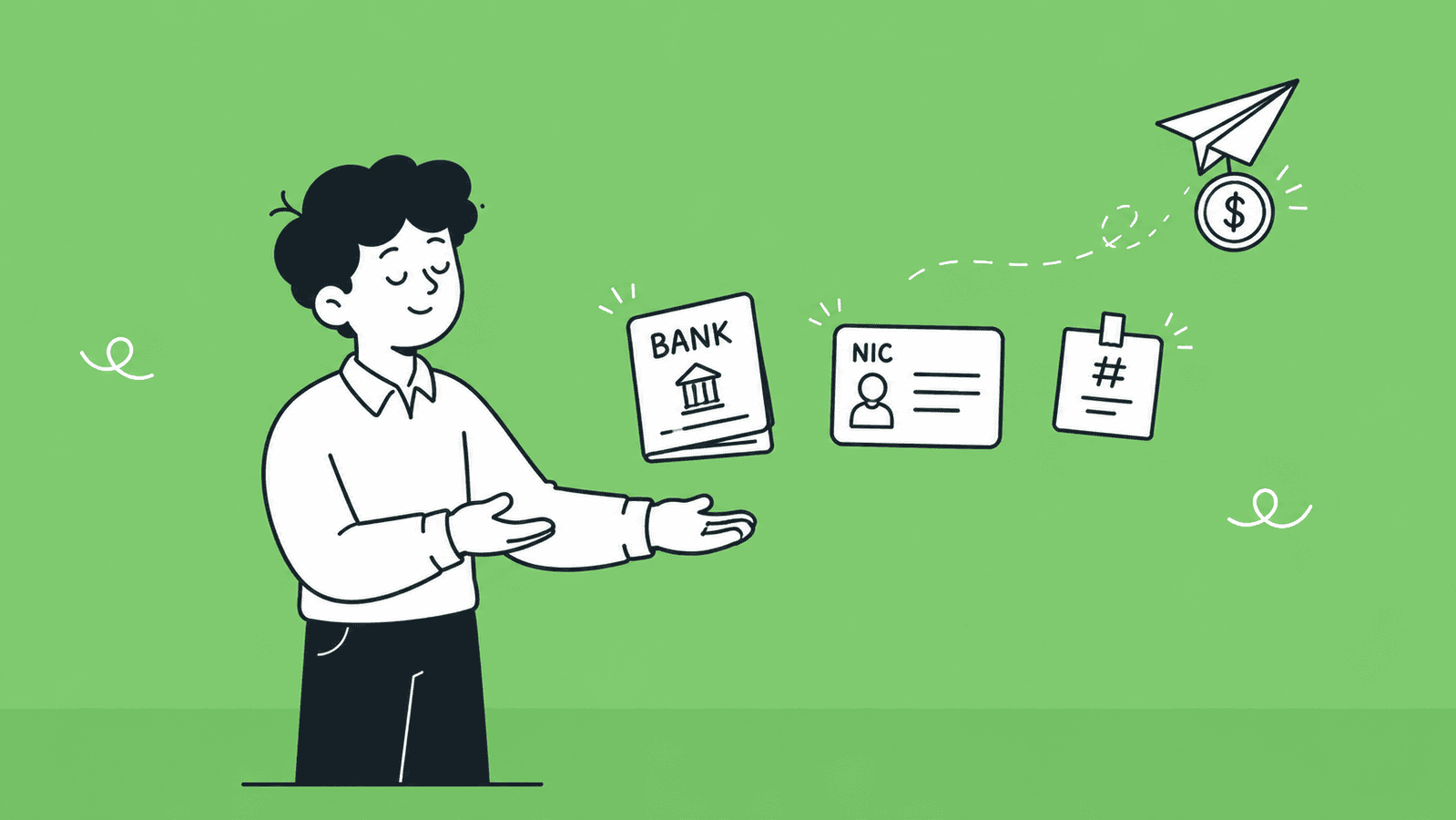
    Before you start receiving money from overseas, you need to have a few basic things ready. This will help you avoid delays, failed transactions, and verification issues.

    A Verified Bank Account in Sri Lanka

    You need a local bank account that can accept international transfers. Most major Sri Lankan banks support inward foreign payments, but your account must be active and properly set up.

    Make sure:

    • Your account is in your correct legal name
    • It is enabled to receive foreign currency (if needed)
    • Your bank has provided you with a SWIFT code

    Having a verified bank account ensures that funds sent from abroad can be received without issues.

    A Valid National ID for KYC Verification

    All banks and payment platforms require identity verification. This is part of KYC (Know Your Customer) rules.

    You will usually need:

    • National Identity Card (NIC) or passport
    • Proof of address (utility bill or bank statement in some cases)

    Without completing verification, you may not be able to receive or withdraw international payments.

    Basic Details Your Client Will Need From You

    To receive a payment, you must share the correct details with your client. Even a small mistake can delay the transfer.

    The most common details include:

    • Your full name (as per your bank account)
    • Bank account number
    • Bank name and branch
    • SWIFT/BIC code
    • Bank address (sometimes required)

    If you are using a payment platform like Payoneer or Wise, you may need to share platform-specific details instead.

    Getting these basics right from the start will make the whole payment process smooth and reliable. Now that you know what you need, let’s explore the different methods available to receive international payments in Sri Lanka. 

    What Are the Methods Available to Receive International Payments in Sri Lanka?

    There are five main ways to receive international payments in Sri Lanka. Each one works differently, costs differently, and suits a different type of person. Read through all of them before deciding which one fits your situation. 

    Method 1: Direct Bank Transfer (SWIFT Transfer)

    A SWIFT transfer is the most traditional way to receive international payments in Sri Lanka. It uses the SWIFT network, which connects banks worldwide to securely send money between accounts.

    Here’s how it works:

    1. Your client goes to their bank and requests an international transfer
    2. They provide your bank details (name, account number, SWIFT code, etc.)
    3. The money is sent through one or more intermediary banks
    4. Your Sri Lankan bank receives the funds and credits your account

    This method is widely used for business payments, salaries, and large transactions.

    Which Sri Lankan Banks Support International Transfers

    Most major banks in Sri Lanka can receive SWIFT payments. Some of the most commonly used ones include:

    • Bank of Ceylon
    • Sampath Bank
    • Seylan Bank
    • People’s Bank
    • Commercial Bank of Ceylon

    These banks provide SWIFT codes and support inward foreign currency transfers.

    Fees and Transfer Time

    SWIFT transfers are reliable, but they can come with higher costs.

    Fees to expect:

    • Sending bank charges (paid by the sender)
    • Intermediary bank fees (sometimes deducted in between)
    • Receiving bank charges in Sri Lanka

    Transfer time:

    • Usually takes 2 to 5 business days
    • Can take longer if there are intermediary banks involved

    When to Use It (Best for Large Payments)

    SWIFT transfers are best used when:

    • You are receiving large payments
    • You are dealing with business clients or contracts
    • You want a secure and widely accepted method

    For smaller payments, the fees can be relatively high, so other methods like Payoneer or Wise may be more cost-effective. 

    Method 2: PayPal

    PayPal is one of the most popular online payment platforms in the world. It allows individuals and businesses to send and receive money internationally, making it a common choice for freelancers, online sellers, and remote workers.

    Is PayPal Available in Sri Lanka?

    As of 2026, you can create a PayPal account in Sri Lanka, but you cannot receive payments and withdraw them to your local bank account.

    Sri Lanka is listed as a PayPal-supported country, but local users are limited to:

    • Sending payments
    • Making online purchases

    The option to receive money and withdraw to a Sri Lankan bank account is still not fully enabled. [Source: Fact Crescendo] 

    There have been ongoing discussions between PayPal and Sri Lankan authorities for many years. Some reports suggest these discussions are in the final stages, but no official rollout has been announced yet. [Source: The Morning ]

    So, while there is hope for full PayPal support in the future, it is still not available for receiving payments in Sri Lanka right now.

    Workaround Approaches You Can Use (Legit Methods)

    Since direct PayPal receiving is not available, some freelancers use these legitimate alternatives:

    Option 1: Request Payment Through an Alternative Platform

    Instead of PayPal, ask your clients to pay you via platforms like Payoneer or Wise, which fully support Sri Lanka.

    Option 2: Register a Business in Another Country

    Some freelancers legally register a business in countries like the UK or USA.

    This allows them to:

    • Open a foreign bank account
    • Create a PayPal account linked to that country
    • Receive payments via PayPal 
    • Or use Stripe as a more powerful alternative for online businesses 

    With this approach, they can withdraw funds to the foreign bank account, then transfer money to their Sri Lankan bank account when needed.

    This method requires proper legal setup and compliance, but it is commonly used by advanced freelancers and business owners. 

    Need Help in Registering Your Business in USA or UK from Sri Lanka? 

    At BR.lk, we help Sri Lankan freelancers and online sellers unlock global payment opportunities by legally setting up their business abroad. Whether it’s a US LLC or a UK company, we handle the complex processes so you can focus on getting paid internationally.

    Here’s why BR.lk is the trusted choice for Sri Lankan entrepreneurs:

    • Expert Guidance & Compliance: Our team guides you through every step of company registration, ensuring full compliance with international and local regulations.
    • Seamless Payment Setup: We help link your new company to PayPal, Stripe, Wise, and other global payment platforms, enabling you to receive payments from clients worldwide.
    • Fast & Hassle-Free Process: Complete registration and account setup in just 24–48 hours, with minimal paperwork and clear instructions every step of the way.
    • Local Language Support: Receive personalized support in Sinhala or Tamil, making the process simple and easy to understand.

    Here’s what our trusted customers say about our efforts:

    “Absolutely fantastic experience with BR.LK! They made setting up my US LLC from Sri Lanka feel like a breeze. From day one, their team was super responsive and walked me through every single step — company registration, getting a US address and phone number, bank account setup, even helping with Stripe. If you’re in Sri Lanka looking to register a US company, BR.LK is the way to go.”Malinda Alahakoon (Check his Full Google review)

    Take the first step to get paid globally and grow your online business with confidence. 

    Method 3: Payoneer

    Payoneer has been the go-to payment solution for Sri Lankan freelancers for years. It lets you get a virtual bank account with a US, UK, or EU account number, which means your international clients can pay you as if you were a local in their country, without expensive SWIFT fees on their end.

    It integrates directly with platforms like Upwork, Fiverr, Amazon, Wish, and Toptal, making it very convenient if you work through these marketplaces.

    How to Set Up a Payoneer Account in Sri Lanka

    There are two ways to sign up:

    1. Through a marketplace (Recommended): Go to your payment settings on Fiverr, Upwork, eBay, or Amazon, select Payoneer as your payout method, and register from there. If you see the Payoneer option on your marketplace’s payment methods page, you can follow the instructions provided to register a new account directly through that platform. This is the smoothest route for Sri Lankan users. 
    2. Directly at Payoneer.com: Click Sign Up, select Individual, fill in your personal details and NIC number, add your local bank account, upload your NIC or passport for verification, and wait 1 – 3 business days for approval. If you hit any friction during direct signup, switch to the marketplace route instead.

    Important Note: Some users report encountering friction during direct signup with a Sri Lankan address. If you face any issues with Option 2, simply use Option 1 through your marketplace platform instead. It is the more reliable route either way.

    How to Withdraw to a Local Bank Account

    Once your Payoneer account is verified and you have funds sitting in it, withdrawing to your Sri Lankan bank is straightforward:

    1. Log in to your Payoneer account (web or app)
    2. Go to Withdraw → To Bank Account
    3. If you haven’t added your bank yet, click Add Bank Account and enter your account number, bank name, and branch
    4. Enter the amount you want to withdraw
    5. Review the exchange rate and fee shown
    6. Confirm the transfer

    The money is converted from USD, EUR, or GBP into LKR and deposited into your account. Transfer time is typically 2 – 5 business days.

    You can also pair your Payoneer account with eZ Cash (Dialog’s mobile wallet), which is an officially listed Payoneer partner in Sri Lanka, useful if you want quicker access to smaller amounts without waiting for a full bank transfer. 

    Fees to Expect

    Payoneer is not free, but the fees are manageable if you receive regular payments. Here’s what to expect:

    Fee TypeAmount
    Receiving from Fiverr, Upwork, or other integrated platformsUsually free
    Receiving via local bank transfer (ACH/SEPA)Free or up to 1%
    Receiving via credit card from a clientUp to 3.99%
    Withdrawing to local Sri Lankan bankFixed fee + currency conversion markup
    Currency conversion0.5% – 3.5% depending on method
    Annual account fee$29.95  

    The annual fee is worth paying attention to. The $29.95 annual account fee is waived if you receive $2,000 or more in payments during the year. If you are receiving regular client income, you will almost certainly cross this threshold and pay nothing in annual fees.  

    Platforms That Work With Payoneer

    One of Payoneer’s biggest advantages is how widely it is integrated across global platforms. Payoneer connects with over 2,000 marketplaces, platforms, and networks, giving you a global reach and making it easy to get paid and withdraw locally. 

    The most commonly used ones by Sri Lankan freelancers and sellers are:

    • Upwork: Most Sri Lankan freelancers use this as their primary withdrawal route
    • Fiverr: To get a direct payout to your Payoneer balance after the clearance period
    • Amazon, for sellers in the Amazon marketplace
    • eBay, for e-commerce sellers
    • Wish, Rakuten, Taboola, 99Designs, iStockPhoto, and hundreds more

    If the platform you work on is integrated with Payoneer, you don’t need to chase clients for transfers or share bank details. The platform sends your earnings directly to your Payoneer account on a set schedule, and you withdraw from there to your local bank.  

    Method 4: Wise (formerly TransferWise) 

    Wise is currently one of the best options available for Sri Lankans who receive regular payments from international clients. Unlike PayPal’s restrictions or Payoneer’s new registration complications, Wise is fully accessible to new users in Sri Lanka with no restrictions on account creation or receiving payments. 

    When you open a Wise account, you get a multi-currency virtual account with local bank details in major currencies, such as USD, GBP, EUR, AUD, and more. Your client pays you as if sending a local transfer in their country, and Wise handles the rest. 

    Multi-Currency Account and Mid-Market Exchange Rates

    One of Wise’s biggest advantages is that it uses the real mid-market exchange rate, the same rate you see on Google, with no hidden markup. This is different from most banks and PayPal, which add 2 – 4% on top of the exchange rate.

    With a Wise account, you can:

    • Hold balances in 40+ currencies at the same time
    • Receive payments in USD, GBP, EUR, AUD, CAD, and more using local account details
    • Convert currencies only when you choose to, not automatically
    • Wait for a better exchange rate before converting to LKR 

    How to Withdraw Funds to a Sri Lankan Bank Account

    Once you have funds in your Wise account, withdrawing to your local bank is straightforward:

    1. Open the Wise app or website and go to Send Money
    2. Select your currency balance (e.g., USD)
    3. Choose Sri Lanka and enter your Sri Lankan bank account details
    4. Wise converts the amount to LKR using the mid-market rate + a small fee
    5. The money arrives in your bank account, usually within the same business day to 1 – 2 days 

    Fees and Transfer Speed

    Wise charges a small, transparent fee, typically 0.4% – 1% of the transfer amount, depending on the currency pair. There are no monthly fees and no minimum balance requirements.

    Fee TypeAmount
    Receiving via local bank details (ACH, SEPA)Free
    Receiving via SWIFTSmall fixed fee
    Converting to LKR and withdrawing~0.4% – 1% of the amount
    Monthly account feeNone

    Transfer speed to a Sri Lankan bank: same day to 2 business days in most cases. 

    Use our Wise calculator to estimate exactly what you’ll receive. 

    Limitations (No LKR Local Account)

    There is one important limitation to be aware of with Wise: you cannot currently send money from LKR using Wise. This means Wise does not give you a Sri Lankan Rupee local account number. You can receive in foreign currencies and convert to LKR, but you cannot receive LKR directly through Wise.  

    This is generally not a problem since your international clients will always be paying in USD, EUR, GBP, or another foreign currency anyway. 

    Method 5: Money Transfer Services (Western Union, Remitly, Xoom)

    Money transfer services are platforms specifically designed to send money from one country to another. They are different from platforms like Payoneer or Wise in one key way: they are mainly used by the person sending the money, not the person receiving it.

    Your client or employer in another country signs up on a platform like Western Union, Remitly, or Xoom, enters your details, pays in their local currency, and you receive the money in Sri Lanka. You don’t need to create an account on these platforms yourself in most cases. 

    Cash Pickup vs. Bank Deposit Options

    These services give the recipient in Sri Lanka two main ways to receive the money:

    • Bank Deposit: The money is sent directly to your Sri Lankan bank account. This is the most common option for freelancers and professionals. You can receive deposits to almost any bank in Sri Lanka, including Sampath Bank and Commercial Bank.  
    • Cash Pickup: The sender deposits cash at a partner location abroad and you can collect it in cash at a Commercial Bank branch or partner location in Sri Lanka. This is more common for personal remittances, for example, a family member sending money home.  

    You can also receive funds directly to mobile wallets like eZ Cash and mCash through some of these services.  

    Best Use Cases

    ServiceBest For
    Western UnionQuick cash pickup, family remittances, wide agent network
    RemitlyBank deposits, fast transfers, good for regular payments
    Xoom (by PayPal)Clients who already use PayPal, bank deposits, mobile wallet top-ups

    These services work best when:

    • A family member or employer abroad needs to send money quickly
    • Your client does not have a bank account or does not use platforms like Wise
    • You need the money as a cash pickup without waiting for a bank deposit
    • You are receiving a one-time or irregular payment, not regular client invoices

    They are generally not the best choice for regular freelance or business income due to the fees and lack of professional invoicing features. 

    Fees and Transfer Speed

    ServiceTypical FeeTransfer Speed
    Western UnionVaries by method; card payments cost moreMinutes (cash pickup) to 1 – 3 days (bank deposit)
    RemitlyLow for bank deposits; higher for expressMinutes to 3 – 5 business days
    XoomVaries; free first transfer sometimes offeredMinutes (cash/wallet) to 1 – 3 days (bank)

    Watch out for exchange rate markups. These services tend to offer exchange rates that are slightly below the real mid-market rate. Always check the actual amount your recipient will receive before confirming a transfer, not just the advertised fee. 

    Each of these five methods works for Sri Lanka, but they are not equal. The best one for you depends on how much you receive, how often, who your clients are, and whether you are a freelancer, a business, or someone receiving personal remittances. The next section will help you compare them side by side. 

    Side-by-Side Comparison: Which Method is Right for You?

    With five methods available, the right choice depends on who you are and how you get paid. Here is a quick comparison to help you decide. 

    Comparison Table

    MethodFeesTransfer SpeedBest ForAvailable in Sri Lanka
    SWIFT Bank Transfer1,000 – 1,500 LKR + intermediary fees1 – 3 business daysLarge business paymentsYes
    PayPal2 – 3% + 3 – 4% FX markup1 – 3 business daysRegistered businesses (LLC, Ltd)Send only, receiving restricted
    PayoneerFree from platforms; 0.5 – 3.5% conversion2 – 5 business daysFreelancers, e-commerce sellersYes (sign up via marketplace)
    Wise0.4 – 1% (mid-market rate)Same day – 2 daysFreelancers, direct client paymentsYes
    Western Union / RemitlyVaries; FX markup appliesMinutes – 3 daysPersonal remittances, quick transfersYes

    Fees and Exchange Rates: What to Watch Out For

    Most people only look at the transfer fee when comparing payment methods. But the bigger cost is usually something far less visible, which is the exchange rate markup. 

    Transfer Fees vs. Exchange Rate Markups

    • A transfer fee is the charge a platform shows you upfront, easy to spot and compare.
    • An exchange rate markup is hidden inside the conversion itself. When a platform converts your USD or EUR into LKR, they use a rate slightly worse than the real mid-market rate and quietly keep the difference.

    Here’s what that looks like in practice:

    • Real rate: 1 USD = 310 LKR 
    • Bank applies a 3% markup: 1 USD = 300.7 LKR 
    • On a $1,000 payment, you silently lose around 9,300 LKR (~$30)

    This is why a “zero fee” platform like PayPal or a local bank can actually cost you more than Wise, which charges a small visible fee but uses the real mid-market rate. 

    How to Stop Losing Money on Conversion

    • Always check the mid-market rate on Google first (e.g., “1 USD to LKR”) and compare it to what your platform is offering. The gap is your real cost.
    • Use Wise for conversions. It uses the mid-market rate with no markup, saving you 2 – 4% compared to banks.
    • Hold your balance before converting. Payoneer and Wise both let you hold USD, EUR, or GBP. Convert in one larger batch instead of every time a payment arrives.
    • Ask clients to pay in USD, EUR, or GBP to avoid double conversions.
    • For SWIFT transfers, ask your client to select the “OUR” payment option. This makes them cover all intermediary bank fees, so the full amount reaches you. 

    Timing Your Transfers

    You can’t predict exchange rates, but you can be smart about them. Avoid converting on Mondays or after long weekends when market spreads tend to be wider. Keep an eye on major economic news from the US Federal Reserve or Sri Lanka’s Central Bank, as these can shift rates quickly. Wise shows live rates in the app, so you can monitor and convert when the rate moves in your favour.

    That said, don’t hold foreign currency for weeks waiting for the perfect rate, it can move either way. Convert when the rate is acceptable to you. 

    The key habit: Always calculate the total cost, including fees as exchange-rate losses, not just the fee alone. Two minutes of comparison can save you thousands of rupees per payment. 

    Final Thoughts

    Receiving international payments in Sri Lanka is much easier today than it used to be, but the right method still depends on your situation. Whether you are a freelancer, online seller, or business owner, each option has its own strengths when it comes to speed, cost, and convenience.

    Traditional methods like SWIFT bank transfers are still reliable for large payments, while platforms like Payoneer and Wise have become the preferred choice for most freelancers because of lower fees and faster processing. On the other hand, services like Western Union or Remitly are useful for quick personal transfers, but they are not ideal for regular business income.

    It is also important to remember that the real cost of receiving money is not just the transfer fee, but also the hidden exchange rate markups. Small differences in rates can add up over time, so choosing the right platform and timing your conversions can make a big impact on how much you actually receive.

    In the end, there is no single “best” method for everyone. The smartest approach is to choose a combination of services that fits your income type, frequency of payments, and client base. By understanding how each method works, you can receive international payments in Sri Lanka more safely, efficiently, and with fewer losses in 2026 and beyond. 

    Key Takeaways

    • Receiving international payments in Sri Lanka requires a verified bank account, valid ID, and correct banking details like SWIFT codes.
    • SWIFT bank transfers are a reliable method but are best suited for large payments due to higher fees and slower processing times.
    • PayPal can be used in Sri Lanka, but it still does not support receiving and withdrawing funds to local bank accounts in 2026.
    • Payoneer is one of the most popular options for Sri Lankan freelancers because it supports global platforms and allows easy withdrawals to local banks.
    • Wise is a strong alternative because it offers real mid-market exchange rates and low transparent fees for international transfers.
    • Money transfer services like Western Union, Remitly, and Xoom are best for personal or urgent payments rather than regular freelance income.
    • Fees vary across platforms and may include hidden exchange rate markups, not just visible transfer charges.
    • Exchange rate differences can significantly affect how much money you receive, especially for larger transactions.
    • Choosing the right payment method depends on your income type, payment frequency, and whether you work with clients or platforms.
    • Using the right combination of payment methods can help you reduce costs, receive money faster, and avoid unnecessary losses.

    FAQs

    Is Payoneer available in Sri Lanka? 

    Yes. The most reliable way to sign up is through a marketplace like Fiverr or Upwork, go to the payment settings on your platform and register from there. Direct signup at Payoneer.com may work too, but some Sri Lankan users report friction with that route. 

    How long does it take to receive international payments in Sri Lanka? 

    It depends on the method. Wise is fastest at same day to 2 days. SWIFT bank transfers take 2 – 5 business days. Payoneer withdrawals take 2 – 5 business days. Western Union cash pickup can arrive within minutes. 

    What is the cheapest payment method?

    Wise is generally the cheapest, charging 0.4% – 1% with no exchange rate markup. Payoneer is comparable if you receive payments through integrated platforms. SWIFT transfers are cost-effective only for large amounts where the flat fee becomes a smaller percentage. 

    Do I need to pay tax on international payments in Sri Lanka? 

    Yes. Foreign income is taxable in Sri Lanka if it exceeds the personal exemption threshold. You are required to declare it to the Inland Revenue Department. It is advisable to consult a local tax professional to ensure you are compliant with current regulations. 

    Can PayPal receive money in Sri Lanka in 2026? 

    No. As of 2026, Sri Lankan PayPal accounts are restricted to sending payments and online purchases only. Withdrawing received funds to a local bank account is still not supported. Discussions between PayPal and Sri Lankan authorities are ongoing but no official launch date has been confirmed. 

    Which Sri Lankan banks accept wire transfers? 

    Most major banks accept inward SWIFT transfers, including Bank of Ceylon, Commercial Bank of Ceylon, Sampath Bank, Seylan Bank, People’s Bank, and Hatton National Bank. Confirm your SWIFT code directly with your branch before sharing it with a client. 

    Is there a limit on how much I can receive internationally? 

    Individual platform limits vary. Wise allows up to 4.98 million LKR per transfer. Banks generally have no hard cap on inward transfers, but large amounts may trigger additional compliance checks from your bank or the Central Bank of Sri Lanka. 

    Can I receive payments if I don’t have a bank account? 

    Yes, through cash pickup services like Western Union or Remitly. You can collect transfers in cash at partner locations across Sri Lanka without needing a bank account. However, for regular income, opening a bank account is strongly recommended for security and convenience. 

    Which payment method has the best exchange rate? 

    Wise consistently offers the best rate because it uses the real mid-market exchange rate with no hidden markup. Banks and services like Western Union typically apply a 2 – 4% markup on top of the market rate, which silently reduces how much you receive. 

    What happens if there’s a problem with my transfer? 

    First check your transaction history on the platform you used. Common causes include incorrect account details, failed KYC verification, or transfer limits being exceeded. Contact your platform’s support with your transaction ID. For SWIFT transfers, your bank can trace the payment through the SWIFT network. 
  • 12 Best Payment Gateways in Sri Lanka (2026 Comparison) 

    12 Best Payment Gateways in Sri Lanka (2026 Comparison) 

    If you’re trying to find the best payment gateway in Sri Lanka, you’re probably facing a lot of confusion, different platforms, different fees, and different rules depending on whether you’re dealing with local or international payments. The truth is, not every gateway works the same way in Sri Lanka, and choosing the wrong one can cost you time, money, and missed opportunities. 

    In this guide, we break down the 12 best payment gateways in Sri Lanka for 2026, covering both local options and international solutions, so you can clearly decide which one fits your business or freelance needs. 

    What Is a Payment Gateway and How Does It Work in Sri Lanka?

    A payment gateway is a tool that allows you to accept payments online. It connects your website or app to a bank or financial service and processes transactions securely. When a customer enters their card details or chooses a payment method, the gateway sends that information to the bank, checks if the payment is valid, and then confirms whether the transaction is approved or declined, all within a few seconds.

    In Sri Lanka, payment gateways operate under the supervision of the Central Bank of Sri Lanka. This matters because CBSL-approved gateways follow strict rules around security, data protection, and financial compliance. Choosing a gateway that is approved or aligned with these regulations helps ensure safer transactions, builds customer trust, and reduces the risk of fraud or payment issues. It’s especially important for businesses handling local payments in LKR. 

    Two Types of Payment Needs in Sri Lanka

    Before choosing a payment gateway, it’s important to understand that Sri Lanka has two very different payment use cases. The best option depends heavily on who you are selling to and where your money is coming from.

    1. Local Businesses Accepting Payments from Sri Lankan Customers

    If you run a local business, such as an eCommerce store or service-based website, your main goal is to accept payments from customers within Sri Lanka. These payments are usually made in LKR using debit cards, credit cards, mobile wallets, or QR-based systems like LankaQR.

    For this type of setup, you need a local payment gateway that connects directly with Sri Lankan banks and supports local payment methods. These gateways are typically approved or regulated under CBSL guidelines, which ensures smoother transactions and faster settlements to your local bank account. Options like PayHere or bank-based gateways are designed specifically for this purpose. 

    2. Freelancers & Exporters Receiving Money from International Clients

    If you’re a freelancer, digital service provider, or selling products/services to customers abroad, your needs are completely different. You are mainly receiving payments in foreign currencies like USD, EUR, or GBP from clients in regions such as North America, the UK, or Europe.

    In this case, local payment gateways won’t be enough. You need international payment solutions that can handle cross-border transactions, currency conversion, and global payouts. Platforms like Wise, Payoneer, or services like Stripe (via overseas company setup) are more suitable here.

    Overall, a gateway that works perfectly for a local Sri Lankan business may not work at all for a freelancer dealing with international clients, and vice versa. Choosing the right type from the start will save you time, fees, and a lot of frustration. 

    Best Local Payment Gateways in Sri Lanka (For Businesses)

    If you’re selling to Sri Lankan customers, these are your main options:

    1. PayHere  

    PayHere is one of the most widely used payment gateways in Sri Lanka, designed for startups, SMEs, and online sellers who want a quick and simple setup. Their payment gateway can connect directly with local banks and allows you to accept LKR payments via cards, mobile wallets, and LankaQR. It supports plugins for platforms like WooCommerce and Shopify, making it easy to integrate even without technical skills.

    Fees:

    • No setup fee (in most cases)
    • Transaction fee: 2.69%–3.30% depending on your plan (Lite: 3.30%, Plus: 2.99%, Premium: 2.69%).
    • Settlement: usually within a few business days 

    Benefits and limitations  

    BenefitsLimitations 
    Easy to get startedMainly focused on local payments
    No upfront costLimited support for advanced international use cases
    Supports multiple local payment methods
    Good documentation and plugins

    Best for: Startups, small businesses, and anyone launching a local eCommerce store quickly. 

    2. WEBXPAY

    WEBXPAY is a SaaS-based payment platform used by a large number of Sri Lankan businesses, offering a more enterprise-level solution. Their payment gateway allows businesses to accept card payments, bank transfers, and recurring payments. It integrates with websites and also supports invoicing and subscription billing.

    Fees:

    • Setup fee: may apply depending on business type
    • Transaction fee: varies (usually competitive)
    • Settlement: as fast as next-day

    Benefits and limitations   

    Benefits:Limitations:
    Fast settlementsSetup process can be more complex
    Supports subscriptions and invoicingMay require business registration and documentation
    Scalable for growing businesses

    Best for: Growing businesses, SaaS platforms, and companies needing recurring billing. 

    3. Genie by Dialog

    Genie by Dialog is a mobile-focused payment solution backed by Dialog, designed for digital-first and app-based businesses. Their payment gateway allows customers to pay using mobile wallets, cards, and QR codes. It’s especially useful for businesses targeting mobile users and social commerce.

    Fees:

    • Setup fee: varies
    • Transaction fee: competitive with market rates
    • Settlement: depends on agreement 

    Benefits and limitations   

    Benefits:Limitations:
    Strong mobile payment ecosystemLess flexible for complex eCommerce setups
    PCI DSS 4.0 compliance (high security standard)Not as widely used for full-scale online stores
    Good for QR and wallet payments

    Best for: Mobile-first businesses, delivery services, and social media sellers. 

    4. OnePay 

    OnePay is a fast-growing payment platform focused on QR-based and digital payments. It enables payments via LankaQR, cards, and mobile apps. It also supports recurring billing, which is useful for subscription-based services.

    Fees:

    • Setup fee: may apply
    • Transaction fee: varies
    • Settlement: typically within a few days

    Benefits and limitations  

    BenefitsLimitations
    Strong LankaQR integrationSmaller ecosystem compared to PayHere
    Supports recurring paymentsIntegration options may be limited depending on platform
    Good for both online and offline use

    Best for: Businesses using QR payments, subscriptions, or hybrid (online + offline) models. 

    5. Sampath Bank Payment Gateway

    Sampath Bank offers its own payment gateway solution for merchants with business accounts. This gateway is directly linked to your Sampath Bank account, allowing you to accept card payments and settle funds directly into your account.

    Fees:

    • Setup fee: typically required
    • Transaction fee: bank-based rates
    • Settlement: depends on bank processing

    Benefits and limitations   

    Benefits:Limitations:
    Direct bank integrationRequires a Sampath Bank account
    Reliable and trusted institutionLess flexible compared to SaaS gateways
    Good support for established businessesLonger setup process

    Best for: Established SMEs already banking with Sampath. 

    6. Commercial Bank (SimplePay) 

    Commercial Bank of Ceylon offers SimplePay, a payment gateway powered by MasterCard Internet Gateway Service (MIGS). It allows businesses to accept both local and international card payments securely, with strong fraud protection and bank-level infrastructure.

    Fees:

    • Setup fee: required
    • Transaction fee: varies
    • Settlement: based on bank cycles

    Benefits and limitations   

    Benefits:Limitations:
    High security (MIGS integration)More complex onboarding
    Supports international cardsNot beginner-friendly
    Backed by a major bankRequires full business compliance

    Best for: Medium to large businesses needing a secure, bank-backed solution. 

    7. HNB Internet Payment Gateway

    Hatton National Bank (HNB) provides a payment gateway for businesses that want both local and international payment support. HNB’s gateway allows you to accept payments via cards and integrates with your business account for direct settlements.

    Fees:

    • Setup fee: required
    • Transaction fee: varies
    • Settlement: depends on bank processing time

    Benefits and limitations   

    Benefits Limitations    
    Accepts both local and international cardsRequires business registration
    Strong banking supportSlower onboarding compared to SaaS tools
    Suitable for scaling businesses

    Best for: Businesses that want a bank-backed gateway with international card support. 

    Best International Payment Options for Sri Lankans (For Freelancers & Exporters)

    If you need to receive money from clients abroad, local bank gateways won’t cut it. Here are the options that actually work. 

    8. Wise (formerly TransferWise) 

    Wise is a global payment platform that lets you receive, hold, and convert money in multiple currencies at low fees. You can create a Wise account and get virtual bank details (USD, GBP, EUR, etc.). Clients can send money as if they are paying a local bank account in their country. You can then convert and withdraw funds to your Sri Lankan bank account in LKR.

    Fees:

    Benefits and limitations  

    Benefits:Limitations:
    Very low exchange rate marginsNot a full payment gateway (no checkout system)
    Multi-currency account supportLimited direct integration for eCommerce
    Transparent pricing
    Easy to use

    Best for: Freelancers, remote workers, and service providers receiving international bank transfers. 

    9. Payoneer  

    Payoneer is a widely used platform for freelancers and online sellers to receive international payments. It provides virtual receiving accounts in USD, EUR, and GBP. It integrates directly with platforms like Upwork, Fiverr, and Amazon. Funds can be withdrawn to your local bank account in Sri Lanka.

    Fees:

    • No setup fee
    • Receiving payments: free or up to 1% depending on method
    • Withdrawal fee: around 1%–2% currency conversion margin. [Source: payoneer.com/about/pricing]

    Benefits and limitations  

    Benefits:Limitations:
    Strong integration with freelance platformsHigher fees compared to Wise in some cases
    Multi-currency receiving accountsAccount approval can take time
    Global acceptance

    Best for: Freelancers, affiliate marketers, and marketplace sellers. 

    10. 2Checkout (Verifone)

    2Checkout (now part of Verifone) is a global payment gateway that allows you to sell products and services worldwide. You can sign up and integrate 2Checkout into your website to accept payments from customers globally. It handles payment processing, taxes, and compliance, even if you don’t have a company registered in Sri Lanka.

    Fees:

    • No setup fee
    • Transaction fee: 2.4%–3.9% + $0.30–$0.45 per sale, depending on your plan and country. [Source: 2checkout.com/pricing]
    • Additional fees for currency conversion and payouts

    Benefits and limitations  

    BenefitsLimitations:
    Supports global payments in 200+ countriesHigher transaction fees
    Handles VAT/tax complianceApproval process can be strict
    Works without a local companyLimited control compared to Stripe

    Best for: Digital product sellers, SaaS businesses, and online course creators. 

    11. Stripe (via Overseas Company Setup)

    Stripe is one of the most powerful payment gateways in the world, used by startups and large companies alike. 

    For a fact, Stripe is not officially available in Sri Lanka. However, many Sri Lankans access it by registering a company in countries like the US or UK. This can be done by registering a company overseas, typically as a US LLC or UK company. Once set up, you can open a business bank account (or use services like Wise) and fully use Stripe to accept global payments.

    Fees:

    • Setup cost: from $500 via Stripe Atlas (one-time, includes Delaware filing and EIN)
    • Transaction fee: around 2.9% + $0.30 per transaction. [Source: stripe.com/pricing]
    • Additional fees for currency conversion

    Benefits and limitations  

    BenefitsLimitations
    Full-featured payment gateway (subscriptions, APIs, checkout)Not directly supported in Sri Lanka
    Global acceptanceRequires overseas company setup
    Highly scalableCompliance and tax responsibilities

    Best for: SaaS founders, startups, and businesses targeting global markets.

    12. PayPal in Sri Lanka 

    PayPal is one of the most recognized payment platforms worldwide.

    As of 2026, PayPal accounts in Sri Lanka are still limited to sending payments only. You cannot officially receive money into a Sri Lankan PayPal account due to foreign exchange regulations set by the Central Bank of Sri Lanka.

    However, there is a significant update: in February 2026, the Ministry of Digital Economy officially confirmed that Sri Lanka is in the final phase of enabling PayPal inward remittances, with several private banks actively working alongside PayPal to make this happen. 

    “There has been progress”, Digital Economy Ministry Secretary Waruna Sri Dhanapala. He further stated that, “This would also enable proper tax compliance on earnings, creating additional revenue benefits for the state while strengthening foreign exchange inflows.”  [Source: @Newsfirst]

    No official launch date has been announced yet, but this is the most concrete progress the country has seen. Until a formal launch is announced, receiving money locally through PayPal remains blocked.

    Fees:

    • Sending payments: standard PayPal fees apply (You can estimate costs using our PayPal calculator).
    • Receiving payments: not supported locally.

    Benefits and limitations   

    Benefits:Limitations:
    Widely trusted globallyCannot receive payments in Sri Lanka as of early 2026, final-phase approval in progress
    Easy to use for paymentsNot useful for freelancers or businesses earning income

    Best for:  Making online payments, not receiving money. 

    Important Note: Although PayPal officially supports the send-only feature for Sri Lanka, there are workarounds to receive funds from global clients into your PayPal account. 

    Local vs. International Payment Gateways: Side-by-Side Comparison

    Here’s a simple comparison to help you quickly understand the differences between local and international payment options available for Sri Lankans:

    GatewayTypeSetup FeeTransaction FeeCurrenciesBest For
    PayHereLocalFree~2.5%–3.5%LKRSmall businesses, startups
    WEBXPAYLocalVariesCompetitiveLKRGrowing businesses, subscriptions
    Genie by DialogLocalVariesCompetitiveLKRMobile-first businesses
    OnePayLocalVariesCompetitiveLKRQR-based and hybrid businesses
    Sampath BankLocalRequiredBank ratesLKRSMEs with Sampath accounts
    Commercial Bank of Ceylon (SimplePay)LocalRequiredBank ratesLKR + Intl cardsMedium–large businesses
    Hatton National BankLocalRequiredBank ratesLKR + Intl cardsScaling businesses
    WiseInternationalFree~0.35%–2% (FX)USD, EUR, GBP + moreFreelancers, remote workers
    PayoneerInternationalFreeUp to ~1% + FXUSD, EUR, GBPFreelancers, marketplaces
    2CheckoutInternationalFree2.4%–3.9% + fixed fee200+ currenciesDigital products, SaaS
    Stripe*InternationalVaries (LLC setup)~2.9% + $0.30Global currenciesStartups, SaaS
    PayPalInternationalFreeStandard PayPal feesSend only (inward remittances pending as of 2026)Online payments only

    *Stripe is not directly available in Sri Lanka and requires an overseas company setup. 

    How to Choose the Right Payment Gateway in Sri Lanka

    Choosing the right payment gateway in Sri Lanka is not just about picking a popular option. It depends on your business type, your customers, and how you plan to receive payments. Here are the key factors you should carefully evaluate before making a decision. 

    1. CBSL Compliance and Licensing

    In Sri Lanka, payment systems are regulated by the Central Bank of Sri Lanka. This means not all payment providers operate under the same level of oversight.

    Choosing a gateway that is approved or aligned with CBSL regulations ensures:

    • Secure transactions
    • Better protection against fraud
    • Higher trust among local customers

    This is especially important for businesses accepting LKR payments. Non-compliant solutions may create legal or operational risks over time. 

    2. Transaction Fees and Hidden Costs

    Every payment gateway charges fees, but the structure can vary a lot.

    Typical costs include:

    • Transaction fee (e.g., 2.5%–3.5% per payment)
    • Currency conversion fees (for international payments)
    • Withdrawal fees
    • Monthly or setup fees (in some cases)

    Platforms like Wise are known for low FX fees, while gateways like 2Checkout may charge higher transaction percentages but offer global reach.

    Always look beyond the headline rate and check for hidden costs. 

    3. Supported Payment Methods (Cards, Wallets, QR, Bank Transfer)

    Your gateway should support the payment methods your customers actually use.

    In Sri Lanka, this usually includes:

    • Debit and credit cards (Visa, Mastercard)
    • Mobile wallets
    • QR payments (like LankaQR)
    • Bank transfers

    For example:

    • PayHere supports cards and local payment options
    • OnePay is strong in QR-based payments

    The more options you provide, the easier it is for customers to complete payments. 

    4. Multi-Currency and International Reach

    If you plan to work with international clients or customers, this becomes critical.

    You should check:

    • Can the gateway accept USD, EUR, GBP?
    • Are exchange rates reasonable?
    • Can you hold multiple currencies?

    For example:

    • Payoneer and Wise are strong for multi-currency support
    • Stripe (via overseas setup) allows full global payments

    If you choose a local-only gateway, you may struggle to scale internationally. 

    5. Integration with Your Website or Platform (WooCommerce, Shopify, Custom API)

    A good payment gateway should be easy to integrate with your existing setup.

    Check whether it supports:

    • WooCommerce (WordPress)
    • Shopify
    • Custom websites (via API)
    • Payment links or invoices

    For example:

    • PayHere offers easy plugins for beginners
    • Stripe provides powerful APIs for developers

    Choosing a gateway with poor integration can slow down your launch or require extra development work. 

    6. Settlement Speed and Support

    Settlement time is how long it takes for money to reach your bank account after a payment is made.

    This can vary:

    • Local gateways: usually 1–3 business days
    • International platforms: may take longer depending on currency conversion

    Also consider:

    • Customer support quality
    • Availability of local support teams
    • Dispute handling

    For example:

    • WEBXPAY offers faster (sometimes next-day) settlements
    • Bank gateways may take longer but offer more stability

    Faster settlements improve your cash flow, which is important for growing businesses.

    There is no single “best” payment gateway in Sri Lanka. The right choice depends on your business model, your customers, and how you plan to scale. 

    Payment Gateway Fees in Sri Lanka: Comparison for 2026

    If you’re choosing a payment gateway in Sri Lanka, fees are one of the most important factors. Below is a clear breakdown of setup costs, monthly fees, transaction charges, and settlement times based on the latest available data. 

    Payment Gateway Fees Comparison (Sri Lanka – 2026)

    GatewaySetup FeeMonthly FeeTransaction FeeSettlement Period
    PayHereFreeFree – LKR 3,990+ (varies by plan)2.69% – 3.30%2–3 business days
    WEBXPAY~LKR 15,000~LKR 4,990+~2.5% – 3.5%T+1 (next day)
    Genie by DialogFreeFree~1.5%+1–3 days
    OnePay~LKR 1,500Varies~3.5% (cards), 1% (QR)1–3 days
    Sampath Bank~LKR 15,000~LKR 75,000/year~3% – 5%2–5 days
    Commercial Bank of Ceylon~LKR 15,000~LKR 36,000/year~2.5% – 3%2–5 days
    Hatton National Bank~LKR 15,000–25,000~LKR 60,000+/year~4%2–5 days
    2CheckoutFreeNone~3.5% + fixed feeWeekly payouts
    Stripe*Varies (LLC setup)None~2.9% + $0.302–7 days
    PayoneerFreeNoneUp to ~1% + FX1–3 days
    WiseFreeNone~0.5% – 1% (FX)1–2 days

    Key Insights (Important for Decision Making)

    • Lowest startup cost: PayHere and Wise offer free entry, making them ideal for beginners.
    • Best for low transaction fees (local): WEBXPAY and Commercial Bank of Ceylon offer competitive rates around ~2.5%–3%.
    • Best for QR and low-cost local payments: OnePay offers ~1% fees for LankaQR payments.
    • Highest overall cost (bank gateways): Bank gateways like Sampath Bank and Hatton National Bank have higher setup and annual fees but offer strong reliability.
    • Best for international payments (low FX cost): Wise is the cheapest for currency conversion. 

    Payment gateway fees in Sri Lanka are not always fixed and can vary based on several factors. Your business volume plays a big role, as higher transaction volumes can sometimes help you negotiate better rates. The industry you operate in also matters, since certain high-risk industries may be subject to higher fees. In addition, many providers offer flexible pricing, meaning there is often room for negotiation depending on your business profile and needs.

    Because of this, it’s always a good idea to confirm the latest pricing directly with the payment provider before making a final decision. 

    Which Payment Gateway Is Best for Your Situation as a Sri Lankan? 

    Choosing the “best” payment gateway in Sri Lanka depends entirely on how you earn money and who your customers are. Here’s a clear breakdown based on the two most common situations.

    If You’re Running a Local or International eCommerce Store

    If you are selling products or services online, whether to Sri Lankan customers or targeting countries like the USA, UK, or Europe, your needs will vary based on your target market.

    For local eCommerce (Sri Lanka), gateways like PayHere or WEBXPAY are usually the best choice. These platforms are built to handle LKR payments, support local cards, mobile wallets, and QR systems, and are aligned with local banking systems. They also offer easier setup and faster settlements for Sri Lankan businesses. Many businesses prefer these because they directly connect with local banks and improve trust among local customers.

    If you are targeting international customers (USA, UK, Europe), then local gateways alone are not enough. You need a global solution like Stripe or 2Checkout. Stripe is especially powerful for eCommerce and SaaS because it supports subscriptions, global cards, and advanced integrations, but it requires an overseas company setup.

    Best choice summary:

    • Local customers → PayHere or WEBXPAY
    • Global customers → Stripe (with LLC) or 2Checkout 

    If You’re Freelancing for Foreign Clients

    If you are a freelancer working with clients in the US, UK, or Europe, your focus is not on checkout systems but on receiving international payments easily and cheaply.

    In this case, Wise is one of the best options. It offers multi-currency accounts and very low conversion fees, making it ideal for direct bank transfers from clients. Studies show Wise typically charges around 0.35%–2%, making it one of the cheapest ways to receive money internationally.

    Another strong option is Payoneer, especially if you work on platforms like Upwork, Fiverr, or Amazon. It provides virtual USD, EUR, and GBP accounts and integrates directly with global marketplaces, making it very convenient for freelancers.

    If you want to look more professional and accept card payments directly from clients, Stripe (via overseas setup) can also work, but it’s more advanced and requires extra setup.

    Best choice summary:

    • Direct client payments (bank transfer) → Wise
    • Freelance platforms (Upwork, Fiverr) → Payoneer
    • Personal website / premium clients → Stripe (with LLC), Paypal (with LLC) 

    Need Help in Registering Your Business in USA or UK from Sri Lanka?

    At BR.lk, we help Sri Lankan freelancers and online sellers unlock global payment opportunities by legally setting up their business abroad. Whether it’s a US LLC or a UK company, we handle the complex processes so you can focus on getting paid internationally.

    Here’s why BR.lk is the trusted choice for Sri Lankan entrepreneurs:

    • Expert Guidance & Compliance: Our team guides you through every step of company registration, ensuring full compliance with international and local regulations.
    • Seamless Payment Setup: We help link your new company to PayPal, Stripe, Wise, and other global payment platforms, enabling you to receive payments from clients worldwide.
    • Fast & Hassle-Free Process: Complete registration and account setup in just 24–48 hours, with minimal paperwork and clear instructions every step of the way.
    • Local Language Support: Receive personalized support in Sinhala or Tamil, making the process simple and easy to understand.

    Take the first step to get paid globally and grow your online business with confidence.

    Key Takeaways

    • Choosing the right payment gateway in Sri Lanka depends mainly on whether you are dealing with local customers or international clients.
    • Local payment gateways like PayHere and WEBXPAY are best suited for accepting LKR payments within Sri Lanka.
    • International platforms like Wise and Payoneer are more practical for freelancers and businesses receiving money from abroad.
    • Stripe and 2Checkout are powerful global solutions but may require additional setup, such as an overseas company.
    • PayPal is still limited in Sri Lanka and cannot be used to receive payments directly as of 2026.
    • Payment gateway fees in Sri Lanka typically range between 2.5% to 3.5% for local transactions and vary for international payments based on currency conversion.
    • CBSL compliance is important when choosing a gateway, especially for businesses handling local transactions.
    • Supported payment methods like cards, mobile wallets, and QR payments can impact your customer experience and conversion rates.
    • Settlement speed varies between providers, with some offering next-day payouts while others may take several days.
    • There is no single “best” gateway, and the right choice depends on your business type, target market, and long-term growth plans. 

    FAQs

    What is the difference between a payment gateway and a payment processor?

    A payment gateway is the tool that collects and securely sends payment details from your website or app. A payment processor is the system that actually moves the money between banks. In simple terms, the gateway handles the front-end transaction, while the processor completes the payment in the background. 

    Why do you need a payment gateway in Sri Lanka?

    A payment gateway allows you to accept payments online securely and automatically. Without it, you may have to rely on manual bank transfers, which can reduce customer trust, slow down transactions, and limit your ability to scale your business. 

    Can I use Stripe in Sri Lanka?

    Stripe is not directly available in Sri Lanka. However, many Sri Lankans use it by registering a company in countries like the US or UK. Once set up, you can use Stripe to accept global payments. 

    Is PayPal available in Sri Lanka?

    PayPal is available in Sri Lanka, but it is limited to sending payments only. As of 2026, you cannot officially receive money into a Sri Lankan PayPal account due to regulatory restrictions. 

    Which payment gateway has the lowest fees in Sri Lanka?

    For local payments, gateways like PayHere and WEBXPAY offer competitive transaction fees around 2.5%–3.5%. For international payments, Wise is known for having the lowest currency conversion fees. 

    Do I need a registered business to use a payment gateway in Sri Lanka?

    It depends on the provider. Local gateways and bank-based solutions usually require a registered business. However, some international platforms like Wise or Payoneer can be used without a formal business setup. 

    What is the best payment gateway for WooCommerce in Sri Lanka?

    PayHere is one of the best options for WooCommerce in Sri Lanka because it offers easy plugin integration and supports local payment methods. For international payments, Stripe (via overseas setup) is a strong option. 

    What are the requirements to get a payment gateway in Sri Lanka?

    Most providers require a business registration, a local bank account, and a working website. You may also need to submit verification documents such as ID, business details, and compliance information. 

    What challenges do businesses face with payment gateways in Sri Lanka?

    Common challenges include limited access to global gateways, currency restrictions, higher fees for international transactions, and compliance requirements set by local regulations. 

    What are the best alternatives if I can’t use a payment gateway in Sri Lanka?

    If you can’t use a payment gateway, you can rely on bank transfers, payment links, freelance platforms, or international services like Wise and Payoneer to receive payments.