
Tag: Receive International Payments in Sri Lanka

  • Mercury Bank Guide for Non-US Residents: What You Need to Know As a Sri Lankan in 2026

    Mercury Bank Guide for Non-US Residents: What You Need to Know As a Sri Lankan in 2026

    If you’re a Sri Lankan entrepreneur running a U.S. LLC, working with international clients, or planning to expand your business globally, having access to a reliable U.S. business bank account can make managing payments much easier. Mercury has become one of the most popular banking platforms for non-US residents because it allows eligible business owners to open and manage a U.S. business account online. 

    However, the application process, eligibility requirements, and account features can be confusing if you’re applying for the first time.

    In this guide, you’ll learn how Mercury works, who can apply, what documents you’ll need, the fees involved, and whether it’s the right banking solution for your business in 2026. Read on to discover everything you need to know before opening a Mercury account as a Sri Lankan entrepreneur. 

    What Is Mercury Bank?

    Mercury is not a traditional bank. It is a financial technology (fintech) company built entirely online, which means there are no physical branches, no in-person appointments, and no paperwork to mail in. Banking services are provided through its partner banks, Choice Financial Group and Column N.A., both of which are FDIC members. 

    This means your money is insured up to $5 million through Mercury’s multi-bank sweep network, which is far higher than the standard $250,000 you get at most regular banks.

    Mercury was built specifically for startups, remote founders, and online businesses. If you run a SaaS product, a digital agency, an e-commerce store, or any kind of location-independent business, Mercury was designed with you in mind.

    When it comes to pricing, most Sri Lankan founders will never need to pay anything. The free plan covers everything you need to get started and run day-to-day operations.

    FeatureFree PlanPaid Plans
    Monthly fee$0From $29.9/month
    Checking & savings accountsIncludedIncluded
    Free wire transfers (USD)IncludedIncluded
    Virtual & physical debit cardsIncludedIncluded
    Invoicing & expense managementNot includedIncluded
    Team controls & permissionsBasicAdvanced

    For most non-US founders, the free plan is more than enough. 

    Can Sri Lankans Open a Mercury Account? 

    Yes, Sri Lankans can open a Mercury account. Sri Lanka is not on Mercury’s restricted country list, which means you are eligible to apply from Sri Lanka without any country-level restrictions.

    However, there is one rule you need to know before you get excited. Mercury does not open accounts for individuals. You must own a business that is legally registered in the United States, either as an LLC or a C-Corporation. Your Sri Lankan business alone will not qualify.

    There is also an important shift that happened in 2025 and carries into 2026. Mercury has become noticeably stricter with non-resident applications. A few years ago, getting approved was relatively straightforward. Today, Mercury looks more closely at your business address, your business description, and whether your company has a genuine connection to the US market. Applications that look rushed or incomplete get rejected.

    The good news is that if you build your foundation properly, the process is still very doable for Sri Lankans. The next few sections will walk you through exactly what you need to have in place before you apply. 

    What You Need Before You Apply For a Mercury Bank Account as a Non-US Resident

    Illustration of the five requirements Sri Lankans need before applying for a Mercury bank account

    Before you even visit Mercury’s website, you need to have five things in place. Applying without these is the fastest way to get rejected.

    • A US-registered business entity: Mercury only accepts LLCs or C-Corporations registered in the United States. Your Sri Lankan business does not count.
    • An EIN (Employer Identification Number): This is a 9-digit tax ID issued by the IRS. Mercury requires this before they will review your application.
    • A real US business address: Registered agent addresses, PO boxes, and mailbox services will get your application rejected. You need a genuine address that reflects real or planned US operations.
    • A business website: Mercury checks whether your business looks legitimate. A working website that clearly explains what your business does significantly improves your approval chances.
    • A US phone number: You will need this for two-factor authentication during the application and after approval.

    Think of these five items as your checklist. Once all five are ready, you are in a strong position to apply. The following sections break down each one in detail so you know exactly what to prepare.  

    Documents You Need to Apply

    Having your documents ready before you start the application saves time and reduces the chance of delays. Here is what Mercury will ask for.

    • Sri Lankan passport: Your passport must be valid. This is the primary form of identity verification for non-US residents. Make sure the name on your passport matches exactly with your LLC or C-Corp formation documents.
    • Formation documents: For an LLC, this is your Articles of Organization. For a C-Corp, this is your Articles of Incorporation. These prove your business is legally registered in the US.
    • EIN confirmation letter: This is the CP-575 letter issued by the IRS when you registered for your Employer Identification Number. If you have lost it, request a 147C letter from the IRS as a replacement.
    • Business address details: The physical address where your business operates or plans to operate in the US. This must be a real, verifiable address.
    • Ownership information: Details of anyone who owns 25% or more of the business, including their name, date of birth, and passport.
    • Business description: A clear, specific explanation of what your business does, who your customers are, and how you make money.
    • Supporting business documents: Invoices, contracts, or any evidence of existing business activity that shows Mercury your business is real and operational. 

    How to Apply for Mercury: Step by Step

    Once you have everything in place, the actual application process is straightforward. Follow these steps in order. Skipping ahead is the most common reason applications run into problems.

    • Step 1: Register Your US Company. Form an LLC or C-Corporation in a US state. Most Sri Lankan founders go with a Wyoming LLC due to its low costs and simple compliance requirements. You can do this fully online without visiting the US.
    • Step 2: Get Your EIN. Apply for an Employer Identification Number from the IRS. Have your CP-575 or 147C confirmation letter ready before you move to the next step.
    • Step 3: Prepare Your Documents. Gather everything covered in the previous section. Double-check that your name is consistent across your passport, company documents, and any online profiles like LinkedIn.
    • Step 4: Start the Application. Go to Mercury’s website and begin the online application. The form takes around 10 minutes to complete.
    • Step 5: Enter Your Business and Ownership Details. Fill in your company information, business description, US address, and details of anyone who owns 25% or more of the business. Be specific and honest. Vague answers trigger manual review.
    • Step 6: Upload Your Documents. Submit your formation documents, EIN letter, passport, and any supporting business documents.
    • Step 7: Complete Identity Verification. Mercury uses a live identity verification system. Have your passport ready and make sure you are in good lighting.
    • Step 8: Wait for Approval. Most applications are reviewed within 1 to 2 business days. Some with complex ownership structures may take longer. If Mercury asks for additional information, respond within a day or two with clear and complete answers.

    Important Tip: 

    Do not use a VPN during the application. Mercury logs your IP address and a VPN that does not match your stated country is one of the easiest ways to trigger an extended review or rejection. 

    What Mercury Offers Once You’re Approved

    Once your account is live, here is what you get access to.

    1. Free Checking and Savings Accounts: Mercury gives you both a checking and savings account at no cost. There are no monthly fees and no minimum balance requirements, which makes it practical for founders who are just getting started.
    2. Physical and Virtual Visa Debit Cards: You get both a physical Visa debit card, shipped to your address in Sri Lanka, and virtual cards for online transactions. You can create up to 50 virtual cards, which is useful for managing subscriptions and separating expenses.
    3. Free Wire Transfers: Mercury does not charge for domestic or international USD wire transfers. This is a significant advantage over traditional banks, which typically charge between $15 and $45 per wire.
    4. FDIC Coverage Up to $5 Million: Your deposits are protected through Mercury’s multi-bank sweep network. Mercury spreads your funds across multiple partner banks, giving you up to $5 million in FDIC coverage compared to the standard $250,000 at most banks.
    5. Mercury IO Credit Card: This is one of the most useful features for Sri Lankans. Getting a US credit card normally requires a Social Security Number and a US credit history. Mercury’s IO card bypasses both requirements. It is based on your Mercury account balance, not your personal credit score, making it accessible to non-residents.
    6. Mercury Treasury: If your account balance exceeds $250,000, Mercury Treasury lets you put that idle cash to work. Funds are invested through J.P. Morgan and Morgan Stanley, currently earning up to 3.67% APY while keeping your money accessible.

    [Source: https://mercury.com/pricing]

    What Mercury Doesn’t Do Well

    Mercury is a strong option for Sri Lankan founders, but it has some real limitations you should know about before you commit.

    1. No Cash Deposits: Mercury is an online-only platform. There are no branches and no way to deposit physical cash. If your business handles cash regularly, you will need a separate solution for that.
    2. 1% Currency Conversion Fee: Every time you receive or send money in a currency other than USD, Mercury charges a 1% conversion fee. For small transactions this is manageable, but for larger international payments it adds up quickly. A common workaround is to use Wise for receiving payments in foreign currencies and then transfer USD into your Mercury account.
    3. No International ACH: Mercury does not support international ACH transfers. If your clients are based outside the US, they cannot pay you through ACH. They will need to send an international wire instead, which may cost them a fee on their end.
    4. No Personal Accounts for Non-Residents: Mercury launched a personal banking product in late 2025, but it is only available to US residents. As a Sri Lankan, you can only hold a business account.
    5. Compliance Holds: Mercury may freeze your account temporarily if your transaction activity does not match what you described in your application. This is not common, but it does happen. The best way to avoid it is to keep your business activity consistent with your original application and to avoid sudden large transactions early on.  

    Mercury Fees and Costs in 2026

    One of Mercury’s biggest advantages is its fee structure. Here is a full breakdown of what you will and will not be charged.

    Fee TypeCost
    Account opening fee$0
    Monthly maintenance fee$0
    Minimum balance requirement$0
    Domestic ACH transfers$0
    Domestic wire transfers$0
    Incoming international wire transfers$0
    Outgoing international wire transfers$0
    Physical debit card$0
    Virtual debit cards$0
    Currency conversion fee1% per transaction
    Mercury IO credit card$0
    Mercury Plus plan$35 per month
    Mercury Pro plan$350 per month

    The only recurring cost most Sri Lankan founders will encounter is the 1% currency conversion fee when dealing with non-USD transactions. Everything else on the core account is free.

    The paid plans, Mercury Plus and Mercury Pro, are designed for larger teams that need advanced invoicing, expense management, and team permission controls. For the majority of Sri Lankan founders running lean online businesses, the free plan covers everything you need. 

    Tax and Compliance Responsibilities for Sri Lankans
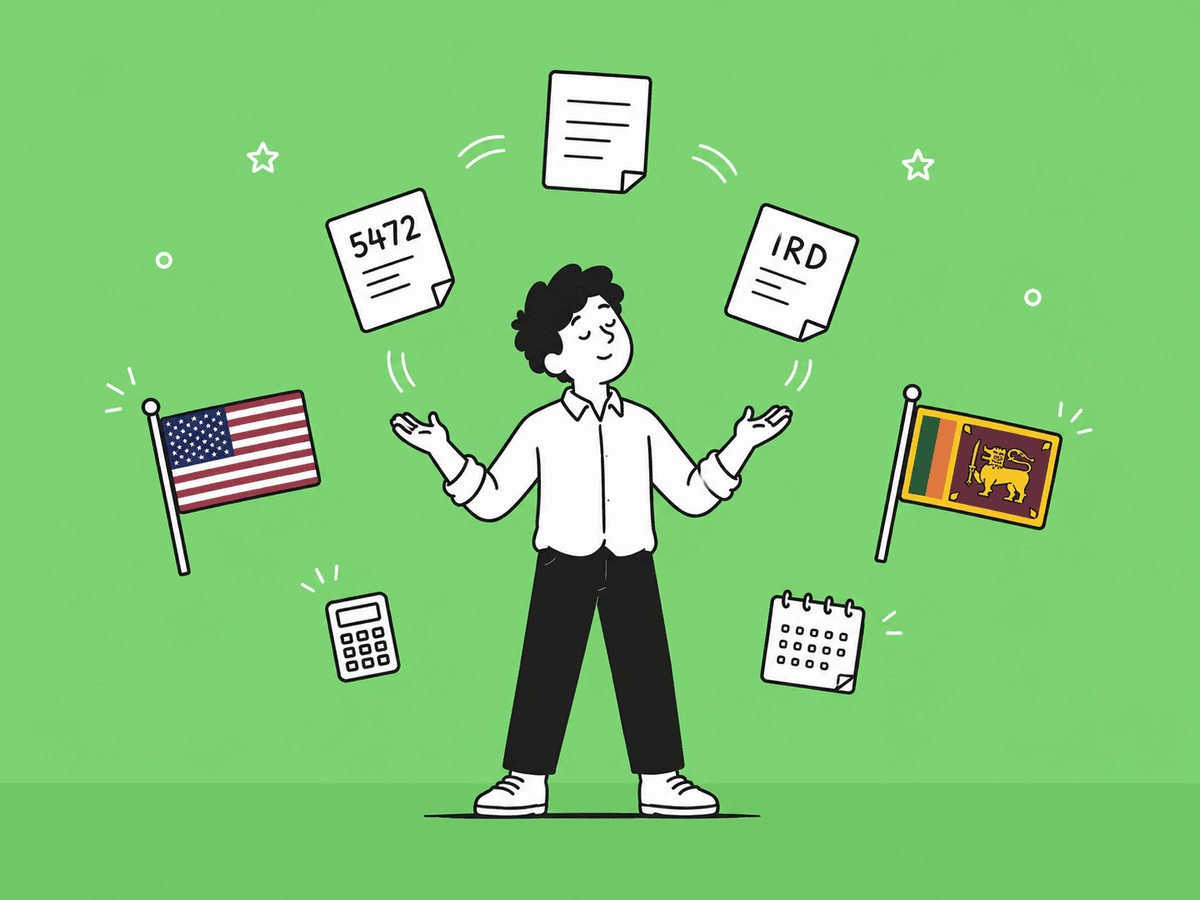
    Illustration of US and Sri Lankan tax compliance responsibilities for Mercury account holders

    Opening a Mercury account comes with tax and compliance obligations on both the US and Sri Lankan sides. Ignoring these can lead to serious legal and financial consequences, so it is worth getting this right from the start.

    US Tax Obligations

    If you own a US LLC as a non-resident, you are required to file two forms with the IRS every year.

    • Form 5472: Required for foreign-owned US LLCs. It reports transactions between your LLC and any foreign related parties, including yourself as the owner.
    • Form 1120: The annual US corporation income tax return. Even if your LLC made no profit, you are still required to file.

    Missing these filings can result in penalties starting at $25,000 per form, so these are not optional.

    Read our full guide on US LLC tax for Sri Lankans to understand all your obligations. 

    Sri Lanka Inland Revenue Department (IRD) Reporting

    Any income you earn through your Mercury account must also be reported to the Sri Lanka Inland Revenue Department. Money flowing from your US LLC into your personal accounts in Sri Lanka is considered foreign income and needs to be declared accordingly.

    FATCA Compliance

    The Foreign Account Tax Compliance Act requires foreign financial institutions and US account holders to report certain financial information to the IRS. As a Sri Lankan holding a US business account, your account activity may be shared between US and Sri Lankan financial authorities under this agreement.

    Get a Tax Advisor

    The overlap between US and Sri Lankan tax law is not something you want to navigate alone. A tax advisor who is familiar with both systems can help you file correctly, avoid penalties, and make sure you are not paying more tax than you need to. 

    Common Reasons Mercury Rejects Applications (and How to Avoid Them)

    Illustration of common reasons Mercury rejects non-US resident applications and how to avoid them

    Mercury does not approve every application. Most rejections are avoidable if you know what to watch out for. Here are the most common reasons Sri Lankan applicants get rejected and what you can do about each one.

    1. Registered Agent or PO Box Used as a Business Address: Mercury explicitly rejects applications that use a registered agent address, PO box, or mailbox service as the business address. You need a real, verifiable address that reflects genuine or planned US operations. A co-working space address or a fulfillment partner’s address works well here.
    2. Vague or Generic Business Description: Writing something like “I provide consulting services” is not enough. Mercury wants to know exactly what you do, who your customers are, and how money moves through your business. A specific description like “I provide SEO services to small e-commerce businesses in the US, billed monthly through Stripe” is far more likely to get approved.
    3. Website That Looks Like a Placeholder: If your website is a template with no real content, Mercury will notice. Your website should clearly describe what your business does, who it serves, and how to contact you. A basic but genuine website is enough. An empty or AI-generated filler site is not.
    4. Name Mismatch Between Documents: Your name must be consistent across your passport, LLC formation documents, and any online profiles like LinkedIn. Even small differences in spelling or formatting can flag your application for additional review.
    5. Using a VPN During the Application: Mercury logs your IP address when you apply. If your IP does not match your stated country of residence, it raises a red flag. Turn off any VPN before you start the application and keep it off until you are done.
    6. No Clear US Business Connection: Mercury wants to see that your business has a genuine reason to operate in the US. This could be US-based customers, a US supplier, or a product aimed at the US market. A blank slate with no revenue and no story is the profile Mercury now rejects most often. 

    What to Do If Mercury Rejects You

    A rejection from Mercury is not the end of the road. Here is what to do next.

    1. Wait 30 Days Before Reapplying

    Mercury enforces a 30-day waiting period before you can reapply. Use that time to fix whatever caused the rejection. Go through the common reasons listed in the previous section and address each one before you submit again.

    2. Responding to a Request for Additional Documents

    Sometimes Mercury does not outright reject you. Instead, they ask for more information. If this happens, respond within one to two days. Read their request carefully, provide exactly what they ask for, and add any context that helps clarify your business. Slow or vague responses are what turn a short review into a full rejection.

    3. Alternatives Worth Trying

    If Mercury continues to be a problem, these three platforms are the most practical alternatives for Sri Lankan founders.

    • Relay: Similar profile to Mercury and sometimes approves applicants that Mercury does not. A solid first alternative to try.
    • Wise Business: Easier to get approved than Mercury and works well for receiving international payments in multiple currencies. Not a full bank account, but very useful for cross-border payments.
    • Airwallex: A strong option if your business deals with multiple currencies regularly. Airwallex supports local bank details in over 20 currencies, which Mercury does not. 

    Mercury vs the Alternatives: A Quick Comparison for Sri Lankans

    FeatureMercuryRelayWise BusinessAirwallex
    Monthly fee$0$0$0$0
    FDIC insuredYesYesNoNo
    Multi-currency supportLimitedLimitedStrongVery strong
    Non-resident friendlyYes, with US LLCYes, with US LLCYesYes
    Free wire transfersYesYesFees applyFees apply
    Currency conversion fee1%1%Low interbank rateLow interbank rate
    Credit card for non-residentsYes, IO cardNoNoNo
    Cash depositsNoNoNoNo

    When to Use Mercury and Wise Together

    The most practical setup for Sri Lankan founders is to use Mercury as your primary US business account and pair it with Wise Business for receiving international payments in foreign currencies. 

    1. Mercury handles your USD operations, free wires, and US-facing transactions. 
    2. Wise handles payments from clients who pay in EUR, GBP, AUD, or other currencies, converting them at a much lower rate than Mercury’s 1% fee. 

    Together, they cover most of what a Sri Lankan online business needs. 

    Ready to Open Your Mercury Account?

    Before Mercury approves you, you need a properly registered US LLC, an EIN, and a real US business address. For most Sri Lankan founders, setting all of this up correctly is the part that takes the most time and causes the most rejections.

    At BR.lk, we help Sri Lankan freelancers and online business owners register a US LLC or a UK company remotely, so you can walk into your Mercury application with everything in order.

    Here is what you get when you work with BR.lk:

    • Full registration support: We handle your US LLC or UK company setup from start to finish, making sure every detail meets Mercury’s requirements.
    • Payment platform setup: We help you connect your new company to Mercury, Stripe, Wise, PayPal, and other platforms so you can start receiving payments right away.
    • Fast turnaround: Most registrations are completed within 24 to 48 hours, with clear guidance at every step.
    • Support in Sinhala and Tamil: Our team is here to help you in your own language, so nothing gets lost in translation.

    Stop losing clients because you don’t have the right banking setup. Get your US company registered and your Mercury account ready the right way.

    Conclusion

    Mercury remains one of the best banking options available to Sri Lankan entrepreneurs with a US LLC in 2026. Its online application process, no monthly fees, free USD transfers, and support for non-US founders make it an attractive choice for freelancers, e-commerce sellers, SaaS founders, and other online business owners. 

    However, getting approved is no longer as simple as it once was. Mercury now expects applicants to have a properly structured business, a genuine US business presence, and clear supporting documentation.

    Before applying, make sure your US company, EIN, business website, and business address are fully prepared. Taking the time to build a strong application can significantly improve your chances of approval and help you avoid unnecessary delays or rejections. For many Sri Lankan founders, combining Mercury with tools like Wise can create a powerful banking setup for managing international payments and growing a global business. 

    With the right preparation, Mercury can be an important step toward building a successful international company from Sri Lanka. 

    Key Takeaways

    • Mercury allows Sri Lankan entrepreneurs to open a US business bank account remotely if they own a US LLC or C-Corporation.
    • A valid EIN, US-registered company, real US business address, and supporting documents are required before applying.
    • Mercury does not accept applications from individuals and only supports business accounts for non-US residents.
    • Having a professional website and a clear business description can improve your chances of approval.
    • Most Mercury applications are reviewed within one to two business days when all documents are submitted correctly.
    • Mercury offers free checking and savings accounts with no monthly fees or minimum balance requirements.
    • Free USD wire transfers and access to virtual debit cards make Mercury attractive for online businesses.
    • Mercury charges a 1% fee for currency conversions, which can increase costs for international transactions.
    • US LLC owners must meet annual US tax filing requirements and report relevant income to Sri Lankan tax authorities.
    • Using Mercury together with Wise can provide a cost-effective solution for managing global business payments. 

    FAQs 

    Can I Open a Mercury Account Without Visiting the US?

    Yes. Mercury’s entire application process is online. You do not need to travel to the US at any point. As long as your US company is properly registered and your documents are in order, you can complete everything from Sri Lanka.

    Can I Open a Mercury Account Without an SSN?

    Yes. Mercury does not require a Social Security Number. Non-US residents can apply using their passport as the primary form of identification. The Mercury IO credit card also works without an SSN, as it is based on your account balance instead.

    Can I Use Mercury for Amazon FBA or E-commerce?

    Yes. Mercury works well for e-commerce businesses including Amazon FBA sellers. You can receive payments, pay suppliers, and manage expenses through your Mercury account. Just make sure your business description clearly mentions e-commerce when you apply.

    How Long Does Mercury Approval Take?

    Most applications are reviewed within one to two business days. Applications with complex ownership structures or incomplete documents may take longer. If Mercury requests additional information, responding quickly keeps the process moving.

    Can Mercury Close My Account?

    Yes. Mercury can close or freeze your account if your transaction activity does not match your original application, if compliance issues arise, or if your business falls outside their accepted categories. Keeping your activity consistent with what you declared during signup is the best way to avoid this.

    Can Mercury Send International Payments?

    Mercury can send payments to over 40 countries in local currencies. However, international wire access depends on your account details and company setup. All outgoing international transfers must be in USD or converted at Mercury’s standard 1% conversion rate.


  • How to Receive International Payments in Sri Lanka (2026)

    How to Receive International Payments in Sri Lanka (2026)

    Receiving money from overseas is now a common need in Sri Lanka, whether you are a freelancer, online seller, remote worker, or running a small business. But the process is not always as simple as it looks, and choosing the wrong method can lead to delays, high fees, or even failed transactions. 

    In this guide, you’ll learn the most reliable ways to receive international payments in Sri Lanka in 2026, how each method works, and what you should know before getting started so you can receive your money safely and without unnecessary costs. 

    What You Need Before Starting to Receive International Payments in Sri Lanka

    Requirements to receive international payments in Sri Lanka including a verified bank account and NIC for KYC

    Before you start receiving money from overseas, you need to have a few basic things ready. This will help you avoid delays, failed transactions, and verification issues.

    A Verified Bank Account in Sri Lanka

    You need a local bank account that can accept international transfers. Most major Sri Lankan banks support inward foreign payments, but your account must be active and properly set up.

    Make sure:

    • Your account is in your correct legal name
    • It is enabled to receive foreign currency (if needed)
    • Your bank has provided you with a SWIFT code

    Having a verified bank account ensures that funds sent from abroad can be received without issues.

    A Valid National ID for KYC Verification

    All banks and payment platforms require identity verification. This is part of KYC (Know Your Customer) rules.

    You will usually need:

    • National Identity Card (NIC) or passport
    • Proof of address (utility bill or bank statement in some cases)

    Without completing verification, you may not be able to receive or withdraw international payments.

    Basic Details Your Client Will Need From You

    To receive a payment, you must share the correct details with your client. Even a small mistake can delay the transfer.

    The most common details include:

    • Your full name (as per your bank account)
    • Bank account number
    • Bank name and branch
    • SWIFT/BIC code
    • Bank address (sometimes required)

    If you are using a payment platform like Payoneer or Wise, you may need to share platform-specific details instead.

    Getting these basics right from the start will make the whole payment process smooth and reliable. Now that you know what you need, let’s explore the different methods available to receive international payments in Sri Lanka. 

    What Are the Methods Available to Receive International Payments in Sri Lanka?

    There are five main ways to receive international payments in Sri Lanka. Each one works differently, costs differently, and suits a different type of person. Read through all of them before deciding which one fits your situation. 

    Method 1: Direct Bank Transfer (SWIFT Transfer)

    A SWIFT transfer is the most traditional way to receive international payments in Sri Lanka. It uses the SWIFT network, which connects banks worldwide to securely send money between accounts.

    Here’s how it works:

    1. Your client goes to their bank and requests an international transfer
    2. They provide your bank details (name, account number, SWIFT code, etc.)
    3. The money is sent through one or more intermediary banks
    4. Your Sri Lankan bank receives the funds and credits your account

    This method is widely used for business payments, salaries, and large transactions.

    Which Sri Lankan Banks Support International Transfers

    Most major banks in Sri Lanka can receive SWIFT payments. Some of the most commonly used ones include:

    • Bank of Ceylon
    • Sampath Bank
    • Seylan Bank
    • People’s Bank
    • Commercial Bank of Ceylon

    These banks provide SWIFT codes and support inward foreign currency transfers.

    Fees and Transfer Time

    SWIFT transfers are reliable, but they can come with higher costs.

    Fees to expect:

    • Sending bank charges (paid by the sender)
    • Intermediary bank fees (sometimes deducted in between)
    • Receiving bank charges in Sri Lanka

    Transfer time:

    • Usually takes 2 to 5 business days
    • Can take longer if there are intermediary banks involved

    When to Use It (Best for Large Payments)

    SWIFT transfers are best used when:

    • You are receiving large payments
    • You are dealing with business clients or contracts
    • You want a secure and widely accepted method

    For smaller payments, the fees can be relatively high, so other methods like Payoneer or Wise may be more cost-effective. 

    Method 2: PayPal

    PayPal is one of the most popular online payment platforms in the world. It allows individuals and businesses to send and receive money internationally, making it a common choice for freelancers, online sellers, and remote workers.

    Is PayPal Available in Sri Lanka?

    Yes. As of May 2026, PayPal is now fully available in Sri Lanka. Following an official launch on May 15, 2026, Sri Lankan users can now send money, receive international payments, and withdraw funds directly to a local bank account.

    To receive and withdraw money, you need to link your PayPal account to one of the three approved partner banks through your mobile banking app:

    • Bank of Ceylon
    • Commercial Bank of Ceylon
    • Sampath Bank

    Once linked, international clients can send money to your PayPal email, and you can withdraw the funds to your LKR account through your partner bank’s app.

    One important thing to note: PayPal in Sri Lanka currently supports cross-border payments only. You can receive money from PayPal users abroad, but not from other Sri Lankan PayPal users.

    Is It Okay to Open a PayPal Account Under a Foreign Business?

    Yes, and for some users it still makes sense even though local PayPal now works. If you need access to Stripe, which is still not available in Sri Lanka, or if you operate under a US or UK brand and want clients to invoice a foreign entity, registering a business in countries like the UK or USA gives you a fully functional foreign PayPal business account alongside access to Stripe and other platforms.

    For a solo freelancer who only needs to receive client payments through PayPal, the local Sri Lankan setup is simpler, faster, and costs nothing extra to maintain. 

    Need Help in Registering Your Business in USA or UK from Sri Lanka? 

    At BR.lk, we help Sri Lankan freelancers and online sellers unlock global payment opportunities by legally setting up their business abroad. Whether it’s a US LLC or a UK company, we handle the complex processes so you can focus on getting paid internationally.

    Here’s why BR.lk is the trusted choice for Sri Lankan entrepreneurs:

    • Expert Guidance & Compliance: Our team guides you through every step of company registration, ensuring full compliance with international and local regulations.
    • Seamless Payment Setup: We help link your new company to PayPal, Stripe, Wise, and other global payment platforms, enabling you to receive payments from clients worldwide.
    • Fast & Hassle-Free Process: Complete registration and account setup in just 24–48 hours, with minimal paperwork and clear instructions every step of the way.
    • Local Language Support: Receive personalized support in Sinhala or Tamil, making the process simple and easy to understand.

    Here’s what our trusted customers say about our efforts:

    “Absolutely fantastic experience with BR.LK! They made setting up my US LLC from Sri Lanka feel like a breeze. From day one, their team was super responsive and walked me through every single step — company registration, getting a US address and phone number, bank account setup, even helping with Stripe. If you’re in Sri Lanka looking to register a US company, BR.LK is the way to go.”Malinda Alahakoon (Check his Full Google review)

    Take the first step to get paid globally and grow your online business with confidence. 

    Method 3: Payoneer

    Payoneer has been the go-to payment solution for Sri Lankan freelancers for years. It lets you get a virtual bank account with a US, UK, or EU account number, which means your international clients can pay you as if you were a local in their country, without expensive SWIFT fees on their end.

    It integrates directly with platforms like Upwork, Fiverr, Amazon, Wish, and Toptal, making it very convenient if you work through these marketplaces.

    How to Set Up a Payoneer Account in Sri Lanka

    There are two ways to sign up:

    1. Through a marketplace (Recommended): Go to your payment settings on Fiverr, Upwork, eBay, or Amazon, select Payoneer as your payout method, and register from there. If you see the Payoneer option on your marketplace’s payment methods page, you can follow the instructions provided to register a new account directly through that platform. This is the smoothest route for Sri Lankan users. 
    2. Directly at Payoneer.com: Click Sign Up, select Individual, fill in your personal details and NIC number, add your local bank account, upload your NIC or passport for verification, and wait 1 – 3 business days for approval. If you hit any friction during direct signup, switch to the marketplace route instead.

    Important Note: Some users report encountering friction during direct signup with a Sri Lankan address. If you face any issues with Option 2, simply use Option 1 through your marketplace platform instead. It is the more reliable route either way.

    How to Withdraw to a Local Bank Account

    Once your Payoneer account is verified and you have funds sitting in it, withdrawing to your Sri Lankan bank is straightforward:

    1. Log in to your Payoneer account (web or app)
    2. Go to Withdraw → To Bank Account
    3. If you haven’t added your bank yet, click Add Bank Account and enter your account number, bank name, and branch
    4. Enter the amount you want to withdraw
    5. Review the exchange rate and fee shown
    6. Confirm the transfer

    The money is converted from USD, EUR, or GBP into LKR and deposited into your account. Transfer time is typically 2 – 5 business days.

    You can also pair your Payoneer account with eZ Cash (Dialog’s mobile wallet), which is an officially listed Payoneer partner in Sri Lanka, useful if you want quicker access to smaller amounts without waiting for a full bank transfer. 

    Fees to Expect

    Payoneer is not free, but the fees are manageable if you receive regular payments. Here’s what to expect:

    Fee TypeAmount
    Receiving from Fiverr, Upwork, or other integrated platformsUsually free
    Receiving via local bank transfer (ACH/SEPA)Free or up to 1%
    Receiving via credit card from a clientUp to 3.99%
    Withdrawing to local Sri Lankan bankFixed fee + currency conversion markup
    Currency conversion0.5% – 3.5% depending on method
    Annual account fee$29.95  

    The annual fee is worth paying attention to. The $29.95 annual account fee is waived if you receive $2,000 or more in payments during the year. If you are receiving regular client income, you will almost certainly cross this threshold and pay nothing in annual fees.  

    Platforms That Work With Payoneer

    One of Payoneer’s biggest advantages is how widely it is integrated across global platforms. Payoneer connects with over 2,000 marketplaces, platforms, and networks, giving you a global reach and making it easy to get paid and withdraw locally. 

    The most commonly used ones by Sri Lankan freelancers and sellers are:

    • Upwork: Most Sri Lankan freelancers use this as their primary withdrawal route
    • Fiverr: To get a direct payout to your Payoneer balance after the clearance period
    • Amazon, for sellers in the Amazon marketplace
    • eBay, for e-commerce sellers
    • Wish, Rakuten, Taboola, 99Designs, iStockPhoto, and hundreds more

    If the platform you work on is integrated with Payoneer, you don’t need to chase clients for transfers or share bank details. The platform sends your earnings directly to your Payoneer account on a set schedule, and you withdraw from there to your local bank.  

    Method 4: Wise (formerly TransferWise) 

    Wise is currently one of the best options available for Sri Lankans who receive regular payments from international clients. Unlike PayPal’s restrictions or Payoneer’s new registration complications, Wise is fully accessible to new users in Sri Lanka with no restrictions on account creation or receiving payments. 

    When you open a Wise account, you get a multi-currency virtual account with local bank details in major currencies, such as USD, GBP, EUR, AUD, and more. Your client pays you as if sending a local transfer in their country, and Wise handles the rest. 

    Multi-Currency Account and Mid-Market Exchange Rates

    One of Wise’s biggest advantages is that it uses the real mid-market exchange rate, the same rate you see on Google, with no hidden markup. This is different from most banks and PayPal, which add 2 – 4% on top of the exchange rate.

    With a Wise account, you can:

    • Hold balances in 40+ currencies at the same time
    • Receive payments in USD, GBP, EUR, AUD, CAD, and more using local account details
    • Convert currencies only when you choose to, not automatically
    • Wait for a better exchange rate before converting to LKR 

    How to Withdraw Funds to a Sri Lankan Bank Account

    Once you have funds in your Wise account, withdrawing to your local bank is straightforward:

    1. Open the Wise app or website and go to Send Money
    2. Select your currency balance (e.g., USD)
    3. Choose Sri Lanka and enter your Sri Lankan bank account details
    4. Wise converts the amount to LKR using the mid-market rate + a small fee
    5. The money arrives in your bank account, usually within the same business day to 1 – 2 days 

    Fees and Transfer Speed

    Wise charges a small, transparent fee, typically 0.4% – 1% of the transfer amount, depending on the currency pair. There are no monthly fees and no minimum balance requirements.

    Fee TypeAmount
    Receiving via local bank details (ACH, SEPA)Free
    Receiving via SWIFTSmall fixed fee
    Converting to LKR and withdrawing~0.4% – 1% of the amount
    Monthly account feeNone

    Transfer speed to a Sri Lankan bank: same day to 2 business days in most cases. 

    Use our Wise calculator to estimate exactly what you’ll receive. 

    Limitations (No LKR Local Account)

    There is one important limitation to be aware of with Wise: you cannot currently send money from LKR using Wise. This means Wise does not give you a Sri Lankan Rupee local account number. You can receive in foreign currencies and convert to LKR, but you cannot receive LKR directly through Wise.  

    This is generally not a problem since your international clients will always be paying in USD, EUR, GBP, or another foreign currency anyway. 

    Method 5: Money Transfer Services (Western Union, Remitly, Xoom)

    Money transfer services are platforms specifically designed to send money from one country to another. They are different from platforms like Payoneer or Wise in one key way: they are mainly used by the person sending the money, not the person receiving it.

    Your client or employer in another country signs up on a platform like Western Union, Remitly, or Xoom, enters your details, pays in their local currency, and you receive the money in Sri Lanka. You don’t need to create an account on these platforms yourself in most cases. 

    Cash Pickup vs. Bank Deposit Options

    These services give the recipient in Sri Lanka two main ways to receive the money:

    • Bank Deposit: The money is sent directly to your Sri Lankan bank account. This is the most common option for freelancers and professionals. You can receive deposits to almost any bank in Sri Lanka, including Sampath Bank and Commercial Bank.  
    • Cash Pickup: The sender deposits cash at a partner location abroad and you can collect it in cash at a Commercial Bank branch or partner location in Sri Lanka. This is more common for personal remittances, for example, a family member sending money home.  

    You can also receive funds directly to mobile wallets like eZ Cash and mCash through some of these services.  

    Best Use Cases

    ServiceBest For
    Western UnionQuick cash pickup, family remittances, wide agent network
    RemitlyBank deposits, fast transfers, good for regular payments
    Xoom (by PayPal)Clients who already use PayPal, bank deposits, mobile wallet top-ups

    These services work best when:

    • A family member or employer abroad needs to send money quickly
    • Your client does not have a bank account or does not use platforms like Wise
    • You need the money as a cash pickup without waiting for a bank deposit
    • You are receiving a one-time or irregular payment, not regular client invoices

    They are generally not the best choice for regular freelance or business income due to the fees and lack of professional invoicing features. 

    Fees and Transfer Speed

    ServiceTypical FeeTransfer Speed
    Western UnionVaries by method; card payments cost moreMinutes (cash pickup) to 1 – 3 days (bank deposit)
    RemitlyLow for bank deposits; higher for expressMinutes to 3 – 5 business days
    XoomVaries; free first transfer sometimes offeredMinutes (cash/wallet) to 1 – 3 days (bank)

    Watch out for exchange rate markups. These services tend to offer exchange rates that are slightly below the real mid-market rate. Always check the actual amount your recipient will receive before confirming a transfer, not just the advertised fee. 

    Each of these five methods works for Sri Lanka, but they are not equal. The best one for you depends on how much you receive, how often, who your clients are, and whether you are a freelancer, a business, or someone receiving personal remittances. The next section will help you compare them side by side. 

    Side-by-Side Comparison: Which Method is Right for You?

    With five methods available, the right choice depends on who you are and how you get paid. Here is a quick comparison to help you decide. 

    Comparison Table

    MethodFeesTransfer SpeedBest ForAvailable in Sri Lanka
    SWIFT Bank Transfer1,000 to 1,500 LKR + intermediary fees1 to 3 business daysLarge business paymentsYes
    PayPal2 to 3% + up to 4% FX markup1 to 3 business daysFreelancers, online sellers, and businessesYes, via partner banks (Bank of Ceylon, Commercial Bank, Sampath)
    PayoneerFree from platforms; 0.5 to 3.5% conversion2 to 5 business daysFreelancers, e-commerce sellersYes, sign up via marketplace
    Wise0.4 to 1% (mid-market rate)Same day to 2 daysFreelancers, direct client paymentsYes
    Western Union / RemitlyVaries; FX markup appliesMinutes to 3 daysPersonal remittances, quick transfersYes

    Fees and Exchange Rates: What to Watch Out For

    Hidden fees and exchange rate losses when receiving international payments in Sri Lanka

    Most people only look at the transfer fee when comparing payment methods. But the bigger cost is usually something far less visible, which is the exchange rate markup. 

    Transfer Fees vs. Exchange Rate Markups

    • A transfer fee is the charge a platform shows you upfront, easy to spot and compare.
    • An exchange rate markup is hidden inside the conversion itself. When a platform converts your USD or EUR into LKR, they use a rate slightly worse than the real mid-market rate and quietly keep the difference.

    Here’s what that looks like in practice:

    • Real rate: 1 USD = 310 LKR 
    • Bank applies a 3% markup: 1 USD = 300.7 LKR 
    • On a $1,000 payment, you silently lose around 9,300 LKR (~$30)

    This is why a “zero fee” platform like PayPal or a local bank can actually cost you more than Wise, which charges a small visible fee but uses the real mid-market rate. 

    How to Stop Losing Money on Conversion

    • Always check the mid-market rate on Google first (e.g., “1 USD to LKR”) and compare it to what your platform is offering. The gap is your real cost.
    • Use Wise for conversions. It uses the mid-market rate with no markup, saving you 2 – 4% compared to banks.
    • Hold your balance before converting. Payoneer and Wise both let you hold USD, EUR, or GBP. Convert in one larger batch instead of every time a payment arrives.
    • Ask clients to pay in USD, EUR, or GBP to avoid double conversions.
    • For SWIFT transfers, ask your client to select the “OUR” payment option. This makes them cover all intermediary bank fees, so the full amount reaches you. 

    Timing Your Transfers

    You can’t predict exchange rates, but you can be smart about them. Avoid converting on Mondays or after long weekends when market spreads tend to be wider. Keep an eye on major economic news from the US Federal Reserve or Sri Lanka’s Central Bank, as these can shift rates quickly. Wise shows live rates in the app, so you can monitor and convert when the rate moves in your favour.

    That said, don’t hold foreign currency for weeks waiting for the perfect rate, it can move either way. Convert when the rate is acceptable to you. 

    The key habit:

    Always calculate the total cost, including fees as exchange-rate losses, not just the fee alone. Two minutes of comparison can save you thousands of rupees per payment. 

    Final Thoughts

    Receiving international payments in Sri Lanka is much easier today than it used to be, but the right method still depends on your situation. Whether you are a freelancer, online seller, or business owner, each option has its own strengths when it comes to speed, cost, and convenience.

    Traditional methods like SWIFT bank transfers are still reliable for large payments, while platforms like Payoneer and Wise have become the preferred choice for most freelancers because of lower fees and faster processing. On the other hand, services like Western Union or Remitly are useful for quick personal transfers, but they are not ideal for regular business income.

    It is also important to remember that the real cost of receiving money is not just the transfer fee, but also the hidden exchange rate markups. Small differences in rates can add up over time, so choosing the right platform and timing your conversions can make a big impact on how much you actually receive.

    In the end, there is no single “best” method for everyone. The smartest approach is to choose a combination of services that fits your income type, frequency of payments, and client base. By understanding how each method works, you can receive international payments in Sri Lanka more safely, efficiently, and with fewer losses in 2026 and beyond. 

    Key Takeaways

    • Receiving international payments in Sri Lanka requires a verified bank account, valid ID, and correct banking details like SWIFT codes.
    • SWIFT bank transfers are a reliable method but are best suited for large payments due to higher fees and slower processing times.
    • PayPal is now fully available in Sri Lanka since May 2026, meaning you can receive international payments and withdraw funds directly to your local bank account via approved partner banks: Bank of Ceylon, Commercial Bank of Ceylon, and Sampath Bank. 
    • Payoneer is one of the most popular options for Sri Lankan freelancers because it supports global platforms and allows easy withdrawals to local banks.
    • Wise is a strong alternative because it offers real mid-market exchange rates and low transparent fees for international transfers.
    • Money transfer services like Western Union, Remitly, and Xoom are best for personal or urgent payments rather than regular freelance income.
    • Fees vary across platforms and may include hidden exchange rate markups, not just visible transfer charges.
    • Exchange rate differences can significantly affect how much money you receive, especially for larger transactions.
    • Choosing the right payment method depends on your income type, payment frequency, and whether you work with clients or platforms.
    • Using the right combination of payment methods can help you reduce costs, receive money faster, and avoid unnecessary losses.

    FAQs

    Is Payoneer available in Sri Lanka? 

    Yes. The most reliable way to sign up is through a marketplace like Fiverr or Upwork, go to the payment settings on your platform and register from there. Direct signup at Payoneer.com may work too, but some Sri Lankan users report friction with that route. 

    How long does it take to receive international payments in Sri Lanka? 

    It depends on the method. Wise is fastest at same day to 2 days. SWIFT bank transfers take 2 – 5 business days. Payoneer withdrawals take 2 – 5 business days. Western Union cash pickup can arrive within minutes. 

    What is the cheapest payment method?

    Wise is generally the cheapest, charging 0.4% – 1% with no exchange rate markup. Payoneer is comparable if you receive payments through integrated platforms. SWIFT transfers are cost-effective only for large amounts where the flat fee becomes a smaller percentage. 

    Do I need to pay tax on international payments in Sri Lanka? 

    Yes. Foreign income is taxable in Sri Lanka if it exceeds the personal exemption threshold. You are required to declare it to the Inland Revenue Department. It is advisable to consult a local tax professional to ensure you are compliant with current regulations. 

    Can PayPal receive money in Sri Lanka in 2026? 

    Yes. PayPal officially launched full services in Sri Lanka on May 15, 2026. Sri Lankan users can now receive international payments and withdraw funds directly to a local bank account through approved partner banks: Bank of Ceylon, Commercial Bank of Ceylon, and Sampath Bank. Note that only cross-border payments are supported, meaning you cannot receive money from other Sri Lankan PayPal users. 

    Which Sri Lankan banks accept wire transfers? 

    Most major banks accept inward SWIFT transfers, including Bank of Ceylon, Commercial Bank of Ceylon, Sampath Bank, Seylan Bank, People’s Bank, and Hatton National Bank. Confirm your SWIFT code directly with your branch before sharing it with a client. 

    Is there a limit on how much I can receive internationally? 

    Individual platform limits vary. Wise allows up to 4.98 million LKR per transfer. Banks generally have no hard cap on inward transfers, but large amounts may trigger additional compliance checks from your bank or the Central Bank of Sri Lanka. 

    Can I receive payments if I don’t have a bank account? 

    Yes, through cash pickup services like Western Union or Remitly. You can collect transfers in cash at partner locations across Sri Lanka without needing a bank account. However, for regular income, opening a bank account is strongly recommended for security and convenience. 

    Which payment method has the best exchange rate? 

    Wise consistently offers the best rate because it uses the real mid-market exchange rate with no hidden markup. Banks and services like Western Union typically apply a 2 – 4% markup on top of the market rate, which silently reduces how much you receive. 

    What happens if there’s a problem with my transfer? 

    First check your transaction history on the platform you used. Common causes include incorrect account details, failed KYC verification, or transfer limits being exceeded. Contact your platform’s support with your transaction ID. For SWIFT transfers, your bank can trace the payment through the SWIFT network.