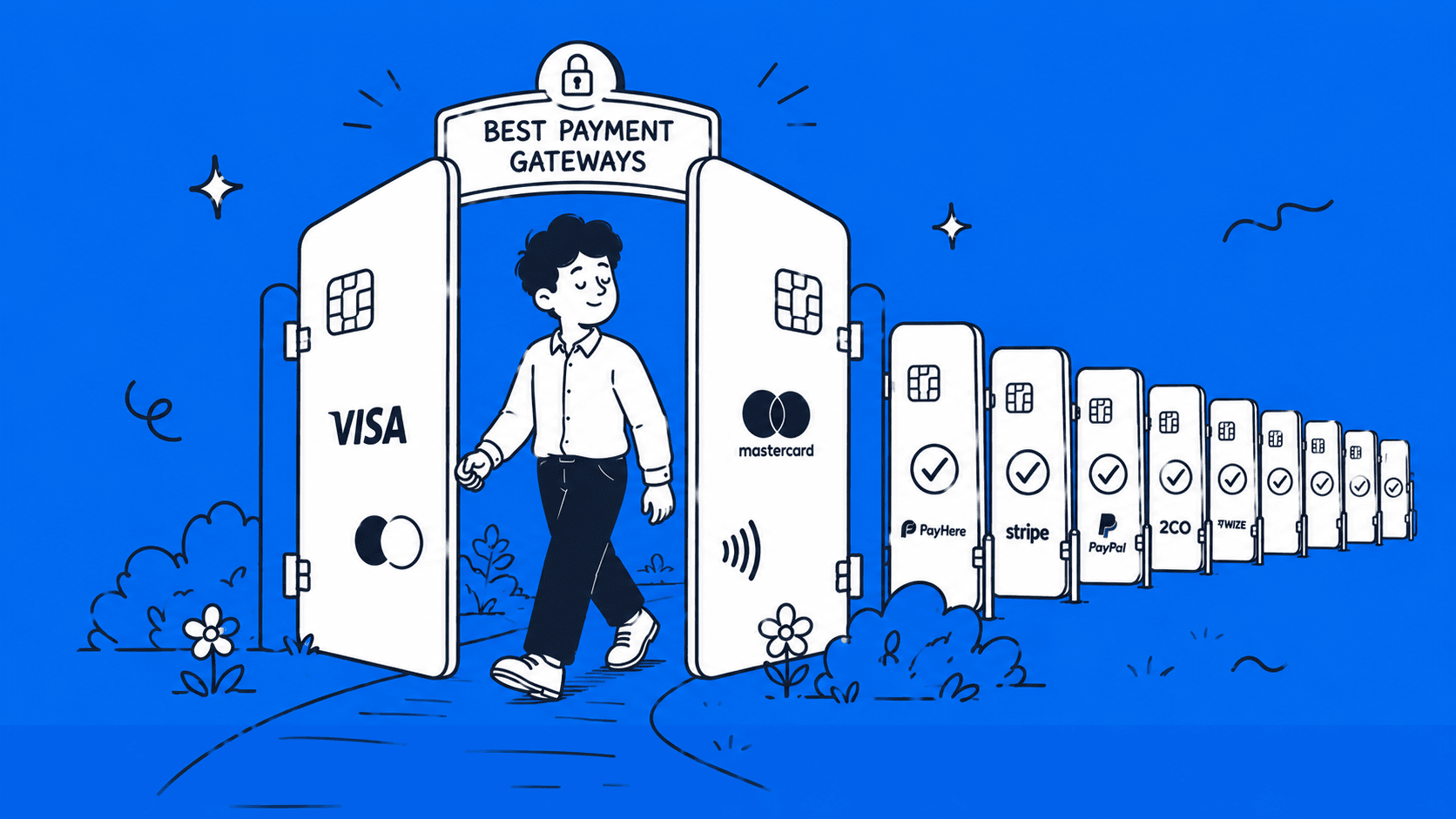
Getting paid should be the easiest part of freelancing. But if you are based in Sri Lanka, you already know it is anything but. PayPal still does not let you withdraw money. Stripe is not available locally. And if you ask five different freelancers which payment method they use, you will get five different answers. The truth is, there is no single perfect solution for everyone. The right method depends on how you work, who your clients are, and how much you are willing to pay in fees.
In this guide, we break down every practical option available to Sri Lankan freelancers in 2026, what each one actually costs, and which one makes the most sense for your situation.
What to Look for in a Freelancer Payment Method (Before You Pick One)

Choosing the right payment method is not just about receiving money. It directly affects how much you actually keep, how fast you get paid, and how easy your workflow becomes. Here are the key things every freelancer in Sri Lanka should check before picking a payment option:
1. Transaction Fees and Exchange Rates
This is where most freelancers lose money without realizing it. Every platform charges something, either a fixed fee, a percentage, or both. On top of that, the exchange rate they offer can be lower than the real market rate.
Even a small difference in exchange rates can cost you thousands of rupees over time, especially if you get paid regularly in USD or EUR. Always check:
- Receiving fees
- Withdrawal fees
- Currency conversion margins
A platform with “low fees” but poor exchange rates can actually cost you more.
2. Withdrawal Speed to a Sri Lankan Bank Account
Getting paid is one thing, accessing your money is another. Some services process withdrawals within a few hours, while others can take 2–5 business days.
If you depend on freelancing as your main income, faster withdrawals can help with cash flow and day-to-day expenses. Look for:
- Average withdrawal time
- Weekend or holiday delays
- Bank processing times in Sri Lanka
3. Platform Compatibility (Fiverr, Upwork, Freelancer.com, etc.)
Not all payment methods work with every freelancing platform. For example, some platforms directly support certain payment providers, making withdrawals much easier.
Before choosing a method, make sure it works smoothly with platforms like:
- Fiverr
- Upwork
- Freelancer.com
Using a supported method avoids extra steps, delays, and unnecessary fees.
4. KYC Requirements and Documentation
Most payment platforms require identity verification (KYC – Know Your Customer). This is normal, but the process can vary.
You may need to provide:
- National ID or passport
- Proof of address (utility bill or bank statement)
- Sometimes income proof or invoices
Some platforms approve accounts quickly, while others may take a few days. Choosing a service with a smooth verification process can save time and frustration.
5. Currency Support (USD, EUR, GBP, LKR)
Freelancers usually get paid in foreign currencies like USD, EUR, or GBP. A good payment method should support holding and converting these currencies easily.
Key things to check:
- Can you receive payments in multiple currencies?
- Can you hold money without converting immediately?
- How easily can you convert to LKR when needed?
Having multi-currency support gives you more control, especially when exchange rates fluctuate.
If you choose a payment method carefully based on these factors, you can avoid hidden costs, reduce delays, and keep more of what you earn.
The 7 Best Payment Methods for Freelancers in Sri Lanka
Below are the 7 best payment methods freelancers in Sri Lanka can use in 2026, based on reliability, cost, and ease of use.
1. Payoneer: Best Overall for Sri Lankan Freelancers
Payoneer is a global payment platform that gives you a multi-currency account with virtual receiving numbers in USD, EUR, and GBP. Your overseas client pays you like they are paying a local bank in their country, no foreign bank account needed on your end. It is the most widely used and reliable way to receive international payments in Sri Lanka right now, with direct integrations into almost every major freelance platform.
To sign up, you will need your NIC or passport, a Sri Lankan bank account, and basic proof of freelance work.
How to Withdraw to a Sri Lankan Bank
To withdraw your Payoneer balance to a local bank, log in to your account and go to Withdraw, then select To Bank Account. From there, add your Sri Lankan bank details, including your account number and SWIFT code, enter the amount, and confirm the transfer.
Here, the money usually arrives within 2 to 5 business days. Keep your client invoices handy, as some Sri Lankan banks may ask for documentation on larger incoming transfers as part of their standard compliance process.
Fees Breakdown
| Fee Type | Amount |
| Receiving from Upwork, Fiverr & platforms | Free |
| Receiving from another Payoneer user | Free |
| Requesting payment via client’s credit card | 3.2% + $0.49 |
| Withdrawing under $400 | Fixed $4 fee |
| Withdrawing above $400 to local bank | $1.50 flat fee |
| Currency conversion (USD → LKR) | Up to 2% above market rate |
| Inactivity fee (if under $2,000/year received) | $29.95/year |
Tip: Withdraw in larger amounts less frequently to avoid paying the $4 flat fee on small transfers.
Platforms That Support Payoneer
Upwork, Fiverr, Freelancer.com, Toptal, 99designs, Amazon, and Airbnb, plus direct client invoicing.
Pros and Cons
| Pros | Cons |
| Works with almost every freelance platform | Up to 2% conversion fee on LKR withdrawals |
| Free to receive from marketplace payouts | $29.95 inactivity fee if you earn under $2,000/year |
| Withdraws directly to Sri Lankan banks | $4 flat fee on small withdrawals |
| Supports USD, EUR, GBP and more | Account freezes reported during verification |
2. Wise (formerly TransferWise): Best for Direct Client Payments
Wise (formerly TransferWise) is a UK-based payment platform that lets you receive money from international clients using local account details in USD, EUR, GBP, AUD, and more, without needing a foreign bank account. What makes Wise stand out from the rest is its use of the real mid-market exchange rate with no hidden markup.
This means you keep more of what your client pays you compared to most other methods. It is best suited for freelancers who work directly with clients rather than through platforms like Upwork or Fiverr.
How to Receive Payments from International Clients
Once you sign up and verify your identity, Wise gives you local account details in multiple currencies. You share these details with your client like a regular bank account number, and they pay you as if they are making a local transfer in their country. Your client does not need a Wise account to send you money. You can also send invoices directly through Wise, making it a clean end-to-end solution for freelancers with direct client relationships.
Fees and Exchange Rate Advantage
| Fee Type | Amount |
| Receiving via local bank transfer (ACH/SEPA) | Free |
| Receiving via USD wire transfer | $6.11 fixed fee |
| Receiving via GBP wire transfer | $2.16 fixed fee |
| Receiving via EUR wire transfer | $2.39 fixed fee |
| Currency conversion fee | 0.33% (expected to rise to 0.5–0.75% by mid-2026) |
| Monthly or inactivity fee | None |
Wise uses the mid-market forex rate with no hidden charges, which is the same rate you see on Google. This is a significant advantage over banks and most other payment platforms that quietly add a margin to the exchange rate before converting your money.
How to Transfer to a Sri Lankan Bank
To move your Wise balance to a local bank account, log in and go to Send, select your Sri Lankan bank as the destination, enter the amount, and confirm. Once Wise receives and converts your money, it usually arrives in your recipient’s bank account on the same working day, though conversion can take up to 2 working days. As with any inward remittance, have your invoices ready in case your bank requests documentation.
Pros and Cons
| Pros | Cons |
| Real mid-market exchange rate, no hidden markup | No direct integration with Upwork or Fiverr |
| No monthly or inactivity fees | USD wire receiving fee of $6.11 per transfer |
| Fast transfers, often same working day | Cannot send money from an LKR account |
| Clean invoicing tool for direct clients | Conversion fee expected to increase in mid-2026 |
| Supports 40+ currencies in one account | Not ideal for platform-based freelancers |
3. Skrill: Good Backup Option for Freelancers
Skrill is a UK-based digital wallet that supports multiple currencies and is technically available in Sri Lanka.
However, Sri Lankan freelancers face some real practical limitations that are worth knowing before you sign up. Visa card deposits are restricted locally, meaning you cannot simply top up your account with a Sri Lankan bank card.
To fund a Skrill account, most local users source a Skrill balance from existing Skrill holders, which adds an extra step that Payoneer and Wise do not require. That said, it is still useful if a specific client or platform only supports Skrill.
How to Receive and Withdraw in Sri Lanka
Receiving money into your Skrill account from a client is straightforward and free. The problem starts when you try to withdraw. Not all Sri Lankan banks accept transfers from Skrill, so check with your bank before committing to it. Withdrawals that do go through generally take 2 to 7 working days, though you can withdraw to eZ Cash instantly.
Fees to Watch Out For
Skrill’s fees are noticeably higher than both Payoneer and Wise, especially on currency conversion.
| Fee Type | Amount |
| Receiving money into Skrill | Free |
| Sending to another Skrill user | 1.45% (capped at €10) |
| Withdrawing to a bank account | €5.50 fixed fee |
| Withdrawing to a credit card | 7.5% |
| Currency conversion fee | 3.99% above base exchange rate |
| International transfer markup | Up to 4.99% on exchange rate |
| Inactivity fee (no login or transaction in 12 months) | $5/month deducted from balance |
The biggest cost to watch is the currency conversion. Skrill’s exchange rate markup can be as high as 4.99% per transaction, meaning you lose money not just on the fee but also on the rate itself. If you are converting USD to LKR regularly, this adds up quickly.
Pros and Cons
| Pros | Cons |
| Free to receive payments | 3.99% currency conversion fee |
| Instant withdrawal to eZ Cash | Up to 4.99% exchange rate markup |
| Useful when clients only support Skrill | €5.50 fixed fee per bank withdrawal |
| Available and functional in Sri Lanka | Not all Sri Lankan banks accept Skrill transfers |
| Supports 40+ currencies | No direct integration with Upwork or Fiverr |
| No monthly fee if account stays active | $5/month inactivity fee after 12 months |
| Visa card deposits restricted in Sri Lanka | |
| Need to source Skrill balance from existing holders locall |
4. Direct Bank Wire Transfer: Old but Reliable
A direct bank wire transfer is the most traditional way to receive international payments in Sri Lanka. Your overseas client sends money from their bank directly to your Sri Lankan bank account using your account number and SWIFT code. It is slower and sometimes more expensive than Payoneer or Wise, but it sits fully within the formal banking system, making it the most compliant option for larger, one-off payments.
How It Works in Sri Lanka
Your client initiates a SWIFT transfer by entering your full name, bank name, branch, account number, and SWIFT/BIC code. Transfers can take several business days, and those initiated outside business hours or on weekends may take longer. Keep your client invoices ready, as your bank will likely ask for documentation to process the inward remittance.
PFCA and BFCA Accounts Explained Simply
When foreign currency arrives, your bank will ask if you want to hold it in foreign currency or convert to LKR.
- A PFCA (Personal Foreign Currency Account) lets you hold USD, GBP, or EUR inside a Sri Lankan bank without converting immediately, useful when exchange rates are unfavorable. Any Sri Lankan resident can open a PFCA through any inward remittance received via banking channels, no regular foreign income required.
- A BFCA (Business Foreign Currency Account) works the same way but is designed for registered businesses.
Most major banks support inward remittances, Commercial Bank, People’s Bank, BOC, Sampath, Seylan, and HNB. DFCC Bank is the most freelancer-friendly, with a dedicated account that accepts payments from Payoneer, Skrill, and direct wire transfers.
Fees and Processing Time
| Fee Type | Amount |
| Sender’s bank wire fee (client’s side) | $15 – $50 |
| Intermediary/correspondent bank fee | $10 – $25 (deducted in transit) |
| Exchange rate markup (USD → LKR) | Up to 2–3% above market rate |
| Processing time | 1 to 5 business days |
Pros and Cons
| Pros | Cons |
| Fully within the formal banking system | Slow, 1 to 5 business days |
| PFCA lets you hold USD without converting | Client’s bank charges high sending fees |
| Best for large, one-off payments | Correspondent fees deducted in transit |
| No third-party platform needed | Not practical for small frequent payments |
5. PayPal: What Sri Lankan Freelancers Need to Know
PayPal is the most recognized payment platform in the world, and almost every international client knows how to use it. Following the official launch of full PayPal services in Sri Lanka in May 2026, Sri Lankan freelancers can now receive international payments and withdraw funds directly to a local bank account.
The Current Reality of PayPal in Sri Lanka
PayPal officially launched full services in Sri Lanka on May 15, 2026, in partnership with three local banks: Bank of Ceylon, Commercial Bank of Ceylon, and Sampath Bank. Thus, Sri Lankan users can now receive international payments and withdraw funds to a local bank account by linking their PayPal account to one of these partner banks through their mobile banking app.
One important limitation to note:
PayPal in Sri Lanka currently supports cross-border payments only. You can receive money from PayPal users abroad, but not from other Sri Lankan PayPal users.
What You Can and Cannot Do
| Feature | Available in Sri Lanka? |
| Create a PayPal account | Yes |
| Link a local Visa or Mastercard | Yes |
| Pay for software and subscriptions | Yes |
| Shop on international sites (eBay, Amazon) | Yes |
| Send money to overseas freelancers | Yes |
| Receive payments from clients | Yes, via partner banks (Bank of Ceylon, Commercial Bank, Sampath) |
| Withdraw funds to a Sri Lankan bank account | Yes, via partner bank mobile app |
When It Might Still Be Useful
PayPal is now useful as both a sending and receiving tool. Use it to pay for tools like Adobe Creative Cloud, SEMrush, or Ahrefs, fund ad campaigns, pay international freelancers, and receive payments directly from clients who prefer PayPal.
For freelancers who also need Stripe or want to operate under a US or UK brand, registering a foreign company remains a valid option alongside the local PayPal setup
Pros and Cons
| Pros | Cons |
| Universally recognized by clients worldwide | Higher currency conversion markup, up to 4% over the mid-market rate. |
| Useful for paying tools and subscriptions | Only cross-border payments supported, no local Sri Lanka to Sri Lanka transfers. |
| Free to create an account | Partner banks currently limited to Bank of Ceylon, Commercial Bank, and Sampath Bank. |
| Now fully available in Sri Lanka since May 2026, receive and withdraw internationally. | Accounts can be frozen or limited with little warning. |
6. Western Union: A Reliable Option for One-Off Payments
Western Union is one of the oldest and most widely recognized money transfer services in the world. While it is not built specifically for freelancers, it works well when a client prefers a traditional, non-digital method to send payment, especially for larger, one-time projects. Your client does not need a bank account to send money, and you do not need any third-party platform account to receive it.
How It Works for Freelancers in Sri Lanka
Your client visits a Western Union agent location or uses the Western Union app or website to initiate a transfer. They enter your name and either your Sri Lankan bank account details for a direct deposit, or send it as a cash pickup using a reference number. Money can be collected from over 260 Commercial Bank branches island-wide, and transfers between clients and recipients across more than 200 countries and territories are supported.
For bank deposits, funds usually arrive within 1 to 2 business days. For cash pickup, it can be near-instant.
Fees and Exchange Rates to Expect
Fees vary depending on the sending country, the amount, and whether the client sends online or through an agent location.
| Fee Type | Amount |
| Online transfer fee (client side) | Typically low, around 0.4% of the amount sent |
| In-person agent transfer fee | Higher, varies by location and country |
| Exchange rate markup (USD → LKR) | 1–3% above mid-market rate |
| Receiving fee (your side) | Free |
| Processing time | Minutes (cash pickup) to 1–2 days (bank deposit) |
Note: Sending money from physical agent locations with Western Union is usually much more expensive than using their online service, so encourage your client to use the app or website rather than walking into an agent.
When It Makes Sense to Use Western Union
Western Union works best when your client is not tech-savvy, does not have a Payoneer or Wise account, and simply wants to send money the traditional way. It also suits larger one-time project payments rather than frequent small transfers, where the exchange rate margin would eat into your earnings.
Pros and Cons
| Pros | Cons |
| No platform account needed for either party | Exchange rate markup of 1–3% |
| Cash pickup available island-wide | In-person agent fees can be high |
| Trusted and familiar to older or non-tech clients | Not practical for frequent small payments |
| Fast, cash pickup can be near-instant | Client needs to manually initiate each transfer |
| Accepted at major Sri Lankan banks | No direct integration with freelance platforms |
7. Stripe: Can Sri Lankan Freelancers Use It?
Stripe is one of the most popular payment processors in the world, widely used by SaaS businesses, digital product sellers, and agencies to accept card payments from clients.
However, Sri Lanka is not listed among the countries where Stripe currently operates, meaning businesses based in Sri Lanka cannot use Stripe’s payment processing services directly. That said, some freelancers and digital entrepreneurs have found legal ways to access it, though it requires extra effort and cost.
The Current Availability of Stripe in Sri Lanka
Stripe is not natively available in Sri Lanka. You cannot sign up with a Sri Lankan address and start accepting payments. This restriction is not unique to Sri Lanka, it affects dozens of countries where Stripe has not yet established local banking partnerships or regulatory agreements. There is no confirmed timeline for when Stripe will officially launch in Sri Lanka.
Workarounds Some Freelancers Use
Two common workarounds exist, both involving registering a business entity in a supported country:
- Option 1 — Register a US LLC: You can open a Stripe account by forming an LLC in the United States, obtaining an Employer Identification Number (EIN), and linking a US-based bank account such as Wise or Mercury to receive Stripe payouts.
- Option 2 — Register a UK Limited Company: You can incorporate a UK company as a non-resident, open a UK business bank account, and link it to a Stripe account from Sri Lanka.
Both options are legal, but they come with real costs, like company registration fees, annual compliance costs, and the administrative overhead of running a foreign entity. This is not a practical path for a beginner freelancer.
Who This Might Suit
Stripe makes the most sense for freelancers who have built a digital product, SaaS tool, or agency that needs to embed a payment form directly on a website and charge clients via card. If you simply invoice clients on Upwork or Fiverr, Payoneer already covers everything Stripe would do for you at a fraction of the setup cost.
Pros and Cons
| Pros | Cons |
| Best-in-class payment experience for clients | Not natively available in Sri Lanka |
| Supports card payments, subscriptions, and invoicing | Requires registering a foreign company to access |
| Ideal for digital products and SaaS businesses | Company registration and compliance costs |
| Widely trusted by international clients | Too complex for beginner freelancers |
| Payouts via Wise are possible once set up | Account can be frozen if Stripe detects misuse |
Want to Access Stripe, PayPal, and Global Payments from Sri Lanka?
If registering a US LLC or UK company sounds like the right move for your freelance business, BR.lk makes the entire process simple from Sri Lanka.
- Legal company registration in the US or UK, completed in 24–48 hours
- Full setup with Stripe, PayPal, Wise, and other global payment platforms
- Step-by-step support in Sinhala or Tamil
Side-by-Side Comparison of All 7 Methods
Not sure which method fits your situation? Here is a quick breakdown of all seven options across the factors that matter most to Sri Lankan freelancers.
| Payoneer | Wise | Skrill | Bank Wire | PayPal | Western Union | Stripe | |
| Receiving Fee | Free (platforms) | Free (local transfer) | Free | Free | Fees apply, check PayPal Sri Lanka fees page | Free | Not available locally |
| Withdrawal Fee | $1.50 – $4 flat | $2–$6 per transfer | €5.50 flat | $10–$25 (intermediary) | Set by partner bank | Free (receiver side) | Varies |
| Currency Conversion | Up to 2% | 0.33–0.75% | 3.99% | 2–3% markup | Up to 4% markup | 1–3% markup | ~2% |
| Speed | 2–5 business days | Same day – 2 days | 2–7 business days | 1–5 business days | 1 to 3 business days 1 to 3 business days | Minutes – 2 days | 2–7 business days |
| Platform Support | Upwork, Fiverr, Freelancer.com & more | Direct clients only | Limited platforms | Direct clients only | Direct clients, Shopify, WooCommerce | Direct clients only | Requires foreign company |
| Ease of Setup | ⭐⭐⭐⭐⭐ Easy | ⭐⭐⭐⭐ Easy | ⭐⭐⭐ Moderate | ⭐⭐⭐ Moderate | ⭐⭐⭐⭐ Easy | ⭐⭐⭐⭐ Easy | ⭐ Complex |
| Best For | Platform-based freelancers | Direct client invoicing | Backup option only | Large one-off payments | Clients who prefer PayPal, e-commerce | Non-tech-savvy clients | Digital product businesses |
How to Pick the Right Payment Method for You
With seven options on the table, the right choice comes down to one simple question: how do your clients pay you? Here is how to narrow it down fast.
- If you work on Upwork, Fiverr, or Freelancer.com, Payoneer is the obvious starting point. It integrates directly with all major freelance platforms, withdrawals go straight to your Sri Lankan bank account, and almost every local bank already knows how to handle incoming Payoneer transfers. Set it up first before anything else.
- If you work with direct clients abroad, meaning you send invoices yourself rather than through a platform, Wise gives you the fairest exchange rate and the cleanest invoicing experience. Your client pays you like a local bank transfer in their country, and you receive it in Sri Lanka without the hidden markup that most other methods charge.
- If your client only supports one specific method, do not fight it, follow the client. A client who only uses Western Union or insists on a direct bank wire is not going to change their process for one freelancer. In those cases, set up whatever method they need, keep your invoices ready for your bank, and factor the fees into your rate.
- If you want a dedicated local bank solution that keeps your freelance income organized and separate from your personal account, look into the DFCC Freelancer Account. It is one of the few banking products in Sri Lanka built specifically for gig workers. It supports PFCA and BFCA accounts, accepts inward remittances directly, and works alongside Payoneer and Skrill. Other major banks like Commercial Bank, People’s Bank, and Sampath also support inward remittances, but DFCC is currently the most freelancer-friendly in terms of dedicated features.
The simplest rule:
Start with Payoneer if you are on a platform. Start with Wise if you are not. Add the others only when a specific client or situation requires it.
Additionally, you can use our Wise calculator to estimate what you’ll receive after fees.
How to Withdraw Foreign Earnings to Your Sri Lankan Bank Account
Once money arrives in your Payoneer or Wise account, getting it into your local bank is straightforward. But doing it cleanly from the start saves you headaches later.
Payoneer → Sri Lankan Bank
Log in to your Payoneer account and go to Withdraw, then select To Bank Account. Enter your Sri Lankan bank name, branch, account number, and SWIFT code. Choose the amount and confirm. The transfer arrives in 2 to 5 business days. Your bank converts the USD to LKR at their prevailing rate on the day it lands.
Wise → Sri Lankan Bank
Log in to Wise and go to Send. Select your Sri Lankan bank as the destination, enter your account details and the amount, then confirm. Wise converts your balance at the mid-market rate before sending. Funds typically arrive the same working day, though conversion can occasionally take up to 2 working days.
Documents You May Need
Your bank may ask for supporting documents when processing inward remittances, especially for larger amounts. Keep these ready:
- Client invoices showing the amount, currency, and nature of the work.
- Service contracts or agreements, especially for large or recurring payments.
- Form A, a Central Bank document some banks require for inward remittances above certain thresholds.
- Platform screenshots, Upwork or Fiverr payment history as supplementary proof if needed.
Tips to Avoid Delays and Compliance Issues
Always make sure the name on your Payoneer or Wise account matches exactly with your bank account name, a mismatch is one of the most common reasons for delays. Keep a folder of invoices for every payment you receive, even small ones. If your bank contacts you about an incoming transfer, respond promptly with documentation rather than leaving it unresolved.
For large transfers, consider calling your bank branch in advance to let them know it is coming.
Taxes and Compliance for Sri Lankan Freelancers
Tax is the part most freelancers ignore until it becomes a problem. Here is what you need to know.
Do You Need to Declare Foreign Freelance Income?
Yes. Effective from April 1, 2025, foreign-sourced income earned in foreign currency and remitted to Sri Lanka through a licensed bank is taxed at a flat rate of 15%. This applies directly to freelancers, remote workers, and digital service providers who receive foreign payments into a Sri Lankan bank account.
The good news is that the tax-free threshold for individuals has increased to Rs. 1,800,000 per year from the 2025/2026 assessment year, meaning if your annual freelance income after expenses stays below that, you will not owe income tax.
Above that threshold, the first Rs. 1 million is taxed at 6%, with higher income taxed up to a maximum of 15%.
Self-Employment Income and the IRD
Freelancers must pay quarterly self-assessment taxes and are eligible to deduct legitimate business expenses such as software subscriptions, internet costs, and payment gateway fees, unlike regular employees who cannot claim deductions. You need a Taxpayer Identification Number (TIN) to file.
All individuals over 18 are required to obtain a TIN, and those with taxable income must register for income tax. You can register and file through the IRD’s e-Services portal at ird.gov.lk.
Why Keeping Records and Invoices Matters
The IRD operates on a self-assessment system, meaning the responsibility to calculate and report your income accurately falls entirely on you. The department has implemented information collection mechanisms to detect non-compliance, and the IRD now has authority to examine bank transactions where necessary.
Every invoice you raise, every payment you receive, and every business expense you plan to deduct needs a paper trail. Good bookkeeping from day one makes this far less stressful. A simple spreadsheet tracking your monthly income and expenses, paired with saved invoices, is enough to keep you compliant and protected if your records are ever questioned.
Final Thoughts
Getting paid as a freelancer in Sri Lanka is not as simple as it should be, but it is far from impossible. The key is knowing which tool fits which situation rather than searching for one perfect solution that works for everything.
For most Sri Lankan freelancers, the answer is straightforward. If you work on Upwork or Fiverr, start with Payoneer. If you invoice clients directly, use Wise. Everything else on this list (Skrill, Bank Wire, Western Union, PayPal, and Stripe) has its place, but only in specific situations that your main method cannot cover.
A few things worth remembering as you set up your payment workflow:
Always match the name on your payment platform with your bank account to avoid transfer delays. Keep every invoice, even for small payments, your bank and the IRD may ask for them. Withdraw in larger amounts less frequently to reduce fees. And if your annual freelance income is growing past Rs. 1,800,000, speak to a tax professional sooner rather than later.
The payment landscape in Sri Lanka is also slowly changing. PayPal receiving may eventually open up. Stripe could follow. But until official announcements come from the Central Bank, build your workflow around what reliably works today, not what might work tomorrow.
If this guide helped you figure out your next step, share it with another Sri Lankan freelancer who is still figuring out how to get paid. It is a question almost everyone in this space runs into sooner or later.
Need Help Registering Your Business in the USA or UK from Sri Lanka?
If you are ready to unlock Stripe, PayPal, and other global payment platforms, BR.lk helps Sri Lankan freelancers and online sellers set up their business abroad legally and quickly, so you can focus on getting paid.
- Expert Guidance & Compliance: Full support through every step of company registration, in line with international and local regulations
- Seamless Payment Setup: Get linked to Stripe, PayPal, Wise, and more, all from Sri Lanka
- Fast & Hassle-Free: Registration and account setup completed in just 24–48 hours
- Local Language Support: Personalized assistance available in Sinhala or Tamil
Take the first step to get paid globally and grow your online business with confidence.
Key Takeaways
- Payoneer is the best starting point for most Sri Lankan freelancers, especially if you work on Upwork, Fiverr, or Freelancer.com, as it integrates directly with major platforms and withdraws straight to your local bank.
- Wise is the smarter choice for direct client invoicing, as it uses the real mid-market exchange rate with no hidden markup, meaning you keep more of every payment.
- PayPal is now fully available in Sri Lanka since May 2026. Sri Lankan users can receive international payments and withdraw funds to local bank accounts via partner banks: Bank of Ceylon, Commercial Bank of Ceylon, and Sampath Bank.
- Stripe is not natively available in Sri Lanka and requires registering a foreign company to access, making it impractical for most freelancers.
- Skrill works for receiving payments in Sri Lanka, but Visa deposits are restricted locally, not all banks accept withdrawals, and the conversion fees are the highest on this list.
- Direct bank wire transfers are the most compliant option for large one-off payments, and a PFCA account lets you hold foreign currency without converting it immediately.
- Western Union suits clients who prefer traditional transfer methods but is too costly for regular, smaller payments due to exchange rate markups.
- From April 1, 2025, foreign freelance income remitted through a licensed bank is taxed at up to 15%, though the Rs. 1,800,000 annual tax-free threshold means lower earners may owe nothing.
- Always keep client invoices, contracts, and payment receipts, your bank and the IRD can request documentation on any inward remittance at any time.
- There is no single perfect payment method for every situation. The right choice always depends on how your clients pay, which platforms you use, and how much you are willing to lose in fees.
FAQs
Wise has the lowest overall cost thanks to its mid-market exchange rate and minimal conversion fee of 0.33%. Payoneer is a close second for platform-based freelancers, with free receiving from major platforms and a flat $1.50 withdrawal fee for transfers above $400.
No, any standard Sri Lankan bank account can receive inward remittances. However, opening a PFCA (Personal Foreign Currency Account) is worth considering, as it lets you hold USD, EUR, or GBP without immediately converting to LKR, giving you more control over when you convert.
Use Wise for direct client payments since it applies the real mid-market rate. For Payoneer withdrawals, batch your transfers into larger, less frequent amounts to reduce flat fees. Avoid converting currencies multiple times across platforms, as each conversion adds a margin that quietly reduces your earnings.