Wise vs Payoneer is one of the first choices Sri Lankan LLC owners face once clients abroad start paying them. Both tools get your money from overseas into your Sri Lankan bank account, but they differ on fees, exchange rates, and which clients can pay you through them. Pick the wrong one and you lose a slice of every payment. So which one is better for you in 2026?
This guide compares Wise and Payoneer on the points that matter most, from sign-up and fees to marketplace support and how fast money reaches your bank. Below, we start with what each tool is, then show a quick comparison table, followed by a closer look at each point, so you can pick the right one and keep more of what you earn.
What is Wise?
Wise (formerly TransferWise) is a UK company started in 2011 to make sending money abroad cheaper than using a bank. It converts currency at the mid-market rate, the one you see on Google, and shows its fee up front, so nothing is hidden inside the rate. One Wise account can hold over 40 currencies and comes with bank details in several of them, such as USD and GBP. Foreign clients pay into those details, and you convert the money to LKR when it suits you.
What is Payoneer?
Payoneer is a US payments company, launched in 2005, that is built around online marketplaces. If you work on Upwork or Fiverr, or sell on Amazon, your earnings can go straight into your Payoneer account with no invoicing. It runs in more than 190 countries, and it also gives you receiving accounts in USD, EUR, and GBP for clients who pay you directly. When you are ready, you withdraw the money to your Sri Lankan bank account in LKR.
Wise vs Payoneer: A Head-to-Head Comparison
Wise and Payoneer both help you get paid from abroad, but they work in different ways. Here is a quick table of how they compare, before we go through each point in detail.
Summary Table at a Glance: Wise vs Payoneer For Sri Lankan LLC Owners
Aspect
Wise
Payoneer
Winner
Account opening
Free, 1 to 2 business days, moderate checks
Free, 1 to 3 business days, stricter checks
Wise
Receiving payments
Local bank details in about 9 currencies, free in most
Receiving accounts in 10+ currencies, up to 1% by bank, up to 3.99% + $0.49 by card
Wise (bank transfers)
Marketplace support
No link to Fiverr or Upwork
Built into Fiverr, Upwork, Toptal, Amazon
Payoneer
Fees
No monthly fee, about 0.6% to 0.7% conversion fee
Free from marketplaces, 0.5% to 2% conversion markup, $29.95 inactive fee
Wise
Exchange rate
Mid-market rate, no markup
Mid-market rate plus markup
Wise
Withdrawal to Sri Lankan bank
1 to 2 business days, no LKR account
2 to 5 business days, $50 minimum
Wise
Safety and freezes
UK regulated, 4.3 on Trustpilot, low to moderate freeze risk
US regulated, 3.9 on Trustpilot, moderate freeze risk
Wise
Debit card
No yearly fee, limited Sri Lankan ATM support
$29.95 a year, works at ATMs worldwide
Wise (lower cost)
Business tools
Batch payments, Xero and QuickBooks, API
Mass payouts, free Payoneer-to-Payoneer payments, payment requests
Tie
Customer support
Chat and email
Email, phone, live chat, help center
Payoneer
Now that you have seen the quick comparison, let’s go through each point in more detail. We’ll start with account opening, then follow the money from your client to your Sri Lankan bank.
1. Account Opening and Verification
You can’t receive any money until your account is verified, so this is where you start.
Wise
Signing up for Wise is free and done online. You verify with your NIC or passport, and as an LLC owner you should expect to add your company documents too. Approval usually takes 1 to 2 business days, and the checks are moderate. You can’t receive money until verification is done.
Payoneer
Payoneer is also free to open. You verify with your NIC or passport and add your bank details. Approval takes about 1 to 3 business days, and the checks are stricter for new users. Your account can be put on hold while they review your documents, and direct sign-up has been inconsistent for new Sri Lankan users.
Winner
Wise. Approval is a bit faster, the checks are lighter, and sign-up is more reliable for Sri Lankan users.
2. Receiving Payments from Clients
Both tools exist to get you paid, so here is how a client actually sends you money.
Wise
Wise gives you local bank details in about nine currencies, including USD, GBP, EUR, and AUD. Your client pays into them like a normal domestic transfer, and receiving is free in most currencies. Wise is built around bank transfers rather than card payments, so it suits clients who are happy to pay that way.
Payoneer
Payoneer gives you receiving accounts in 10 or more currencies, such as USD, EUR, and GBP. You can also email a payment request, and the client doesn’t need a Payoneer account. Receiving through local bank details costs up to about 1%, and card payments can cost up to 3.99% plus $0.49.
Winner
Wise, for bank transfers, because it costs less. Payoneer wins if your clients prefer to pay by card.
3. Freelance and Marketplace Support
Where your clients pay you from often decides which tool you need.
Wise
Wise doesn’t connect to freelance platforms like Fiverr or Upwork, so those sites can’t pay you into it. It works best for direct clients. You put your local bank details on an invoice, they pay like a normal transfer, and no platform sits in the middle.
Payoneer
Payoneer is built into most big marketplaces, including Fiverr, Upwork, Toptal, and Amazon. These sites send your earnings straight to your Payoneer account, so you don’t need to invoice anyone. It works with more than 2,000 platforms in total. You can also bill direct clients by sending a payment request, even if they don’t have a Payoneer account.
Winner
Payoneer. If your income comes from marketplaces, it is the only one of the two that works with them. Wise only wins if every client pays you directly.
4. Fees
Fees decide how much of each payment you keep, so here is where each tool charges you.
Wise
Wise has no monthly fee, and receiving money is free in most currencies. Its main cost is a conversion fee of around 0.6% to 0.7%, shown before you confirm. Each withdrawal to your Sri Lankan bank also has a small fee.
Payoneer
Receiving from marketplaces like Fiverr and Upwork is free. Direct payments cost more: up to 1% by bank transfer and up to 3.99% plus $0.49 by card. Converting to LKR adds a 0.5% to 2% markup, and every withdrawal has a fee. The debit card costs $29.95 a year, and an unused account is charged $29.95 after 12 months.
Winner
Wise, for direct client payments, because its costs are lower and clear up front. Payoneer is still the better pick for marketplace income, since receiving there is free.
5. Exchange Rates
The rate is where money quietly disappears, so it is worth checking closely.
Wise
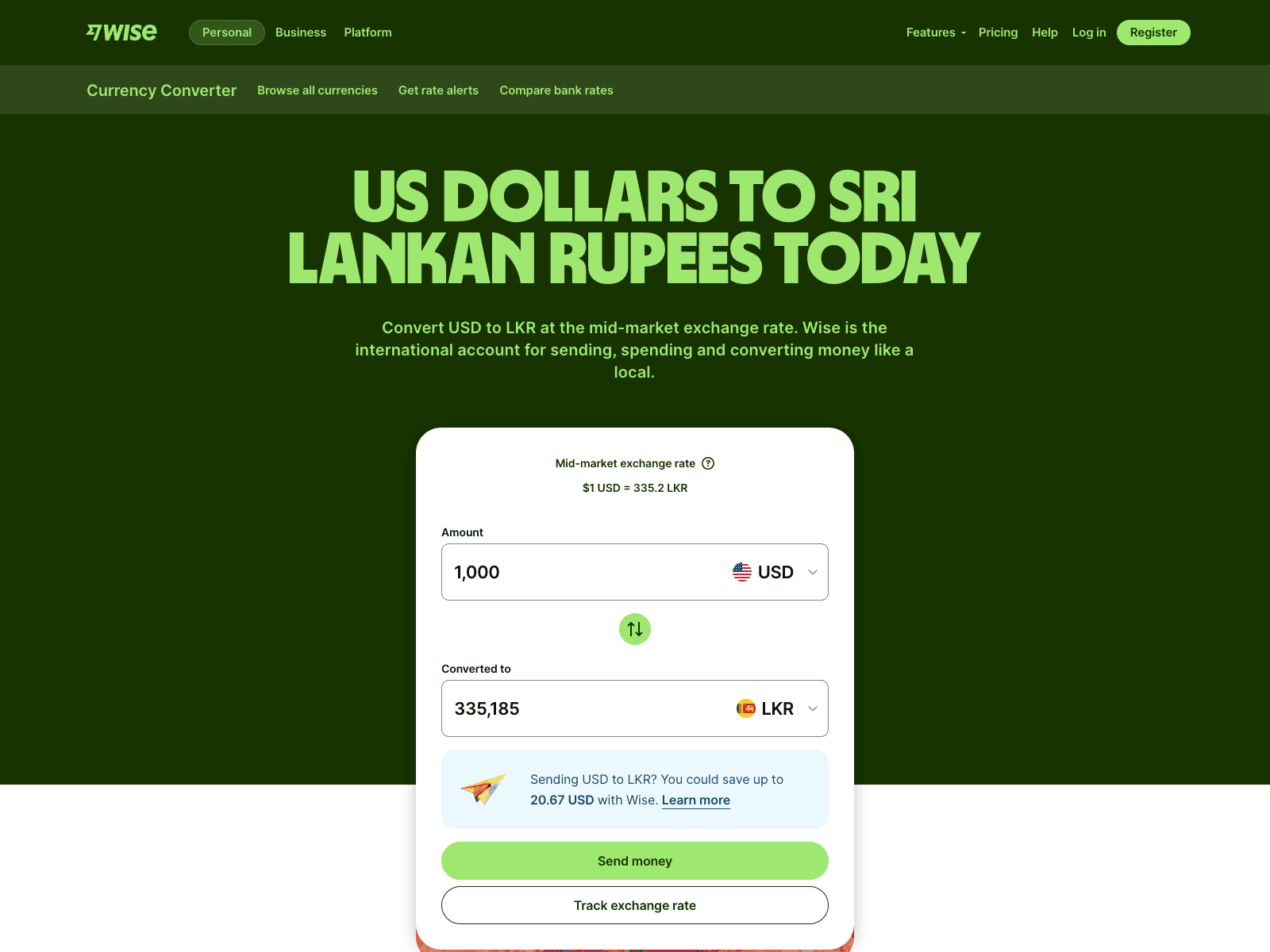
Wise converts at the mid-market rate, the same one you see on Google, and adds no markup to it. Its cost is a separate fee of about 0.6% to 0.7%, and you see both the rate and the fee before you confirm. On $1,000, that fee is roughly $6 to $7. Because the fee is shown upfront, it is easy to plan around.
Payoneer
Payoneer adds a markup of 0.5% to 2% on top of the mid-market rate. The cost sits inside the rate, so it is harder to spot. At the top end, 2% on $1,000 is about $20. Payoneer’s rate is usually shown only after the transaction, so it is harder to compare.
Winner
Wise. You keep more per payment and know the cost before you send. The gap grows with bigger payments.
6. Withdrawing to a Sri Lankan Bank Account (and Speed)
This is the last step, and it decides how soon you can spend the money.
Wise
Wise sends your money to your Sri Lankan bank account in LKR. It doesn’t give you a local LKR account, so it only converts and pays out to your bank. Transfers usually arrive in 1 to 2 business days, and about 90% reach you within 24 hours. A small fee applies to each withdrawal, and a compliance check can cause delays.
Payoneer
You withdraw to your Sri Lankan bank in LKR from the Withdraw menu. The minimum is $50, and a fee applies each time. You can also hold your balance and withdraw when the rate suits you. Money usually arrives in 2 to 5 business days, and weekends or holidays can slow it down.
Winner
Wise. Money usually arrives a few days sooner. Payoneer takes longer, and its $50 minimum can hold up small withdrawals.
7. Safety and Account Freezes
Your income sits here, so you want it safe and unlikely to get stuck.
Wise
Wise is regulated in the UK by the FCA. It is not a bank, but it safeguards customer money with partner banks such as Barclays and JPMorgan Chase instead of lending it out. It has a 4.3 Trustpilot rating from over 220,000 reviews. Freezes can still happen during routine compliance checks, though the risk is rated low to moderate.
Payoneer
Payoneer is regulated in the US and holds customer funds in regulated accounts. It has a 3.9 Trustpilot rating from over 53,000 reviews. Accounts are sometimes frozen during verification checks, and the risk is rated moderate.
Winner
Wise, by a small margin, thanks to better reviews and a lower freeze risk. Neither is risk-free, so keep invoices ready, use the same name on your account and bank, and reply to verification requests fast.
These points rarely decide the choice alone, but they are worth knowing before you sign up.
Debit Cards
Wise: Wise offers a physical and a virtual card that spend straight from your balances. There is no yearly fee, though a one-time card fee may apply. ATM withdrawals above the free limit cost extra, and the card isn’t accepted at every Sri Lankan ATM yet.
Payoneer: Payoneer offers a prepaid Mastercard, physical and virtual, that works at ATMs worldwide. It costs $29.95 a year, and ATM withdrawals and some other uses carry fees. The daily ATM limit is reported at around $2,500.
Business Tools
Wise: You can pay many people at once by uploading a spreadsheet. Wise also connects with Xero and QuickBooks and has an API, which helps if you pay a team or want tidy books.
Payoneer: Payoneer has mass payouts, free payments between Payoneer users, and email payment requests. It also offers working capital in some regions, but it may not be available in Sri Lanka.
Customer Support
Wise: You can reach Wise by chat and email.
Payoneer: Payoneer offers email, phone, a large help center, and live chat once you log in. That gives you more ways to reach a person, which helps when your funds are on hold.
Get Your US LLC and Wise Setup Done From Sri Lanka
Picking between Wise and Payoneer is only half the job. To open a Wise Business account, you first need a formed US LLC, an EIN, and a real US street address. Many Sri Lankan founders get stuck at this step.
BR.LK can handle it for you. We form your LLC, get your EIN, give you a US address, and help you open your Wise Business account and set up Stripe. You don’t need an SSN or a trip to the US.
Wise won most rows in the table, but the right pick depends on how your clients pay you. Here is a simple way to decide.
Opt for Wise if
Most of your clients pay you directly by bank transfer or invoice.
You want to see the exact rate and fee before you send.
You want your money in your Sri Lankan bank account within 1 to 2 business days.
You want an account with no monthly fee and lighter checks at sign-up.
If you are an LLC owner with retainer or invoice clients, Wise will usually leave more LKR in your bank after each payment.
Opt for Payoneer if
Most of your income comes from Upwork, Fiverr, Toptal, or Amazon.
Your clients like to pay by card.
You pay a team or contractors and need mass payouts.
You want to be able to call or email a real person when something goes wrong.
If marketplaces pay you, you don’t really have a choice. Wise can’t receive money from those platforms, so Payoneer is the one you need.
When to Combine Two?
Many Sri Lankan freelancers and LLC owners end up using both. Put your marketplace earnings into Payoneer, and give your direct clients your Wise bank details. That way, each client pays through the cheaper route for them.
Start with the tool that matches your biggest source of income, then add the other when a second type of client shows up. Just keep both accounts in use. Payoneer charges $29.95 if an account sits unused for 12 months, while Wise has no such fee. If all your clients pay the same way, one tool is enough.
Key Takeaways
Wise is the better pick if most of your clients pay you directly by bank transfer or invoice.
Payoneer is the better pick if your income comes from Upwork, Fiverr, Toptal, or Amazon, because Wise can’t receive money from those platforms.
Wise converts at the mid-market rate and charges a separate fee of about 0.6% to 0.7%, so you see the full cost before you confirm.
Payoneer adds a 0.5% to 2% markup inside its exchange rate, which makes the real cost harder to spot.
Receiving from marketplaces is free on Payoneer, but direct payments can cost up to 1% by bank transfer and up to 3.99% plus $0.49 by card.
Money from Wise usually reaches your Sri Lankan bank account in 1 to 2 business days, while Payoneer takes about 2 to 5 business days and has a $50 minimum withdrawal.
Wise sign-up is usually a little faster with lighter checks, while Payoneer’s checks are stricter for new Sri Lankan users.
Wise has a small edge on safety, with a 4.3 Trustpilot rating and a lower freeze risk, but neither tool is free of freezes, so keep your invoices ready.
Payoneer charges $29.95 a year for its debit card and $29.95 if your account sits unused for 12 months, while Wise has no monthly fee.
Many Sri Lankan LLC owners use both, with Payoneer for marketplace income and Wise for direct clients, so each payment takes the cheaper route.
FAQs
Can I open Wise or Payoneer for a US LLC from Sri Lanka?
Yes, both are available to Sri Lankans. Wise Business asks for a formed US LLC, an EIN, and a real US street address. Payoneer asks for your ID and bank details, and checks can be stricter for new Sri Lankan users. Confirm the current requirements on each site before you apply.
Are Wise and Payoneer banks?
No. Both are regulated payment companies, not banks. They give you local bank details, such as a US account number, so clients can pay you like a local transfer. That is not a full US bank account, so an LLC owner who needs one usually opens it with a bank like Mercury.
Does Wise or Payoneer give me an LKR account?
No. Neither gives you a local LKR account. Clients pay into USD, GBP, EUR, or other currency details, and the money is converted to LKR when you withdraw to your Sri Lankan bank account. You can hold the foreign currency first and convert when the rate suits you.
Can I send money between Wise and Payoneer?
Yes, but not with one click. To move money from Payoneer to Wise, add your Wise account details to Payoneer as a withdrawal bank account, wait for approval, then withdraw. To go the other way, pay into your Payoneer receiving account details like any client would. Fees apply, and Payoneer may not accept every route.
A PayPal Business account lets your US LLC accept payments from clients around the world under your company name. But if you run an LLC from Sri Lanka, the setup is not the same as it is for a US resident. This guide explains how a PayPal Business account works for Sri Lankan LLC owners in 2026. It covers what you need to apply, the steps to open the account, what PayPal checks during verification, and how to move your money to Sri Lanka. It also covers the fees, the tax rules, and how to keep your account active.
Whether you have already formed your LLC or are still planning it, this guide will help you avoid the mistakes that cause delays and account limits. Read on to see the full process from start to finish, so you can open your account with confidence.
What Is a PayPal Business Account?
A PayPal Business account is an account type made for companies, freelancers, and online sellers to accept payments under a business name. It lets you receive money from customers, send invoices, add PayPal checkout to a website, and manage all your payments in one place. Customers can pay with their PayPal balance, a bank account, or a card, and they don’t always need a PayPal account to do it.
For an LLC owner, this matters because payments show your company name instead of your personal name. You can also give limited access to team members and keep business income apart from your personal money.
On the other hand, a Personal account is meant for sending money to friends and shopping online. If you run a business, PayPal recommends using a Business account instead.
Local Sri Lankan PayPal Business Account vs US PayPal Business Account: Is There a Difference Today?
Yes, there is still a clear difference. Since May 2026, Sri Lankans can open a local PayPal Business account, but it comes with limits. A US account, opened through a US LLC, works like any other US business account.
The table below shows how the two compare:
Local Sri Lankan Account
US Account (Through an LLC)
What you need
NIC or passport, and a linked partner bank
US LLC, EIN, and a US bank account
Who can pay you
PayPal users abroad only
Anyone, including US customers
Withdrawals
To a Sri Lankan partner bank, in LKR
To your US bank account, in USD
Best for
Freelancers with overseas clients
Businesses with US customers or needs beyond PayPal
If you only need to get paid by clients abroad, the local account may be enough. If you sell to US customers, want to hold money in USD, or need platforms like Stripe, an LLC with a US PayPal Business account is the better fit.
Can a Sri Lankan Open a US PayPal Business Account?
Yes, but not with Sri Lankan business details. PayPal ties a US Business account to a US company, so you first need a US LLC. You do not have to live in the US to form one. Many non-residents register in states like Wyoming or Delaware.
Once the LLC is ready, you get an EIN, which is your company’s US tax number, and open a US bank account. PayPal asks for these at sign-up, along with the owner’s passport and personal details. It may also ask for the owner’s tax information, and what it accepts can change, so check this when you apply.
This is allowed as long as everything is real. The LLC must be a genuine company, and the personal details must be yours. Using a VPN, fake details, or someone else’s identity breaks PayPal’s rules and can lead to a permanent ban.
So the path is simple. Form the LLC, get the EIN, open the US bank account, and then apply for the PayPal Business account.
Wondering what forming the LLC will cost you first?
What You Need Before You Apply for a US PayPal Business Account?
Having everything ready before you start makes the sign-up faster and helps you avoid delays in verification. Here is what to prepare.
A US LLC: PayPal ties the account to a real US company. Keep your Articles of Organization, since PayPal may ask for proof that the business exists.
An EIN: This is your company’s US tax number, issued by the IRS. Keep the confirmation letter in case PayPal asks to see it.
A US bank account: You need it to link to PayPal and to withdraw your earnings. Online options like Mercury or Wise are popular with non-residents.
The owner’s passport: Your name must match your LLC and bank records exactly.
A US address and phone number: Most LLC services include a registered address, so check that you can use it.
Your tax information: PayPal may ask for the owner’s tax ID, and what it accepts can change, so check this at sign-up.
A business description or website: You will need to say what your business sells or offers.
Once you have these, you are ready to open the account.
How to Open a PayPal Business Account for Your LLC (Step by Step)?
With your documents ready, the sign-up takes about 10 minutes. Follow these steps in order.
Go to PayPal’s US site and click Sign Up. Make sure you are on the official paypal.com website.
Choose Business Account.
Enter your email address. Use one that is not linked to a personal PayPal account, then confirm it through the link PayPal sends you.
Select Company as the business type. This option covers LLCs.
Add your business details. These include your LLC’s legal name, address, phone number, website, what you sell, and your estimated monthly sales.
Enter the owner’s details. Add your legal name, address, date of birth, and tax information. Everything must match your passport and LLC records.
Agree to the terms and create the account.
Link your US bank account. PayPal sends two small deposits to confirm it, which usually takes 3 to 5 days.
Turn on two-factor authentication. This protects your account from the start.
After the bank is confirmed, your account is ready to receive payments.
What PayPal May Ask For During Verification?
PayPal checks new Business accounts to confirm the owner and the company are real. You may not be asked for everything, but it helps to have these ready.
Bank confirmation: PayPal sends two small deposits to your US bank account. You enter the amounts to prove the account is yours.
Photo ID: A clear copy of the owner’s passport. The name must match your LLC and bank records.
Proof the LLC exists: This is usually your Articles of Organization.
Your EIN letter: The IRS confirmation letter shows your company’s tax number.
Proof of address: This could be a bank statement or a utility bill.
Business details: PayPal may ask for your website, invoices, or a description of what you sell.
Upload sharp, complete documents and make sure every name and address matches across all of them. Small differences are a common reason for delays.
Most reviews are done within a few days. If PayPal limits your account while it waits, send the requested documents quickly and follow its instructions to restore full access.
How to Get Your Money From a US PayPal Business Account to Sri Lanka
PayPal cannot send money from a US Business account straight to a Sri Lankan bank, so the money moves in two steps.
1. Withdraw from PayPal to your US bank account. Choose your linked bank in PayPal and start the transfer. It usually takes a few business days to arrive.
2. Send the money from your US bank to Sri Lanka. You have two common options.
Wise: It converts USD to LKR at the real exchange rate for a small fee, and is often the cheaper choice for regular payments. You can use our Wise calculator to estimate what you will receive.
SWIFT wire transfer: Your US bank sends the money to your Sri Lankan bank. Fees are usually higher, so it suits larger amounts.
3. Receive it in your Sri Lankan account. Your bank will ask for the reason for the transfer. Keep your invoices and PayPal records ready in case they ask for proof.
The money in your PayPal account belongs to your LLC, not to you personally. When you move it to your own account, record it as an owner’s withdrawal so your books stay clean.
Rules on receiving foreign money and paying tax on it can change, so check with your bank and a tax professional before you send large amounts.
What are the Fees Associated with PayPal Business Account for an LLC?
Opening a PayPal Business account is free, and there is no monthly fee. You pay when you receive money. These are the main US rates as of September 2026.
Receiving payments: PayPal Checkout costs 3.49% + $0.49 per payment. Card payments and invoices paid by card cost 2.99% + $0.49.
International payments: If your customer is outside the US, PayPal adds 1.50% on top. This applies to most Sri Lankan LLC owners with overseas clients.
Currency conversion: If PayPal converts the currency, it adds a spread of about 3% to 4% to the exchange rate.
Withdrawing to your US bank: A standard transfer is free. An instant transfer costs 1.50%.
Disputes: A buyer dispute costs $15, and a card chargeback costs $20.
Outside PayPal, your LLC has its own yearly costs, such as the state fee and registered agent. Your bank may also charge fees.
PayPal updates its rates from time to time, so check its fees page before you set your prices. You can use our PayPal calculator to estimate what you will keep after fees.
Getting paid through a US LLC brings tax duties in two countries. Here is what to expect.
For US Side
EIN. Your LLC uses this tax number for its bank, PayPal, and IRS filings.
Yearly IRS filing. A foreign-owned LLC with one owner usually has to file Form 5472 with the IRS each year, even if it earned nothing. Missing it can lead to a $25,000 penalty.
State report and fee. Your state may ask for a yearly report and fee to keep the LLC active.
PayPal tax forms. PayPal may ask for a W-8 form to confirm you are not a US taxpayer.
US income tax is often low for non-resident owners who do the work outside the US, but this depends on your case.
For Sri Lankan Side
Declare the income. Money you move from the LLC to your own account may count as your income in Sri Lanka.
Check current rules. Tax rates and exemptions on foreign earnings have changed in recent years.
Keep records. Save invoices, PayPal reports, and bank transfers.
Speak to a tax professional in both countries before you file.
Want to see how your LLC income is treated on both sides?
PayPal can limit or hold an account when it sees something unusual, such as a sudden large payment or details that don’t match. The good news is that a few habits lower the risk.
Keep your details current. Make sure your LLC name, address, and owner information match your records at all times.
Reply to PayPal quickly. If it asks for documents, send clear copies as soon as you can.
Grow your sales steadily. A big jump in payments with no warning can trigger a review, so tell PayPal if you expect one.
Keep proof of every sale. Save invoices, client messages, and delivery records, since you will need them if a customer opens a dispute.
Separate business and personal money. Use the account only for LLC payments.
Protect your login. Use a strong password, turn on two-factor authentication, and never share access.
Avoid logging in from many different places or devices, as this can also raise flags. If PayPal does limit your account, stay calm and follow its steps to restore access.
PayPal Business Account vs Other Options for Your LLC
PayPal is not the only way for an LLC to get paid, and it works best when you pair it with the right tools. Here is how the main options compare.
PayPal vs Stripe
PayPal’s biggest strength is trust. Many international clients already have an account and prefer to pay with it.
Stripe is better when you want to take card payments on your own website or sell subscriptions. It supports more than 135 currencies, while PayPal supports 25, and its online card rate is usually a little lower at around 2.9% + $0.30 per payment. Stripe is not available in Sri Lanka, but a US LLC can open an account.
Also, Stripe does not let customers pay with PayPal, so many sellers use both.
Wise Business and Payoneer
These two are not payment gateways, so they work alongside PayPal instead of replacing it.
Wise Business. It gives your LLC US bank details and moves money to Sri Lanka at the real exchange rate for a small fee. It is a good way to cut currency costs when you withdraw from PayPal.
Payoneer. It suits freelancers who get paid through marketplaces like Fiverr and Upwork, and it lets you withdraw to a local bank.
Which One Should You Choose?
Choose PayPal if your clients ask to pay through it.
Choose Stripe if you want card payments on your own website.
Add Wise or Payoneer to receive money and move it to Sri Lanka at a lower cost.
Most LLC owners end up using two or three of these together, so start with the one your clients need most.
Start Your PayPal Business Account the Right Way With BR.lk
A PayPal Business account for your LLC only works when the base is set up properly. That means a US LLC, an EIN, and a US bank account, all in matching names. Most rejected applications come from missing or mismatched details at this step.
BR.lk builds that base for Sri Lankan founders, remotely and in English, Sinhala, or Tamil.
US LLC. Formed in about 2 days, with a registered agent and US address included.
EIN. Ready 3 to 5 days after the LLC, so you have your tax number when PayPal asks.
US bank account. Guidance on opening one with Wise or Mercury, which you will need to link and withdraw from PayPal.
Ongoing support. Annual reports, bookkeeping, and tax guidance, so your LLC stays in good standing.
Our Growth package covers all of this for $159, plus state filing fees. If you’re not sure where to start, book a free call and we’ll tell you exactly what your setup needs.
A PayPal Business account can give your US LLC a trusted way to get paid by clients anywhere. For Sri Lankan owners, the work happens before you sign up. Form your LLC, get your EIN, and open a US bank account, and make sure your name and details match across all of them.
After that, the process is simple. Open the account, pass verification, and move your money to Sri Lanka through your US bank. Keep an eye on the fees, especially the extra 1.50% on international payments and the currency conversion cost. Keep good records for both US and Sri Lankan tax, and follow the habits that keep your account active.
PayPal also works best alongside other tools like Stripe and Wise, so choose the mix that fits your clients. With the right setup from the start, your PayPal Business account can run smoothly for years.
Key Takeaways
A PayPal Business account lets your US LLC accept payments under your company name, send invoices, and keep business money apart from your personal money.
A local Sri Lankan PayPal Business account and a US PayPal Business account are different, and the US account works like any other US business account.
A Sri Lankan can open a US PayPal Business account, but only through a real US LLC, and you do not need to live in the US to form one.
Before you apply, you need a US LLC, an EIN, a US bank account, the owner’s passport, and a US address and phone number.
Every name and detail must match across your passport, LLC records, and bank account, because small differences are a common reason for delays.
Using a VPN, fake details, or someone else’s identity breaks PayPal’s rules and can lead to a permanent ban.
PayPal may ask for bank confirmation, photo ID, proof that the LLC exists, your EIN letter, and proof of address during verification.
Money moves in two steps, from PayPal to your US bank account and then to Sri Lanka through Wise or a SWIFT transfer.
Opening the account is free, but you pay per payment, with an extra 1.50% on international payments and a conversion spread of about 3% to 4%.
Your LLC has tax duties in both the US and Sri Lanka, so speak to a tax professional and keep clear records of every payment.
FAQs
Can You Open a PayPal Business Account Without an LLC?
Yes, if you live in the US. PayPal lets US residents open a PayPal Business account as a sole proprietor using an SSN. A Sri Lankan owner usually has no SSN, so a US LLC with an EIN is the practical route. Otherwise, you can open a local Sri Lankan Business account, which has limits.
Do You Need an SSN to Open a PayPal Business Account?
Not always. PayPal’s US sign-up asks for a tax ID or SSN, and LLC owners can apply with the company’s EIN. Non-residents have no SSN, but PayPal may still ask for the owner’s tax details, such as an ITIN. Check the sign-up form before you apply, since the rules can change.
Can You Have a Personal and a Business PayPal Account?
Yes. You can hold both, but each needs its own email address, since one email can’t be linked to both types. Many LLC owners keep a Personal account for shopping and use the PayPal Business account only for company payments. This keeps your records clean.
Can You Link a Personal Bank Account to a PayPal Business Account?
PayPal may allow it, but it is not a good idea for an LLC. Use the LLC’s own bank account instead. It keeps company money separate, makes your books cleaner, and helps your bank details match your company name during verification. Mixing money can also cause tax problems.
How Much Are PayPal Business Account Fees on $1,000?
On a $1,000 US payment, PayPal Checkout costs $35.39 (3.49% + $0.49). A card payment costs $30.39 (2.99% + $0.49). If your customer is outside the US, add 1.50%, or $15. That brings the fee to about $45.39 to $50.39, before any currency conversion.
What Are the Disadvantages of a PayPal Business Account?
Fees add up, with an extra 1.50% on international payments and a 3% to 4% currency spread. PayPal can also limit or hold accounts, and some users report long freezes. Card payments can take up to three days to reach your bank, and each dispute costs $15.
How Can You Avoid the 3% Fee on a PayPal Business Account?
It depends which 3% you mean. You can skip the currency conversion spread by getting paid in a currency you hold, such as USD, so PayPal doesn’t convert it. US customers can also pay an invoice by bank transfer (ACH) for 1%, capped at $10. Card and checkout fees can’t be avoided.
If you’re a Sri Lankan founder running a US LLC, you’ve probably felt the frustration of Mercury tightening its approval process. Registered agent addresses that used to work no longer pass verification, and account closures are becoming more common, even for founders who did everything right. This has left many Sri Lankan business owners searching for a reliable Mercury Bank alternative that won’t leave their business without banking access overnight.
The good news is that you have real options in 2026, from multi currency accounts like Wise and Airwallex, to marketplace-friendly platforms like Payoneer, to newer entrants like Slash that skip the US LLC requirement altogether. This guide walks through what’s changed with Mercury, what you’ll need before applying anywhere, and which alternatives make the most sense depending on how your business actually operates.
Why Mercury Bank Is Getting Harder for Sri Lankan LLC Owners
If you’ve tried applying to Mercury recently, you’ve probably noticed the process feels a lot tighter than it used to. It’s not just you. Mercury has raised its compliance bar for everyone, and non-resident founders, including those from Sri Lanka, are feeling it the most.
A few years ago, a registered agent address and basic LLC paperwork were often enough to get approved. That’s no longer the case. Mercury now leans toward applicants who can show a genuine US connection, and a registered agent address alone often isn’t accepted anymore.
There’s also the issue of banking access itself. Mercury works best for LLCs formed and run with strong US ties. If your business is managed entirely from Sri Lanka, with no US operations, US based team members, or US clients, your application is more likely to get flagged or rejected outright.
Account closures have become common too. Some Sri Lankan founders report accounts getting frozen months after approval, with little explanation beyond a generic compliance review notice.
None of this means Mercury is impossible. But it does mean Sri Lankan LLC owners need a backup plan, and often, a stronger application than before.
What Sri Lankan LLC Owners Need Before Applying to Any Bank
Before you even open an application form, it helps to have your documents and business proof in order. Most rejections happen because something is missing or doesn’t match, not because the founder is Sri Lankan.
Here’s what you’ll typically need:
A registered US LLC with Articles of Organization and an active status in your formation state
An EIN (Employer Identification Number) issued by the IRS
A valid Sri Lankan passport as your primary ID document
Proof of address in Sri Lanka, such as a utility bill or bank statement
A US mailing address, ideally more than just a registered agent address, since some banks now ask for this
Proof of business activity, like a website, signed contracts, invoices, or a business plan
It also helps to have a clear, simple explanation ready for what your business does and who your customers are. Banks want to see a real operating business, not just a shell LLC sitting unused.
Getting these pieces ready in advance saves time later. Instead of scrambling mid application, you can apply to multiple providers at once with consistent, complete documentation.
Best Mercury Bank Alternatives for Non-Residents in 2026
Here’s a closer look at the six strongest options for Sri Lankan LLC owners.
1. Wise Business
Wise Business is a multi currency account built for founders who send and receive money across borders. It’s not a bank but an Electronic Money Institution, and it’s known for being one of the easier accounts for non-resident LLC owners to get approved for, with acceptance rates far higher than traditional banks.
Key Features
Hold and convert 40+ currencies at the mid-market rate
Local account details (US routing number, UK sort code, EU IBAN)
Batch payments for up to 1,000 recipients
Debit cards with spending controls, plus Xero and QuickBooks integration
Pros and Cons
Pros
Cons
Lenient approval criteria for non-residents
Not FDIC insured directly
Transparent, pay-as-you-go pricing
Card delivery can take 2 to 3 weeks
No monthly subscription
Not a full replacement for a US operating account
Pricing
No monthly fee. International transfers typically cost between 0.41% and 2.85% depending on currency pair. A one-time setup fee may apply depending on your region.
Good for:
Sri Lankan founders who already have a US LLC and EIN but need a reliable way to receive USD, GBP, or EUR from clients and convert it without losing money to bank markups. Local Sri Lankan banks often apply FX margins of 3% to 5% on incoming transfers. Routing payments through Wise first, then withdrawing to your Sri Lankan bank account, avoids most of that markup.
Over a year of regular client invoicing, that difference adds up to real savings.
Practical tip:
Wise works best as a second account alongside a US operating bank like Mercury or Relay, not as your only account. Use it to receive and convert international payments, then move funds to your primary US account for day to day operations.
This combination also gives you a backup if your main account ever gets frozen or flagged for review.
2. Payoneer
Payoneer is a global payment platform built for freelancers and marketplace sellers who invoice international clients. It’s widely used by Sri Lankan founders working with Upwork, Fiverr, and Amazon, since it doesn’t require a US LLC to get started.
Key Features
Receiving accounts in 10+ currencies
Works with major marketplaces and freelance platforms
Mastercard-powered business card available
Withdraw directly to a local Sri Lankan bank account
Pros and Cons
Pros
Cons
Easy signup, no SSN needed
Layered fees on receiving, withdrawals, and conversion add up
Marketplace friendly (Upwork, Fiverr, Amazon)
Verification can take weeks
Withdraw to local Sri Lankan bank
Funds are not FDIC insured
Pricing
Annual fee of $29.95 (waived above a minimum yearly volume). Receiving fees range from 1% to 3.99% depending on payment source. Withdrawals cost around $1.50 to $3.15, plus conversion fees up to 3.5%.
Good for:
Sri Lankan freelancers and small business owners who don’t have a US LLC yet, or who work primarily through marketplaces rather than direct client invoicing. If most of your income comes from Upwork, Fiverr, or Amazon payouts, Payoneer often gets you paid faster than waiting on a US LLC and bank account to get approved.
Practical tip:
Payoneer’s fees are easy to underestimate because they show up in small pieces across receiving, withdrawal, and conversion, rather than one clear line item. I
f you’re pulling $2,000 a month through client payments and marketplace payouts, those layered fees can quietly cost you $50 to $80 a month. It’s worth comparing that total against what Wise would charge for the same volume before committing to Payoneer as your main account.
3. Airwallex
Airwallex is a global financial platform for businesses that move money across countries regularly. It combines multi currency accounts, local receiving details, and card issuing in one dashboard, making it a strong fit for founders billing clients in several currencies.
Key Features
Local account details in 20+ currencies
Free local transfers to 120+ countries
Corporate cards with spend controls
FX markups from around 0.5% on major currencies
Pros and Cons
Pros
Cons
Competitive FX rates versus banks
Eligibility depends on registered business location
Useful for multi currency invoicing
Not a traditional bank
Strong accounting integrations
Support quality varies by plan
Pricing
Free entry level plan in the US with no monthly fee. Other regions may require a minimum balance or charge a small monthly fee. Card processing runs from around 1.65% to 3.40% plus a small fixed fee.
Good for:
Sri Lankan founders who bill clients across multiple regions, such as the US, UK, and EU, and want to hold and manage several currencies in one place rather than juggling separate accounts. It’s also a solid pick if your business pays contractors or suppliers in different countries, since local transfers to 120+ destinations are free.
Practical tip:
Airwallex’s biggest advantage over a traditional bank is the exchange rate, not the account itself. A $10,000 conversion that might cost $250 to $350 at a bank typically costs around $50 with Airwallex.
If your Sri Lankan LLC regularly converts USD earnings into EUR for supplier payments, or moves money the other way, that savings adds up fast. It’s often reason enough to keep Airwallex alongside your main US account, even if you don’t use it for everyday banking.
4. Globalfy
Globalfy is a US formation and banking bundle built specifically for non-resident founders, with strong support for Spanish and Portuguese speaking markets. Instead of just offering an account, it packages LLC formation, EIN, and a bank account setup together.
Key Features
Online account opening without a US visit
No minimum deposit required
Debit card with no usage fees
Bundled with formation, registered agent, and business address services
Pros and Cons
Pros
Cons
Fast approval process
Pricing isn’t fully published upfront
Beginner friendly, all-in-one setup
Banking is tied to their formation package
One provider for formation and banking
Less useful if you already have a US LLC elsewhere
Pricing
Subscription plans start from around $588 per year, covering formation and banking related services. Full pricing is confirmed during application.
Good for:
Sri Lankan founders who haven’t formed a US LLC yet and want one provider to handle formation, EIN, and banking together, rather than piecing it together across multiple services. It’s a reasonable starting point if you’d rather avoid comparing separate formation agents and banks on your own.
Practical tip:
Because banking is bundled into the subscription rather than sold as a separate product, it’s worth asking upfront exactly what happens to your account if you ever cancel the subscription or move to another formation provider.
Get this in writing before you commit, since losing banking access along with your formation service could disrupt payments at an inconvenient time.
5. Slash
Slash is a US business finance platform built for founders who want USD access with modern tools like stablecoin support. Its Global USD Account is notable because it doesn’t require a US LLC at all, which makes it worth considering even before you incorporate.
Key Features
Global USD Account without US incorporation
Native USDC and USDT support
Unlimited virtual cards with cashback
FDIC coverage through partner banks, up to $150M pooled
Pros and Cons
Pros
Cons
No US entity required for Global USD option
Multi currency support beyond USD is limited
No monthly fees
Newer platform with a shorter track record
Useful for crypto-adjacent businesses
Fewer local receiving currencies than Wise or Airwallex
Pricing
No monthly account fees. Costs mainly come from optional services like expedited transfers or financing products.
Good for:
Sri Lankan founders testing a business idea who want to hold and receive USD before spending money on LLC formation. It’s also a useful pick if your business already touches crypto or stablecoins, since USDC and USDT support is built directly into the dashboard rather than bolted on.
Practical tip:
Because the Global USD Account skips the US LLC requirement entirely, it can work as a low commitment way to start receiving USD payments while you decide whether forming a US entity is worth it for your business.
Once you do form an LLC, you can move to Slash’s standard business account or pair it with a more established option like Mercury or Relay for day to day operations, while keeping Slash for its stablecoin features.
6. Relay Bank
Relay is an FDIC-insured business banking platform popular among non-resident LLC owners, though its requirements have tightened recently. It’s best suited for founders who can meet its current US address rules.
Key Features
Up to 20 checking accounts and 2 savings accounts
Debit and credit cards with cashback
Free ACH transfers, no monthly fees
Strong QuickBooks and Xero integration
Pros and Cons
Pros
Cons
FDIC insured up to $3M through Thread Bank
No longer accepts registered agent addresses for some applicants
No monthly fees
Approval has become more selective in 2026
Good for organizing funds by project
Requires a genuine US address in most cases
Pricing
Free to open. No monthly fees or minimum balance requirements. Standard ACH transfers are free, with fees applying to wires and certain expedited services.
Good for:
Sri Lankan founders who can secure a genuine US mailing address, such as through a virtual mailbox service or a US-based business partner, and want the sub-account structure to separate funds for taxes, payroll, or different projects. It’s a strong fit if you’re already comfortable with US banking requirements and want more account organization than a basic checking account offers.
Practical tip:
Since Relay has moved away from accepting registered agent addresses for many applicants, confirm your specific eligibility before investing time in the application. A quick way to check is to look at recent founder reports from your country on forums like OffshoreCorpTalk or Reddit, since approval patterns can shift by nationality and change faster than official documentation reflects.
If Relay doesn’t work out, keep it as a backup application to revisit every few months, since approval criteria have fluctuated throughout 2026.
Mercury Vs Alternatives: Comparison Table at a Glance
Provider
Approval for Non-Residents
Fees
Currency Support
FDIC Insurance
Best For
Mercury
Stricter in 2026, often needs a US address
No monthly fee
USD only
Up to $5M via partner banks
US-focused LLCs with a genuine US presence
Wise Business
Lenient, high approval rate
No monthly fee, 0.41%–2.85% on transfers
40+ currencies
Not FDIC insured (safeguarded funds)
Receiving and converting international payments
Payoneer
Easy, no SSN needed
$29.95/yr, 1%–3.99% receiving fees
10+ currencies
Not FDIC insured
Freelancers and marketplace sellers
Airwallex
Depends on business location
Free entry plan, 0.5%–1% FX markup
20+ currencies
Not FDIC insured (safeguarded funds)
Multi-currency invoicing and payments
Globalfy
Fast, built for non-residents
From $588/yr (bundled)
Limited, US-focused
Through partner bank
Founders who need formation and banking together
Slash
No US LLC required for Global USD
No monthly fee
USD-focused, stablecoin support
Up to $150M via partner banks
Early-stage founders and crypto-adjacent businesses
Relay Bank
More selective in 2026, needs a US address
No monthly fee
USD only
Up to $3M via Thread Bank
Organizing funds across sub-accounts
Which Option Is Best for Sri Lankan Founders?
The right choice depends less on which provider is “best” overall and more on what your business actually needs.
If you invoice international clients directly: Wise Business is usually the strongest fit. It’s easier to get approved for, converts currencies at fair rates, and gives you local account details clients recognize.
If you work through marketplaces: Payoneer fits naturally, since Upwork, Fiverr, and Amazon already integrate with it. Just factor in the layered fees when pricing your services.
If you bill clients across multiple regions: Airwallex is worth adding, especially if you regularly convert between currencies like USD and EUR.
If you haven’t formed a US LLC yet: Slash’s Global USD Account or Globalfy’s bundled setup both let you get moving without a long formation process first.
If you already have Mercury or Relay and want a backup: Wise or Airwallex work well alongside them, so a single account freeze or rejection doesn’t stall your entire business.
Most Sri Lankan founders end up running two accounts rather than relying on one, since no single provider covers every scenario perfectly.
Common Mistakes Sri Lankan LLC Owners Make When Applying
Most rejections aren’t about being Sri Lankan. They come down to small, avoidable errors in the application itself.
Using a residential address that doesn’t match documents. If your passport, utility bill, and LLC formation paperwork show different addresses, it raises a flag during verification. Keep every document consistent before you apply.
Applying to only one provider. Betting everything on Mercury or one alternative wastes time if you get rejected. Apply to two or three providers at once so a single decline doesn’t stall your business.
Missing business activity proof. Banks want to see a real, operating business, not just a registered LLC. A basic website, a few invoices, or signed contracts go a long way toward approval.
Not checking currency or country restrictions. Some providers limit which countries they accept, or which currencies they support for receiving payments. Confirm this before applying, not after, since a rejection based on country eligibility can sometimes affect future applications too.
Getting these basics right before you apply saves weeks of back and forth, and improves your odds across every provider on this list.
Ready to Set Up US Banking for Your Sri Lankan LLC?
Finding the right Mercury alternative is only one part of the puzzle. Getting your documents, business proof, and application strategy right from the start makes the difference between fast approval and weeks of back and forth.
At BR.lk, we help Sri Lankan founders form US LLCs, get their EIN sorted, and prepare bank-ready documentation that works across Mercury, Wise, Relay, and every other provider on this list. Whether you’re just starting out or looking to add a backup account to your existing setup, our team can guide you through the process step by step.
Get in touch with us today to start your US LLC and banking setup the right way.
Mercury is still a solid option for many non-resident founders, but it’s no longer the only path, and for some Sri Lankan LLC owners, it’s not the easiest one anymore. The good news is that you have real alternatives in 2026, each built for a different kind of business.
If you’re invoicing clients directly, Wise gives you fair rates and easy approval.
If you’re working through marketplaces, Payoneer keeps things simple.
If you’re managing multiple currencies, Airwallex earns its place. And if you’re not ready to form a US LLC yet, Slash and Globalfy let you get started without that step.
The businesses that struggle most aren’t the ones picking the “wrong” provider. They’re the ones applying with mismatched documents, no proof of activity, or a single application and no backup plan. Get your paperwork consistent, apply to more than one provider, and treat banking as something you build in layers rather than something you solve once and forget.
With the right setup, banking as a Sri Lankan founder doesn’t have to be the hardest part of running your US LLC.
Key Takeaways
Mercury has tightened its compliance requirements in 2026, and registered agent addresses that used to work are often no longer accepted for non-resident applicants.
Sri Lankan LLC owners don’t need to abandon Mercury entirely, but they should have a backup banking option ready in case of rejection or account closure.
Before applying to any provider, founders need a registered US LLC, an EIN, valid identification, proof of address, and evidence of real business activity.
Wise Business offers one of the highest approval rates for non-residents and works well for receiving and converting international payments at fair rates.
Payoneer is best suited for freelancers and marketplace sellers who don’t yet have a US LLC, though its layered fees can add up quickly at higher volumes.
Airwallex is worth considering for founders who regularly convert between multiple currencies, since its FX rates are significantly cheaper than traditional banks.
Globalfy bundles US LLC formation with banking access, making it a convenient starting point for founders who haven’t incorporated yet.
Slash’s Global USD Account is unique in that it doesn’t require a US LLC at all, making it useful for testing a business idea before committing to formation.
Relay Bank still offers strong FDIC coverage and account organization tools, but its approval process has become more selective and often requires a genuine US address.
Most successful Sri Lankan founders run two banking accounts rather than relying on one, so a single rejection or freeze doesn’t put their entire business at risk.
FAQs
Do I need an SSN to open a Mercury alternative as a non-resident?
No. Wise, Payoneer, Airwallex, and Slash don’t require an SSN or ITIN. You’ll typically need a passport, proof of address, and either an EIN or business activity proof, depending on which provider you choose.
Which Mercury alternative approves Sri Lankan applicants fastest?
Wise Business and Payoneer generally have the fastest, most lenient approval processes for non-residents. Globalfy also moves quickly since it bundles formation and banking together, though full approval still depends on your documentation.
Are Mercury alternatives FDIC insured for non-residents?
It varies. Relay and Slash offer FDIC coverage through partner banks. Wise, Payoneer, and Airwallex are not banks and instead safeguard funds separately, which offers protection but isn’t the same as FDIC insurance.
Which alternative works best for marketplace sellers on Amazon or Shopify?
Payoneer is the strongest fit, since it integrates directly with major marketplaces and freelance platforms. It’s especially useful if you don’t have a US LLC yet, though its layered fees are worth comparing against your expected payout volume.
Do Mercury alternatives support founders who haven’t formed a US LLC yet?
Yes. Slash’s Global USD Account and Globalfy’s bundled formation and banking package both let you start receiving USD before incorporating, making them useful for testing a business idea before committing to LLC formation.
A Payoneer account lets Sri Lankan freelancers, online sellers, and business owners receive payments from international clients, marketplaces, and platforms without needing a foreign bank account.
In 2026, Payoneer remains one of the most practical ways to get paid in USD, EUR, or GBP and withdraw those earnings directly to a local bank account, especially since PayPal’s local rollout and other alternatives each come with their own limitations. Whether you work through Fiverr, Upwork, Amazon, or invoice clients directly, understanding how Payoneer works in Sri Lanka can save you time, money, and unnecessary account issues.
In this guide, we’ll walk you through everything you need to know, from opening your account the right way to linking your bank, understanding fees, receiving and withdrawing payments, and solving common problems along the way. Let’s get started.
What Is a Payoneer Account?
A Payoneer account is a digital account that lets you receive and send money across borders without needing a foreign bank account. It works like an online wallet built for freelancers, online sellers, and businesses that get paid by clients or platforms outside Sri Lanka.
With a Payoneer account, you get virtual receiving accounts in currencies like USD, EUR, and GBP. This means your overseas client or platform can pay you the same way they’d pay a local bank account in their own country, even though you’re based in Sri Lanka.
Payoneer is widely used because major companies and marketplaces already support it as a payment option, including Fiverr, Upwork, Amazon, Airbnb, and Google. If you earn income from any of these platforms, chances are Payoneer already comes up as one of your payout choices.
Once money lands in your Payoneer account, you can withdraw it to your local Sri Lankan bank account, spend it using the Payoneer Mastercard, or send it to someone else. For Sri Lankans working with international clients, it’s one of the few practical ways to get paid in foreign currency without dealing with expensive bank wire transfers.
Is Payoneer Available in Sri Lanka in 2026?
Yes, Payoneer is available in Sri Lanka in 2026, for both existing and new users. Existing account holders can continue using all standard features, including receiving payments, withdrawing to local banks, and using the Payoneer Mastercard.
For new sign-ups, the process depends heavily on documentation. Payoneer needs to verify your identity and the legitimacy of your income source, so you’ll need to provide provable documents, such as your NIC or passport, proof of address, and evidence that you’re actually earning from freelance work or a business.
This is where signing up through a platform makes a real difference. When you register through Fiverr, Upwork, Amazon, or a similar marketplace, that platform’s trust backs your application. Payoneer can see you’re a verified user on an established platform, which makes approval smoother and faster.
If you sign up directly on payoneer.com without that platform backing, you may face more scrutiny and requests for additional proof, since Payoneer has no third party confirming your income source. Either way, being ready with proper documentation upfront is the key to getting approved without delays.
Benefits of Using Payoneer in Sri Lanka
Payoneer solves a real problem for Sri Lankans. It lets you get paid in foreign currency without expensive bank wires or unreliable local options. Here’s why it stands out.
Receive payments from anywhere: Get paid by international clients, freelance platforms, or marketplaces using virtual USD, EUR, or GBP accounts, as if you had a local bank account in that country.
Lower fees than bank transfers: Compared to traditional wire transfers, Payoneer’s fees are generally lower, especially for freelancers receiving smaller, frequent payments.
Payoneer Mastercard: Withdraw cash directly from ATMs or shop online and in stores using your Payoneer balance, without first moving funds to your bank.
Multi-currency support: Hold and manage balances in different currencies instead of converting everything immediately.
Trusted by major platforms: Fiverr, Upwork, Amazon, Airbnb, and Google all support Payoneer, so it fits naturally into how most freelancers already get paid.
Easy local withdrawals: Move your balance directly to your Sri Lankan bank account in LKR whenever you need it.
For freelancers and small business owners without access to PayPal or other payment gateways, Payoneer remains one of the most practical ways to work with international clients.
Documents Required to Open a Payoneer Account
Before you start the sign-up process, it helps to have these documents ready so there are no delays in approval.
Government-issued ID: A valid National Identity Card (NIC) or passport. Make sure it hasn’t expired and that all details match exactly what you enter during registration.
Proof of address: A recent utility bill, bank statement, or official document showing your name and residential address in Sri Lanka.
Sri Lankan bank account details: Your bank account information is needed to withdraw funds later. The account holder name should match your registration details.
Business information: If you’re registering as a company, you’ll need your business name and relevant registration documents. If you’re signing up as an individual with an unregistered business, your first and last name is used instead.
Proof of income or work: If you’re signing up through a platform like Fiverr or Upwork, that platform’s trust already supports your application. If signing up directly, Payoneer may ask for evidence of your freelance work or client relationships.
Having these documents ready in advance makes the verification process faster and reduces the chance of your application getting delayed or rejected.
How to Open a Payoneer Account in Sri Lanka (Step-by-Step)
There are two ways to open a Payoneer account from Sri Lanka, and which one you choose matters. Payoneer needs to verify your identity and the legitimacy of your income source. When you sign up through a platform, that platform’s trust backs your application and speeds up approval. But, Payoneer has to verify everything based on your documents alone when you sign up directly.
Here’s how both methods work.
Method 1: Sign Up Through a Freelance Platform (Recommended)
This is the most reliable path for individuals in Sri Lanka, since the platform’s trust backs your application and speeds up approval.
Log in to your account on the platform (Fiverr, Upwork, Amazon, etc.).
Go to Settings or Payments, then find Payment Methods.
Select Payoneer as your payment method.
The platform redirects you to Payoneer’s sign-up page automatically.
Fill in your personal details exactly as they appear on your NIC or passport.
Add your contact details and Sri Lankan bank account information.
Set your password and security question.
Submit and wait for Payoneer’s approval email.
Method 2: Direct Sign-Up on Payoneer’s Website
On the homepage, start by clicking “Register”. You’ll then see two options:
Option 1: Click “Get our full range of global payment services” under the “To get paid, send payments, and more” section.
Option 2: Click “Pay via card, PayPal, or bank transfer” under the “To send payments only” section.
This route asks for a business email to begin, though a regular email address works fine too.
Enter your email address to start.
Check your inbox for a verification email and click the link to confirm.
Select your country: Choose Sri Lanka.
Business info: Choose Registered company (enter your business name) or Unregistered business (enter your first and last name instead).
Mobile number verification: Choose to receive your code by WhatsApp or SMS
Set a password for your account.
Once these initial steps are complete, Payoneer moves into document verification, asking for your ID and any supporting documents, before your account gets final approval.
How to Link Payoneer to Your Sri Lankan Bank Account
Once your Payoneer account is approved, the next step is linking it to your local bank account so you can withdraw your balance whenever you need it.
Log in to your Payoneer account
Go to the Withdraw or Bank Accounts section
Click Add Bank Account
Select Sri Lanka as the country
Choose your bank from the list of supported banks (Payoneer supports most major Sri Lankan banks, including Bank of Ceylon, Sampath Bank, Commercial Bank, and others)
Enter your bank account details, including account number and branch information
Make sure the account holder name matches your Payoneer profile name exactly
Submit the details for verification
Payoneer usually takes a short time to verify and activate the linked bank account. Once it’s active, you can withdraw your balance directly to your bank in LKR whenever you choose. If the account holder name doesn’t match your Payoneer registration, you may be asked to submit extra documents to confirm the account belongs to you, so double check this before submitting.
Payoneer Fees in Sri Lanka
Payoneer doesn’t charge a flat fee for everything. Instead, costs depend on how you receive, withdraw, or spend your money. Here’s a breakdown of the main fees to expect, based on Payoneer’s official pricing.
Receiving Payments
Payment Source
Fee
From another Payoneer user’s balance
Free
From marketplaces or platforms (Fiverr, Upwork, etc.)
Varies by platform
Via a receiving account in your local currency
Free
Via a receiving account in a foreign currency
1% (minimum 1.00 USD)
From a client paying by credit card
Up to 3.99% + 0.49 USD
Withdrawing to Your Sri Lankan Bank Account
Withdrawal Type
Fee
To local currency, no conversion
1.2% – 4%
To a different currency, with conversion
1.2% – 4%
Payoneer Mastercard
Transaction
Fee
Card purchases, no currency conversion
Up to 1.8%
Card purchases with currency conversion
Up to 3.5%
ATM cash withdrawal
~3.15 USD + up to 1.8%–3.5%
Annual card fee
29.95 USD
Additional virtual cards
Free
Other Fees
Type
Fee
Moving funds between currency balances
0.50%
Annual account fee (only if account receives under 6,000 USD in 12 months)
29.95 USD
Since fees can shift based on payment method, currency, and account type, it’s worth checking the Fees section inside your Payoneer account for the exact rates that apply to you.
Once your account is set up, receiving money through Payoneer is straightforward. Here are the main ways Sri Lankans typically get paid.
From freelance platforms and marketplaces: If you work through Fiverr, Upwork, Amazon, or similar platforms, payments are sent directly to your Payoneer balance once the platform processes your payout. You don’t need to do anything extra. The money simply appears in your account after the platform’s usual payment cycle.
From direct clients using a receiving account: Payoneer gives you virtual receiving accounts in currencies like USD, EUR, and GBP. You share these account details with your client, and they pay you as if they were paying a local bank account in their own country. This works well for freelancers who invoice clients directly rather than through a platform.
By sending a payment request: If a client isn’t on Payoneer, you can send them a payment request by email. They can then pay using a credit card, bank transfer, or other supported methods, and the funds land in your Payoneer balance.
From another Payoneer user: If your client already has a Payoneer account, they can send money directly to your balance at no cost.
Once the payment reaches your Payoneer account, you can hold it in that currency, withdraw it to your Sri Lankan bank account, or spend it using your Payoneer Mastercard.
How to Withdraw Money from Payoneer to Your Bank
Once you have a balance in your Payoneer account, moving it to your Sri Lankan bank account takes just a few steps.
Log in to your Payoneer account
Go to the Withdraw section
Select To Bank Account
Choose the linked Sri Lankan bank account you want to withdraw to
Enter the amount you want to withdraw
Review the exchange rate and fee shown before confirming
Confirm the withdrawal
Payoneer converts your balance to LKR at the time of withdrawal, since Sri Lankan banks receive funds in local currency. The exact fee depends on the currency you’re withdrawing from and the bank you’re sending it to, so it’s worth checking the fee shown on the confirmation screen before you proceed.
Processing time: Withdrawals to Sri Lankan banks usually take a few business days to reflect in your account, though this can vary depending on your bank.
A few tips:
Make sure your linked bank account details are correct before confirming, since incorrect details can delay or fail the transfer.
Withdraw in batches if you’re moving a large sum, since smaller regular withdrawals can sometimes work out cheaper than one large one, depending on the fee structure.
Keep an eye on the exchange rate shown, as it updates in real time and can shift slightly between sessions.
Does Payoneer Offer Mastercard for Sri Lankan Users
Yes, Payoneer offers a prepaid Mastercard for Sri Lankan users, and it’s one of the most useful features of the platform for freelancers who need easy access to their earnings.
The Payoneer Mastercard lets you spend directly from your Payoneer balance. You can use it to shop online, pay in stores, and withdraw cash from ATMs anywhere Mastercard is accepted, without first transferring the money to your bank.
1. Eligibility:
You need to have received a minimum of 100 USD in payments to your Payoneer account within the last 6 months to qualify. This threshold can vary depending on your country.
2. How to order it:
Sign in to your Payoneer account
Select Cards from the side menu
If you’re eligible, you’ll see an option to Order new card
Follow the instructions to complete your card request
If you’re not eligible yet, Payoneer will show you the requirement you still need to meet.
3. Card fees to know:
Standard card delivery: Free
Annual card fee: 29.95 USD
Additional virtual cards: Free
ATM withdrawals: A fixed fee plus a percentage, depending on currency
Once your card arrives and is activated, it works like any other debit card linked directly to your Payoneer balance, giving you a straightforward way to use your international earnings locally.
Payoneer vs PayPal for Sri Lankans
Both platforms are now usable in Sri Lanka, but they work quite differently, especially after PayPal’s full launch in the country in May 2026. Here’s how they compare.
Feature
Payoneer
PayPal
Availability in Sri Lanka
Available, though direct sign-up can be inconsistent
Fully available since May 15, 2026
Marketplace integration
Built directly into Fiverr, Upwork, Amazon, and most major freelance platforms
Not natively integrated with most freelance platforms
Receiving payments
Virtual receiving accounts in USD, EUR, GBP, and more
Can now receive international payments, but only cross-border, not from other PayPal users inside Sri Lanka
Withdrawing to local bank
Withdraw directly to any linked Sri Lankan bank account
Withdrawal requires your account to be linked to a partner bank (Bank of Ceylon, Commercial Bank, or Sampath Bank)
Currency support
True multi-currency account
Mainly built around USD for Sri Lankan users
Prepaid card
Payoneer Mastercard available for spending and ATM withdrawals
No card option for Sri Lankan users
Best suited for
Freelancers paid through marketplaces
Freelancers and businesses invoicing direct overseas clients
If most of your income comes from platforms like Fiverr, Upwork, or Amazon, Payoneer remains the stronger choice since it’s built into their payout systems.
On the other hand, if you invoice clients directly and just need a reliable way to receive and withdraw international payments, PayPal is now a real option too, since its full receiving and withdrawal features finally went live in Sri Lanka through local partner banks.
One thing to keep in mind: PayPal’s Sri Lanka rollout is still fairly new, so fees and processing times through the partner banks are still settling. It’s worth checking your bank’s PayPal section for the latest details before relying on it for large transactions.
Even with everything set up correctly, Sri Lankan users run into a few recurring issues with Payoneer. Here’s how to handle the most common ones.
Country not showing during direct sign-up: Some users find Sri Lanka missing when they try to register directly on payoneer.com. If this happens, sign up through a platform like Fiverr, Upwork, or Amazon instead, since these routes tend to work more reliably for Sri Lankan users.
Account stuck in verification for a long time: This usually happens when the documents submitted don’t clearly match the details entered during sign-up. Double check that your name, date of birth, and address are identical across your ID, your bank account, and your Payoneer profile. If it’s been more than a few weeks, contact Payoneer support directly through live chat.
Bank account linking fails or gets flagged; This often happens when the account holder name on your bank account doesn’t match your Payoneer profile name. Make sure both match exactly, and if you’re using a business account, register your Payoneer account as a company rather than an individual.
Account locked after failed login attempts: Entering the wrong password three times in a row locks your account for 30 minutes. Simply wait it out, then try again with the correct details. If you’ve genuinely forgotten your password, use the Forgot Password option on the sign-in page.
Card eligibility not showing: You need at least 100 USD in received payments over the past 6 months before Payoneer allows you to order a Mastercard. If you haven’t hit that threshold yet, the eligibility message will tell you exactly what’s missing.
Unexpected inactivity fee: If your account sits unused for a long stretch, Payoneer may apply an inactivity fee. Log in and make at least one transaction periodically to keep your account active and avoid this.
Application rejected without a clear reason; Contact Payoneer support and ask for details. Rejections are often tied to mismatched documents, unclear proof of income, or incomplete information, so a quick correction and resubmission usually resolves it.
If none of these fixes work, reaching out to Payoneer’s support through live chat or email is usually faster than waiting, since account-specific issues often need a human to look into them.
Tips for Sri Lankan Freelancers Using Payoneer
A few small habits can save you money and headaches when using Payoneer long term. Here are the ones worth keeping in mind.
Keep your account active: Log in and make at least one transaction every few months, even a small one. This helps you avoid the inactivity fee and keeps your account in good standing.
Match your details everywhere: Your name, address, and date of birth should be identical across your NIC or passport, your bank account, and your Payoneer profile. Mismatched details are the most common reason for delays and rejected withdrawals.
Withdraw in batches, not constantly: Since withdrawal fees are often percentage-based, moving larger amounts less frequently can work out cheaper than withdrawing small sums every few days.
Watch the exchange rate before withdrawing: Payoneer converts your balance to LKR at the time of withdrawal, and rates shift throughout the day. Check the rate shown on the confirmation screen before you confirm a large withdrawal.
Use receiving accounts for direct clients: If you invoice clients directly instead of working through a platform, set up a receiving account in their currency. It lets them pay you like a local bank transfer, which is usually cheaper and faster than a wire transfer.
Keep proof of your freelance income: Save invoices, contracts, or platform payout records. If Payoneer ever asks for additional verification, having this ready speeds things up significantly.
Sign up through a platform if you’re not sure about direct registration: If you’re just starting out and don’t already have a Payoneer account, going through Fiverr, Upwork, or a similar platform gives your application more trust backing and a smoother approval process.
Order your Mastercard once you’re eligible: Once you’ve received at least 100 USD in payments over 6 months, order the Payoneer Mastercard. It gives you a simple way to spend or withdraw cash without waiting for a bank transfer.
Check fees before large transactions: Fees vary by currency, payment method, and transaction type. A quick check in the Fees section of your account can save you from unexpected costs, especially on bigger payments.
Keep your security details safe: Use a strong password and don’t reuse it elsewhere. Since your Payoneer account holds real money, treat its login credentials the same way you would treat your bank account.
Outgrowing Payoneer? Here’s What Comes Next
Payoneer works well when you’re starting out, but as your income grows, you may start running into its limits, like high card fees, currency conversion costs, or clients who expect Stripe or PayPal invoicing instead. Many Sri Lankan freelancers and online sellers eventually register a US LLC or UK company to unlock Stripe, business banking, and lower-fee payment options that Payoneer alone can’t offer.
Our team at BR.LK can help you set this up in 24-48 hours, handling your US LLC or UK company formation, EIN, registered agent, and Stripe account setup, so you can accept payments the way established international freelancers and businesses do.
Payoneer remains one of the most practical ways for Sri Lankans to receive international payments in 2026, whether you work through Fiverr, Upwork, Amazon, or invoice clients directly. Getting started the right way, whether through a platform or Payoneer’s direct sign-up, and keeping your documents and bank details in order, makes the entire process far smoother.
That said, Payoneer isn’t the only option, and it may not be the last stop as your income grows. As you scale, tools like PayPal, Wise, or a properly registered US LLC with Stripe access can open up lower fees and more flexibility. The right setup depends on how you get paid and how big your business is becoming.
If you’re ready to move beyond Payoneer’s limits, BR.LK can help you register a US LLC or UK company and unlock Stripe, business banking, and more, so your payment setup can grow alongside your business.
Key Takeaways
A Payoneer account lets Sri Lankans receive international payments in USD, EUR, and GBP without needing a foreign bank account.
Payoneer is widely supported by major platforms like Fiverr, Upwork, Amazon, and Airbnb, making it a natural payout option for freelancers.
You can open a Payoneer account either through a freelance platform or directly on Payoneer’s website, and the platform route usually gets approved faster.
Payoneer requires provable documents like your NIC or passport, proof of address, and evidence of income, so having these ready in advance speeds up approval.
Signing up through a marketplace gives your application extra trust backing, since Payoneer can verify you’re an active user on an established platform.
Linking your Sri Lankan bank account lets you withdraw your Payoneer balance directly in LKR whenever you need it.
Payoneer’s fees vary depending on the payment method, currency, and transaction type, so checking the Fees section before large transactions helps avoid surprises.
The Payoneer Mastercard becomes available once you’ve received at least 100 USD in payments over 6 months, giving you a way to spend or withdraw cash instantly.
PayPal’s full launch in Sri Lanka in May 2026 makes it a viable alternative for direct client invoicing, though it still can’t match Payoneer’s marketplace integration.
As your freelance income grows, moving beyond Payoneer to options like a registered US LLC with Stripe access can unlock lower fees and more flexibility.
FAQs
How long does Payoneer approval take in Sri Lanka?
Approval usually takes a few days once you submit accurate documents, but it can stretch to a few weeks if your details don’t match across your ID, bank account, and Payoneer profile. Signing up through a platform tends to speed up the process compared to registering directly.
Is Payoneer safe to use?
Yes, Payoneer is a regulated financial services company that uses encryption and identity verification to protect user accounts and funds. It’s used by millions worldwide and major platforms like Fiverr and Upwork. Staying safe also depends on using a strong password and avoiding sharing your login details.
Is Payoneer legal in Sri Lanka?
Yes, using Payoneer is legal for Sri Lankans receiving international payments. However, freelancers and business owners are expected to comply with Central Bank of Sri Lanka regulations around foreign currency earnings, so registering as a business may be required for larger or recurring income depending on your situation.
What is the minimum withdrawal amount?
Payoneer doesn’t set a strict global minimum for withdrawals, but very small amounts may not be cost-effective once fees are applied. It’s usually more practical to let your balance build up before withdrawing, since percentage-based fees can eat into very small transfers disproportionately.
Does Payoneer report to tax authorities?
Yes, as a regulated financial institution, Payoneer may report account activity and income to relevant tax authorities where required by law. Sri Lankan freelancers earning foreign income should keep accurate records and stay compliant with local tax regulations regardless of which payment platform they use.
What is the disadvantage of using Payoneer?
The main drawbacks are the fees, which can add up with currency conversion and withdrawals, plus inconsistent direct sign-up for new Sri Lankan users. The annual account and card fees can also affect low-activity users, so it’s worth comparing costs against alternatives like PayPal or Wise.
Can I send money from Payoneer to an international bank account?
Yes, Payoneer lets you send money to other Payoneer users or to a bank account internationally. Fees depend on whether the transfer stays within the same currency or requires conversion, and whether the recipient is in the same or a different country from you.
Will Payoneer automatically transfer to a bank account?
No, Payoneer doesn’t withdraw funds automatically by default. You need to manually initiate a withdrawal from your balance to your linked bank account. Some account types may offer automatic withdrawal settings, but this isn’t the standard behavior for individual Sri Lankan accounts.
Stripe isn’t officially available for Sri Lankan businesses, which leaves many freelancers and online sellers searching for a direct way to receive international payments without setting up a foreign company. The good news is there are several reliable alternatives, each suited to different types of businesses.
Freelancers invoicing clients directly need something different from an online store selling to local customers, and a SaaS business needs something different again. Picking the right one comes down to where your customers are based, whether you want to settle in LKR or hold foreign currency, and how much you’re willing to pay in fees.
In this guide, we cover seven Stripe alternatives that Sri Lankan businesses can use today: Payoneer, Wise, PayPal, PayHere, WebXPay, Skrill, and 2Checkout (Verifone). For each, you’ll find what it does, who it’s best for, its fees, and how to actually receive payouts into a Sri Lankan bank account.
We’ll also compare them side by side, so you can quickly see which platform fits your business before reading the full breakdown.
Quick Comparison: Top 7 Stripe Alternatives at a Glance
Here’s how the seven options stack up on fees, currency, payout speed, and who they suit best. Full details on each follow below.
Provider
Best For
Typical Fees
Settlement Currency
Payout Speed
Payoneer
Freelancers on Upwork, Fiverr, marketplaces
~3% card payments, 1% Payoneer-to-Payoneer, ~2% local bank withdrawal
USD, EUR, GBP (converts to LKR on withdrawal)
1–3 business days
Wise
Freelancers and agencies invoicing clients directly
0.35%–2% conversion fee, small fixed transfer fee
USD, EUR, GBP held, converts to LKR
Same day to 2 business days
PayPal
Freelancers and small stores with global buyers
~4.4% + fixed fee per transaction, 3–4% conversion markup
LKR (via BOC, Commercial Bank, Sampath)
Instant to PayPal, 3–5 days to bank
PayHere
Local online stores selling mainly to Sri Lankan customers
2.99%–3.3% per transaction, plans with monthly fee
LKR
2–3 business days
WebXPay
Local online stores needing bank-backed checkout
~3.5% per transaction, monthly fee on higher plans
LKR
2–3 business days
Skrill
Freelancers comfortable holding funds in a digital wallet
Free to receive via bank transfer, 1.45%–4.49% on card funding
EUR, USD, GBP wallet balance
2–7 business days to bank
2Checkout (Verifone)
SaaS and digital product businesses needing subscription billing
3.5%–6% + fixed fee depending on plan
USD/EUR, paid out to bank
Typically monthly
Important Note: Fees and figures are current as of 2026 and can change. So, it is recommended to always confirm on the provider’s official pricing page before committing.
Now that you have a quick side-by-side view, let’s break down each of these seven Stripe alternatives in detail, so you can see exactly which one fits your business.
1. Payoneer
Payoneer is a global payment platform built for freelancers, marketplace sellers, and businesses receiving money from overseas clients. It’s widely used by Sri Lankans working on Upwork, Fiverr, and Amazon.
Key features:
Receiving accounts with local bank details in the US, UK, EU, and other regions
Direct integration with major freelance marketplaces
Payoneer-to-Payoneer transfers between users
Prepaid Mastercard for spending funds directly
Fees:
Free to receive from marketplaces
1% for Payoneer-to-Payoneer transfers
~3% for card payments
~2% currency conversion on withdrawal to local bank
Pros and cons:
Pros
Cons
Trusted by major freelance platforms
Not a website checkout gateway
Fast local bank withdrawal
Card payment fees add up for frequent transactions
No monthly fees
Customer support can be slow
Receiving payouts in Sri Lanka: Link a Payoneer account to your Sri Lankan bank. Withdrawals convert USD, EUR, or GBP into LKR and typically arrive within 1–3 business days, subject to Central Bank reporting requirements for foreign income.
2. Wise
Wise (formerly TransferWise) is a global money platform that lets you hold and receive funds in multiple currencies using local bank details, at the real mid-market exchange rate. It’s a strong fit for freelancers and agencies invoicing international clients directly.
Key features:
Multi-currency account with local bank details in USD, GBP, EUR, and more
Mid-market exchange rate with no hidden markup
Wise debit card for spending balances directly
Batch payments and invoicing tools for businesses
Fees:
0.35%–2% conversion fee depending on currency
Small fixed fee for receiving certain payment types
No fee for holding multiple currencies
Pros and cons:
Pros
Cons
Transparent, low conversion fees
Not a checkout gateway for websites
True mid-market exchange rate
Some payment methods carry small receiving fees
Fast setup, no business registration required
Large or frequent transfers may trigger extra verification
Receiving payouts in Sri Lanka: Clients pay into your Wise multi-currency account using local bank details, as if paying a local account in their own country. You then convert the balance to LKR and withdraw to your Sri Lankan bank, usually arriving within 1–2 business days.
3. PayPal
PayPal is one of the most recognized payment platforms worldwide, popular with freelancers and small online stores that deal with international buyers. Since May 2026, it has become a more practical option for Sri Lankans thanks to new local bank partnerships.
Key features:
Accepts payments in multiple currencies from customers globally
Now links directly to Bank of Ceylon, Commercial Bank, and Sampath Bank for LKR withdrawals
Buyer and seller protection on eligible transactions
Invoicing tools for freelancers and small businesses
Fees:
~4.4% + fixed fee per international transaction
3%–4% currency conversion markup
Withdrawal fees may apply depending on partner bank
Pros and cons:
Pros
Cons
Globally recognized and trusted by buyers
Higher fees than Wise or Payoneer
Now supports direct LKR withdrawal
Currency conversion markup is steep
Easy to set up, no business registration needed
Account holds and disputes can delay access to funds
Receiving payouts in Sri Lanka: Payments land in your PayPal balance instantly. From there, withdraw directly to the Bank of Ceylon, Commercial Bank, or Sampath Bank in LKR, with funds typically arriving within 3–5 business days.
4. PayHere
PayHere is Sri Lanka’s leading local payment gateway, built for online stores and businesses that sell mainly to Sri Lankan customers but still want to accept cards from international buyers. It’s approved by the Central Bank of Sri Lanka.
Key features:
Accepts Visa, Mastercard, Amex, and local mobile wallets
Supports recurring billing for subscription businesses
Customizable checkout pages for branding
Easy integration with Shopify, WooCommerce, and custom websites
Receiving payouts in Sri Lanka: Since PayHere is a local gateway, payments settle directly into your Sri Lankan bank account in LKR, with no extra conversion step needed. Settlement typically takes 2–3 business days after a transaction.
5. WebXPay
WebXPay is a Sri Lankan payment gateway backed by local banking infrastructure, built for online stores and businesses that want a secure, bank-connected checkout without setting up a foreign entity.
Key features:
Accepts Visa, Mastercard, and local payment methods
Direct integration with Sri Lankan commercial banks
Supports both one-time and recurring payments
Compatible with major e-commerce platforms
Fees:
~3.5% per transaction on standard plans
Monthly fee applies on higher-tier plans with lower per-sale rates
Pros and cons:
Pros
Cons
Backed by established local banks
Mainly designed for LKR transactions
No foreign business registration needed
Less suited for holding foreign currency
Reliable settlement through local banking system
Fewer international payment methods than global gateways
Receiving payouts in Sri Lanka: As a local gateway, WebXPay settles payments directly into your Sri Lankan bank account in LKR, with funds typically available within 2–3 business days after a transaction.
6. Skrill
Skrill is a digital wallet used worldwide for online payments, trading, and freelance income. It’s a common choice for Sri Lankans who need to receive money from clients or platforms that don’t support PayPal.
Key features:
E-wallet for receiving, holding, and spending money in multiple currencies
Free transfers between Skrill accounts
Prepaid Mastercard for spending balances directly
Supports deposits via credit/debit card and bank transfer
Fees:
Free to receive money via Skrill Money Transfer into your account
1.45% fee on card-funded transactions (rises to 4.49% without a prior card deposit)
Currency conversion markup applies on exchange
Pros and cons:
Pros
Cons
Free to receive into your Skrill balance
Withdrawing to a Sri Lankan bank can be inconsistent
Wide global acceptance for freelance and trading income
Card funding fees are steep without qualifying deposits
Fast account setup with passport or NIC
Customer support response times can be slow
Receiving payouts in Sri Lanka: Funds are received into your Skrill wallet in EUR, USD, or GBP. Withdrawal to a Sri Lankan bank account is possible but not always guaranteed, and typically takes 2–7 business days when available.
7. 2Checkout (Verifone)
Overview: 2Checkout, now part of Verifone, is a global payment platform built for SaaS companies, digital product sellers, and online businesses. Of all the options here, it comes closest to a direct Stripe substitute, since it handles subscription billing, global tax compliance, and checkout as a merchant of record.
Key features:
Acts as merchant of record, handling tax compliance across regions
Supports 45+ payment methods and multiple currencies
Built-in fraud protection
Fees:
2Sell: 3.5% + $0.35 per transaction
2Subscribe: 4.5% + $0.45 per transaction (adds subscription management)
2Monetize: 6% + $0.50 per transaction (adds localization, deeper compliance)
Pros and cons:
Pros
Cons
Closest match to Stripe’s subscription and API features
Higher fees than most alternatives on this list
No foreign business setup required
Approval process can be strict, with some rejections reported
Merchant-of-record model removes tax filing burden
Payouts are typically monthly, not instant
Receiving payouts in Sri Lanka: 2Checkout pays out to a linked bank account in USD or EUR on a monthly cycle. From there, transfer the funds to your Sri Lankan bank using a service like Wise to reduce conversion costs.
Conclusion: Which Should You Pick?
The right choice depends on how you sell and who you sell to.
If you’re a freelancer invoicing clients directly, Wise gives you the lowest fees and the real exchange rate, while Payoneer works best if you’re paid through marketplaces like Upwork or Fiverr. Skrill is a solid backup when a platform doesn’t support either.
If you run an online store selling mainly to Sri Lankan customers, PayHere or WebXPay make more sense. Both settle directly in LKR, require no foreign business setup, and are built around local banking compliance.
If your customers are international but you still want card checkout, PayPal is the easiest to set up, especially now that it settles directly to Bank of Ceylon, Commercial Bank, and Sampath Bank.
If you run a SaaS or subscription business, 2Checkout (Verifone) is the closest match to Stripe’s functionality, handling recurring billing and global tax compliance as a merchant of record, though at a higher cost.
There’s no single best option for every business. Many Sri Lankan founders end up using two together, a local gateway for domestic sales and a global tool for international clients, rather than relying on just one.
Still Want the Full Stripe Setup Instead?
Maybe none of the seven fit and Stripe itself is still the better long-term option. If your business would benefit from proper US banking, Stripe’s full feature set, or a stronger merchant of record setup, that’s still possible.
At BR.lk, we help Sri Lankan founders register a US LLC or UK company to unlock exactly that. Once your company is formed, you get access to Stripe, PayPal, Wise, and international banking, without relocating or navigating US paperwork on your own.
Here’s why BR.lk is the trusted choice for Sri Lankan entrepreneurs:
Fast Company Formation: Get your US LLC or UK company registered in 24–48 hours, with your EIN and registered agent handled for you.
Stripe & Banking Setup: Once your company is formed, we guide you through linking Stripe, Wise, or Mercury so you can start receiving international payments properly.
Local Language Support: Get guidance in Sinhala or Tamil at every step.
Take the first step to get paid globally and grow your online business with confidence.
Stripe is not officially available for Sri Lankan businesses, so direct sign-ups with a local address or bank account aren’t possible.
Freelancers, online stores, and SaaS businesses each need a different type of Stripe alternative depending on how they sell and who they sell to.
Wise offers the lowest fees and the real mid-market exchange rate, making it ideal for freelancers invoicing international clients directly.
Payoneer works best for freelancers paid through marketplaces like Upwork, Fiverr, and Amazon, with fast local bank withdrawals.
PayPal has become more practical for Sri Lankans since May 2026, now offering direct LKR withdrawals through Bank of Ceylon, Commercial Bank, and Sampath Bank.
PayHere and WebXPay are local gateways built for businesses selling mainly to Sri Lankan customers, settling payments directly in LKR with no foreign setup required.
Skrill is a useful backup wallet for receiving international payments, though withdrawing to a Sri Lankan bank account isn’t always guaranteed.
2Checkout (Verifone) is the closest match to Stripe’s subscription billing and API features, making it the best fit for SaaS and digital product businesses.
None of these alternatives require registering a foreign business, unlike Stripe, which still needs a US or UK entity to access.
Many Sri Lankan businesses combine two platforms, a local gateway for domestic sales and a global tool for international payments, rather than relying on a single option.
FAQs
What are the best Stripe alternatives for non-US businesses in Sri Lanka?
The top options are Payoneer, Wise, PayPal, PayHere, WebXPay, Skrill, and 2Checkout (Verifone). Each suits a different business type, freelancers, local stores, or SaaS companies, so the right pick depends on your customer base, settlement currency needs, and fee tolerance.
Which alternative has the lowest fees compared to Stripe?
Wise generally offers the lowest cost, with a 0.35%–2% conversion fee at the real mid-market exchange rate. Skrill can be free to receive via bank transfer, but card funding fees run higher. PayPal and 2Checkout carry the steepest fees on this list.
Do I need a registered business to use these alternatives?
No. Payoneer, Wise, PayPal, and Skrill can be used with just a passport or NIC. PayHere and WebXPay work with individual or business registration. Only 2Checkout leans toward formal business documentation, since it operates as a merchant of record.
What is the best Stripe alternative for freelancers in Sri Lanka?
Wise suits freelancers invoicing clients directly, thanks to low fees and the real exchange rate. Payoneer works best for freelancers paid through marketplaces like Upwork or Fiverr. Skrill is a reliable backup when a client or platform doesn’t support either option.
Can I receive USD payments without a US bank account?
Yes. Wise, Payoneer, and Skrill all let you receive USD, EUR, or GBP through virtual account details, without opening a US bank account. Funds can then be converted and withdrawn directly to a Sri Lankan bank account.
Is there a direct Stripe-like checkout option for SaaS businesses in Sri Lanka?
2Checkout (Verifone) is the closest match. It handles recurring billing, subscription management, and global tax compliance as a merchant of record, similar to Stripe’s core SaaS features, though its fees run higher than the other alternatives on this list.
Stripe charges a base fee of 2.9% + $0.30 per transaction, but that’s rarely what Sri Lankan business owners actually pay. Since Stripe isn’t officially available in Sri Lanka, most sellers accept payments through a US LLC or UK company, and nearly every transaction involves an international card, a currency conversion, or both. These add-on charges stack on top of the base rate, often pushing the real cost above 5%.
This guide breaks down exactly what Stripe charges at every stage, from the base processing fee to international surcharges, add-on products, and the payout costs involved in getting your money from Stripe into your Sri Lankan bank account. You’ll also find a free calculator to work out your exact fees, a real cost example, and practical ways to lower what you pay.
What are Stripe’s Fees & Pricing?
Stripe fees are the charges Stripe deducts every time a payment moves through your account. Instead of billing you separately, Stripe takes its cut directly from each transaction before the remaining amount reaches your bank account or payout provider.
Stripe Fees & Pricing at a glance (Summary Table)
Here’s a quick summary of the core Stripe fees most Sri Lankan business owners will run into when selling internationally.
These are Stripe’s standard published rates. Businesses processing high volumes may qualify for custom or interchange-plus pricing. The next sections explain how each of these fees actually works and which ones matter most for Sri Lankan sellers billing international customers.
How Stripe’s Standard Pricing Structure Works?
Stripe’s standard pricing follows a simple formula. You pay a percentage of the transaction amount, plus a small fixed fee.
For a US-registered Stripe account, that’s 2.9% + $0.30 per successful online card payment.
For a UK-registered account, the base rate is lower, at 1.5% + £0.20 for UK-issued cards.
The percentage covers Stripe’s processing cost along with the interchange fee paid to the card-issuing bank. The fixed fee covers Stripe’s operational overhead for handling the transaction.
Example math
Let’s assume you make a $100 sale through a US Stripe account. Stripe takes $2.90 (2.9%) plus $0.30, for a total fee of $3.20. You’d receive $96.80.
There are no setup fees, no monthly charges, and no minimum volume requirements on Stripe’s standard plan. You only pay when a payment successfully goes through, and failed payments cost nothing.
Important Note:
This base rate is just the starting point, though. For Sri Lankan business owners, most transactions involve a customer paying with a card issued outside your account’s country, which brings in additional fees covered in the next section.
International Card and Currency Conversion Fees
This is where fees start adding up for most Sri Lankan business owners. Since your customers are almost always paying from outside your Stripe account’s registered country, two extra charges usually apply on top of the base rate.
The first is the international card fee. When a customer’s card is issued outside your account’s country, Stripe adds 1.5% to your standard rate.
The second is currency conversion. If the customer pays in a currency different from your settlement currency, Stripe adds another 1%.
These fees stack together. Let’s assume you run a US Stripe account and a customer in Europe pays you in euros. Your total fee would be 2.9% (base) + 1.5% (international) + 1% (conversion) + $0.30, which comes to 5.4% + $0.30 per transaction.
For Sri Lankan sellers, this combination is the norm rather than the exception, since nearly every sale involves an international card, a currency conversion, or both. Selling in your account’s home currency to reduce conversion charges, or setting your settlement currency to match your most common customer base, can help lower this effective rate over time.
US LLC vs UK Company: Fee Impact
The entity you register your Stripe account under directly affects your processing rate. A US LLC gives you Stripe’s standard US rate of 2.9% + $0.30 per transaction. A UK company gives you a lower base rate of 1.5% + £0.20 for UK-issued cards, and 2.5% + £0.20 for cards issued elsewhere in the EU.
For Sri Lankan business owners selling mainly to US customers, a US LLC usually makes more sense, since UK-issued cards won’t apply to most of your sales anyway. But if a large share of your customers are based in the UK or EU, a UK company can meaningfully lower your effective fee rate, especially at higher sales volumes.
This decision also affects banking, tax filing, and compliance requirements, not just Stripe fees, so it’s worth weighing alongside those factors too.
If you’re still deciding between the two, our detailed comparison of US LLC vs UK company registration breaks down the full picture beyond just processing rates.
Other Transaction Fees to Budget For
Beyond the base rate and international charges, a few other fees can show up depending on how you accept payments. They are as follows:
Disputes and chargebacks. If a customer disputes a charge, Stripe charges $15 per dispute, regardless of the outcome. Even if you win the dispute, the fee isn’t refunded in most cases. Keeping clear product descriptions and responsive customer support helps avoid these.
Manually entered cards. If you or your customer types in a card number instead of using a checkout form, Stripe adds a 0.5% fee. This covers the higher fraud risk tied to card-not-present transactions. It mainly affects phone orders or manual entries through the Stripe Dashboard, so most online sellers won’t run into it.
ACH Direct Debit. For US bank transfers, Stripe charges 0.8%, capped at $5. This is significantly cheaper than card processing for large transactions, and worth offering if you invoice US-based clients directly for higher-value work.
Failed payments. Stripe doesn’t charge anything for failed or declined payments, so you only pay when a transaction actually succeeds.
Stripe Add-On Product Costs
Beyond payment processing, Stripe offers optional products that come with their own separate fees. Most Sri Lankan sellers will only use one or two of these, but it helps to know what each one costs.
Product
Fee
Stripe Billing
0.7% of volume (pay-as-you-go)
Stripe Invoicing
0.4% per paid invoice (capped at $2)
Stripe Tax
0.5% per transaction
Stripe Radar
Free on standard pricing
Stripe Sigma
From $15/month
Stripe Managed Payments
+3.5% per transaction
Important points to consider:
Stripe Billing is the one most sellers running subscriptions will encounter. It adds 0.7% on top of your base processing rate for every recurring charge.
Stripe Invoicing is useful if you send one-off invoices to clients rather than using a checkout page. The fee is capped, so it stays cheap even on larger invoices.
Stripe Tax automatically calculates and collects tax on transactions, useful if you’re selling to customers across multiple countries with different tax rules.
Stripe Radar handles fraud detection and comes free with the standard plan, so no extra cost applies unless you need advanced fraud tools.
Most Sri Lankan business owners selling internationally won’t need these add-ons right away, but they’re worth knowing about as your business scales.
Payout Costs: Getting Your Money to Sri Lanka
Since Stripe isn’t officially available in Sri Lanka, your payout doesn’t land directly in an LKR bank account. It usually passes through a few stages, each with its own potential cost.
Stage 1: Stripe Processing Fees
Before any payout happens, Stripe deducts its standard fees from each transaction, covered in the earlier sections. What’s left after these fees is what gets sent to your payout account.
Stage 2: Payout to Your Wise or Mercury Account
Most Sri Lankan business owners link Stripe to a Wise or Mercury account tied to their US LLC or UK company. Stripe transfers your balance to this account, usually in USD or GBP, at no extra cost from Stripe itself.
Stage 3: Currency Conversion to LKR
This is the stage people often overlook. When you convert your USD or GBP balance to LKR, either through Wise or your local bank, a separate conversion fee applies. Wise typically charges a small percentage based on the mid-market rate, while local banks often use less favorable exchange rates with higher hidden margins.
Stage 4: Local Bank Deposit
If you’re withdrawing from Wise to a Sri Lankan bank account, some banks may apply their own incoming transfer charges, though this varies by bank. Delivery time also varies at this stage, Stripe payouts to Wise or Mercury typically take 2 to 7 business days, and the final transfer into your Sri Lankan bank account can take another 1 to 3 business days depending on the bank.
Because of this multi-stage process, your final payout is almost always less than what Stripe’s fee alone suggests. Comparing Wise’s conversion rates against your bank’s before withdrawing can meaningfully reduce this last-mile cost.
Calculate Your Exact Stripe Fees
Working out your exact fees by hand gets tricky once international cards, currency conversion, and entity type all come into play. To make this easier, use our Stripe Fee Calculator to get an accurate breakdown for your specific transaction.
The calculator works in two modes, depending on what you’re trying to figure out.
Customer Pays, You Receive
Enter the amount your customer is paying, choose your Stripe account country (US or UK), select where the customer’s card was issued, and note whether currency conversion applies. The calculator instantly shows your processing fee, fixed fee, total Stripe charges, effective fee rate, and the exact amount you’ll receive.
Target Payout, What to Charge
This mode works in reverse. If you need to receive a specific amount after fees, for example to cover costs or hit a pricing target, enter that target amount and the calculator works out exactly what to charge your customer to net that figure.
Example Walkthrough
Let’s assume you’re on a US Stripe account and want to receive exactly $500 after fees from an international customer paying in a different currency. Instead of guessing and underpricing, the reverse mode calculates the exact charge amount needed, factoring in the base rate, international card fee, and conversion fee together.
This takes the guesswork out of pricing your products or services accurately from the start.
Real Cost Example: Total Effective Fee for a Sri Lankan Seller
Let’s assume you’re a Sri Lankan freelancer running a US LLC, and a client in the UK pays you $1,000 for a project through Stripe.
Stage
Amount
Client payment
$1,000.00
Stripe base fee (2.9% + $0.30)
-$29.30
International card fee (1.5%)
-$15.00
Currency conversion (1%)
-$10.00
Amount sent to Wise/Mercury
$945.70
Wise conversion to LKR (approx. 0.5%–1%)
-$4.73 to -$9.46
Final amount received in LKR equivalent
~$936 to $941
Once you factor in Stripe’s fees and the payout-stage conversion, your effective fee lands somewhere between 5.9% and 6.4%, well above the advertised 2.9% base rate.
This gap is exactly why the headline rate can be misleading for Sri Lankan sellers. Nearly every transaction involves an international card and at least one currency conversion, sometimes two, once you count the final LKR conversion. Running your own numbers through the fee calculator above will give you a more precise picture based on your actual client base and payout method.
How to Reduce Your Stripe Fees
You can’t negotiate Stripe’s standard rate unless you’re processing high volume, but a few practical changes can lower your effective fee.
Choose your entity country based on your customer base: If most of your clients are in the UK or EU, registering under a UK company gives you a lower base rate than a US LLC. If most of your customers are in the US, a US LLC usually works out cheaper overall.
Match your settlement currency to your main customer base: Every currency conversion costs 1%. If most of your revenue comes in USD, keeping your settlement currency in USD avoids unnecessary conversions until the final payout stage.
Use ACH for large US invoices: For B2B work with US clients, ACH Direct Debit costs 0.8%, capped at $5. On a $2,000 invoice, that’s a significant saving compared to card processing.
Reduce disputes: Each dispute costs $15 regardless of outcome. Clear contracts, defined deliverables, and responsive communication help avoid most disputes before they escalate.
Compare payout conversion rates: Wise generally offers better conversion rates than most Sri Lankan banks. Comparing rates before withdrawing can meaningfully reduce your last-mile cost.
Skip add-ons you don’t need: Only use Stripe Billing, Tax, or Invoicing if they solve a real problem for your business, since each one adds its own fee on top of processing.
Stripe Fees vs Other Options: A Cost Comparison
Here’s how Stripe’s fees compare to other payment options commonly used by Sri Lankan business owners.
Provider
Domestic Rate
International Rate
Extra Charges
Stripe
2.9% + $0.30 (US)
+1.5% international, +1% conversion
$15 per dispute
PayPal
2.9% + fixed fee
+1.5% cross-border fee
Currency conversion around 3%-4% above mid-market rate
Payoneer
1%-2% for direct client payments
3% for marketplace withdrawals
Around 2% currency conversion markup
Wise
N/A (transfer service)
0.4%-2% depending on currency
No fixed per-transaction fee
PayHere
3.3% + LKR fee
Not supported for international cards
Local settlement only
WebXPay
Similar to PayHere
Limited international support
Local settlement only
For Sri Lankan business owners billing international clients, Stripe and PayPal end up in a similar range once international and conversion fees stack, usually landing between 5% and 6.5% effectively. Payoneer works out cheaper for direct client invoicing. But its rates climb for marketplace payouts, such as receiving payments from Upwork or Fiverr.
Local gateways like PayHere and WebXPay charge less per transaction, but they’re built for local payments and don’t handle international cards or foreign currency the same way.
Wise stands out for currency conversion specifically, since it uses the mid-market rate with a smaller margin than PayPal or most local banks. Many Sri Lankan sellers use Stripe for processing and Wise only for the final currency conversion, since combining both often costs less than relying on one platform for everything.
Want to Start Receiving International Payments Without the Guesswork?
At BR.lk, we help Sri Lankan freelancers and online sellers legally set up their business abroad so they can accept Stripe, PayPal, and Wise payments without the setup headaches or compliance risks. Whether it’s a US LLC or a UK company, we handle the complex parts so you can focus on getting paid.
Here’s why BR.lk is the trusted choice for Sri Lankan entrepreneurs:
Expert Guidance & Compliance: Our team guides you through every step of company registration, ensuring full compliance with international and local regulations.
Seamless Payment Setup: We help link your new company to PayPal, Stripe, Wise, and other global payment platforms, so you can receive payments from clients worldwide.
Fast & Hassle-Free Process: Complete registration and account setup in just 24–48 hours, with minimal paperwork and clear instructions every step of the way.
Local Language Support: Get personalized support in Sinhala or Tamil, making the process simple to understand.
Take the first step to get paid globally and grow your online business with confidence.
Stripe’s 2.9% + $0.30 base rate is just the starting point for Sri Lankan business owners. Once international card fees, currency conversion, and the final payout-stage conversion to LKR are factored in, the real cost typically lands between 5% and 6.5% per transaction, well above what the headline rate suggests.
The good news is that most of this cost is manageable once you understand where it comes from. Choosing the right entity country, matching your settlement currency to your customer base, using ACH for large invoices, and comparing Wise’s conversion rates against your bank can all meaningfully reduce what you actually lose to fees.
Since every business has a different mix of customers, currencies, and transaction sizes, the numbers in this guide are a starting point rather than your exact cost. Running your own transactions through the Stripe Fee Calculator will give you a clearer picture of what you’re really paying, and where you have room to save.
Key Takeaways
Stripe’s advertised rate of 2.9% + $0.30 rarely reflects what Sri Lankan business owners actually pay once additional fees are added.
International cards add 1.5% and currency conversion adds another 1%, and both apply to nearly every transaction a Sri Lankan seller processes.
A UK company gives you a lower base rate of 1.5% + £0.20 for UK-issued cards, while a US LLC keeps the standard 2.9% + $0.30 rate.
Getting paid in Sri Lanka involves multiple stages, including Stripe’s processing fee, a payout to Wise or Mercury, and a separate currency conversion to LKR.
The final currency conversion to LKR is a hidden cost that many sellers overlook, and it can add another 0.5% to 1% on top of Stripe’s fees.
On a real transaction, the total effective fee for a Sri Lankan seller often lands between 5.9% and 6.4%, well above the advertised base rate.
ACH Direct Debit costs just 0.8%, capped at $5, making it significantly cheaper than card processing for large US invoices.
Disputes cost $15 each regardless of the outcome, so avoiding them through clear contracts and communication directly protects your margin.
Stripe’s add-on products, such as Billing, Tax, and Invoicing, carry their own separate fees and are only worth using if they solve a specific business need.
Comparing Wise’s conversion rates against your local bank before withdrawing can meaningfully reduce the last-mile cost of getting paid.
FAQs
What is Stripe’s actual fee for a Sri Lankan business?
Once international card and currency conversion fees are included, most Sri Lankan sellers pay an effective rate between 5% and 6.5% per transaction, not the advertised 2.9% base rate. The exact figure depends on your entity country, customer base, and payout method.
Is a UK company cheaper than a US LLC for Stripe fees?
For UK-issued cards, yes. A UK company gets a 1.5% + £0.20 base rate versus a US LLC’s 2.9% + $0.30. If most of your customers are in the US, though, a US LLC usually works out cheaper overall.
Why is my Stripe payout smaller than expected?
Beyond Stripe’s processing fee, international and currency conversion charges apply, and a separate conversion fee applies again when converting your balance to LKR through Wise or your bank. This multi-stage process means your final payout is always less than the original sale amount.
Does Stripe charge extra for LKR conversion?
No, Stripe doesn’t charge an LKR conversion fee directly, since it doesn’t settle in LKR at all. That conversion happens after payout, through Wise, Mercury, or your local bank, and typically costs an additional 0.5% to 1%, separate from Stripe’s own fees.
Is Stripe cheaper than PayPal or Wise for Sri Lankan sellers?
Stripe is roughly on par with PayPal, not cheaper. Both land in a similar range once international and conversion fees stack. Wise is cheaper specifically for currency conversion, since it uses the mid-market rate, which is why many sellers pair Stripe for processing with Wise for conversion.
Receiving money from overseas is now a common need in Sri Lanka, whether you are a freelancer, online seller, remote worker, or running a small business. But the process is not always as simple as it looks, and choosing the wrong method can lead to delays, high fees, or even failed transactions.
In this guide, you’ll learn the most reliable ways to receive international payments in Sri Lanka in 2026, how each method works, and what you should know before getting started so you can receive your money safely and without unnecessary costs.
What You Need Before Starting to Receive International Payments in Sri Lanka
Before you start receiving money from overseas, you need to have a few basic things ready. This will help you avoid delays, failed transactions, and verification issues.
A Verified Bank Account in Sri Lanka
You need a local bank account that can accept international transfers. Most major Sri Lankan banks support inward foreign payments, but your account must be active and properly set up.
Make sure:
Your account is in your correct legal name
It is enabled to receive foreign currency (if needed)
Your bank has provided you with a SWIFT code
Having a verified bank account ensures that funds sent from abroad can be received without issues.
A Valid National ID for KYC Verification
All banks and payment platforms require identity verification. This is part of KYC (Know Your Customer) rules.
You will usually need:
National Identity Card (NIC) or passport
Proof of address (utility bill or bank statement in some cases)
Without completing verification, you may not be able to receive or withdraw international payments.
Basic Details Your Client Will Need From You
To receive a payment, you must share the correct details with your client. Even a small mistake can delay the transfer.
The most common details include:
Your full name (as per your bank account)
Bank account number
Bank name and branch
SWIFT/BIC code
Bank address (sometimes required)
If you are using a payment platform like Payoneer or Wise, you may need to share platform-specific details instead.
Getting these basics right from the start will make the whole payment process smooth and reliable. Now that you know what you need, let’s explore the different methods available to receive international payments in Sri Lanka.
What Are the Methods Available to Receive International Payments in Sri Lanka?
There are five main ways to receive international payments in Sri Lanka. Each one works differently, costs differently, and suits a different type of person. Read through all of them before deciding which one fits your situation.
Method 1: Direct Bank Transfer (SWIFT Transfer)
A SWIFT transfer is the most traditional way to receive international payments in Sri Lanka. It uses the SWIFT network, which connects banks worldwide to securely send money between accounts.
Here’s how it works:
Your client goes to their bank and requests an international transfer
They provide your bank details (name, account number, SWIFT code, etc.)
The money is sent through one or more intermediary banks
Your Sri Lankan bank receives the funds and credits your account
This method is widely used for business payments, salaries, and large transactions.
Which Sri Lankan Banks Support International Transfers
Most major banks in Sri Lanka can receive SWIFT payments. Some of the most commonly used ones include:
Bank of Ceylon
Sampath Bank
Seylan Bank
People’s Bank
Commercial Bank of Ceylon
These banks provide SWIFT codes and support inward foreign currency transfers.
Fees and Transfer Time
SWIFT transfers are reliable, but they can come with higher costs.
Fees to expect:
Sending bank charges (paid by the sender)
Intermediary bank fees (sometimes deducted in between)
Receiving bank charges in Sri Lanka
Transfer time:
Usually takes 2 to 5 business days
Can take longer if there are intermediary banks involved
When to Use It (Best for Large Payments)
SWIFT transfers are best used when:
You are receiving large payments
You are dealing with business clients or contracts
You want a secure and widely accepted method
For smaller payments, the fees can be relatively high, so other methods like Payoneer or Wise may be more cost-effective.
Method 2: PayPal
PayPal is one of the most popular online payment platforms in the world. It allows individuals and businesses to send and receive money internationally, making it a common choice for freelancers, online sellers, and remote workers.
Is PayPal Available in Sri Lanka?
Yes. As of May 2026, PayPal is now fully available in Sri Lanka. Following an official launch on May 15, 2026, Sri Lankan users can now send money, receive international payments, and withdraw funds directly to a local bank account.
To receive and withdraw money, you need to link your PayPal account to one of the three approved partner banks through your mobile banking app:
Bank of Ceylon
Commercial Bank of Ceylon
Sampath Bank
Once linked, international clients can send money to your PayPal email, and you can withdraw the funds to your LKR account through your partner bank’s app.
One important thing to note: PayPal in Sri Lanka currently supports cross-border payments only. You can receive money from PayPal users abroad, but not from other Sri Lankan PayPal users.
Is It Okay to Open a PayPal Account Under a Foreign Business?
Yes, and for some users it still makes sense even though local PayPal now works. If you need access to Stripe, which is still not available in Sri Lanka, or if you operate under a US or UK brand and want clients to invoice a foreign entity, registering a business in countries like the UK or USA gives you a fully functional foreign PayPal business account alongside access to Stripe and other platforms.
For a solo freelancer who only needs to receive client payments through PayPal, the local Sri Lankan setup is simpler, faster, and costs nothing extra to maintain.
Need Help in Registering Your Business in USA or UK from Sri Lanka?
At BR.lk, we help Sri Lankan freelancers and online sellers unlock global payment opportunities by legally setting up their business abroad. Whether it’s a US LLC or a UK company, we handle the complex processes so you can focus on getting paid internationally.
Here’s why BR.lk is the trusted choice for Sri Lankan entrepreneurs:
Expert Guidance & Compliance: Our team guides you through every step of company registration, ensuring full compliance with international and local regulations.
Seamless Payment Setup: We help link your new company to PayPal, Stripe, Wise, and other global payment platforms, enabling you to receive payments from clients worldwide.
Fast & Hassle-Free Process: Complete registration and account setup in just 24–48 hours, with minimal paperwork and clear instructions every step of the way.
Local Language Support: Receive personalized support in Sinhala or Tamil, making the process simple and easy to understand.
Here’s what our trusted customers say about our efforts:
“Absolutely fantastic experience with BR.LK! They made setting up my US LLC from Sri Lanka feel like a breeze. From day one, their team was super responsive and walked me through every single step — company registration, getting a US address and phone number, bank account setup, even helping with Stripe. If you’re in Sri Lanka looking to register a US company, BR.LK is the way to go.”— Malinda Alahakoon (Check his Full Google review)
Take the first step to get paid globally and grow your online business with confidence.
Payoneer has been the go-to payment solution for Sri Lankan freelancers for years. It lets you get a virtual bank account with a US, UK, or EU account number, which means your international clients can pay you as if you were a local in their country, without expensive SWIFT fees on their end.
It integrates directly with platforms like Upwork, Fiverr, Amazon, Wish, and Toptal, making it very convenient if you work through these marketplaces.
How to Set Up a Payoneer Account in Sri Lanka
There are two ways to sign up:
Through a marketplace (Recommended): Go to your payment settings on Fiverr, Upwork, eBay, or Amazon, select Payoneer as your payout method, and register from there. If you see the Payoneer option on your marketplace’s payment methods page, you can follow the instructions provided to register a new account directly through that platform. This is the smoothest route for Sri Lankan users.
Directly at Payoneer.com: Click Sign Up, select Individual, fill in your personal details and NIC number, add your local bank account, upload your NIC or passport for verification, and wait 1 – 3 business days for approval. If you hit any friction during direct signup, switch to the marketplace route instead.
Important Note: Some users report encountering friction during direct signup with a Sri Lankan address. If you face any issues with Option 2, simply use Option 1 through your marketplace platform instead. It is the more reliable route either way.
How to Withdraw to a Local Bank Account
Once your Payoneer account is verified and you have funds sitting in it, withdrawing to your Sri Lankan bank is straightforward:
Log in to your Payoneer account (web or app)
Go to Withdraw → To Bank Account
If you haven’t added your bank yet, click Add Bank Account and enter your account number, bank name, and branch
Enter the amount you want to withdraw
Review the exchange rate and fee shown
Confirm the transfer
The money is converted from USD, EUR, or GBP into LKR and deposited into your account. Transfer time is typically 2 – 5 business days.
You can also pair your Payoneer account with eZ Cash (Dialog’s mobile wallet), which is an officially listed Payoneer partner in Sri Lanka, useful if you want quicker access to smaller amounts without waiting for a full bank transfer.
Fees to Expect
Payoneer is not free, but the fees are manageable if you receive regular payments. Here’s what to expect:
Fee Type
Amount
Receiving from Fiverr, Upwork, or other integrated platforms
Usually free
Receiving via local bank transfer (ACH/SEPA)
Free or up to 1%
Receiving via credit card from a client
Up to 3.99%
Withdrawing to local Sri Lankan bank
Fixed fee + currency conversion markup
Currency conversion
0.5% – 3.5% depending on method
Annual account fee
$29.95
The annual fee is worth paying attention to. The $29.95 annual account fee is waived if you receive $2,000 or more in payments during the year. If you are receiving regular client income, you will almost certainly cross this threshold and pay nothing in annual fees.
Platforms That Work With Payoneer
One of Payoneer’s biggest advantages is how widely it is integrated across global platforms. Payoneer connects with over 2,000 marketplaces, platforms, and networks, giving you a global reach and making it easy to get paid and withdraw locally.
The most commonly used ones by Sri Lankan freelancers and sellers are:
Upwork: Most Sri Lankan freelancers use this as their primary withdrawal route
Fiverr: To get a direct payout to your Payoneer balance after the clearance period
Amazon, for sellers in the Amazon marketplace
eBay, for e-commerce sellers
Wish, Rakuten, Taboola, 99Designs, iStockPhoto, and hundreds more
If the platform you work on is integrated with Payoneer, you don’t need to chase clients for transfers or share bank details. The platform sends your earnings directly to your Payoneer account on a set schedule, and you withdraw from there to your local bank.
Method 4: Wise (formerly TransferWise)
Wise is currently one of the best options available for Sri Lankans who receive regular payments from international clients. Unlike PayPal’s restrictions or Payoneer’s new registration complications, Wise is fully accessible to new users in Sri Lanka with no restrictions on account creation or receiving payments.
When you open a Wise account, you get a multi-currency virtual account with local bank details in major currencies, such as USD, GBP, EUR, AUD, and more. Your client pays you as if sending a local transfer in their country, and Wise handles the rest.
Multi-Currency Account and Mid-Market Exchange Rates
One of Wise’s biggest advantages is that it uses the real mid-market exchange rate, the same rate you see on Google, with no hidden markup. This is different from most banks and PayPal, which add 2 – 4% on top of the exchange rate.
With a Wise account, you can:
Hold balances in 40+ currencies at the same time
Receive payments in USD, GBP, EUR, AUD, CAD, and more using local account details
Convert currencies only when you choose to, not automatically
Wait for a better exchange rate before converting to LKR
How to Withdraw Funds to a Sri Lankan Bank Account
Once you have funds in your Wise account, withdrawing to your local bank is straightforward:
Open the Wise app or website and go to Send Money
Select your currency balance (e.g., USD)
Choose Sri Lanka and enter your Sri Lankan bank account details
Wise converts the amount to LKR using the mid-market rate + a small fee
The money arrives in your bank account, usually within the same business day to 1 – 2 days
Fees and Transfer Speed
Wise charges a small, transparent fee, typically 0.4% – 1% of the transfer amount, depending on the currency pair. There are no monthly fees and no minimum balance requirements.
Fee Type
Amount
Receiving via local bank details (ACH, SEPA)
Free
Receiving via SWIFT
Small fixed fee
Converting to LKR and withdrawing
~0.4% – 1% of the amount
Monthly account fee
None
Transfer speed to a Sri Lankan bank: same day to 2 business days in most cases.
Use our Wise calculator to estimate exactly what you’ll receive.
Limitations (No LKR Local Account)
There is one important limitation to be aware of with Wise: you cannot currently send money from LKR using Wise. This means Wise does not give you a Sri Lankan Rupee local account number. You can receive in foreign currencies and convert to LKR, but you cannot receive LKR directly through Wise.
This is generally not a problem since your international clients will always be paying in USD, EUR, GBP, or another foreign currency anyway.
Method 5: Money Transfer Services (Western Union, Remitly, Xoom)
Money transfer services are platforms specifically designed to send money from one country to another. They are different from platforms like Payoneer or Wise in one key way: they are mainly used by the person sending the money, not the person receiving it.
Your client or employer in another country signs up on a platform like Western Union, Remitly, or Xoom, enters your details, pays in their local currency, and you receive the money in Sri Lanka. You don’t need to create an account on these platforms yourself in most cases.
Cash Pickup vs. Bank Deposit Options
These services give the recipient in Sri Lanka two main ways to receive the money:
Bank Deposit: The money is sent directly to your Sri Lankan bank account. This is the most common option for freelancers and professionals. You can receive deposits to almost any bank in Sri Lanka, including Sampath Bank and Commercial Bank.
Cash Pickup: The sender deposits cash at a partner location abroad and you can collect it in cash at a Commercial Bank branch or partner location in Sri Lanka. This is more common for personal remittances, for example, a family member sending money home.
You can also receive funds directly to mobile wallets like eZ Cash and mCash through some of these services.
Best Use Cases
Service
Best For
Western Union
Quick cash pickup, family remittances, wide agent network
Remitly
Bank deposits, fast transfers, good for regular payments
Xoom (by PayPal)
Clients who already use PayPal, bank deposits, mobile wallet top-ups
These services work best when:
A family member or employer abroad needs to send money quickly
Your client does not have a bank account or does not use platforms like Wise
You need the money as a cash pickup without waiting for a bank deposit
You are receiving a one-time or irregular payment, not regular client invoices
They are generally not the best choice for regular freelance or business income due to the fees and lack of professional invoicing features.
Fees and Transfer Speed
Service
Typical Fee
Transfer Speed
Western Union
Varies by method; card payments cost more
Minutes (cash pickup) to 1 – 3 days (bank deposit)
Remitly
Low for bank deposits; higher for express
Minutes to 3 – 5 business days
Xoom
Varies; free first transfer sometimes offered
Minutes (cash/wallet) to 1 – 3 days (bank)
Watch out for exchange rate markups. These services tend to offer exchange rates that are slightly below the real mid-market rate. Always check the actual amount your recipient will receive before confirming a transfer, not just the advertised fee.
Each of these five methods works for Sri Lanka, but they are not equal. The best one for you depends on how much you receive, how often, who your clients are, and whether you are a freelancer, a business, or someone receiving personal remittances. The next section will help you compare them side by side.
Side-by-Side Comparison: Which Method is Right for You?
With five methods available, the right choice depends on who you are and how you get paid. Here is a quick comparison to help you decide.
Comparison Table
Method
Fees
Transfer Speed
Best For
Available in Sri Lanka
SWIFT Bank Transfer
1,000 to 1,500 LKR + intermediary fees
1 to 3 business days
Large business payments
Yes
PayPal
2 to 3% + up to 4% FX markup
1 to 3 business days
Freelancers, online sellers, and businesses
Yes, via partner banks (Bank of Ceylon, Commercial Bank, Sampath)
Payoneer
Free from platforms; 0.5 to 3.5% conversion
2 to 5 business days
Freelancers, e-commerce sellers
Yes, sign up via marketplace
Wise
0.4 to 1% (mid-market rate)
Same day to 2 days
Freelancers, direct client payments
Yes
Western Union / Remitly
Varies; FX markup applies
Minutes to 3 days
Personal remittances, quick transfers
Yes
Fees and Exchange Rates: What to Watch Out For
Most people only look at the transfer fee when comparing payment methods. But the bigger cost is usually something far less visible, which is the exchange rate markup.
Transfer Fees vs. Exchange Rate Markups
A transfer fee is the charge a platform shows you upfront, easy to spot and compare.
An exchange rate markup is hidden inside the conversion itself. When a platform converts your USD or EUR into LKR, they use a rate slightly worse than the real mid-market rate and quietly keep the difference.
Here’s what that looks like in practice:
Real rate:1 USD = 310 LKR
Bank applies a 3% markup: 1 USD = 300.7 LKR
On a $1,000 payment, you silently lose around 9,300 LKR (~$30)
This is why a “zero fee” platform like PayPal or a local bank can actually cost you more than Wise, which charges a small visible fee but uses the real mid-market rate.
How to Stop Losing Money on Conversion
Always check the mid-market rate on Google first (e.g., “1 USD to LKR”) and compare it to what your platform is offering. The gap is your real cost.
Use Wise for conversions. It uses the mid-market rate with no markup, saving you 2 – 4% compared to banks.
Hold your balance before converting. Payoneer and Wise both let you hold USD, EUR, or GBP. Convert in one larger batch instead of every time a payment arrives.
Ask clients to pay in USD, EUR, or GBP to avoid double conversions.
For SWIFT transfers, ask your client to select the “OUR” payment option. This makes them cover all intermediary bank fees, so the full amount reaches you.
Timing Your Transfers
You can’t predict exchange rates, but you can be smart about them. Avoid converting on Mondays or after long weekends when market spreads tend to be wider. Keep an eye on major economic news from the US Federal Reserve or Sri Lanka’s Central Bank, as these can shift rates quickly. Wise shows live rates in the app, so you can monitor and convert when the rate moves in your favour.
That said, don’t hold foreign currency for weeks waiting for the perfect rate, it can move either way. Convert when the rate is acceptable to you.
The key habit:
Always calculate the total cost, including fees as exchange-rate losses, not just the fee alone. Two minutes of comparison can save you thousands of rupees per payment.
Final Thoughts
Receiving international payments in Sri Lanka is much easier today than it used to be, but the right method still depends on your situation. Whether you are a freelancer, online seller, or business owner, each option has its own strengths when it comes to speed, cost, and convenience.
Traditional methods like SWIFT bank transfers are still reliable for large payments, while platforms like Payoneer and Wise have become the preferred choice for most freelancers because of lower fees and faster processing. On the other hand, services like Western Union or Remitly are useful for quick personal transfers, but they are not ideal for regular business income.
It is also important to remember that the real cost of receiving money is not just the transfer fee, but also the hidden exchange rate markups. Small differences in rates can add up over time, so choosing the right platform and timing your conversions can make a big impact on how much you actually receive.
In the end, there is no single “best” method for everyone. The smartest approach is to choose a combination of services that fits your income type, frequency of payments, and client base. By understanding how each method works, you can receive international payments in Sri Lanka more safely, efficiently, and with fewer losses in 2026 and beyond.
Key Takeaways
Receiving international payments in Sri Lanka requires a verified bank account, valid ID, and correct banking details like SWIFT codes.
SWIFT bank transfers are a reliable method but are best suited for large payments due to higher fees and slower processing times.
PayPal is now fully available in Sri Lanka since May 2026, meaning you can receive international payments and withdraw funds directly to your local bank account via approved partner banks: Bank of Ceylon, Commercial Bank of Ceylon, and Sampath Bank.
Payoneer is one of the most popular options for Sri Lankan freelancers because it supports global platforms and allows easy withdrawals to local banks.
Wise is a strong alternative because it offers real mid-market exchange rates and low transparent fees for international transfers.
Money transfer services like Western Union, Remitly, and Xoom are best for personal or urgent payments rather than regular freelance income.
Fees vary across platforms and may include hidden exchange rate markups, not just visible transfer charges.
Exchange rate differences can significantly affect how much money you receive, especially for larger transactions.
Choosing the right payment method depends on your income type, payment frequency, and whether you work with clients or platforms.
Using the right combination of payment methods can help you reduce costs, receive money faster, and avoid unnecessary losses.
FAQs
Is Payoneer available in Sri Lanka?
Yes. The most reliable way to sign up is through a marketplace like Fiverr or Upwork, go to the payment settings on your platform and register from there. Direct signup at Payoneer.com may work too, but some Sri Lankan users report friction with that route.
How long does it take to receive international payments in Sri Lanka?
It depends on the method. Wise is fastest at same day to 2 days. SWIFT bank transfers take 2 – 5 business days. Payoneer withdrawals take 2 – 5 business days. Western Union cash pickup can arrive within minutes.
What is the cheapest payment method?
Wise is generally the cheapest, charging 0.4% – 1% with no exchange rate markup. Payoneer is comparable if you receive payments through integrated platforms. SWIFT transfers are cost-effective only for large amounts where the flat fee becomes a smaller percentage.
Do I need to pay tax on international payments in Sri Lanka?
Yes. Foreign income is taxable in Sri Lanka if it exceeds the personal exemption threshold. You are required to declare it to the Inland Revenue Department. It is advisable to consult a local tax professional to ensure you are compliant with current regulations.
Can PayPal receive money in Sri Lanka in 2026?
Yes. PayPal officially launched full services in Sri Lanka on May 15, 2026. Sri Lankan users can now receive international payments and withdraw funds directly to a local bank account through approved partner banks: Bank of Ceylon, Commercial Bank of Ceylon, and Sampath Bank. Note that only cross-border payments are supported, meaning you cannot receive money from other Sri Lankan PayPal users.
Which Sri Lankan banks accept wire transfers?
Most major banks accept inward SWIFT transfers, including Bank of Ceylon, Commercial Bank of Ceylon, Sampath Bank, Seylan Bank, People’s Bank, and Hatton National Bank. Confirm your SWIFT code directly with your branch before sharing it with a client.
Is there a limit on how much I can receive internationally?
Individual platform limits vary. Wise allows up to 4.98 million LKR per transfer. Banks generally have no hard cap on inward transfers, but large amounts may trigger additional compliance checks from your bank or the Central Bank of Sri Lanka.
Can I receive payments if I don’t have a bank account?
Yes, through cash pickup services like Western Union or Remitly. You can collect transfers in cash at partner locations across Sri Lanka without needing a bank account. However, for regular income, opening a bank account is strongly recommended for security and convenience.
Which payment method has the best exchange rate?
Wise consistently offers the best rate because it uses the real mid-market exchange rate with no hidden markup. Banks and services like Western Union typically apply a 2 – 4% markup on top of the market rate, which silently reduces how much you receive.
What happens if there’s a problem with my transfer?
First check your transaction history on the platform you used. Common causes include incorrect account details, failed KYC verification, or transfer limits being exceeded. Contact your platform’s support with your transaction ID. For SWIFT transfers, your bank can trace the payment through the SWIFT network.
Payoneer vs Wise vs PayPal: What’s Best for SL Freelancers in 2026
If you are a freelancer in Sri Lanka, choosing the right payment platform can make a big difference in how much money you actually keep and how easily you can access your earnings. With options like Payoneer, Wise, and PayPal, it can be confusing to decide which one is best for your needs. Each platform has different fees, features, and limitations, especially when used from Sri Lanka.
In this guide, you’ll find a clear comparison of all three, so you can choose the right option, reduce costs, and get paid without hassle.
What is Payoneer
Payoneer is a US-based financial platform founded in 2005 that helps freelancers, businesses, and online sellers send and receive money across borders. It is built specifically for people who work with international clients and platforms, which makes it one of the most practical tools for Sri Lankan freelancers today.
Instead of relying on a traditional bank for international transfers, Payoneer gives you virtual receiving accounts in major currencies like USD, EUR, and GBP. Your client sends money to those accounts just like a local bank transfer in their country, and you withdraw it directly to your Sri Lankan bank account in LKR.
Here is how it works step by step:
You sign up for a free Payoneer account and complete KYC verification with your NIC or passport and bank details.
Payoneer gives you virtual local bank account numbers in USD, EUR, GBP, and more.
Your client sends payment to that account number as if they are making a local transfer in their country.
The money lands in your Payoneer balance.
You withdraw to your Sri Lankan bank account in LKR at the current conversion rate.
This is also why Payoneer is the default payout method on platforms like Fiverr, Upwork, and Toptal, as those platforms send your earnings directly into your Payoneer account, and you withdraw from there.
Key Features of Payoneer
Virtual receiving accounts in USD, EUR, GBP, AUD, CAD, and JPY, so clients can pay you like a local transfer.
Direct integration with Fiverr, Upwork, Amazon, Toptal, 99designs, and 2,000+ other platforms.
Multi-currency balance, hold funds in multiple currencies and convert when the rate is good.
Withdraw to local bank, transfer your balance directly to your Sri Lankan bank account in LKR.
Payoneer Mastercard, a physical and virtual debit card to spend your balance or withdraw at ATMs.
Payment requests: Send a professional payment request to any client by email, even if they are not on Payoneer.
Can get mass payouts, useful if you run an agency and need to pay multiple people at once.
Available in 190+ countries and supports 70+ currencies.
Pros and Cons of Payoneer
Pros
Cons
Platform Support
Directly integrated with Fiverr, Upwork, and most major freelancing platforms
Not as useful if all your clients pay by direct invoice
Receiving Fees
Free to receive from platforms and other Payoneer users (in most cases)
Up to 1% fee when receiving USD via local bank details
Currency Conversion
Supports 70+ currencies with multi-currency balance
Adds a 0.5–2% markup over the mid-market exchange rate
Withdrawal
Withdraw directly to your Sri Lankan bank in LKR
Withdrawal fees apply depending on the amount and method
Card
Physical and virtual Mastercard available
Annual card fee of $29.95 applies
Availability
Fully available and working in Sri Lanka
Account can be frozen during verification checks
Setup
Straightforward signup process
KYC verification can be strict for new users
Dormancy Fee
—
$29.95 fee if your account is inactive for 12 months
What is Wise
Wise, formerly known as TransferWise, is a UK-based financial platform founded in 2011. While Payoneer is built around freelancing platforms and marketplaces, Wise is built around one core idea, sending and receiving money internationally at the real mid-market exchange rate with no hidden markups.
For Sri Lankan freelancers who work with direct clients through invoices rather than platforms like Fiverr or Upwork, Wise is often the smarter and cheaper option. Your client sends money to your Wise account details just like a local bank transfer in their country, and Wise converts it and sends it to your Sri Lankan bank account at a rate that is almost always better than what Payoneer or your local bank would offer.
Here is how it works step by step:
You sign up for a free Wise account and complete identity verification with your NIC or passport.
Wise gives you local bank account details in USD, EUR, GBP, AUD, and several other currencies.
You share those account details with your client on your invoice.
Your client pays as if they are making a domestic bank transfer in their country, no international wire fees on their end.
Wise receives the funds and converts them at the mid-market exchange rate with a small transparent fee.
The converted amount lands in your Sri Lankan bank account in LKR.
The biggest advantage of Wise over the other two platforms is transparency. You see exactly what fee you are paying and exactly what exchange rate you are getting, before you confirm the transfer. There are no surprises when the money hits your bank.
Key Features of Wise
Mid-market exchange rate, the real rate you see on Google, with no hidden markup added on top.
Local account details in USD, EUR, GBP, AUD, NZD, SGD, and more, so clients pay you like a local transfer.
Multi-currency balance, hold and manage 40+ currencies in one account.
Wise debit card, a physical and virtual card to spend in any currency while travelling or shopping online.
Transparent fee structure, you see the exact fee and rate before sending or receiving.
Fast transfers, 90% of payments arrive within 24 hours.
Available in 160+ countries with support for 40+ currencies.
No monthly fees, you only pay when you make a transaction.
Batch payments, send payments to multiple people at once, useful for small agencies.
Pros and Cons of Wise
Pros
Cons
Exchange Rate
Uses the real mid-market rate with no hidden markup
Small variable fee still applies on top of the rate (typically 0.6–0.7%)
Transparency
You see the exact fee and rate before every transaction
Fee structure can feel complex for first-time users
Receiving Fees
Free to receive payments via local account details in most currencies
No direct integration with Fiverr, Upwork, or most freelancing platforms
Platform Support
Works well for direct client payments and invoice-based work
Not a good fit if most of your income comes through freelancing marketplaces
Transfer Speed
90% of transfers arrive within 24 hours
Occasional delays during compliance or verification checks
Card
Physical and virtual debit card available for international spending
Wise card not yet widely supported at all Sri Lankan ATMs
Availability
Fully available in Sri Lanka for receiving and withdrawing funds
Does not offer a Sri Lankan LKR local account, only conversion to LKR
Fees
No monthly or annual account fees
Withdrawal fees to local bank apply per transaction
Trust
4.3 stars on Trustpilot with 220,000+ reviews
Account freezes can happen during routine compliance checks
What is PayPal
PayPal is an American financial platform founded in 1998 and is the most widely recognised online payment service in the world. With over 400 million active users across 200+ countries, it is the platform most international clients already know and trust. For buying online, paying subscriptions, sending money, and now receiving international payments in Sri Lanka, PayPal works smoothly almost everywhere in the world.
Following the official launch of full PayPal services in Sri Lanka in May 2026, Sri Lankan users can now send money, receive international payments, and withdraw funds directly to their local bank accounts through approved partner banks.
In terms of how it works, PayPal operates as a digital wallet. You link your bank account or card, and you can send and receive money using just an email address. Clients do not need your bank details, they just need your PayPal email, which makes it extremely easy to get paid quickly.
Here is how it works step by step:
You create a PayPal account using your email address.
You link your bank account or debit/credit card to the account.
You link your PayPal account to an approved Sri Lankan partner bank (Bank of Ceylon, Commercial Bank of Ceylon, or Sampath Bank) through your mobile banking app.
Your client sends money to your PayPal email address from anywhere in the world.
The funds land in your PayPal balance.
You withdraw to your linked Sri Lankan bank account in LKR through your partner bank’s mobile app.
The process is simple and fast. Note that PayPal in Sri Lanka currently supports cross-border payments only. You can receive money from PayPal users abroad, but not from other Sri Lankan PayPal users.
Key Features of PayPal
Global recognition, accepted by millions of clients, businesses, and online platforms worldwide.
Pay with email, no need to share bank details, clients just send to your PayPal email.
Multi-currency support, hold and transact in 25+ currencies.
Buyer and seller protection, built-in dispute resolution and fraud protection.
PayPal business debit Mastercard, spend your balance or withdraw at ATMs.
Batch payouts, send up to 15,000 payments in one batch across 156 countries.
Integration with e-commerce platforms. Shopify, WooCommerce, and most online stores support PayPal checkout.
Available in 200+ countries, the widest country coverage of the three platforms.
Can I Receive Foreign Funds Through PayPal in Sri Lanka?
Yes. As of May 2026, Sri Lankan PayPal users can now receive international payments directly into their PayPal account and withdraw funds to a local Sri Lankan bank.
This became possible following the official launch of full PayPal services in Sri Lanka on May 15, 2026, in partnership with three local banks: Bank of Ceylon, Commercial Bank of Ceylon, and Sampath Bank.
To receive and withdraw money, your PayPal account must be linked to at least one of these partner banks through your mobile banking app. Once linked, international clients can send money directly to your PayPal email, the funds appear in your PayPal balance, and you can withdraw to your LKR account through your bank’s app.
One important limitation:
PayPal in Sri Lanka supports cross-border payments only. You can receive money from PayPal users abroad, but you cannot receive money from other Sri Lankan PayPal users. Local peer-to-peer transfers are not supported.
Is It Okay to Open a PayPal Account Under a Foreign Business?
Yes, it is completely legal and in some cases the smarter choice, even now that PayPal works locally in Sri Lanka. Most freelancers who only need to receive client payments through PayPal will be fine with the local setup introduced in May 2026. But for some, setting up a US or UK business and linking PayPal to that foreign entity still makes a lot of sense.
Here is when it is worth doing:
You also need Stripe, which is still not available in Sri Lanka, and want one foreign business setup that covers both PayPal and Stripe together
You run an agency or e-commerce business that operates under a US or UK brand and want clients to invoice a foreign entity
Your enterprise clients prefer or require payments to go through a US or UK registered company
You want access to higher PayPal transaction limits and fewer account restrictions that come with a foreign business account
If any of these apply, registering a company in the United States or the United Kingdom gives you a fully functional PayPal business account under that entity, a registered business address, a foreign bank account, and the ability to receive international payments without any local restrictions. The entire setup can be done remotely from Sri Lanka without ever traveling abroad.
If you are a solo freelancer with no need for Stripe or a globally branded business presence, the local Sri Lankan PayPal setup is simpler, faster, and costs nothing extra to maintain.
Need Help Registering Your Business in the USA or UK from Sri Lanka?
If you are ready to unlock Stripe and other global payment platforms alongside PayPal, BR.lk helps Sri Lankan freelancers and online sellers set up their business abroad, legally, quickly, and without the stress.
Expert Guidance and Compliance: Full support through every step of company registration, in line with international and local regulations
Seamless Payment Setup: Get linked to PayPal, Stripe, Wise, and more, all from Sri Lanka
Fast and Hassle-Free: Registration and account setup completed in just 24 to 48 hours
Local Language Support: Personalised assistance available in Sinhala or Tamil
Take the first step to get paid globally and grow your online business with confidence.
Most recognised payment platform globally, clients trust it instantly
High currency conversion markup, up to 4% over the mid-market rate
Ease of Use
Simple to send and receive using just an email address
Higher transaction fees compared to Payoneer and Wise
Receiving
Now fully supported in Sri Lanka since May 2026, receive international payments directly
Only cross-border payments supported, local Sri Lanka to Sri Lanka transfers are not available
Client Compatibility
Most international clients already have a PayPal account
Accounts can be frozen or limited with little warning
E-commerce
Deep integration with Shopify, WooCommerce, and online stores
Requires linking to a partner bank to receive and withdraw funds
Security
Strong buyer and seller protection with dispute resolution
Partner banks currently limited to Bank of Ceylon, Commercial Bank, and Sampath Bank
Withdrawal
Withdraw funds directly to your Sri Lankan bank account via partner banks
Withdrawal fees are set by each partner bank and vary
Global Expansion
US or UK company registration gives access to Stripe and other platforms not yet available in Sri Lanka
Foreign company setup involves additional costs, compliance, and maintenance
Payoneer vs Wise vs PayPal: A Head-to-Head Comparison
Now that you know what each platform does, here is how they stack up directly against each other across the factors that matter most for Sri Lankan freelancers.
Fee Comparison: How Much Do You Actually Keep?
Fees are rarely just one number. Each platform charges at different points, when you receive money, when you convert currency, and when you withdraw to your bank. Here is a full breakdown so you know exactly where your money goes.
Payoneer is generally free to receive from platforms like Fiverr and Upwork, but charges when clients pay you directly. Wise charges a small transparent fee on conversion but gives you the best exchange rate. PayPal charges the most at almost every step, though Sri Lankan users can now receive and withdraw payments following the May 2026 launch.
Fee Type
Payoneer
Wise
PayPal
Account Opening Fee
Free
Free
Free
Receiving from Platforms (Fiverr, Upwork)
Free
Not supported
Not supported
Receiving via Local Bank Details
0% to 1% depending on currency
Free in most currencies
Supported via partner banks. Fees apply
Receiving via Credit Card
Up to 3.99% + $0.49
Not applicable
Up to 4.40% + fixed fee
Currency Conversion Fee
0.5% to 2% markup
0.6% to 0.7% (mid-market rate)
Up to 4% markup
Withdrawal to Sri Lankan Bank
Fee applies per withdrawal
Fee applies per withdrawal
Fees set by partner bank (BOC, Commercial Bank, Sampath)
Annual/Dormancy Fee
$29.95 if inactive 12 months
None
None
Debit Card Annual Fee
$29.95
Free (card issuance fee may apply)
Free
Exchange Rates: Where You Lose the Most Money Without Knowing
The exchange rate is where most freelancers lose money without realising it. A platform can advertise low fees but quietly take a large cut through a poor exchange rate. Here is how each platform handles currency conversion.
Wise is the clear winner here because it uses the real mid-market rate, the same rate you see on Google, and only adds a small transparent fee on top. Payoneer adds a markup over the mid-market rate, which costs you more on larger amounts. PayPal has the highest markup of the three, which means receiving $1,000 through PayPal puts less LKR in your pocket compared to Wise.
Exchange Rate Factor
Payoneer
Wise
PayPal
Rate Used
Wholesale market rate + markup
Real mid-market rate
Mid-market rate + up to 4% markup
Conversion Markup
0.5% to 2%
0.6% to 0.7%
Up to 4%
Rate Transparency
Shown after transaction
Shown before transaction
Shown before transaction but markup is buried
Best For
Acceptable for platform payouts
Best for direct client payments
Higher cost option, compare before using
Example: Receiving $1,000
Approx. $985 to $995 after fees
Approx. $993 to $994 after fees
Less than Wise due to higher markup
Platform and Marketplace Compatibility
If you earn through freelancing platforms, compatibility is one of the most important factors. Not every platform lets you choose how you get paid.
Payoneer dominates here. Most major freelancing platforms have built Payoneer directly into their payout system. Wise is excellent for direct client work but is not integrated into freelancing marketplaces. PayPal now supports direct client invoicing and receiving for Sri Lankan accounts, but is still not natively integrated with most freelancing platforms.
Platform / Marketplace
Payoneer
Wise
PayPal
Fiverr
Yes, native integration
No
No
Upwork
Yes, native integration
No
Limited
Toptal
Yes
No
No
99designs
Yes
No
No
Amazon Marketplace
Yes
No
No
Direct Client Invoice
Yes, via payment request
Yes, via local account details
Yes, now supported in Sri Lanka
Shopify / WooCommerce
Limited
No
Yes
Affiliate Networks
Yes
No
Varies
Withdrawal Speed to Your Sri Lankan Bank Account
Once money is in your account, how fast does it reach your local bank? This matters when you have bills to pay or need to manage cash flow.
Speed Factor
Payoneer
Wise
PayPal
Processing Time to Local Bank
2 to 5 business days
1 to 2 business days
3 to 5 business days via partner bank
Same Day Withdrawal
No
Rarely
No
Weekends and Holidays
Delays possible
Delays possible
Delays possible
Minimum Withdrawal Amount
$50
Varies by currency
Set by partner bank
Transfer Notification
Yes, email and app
Yes, email and app
Yes, via partner bank app
Account Setup and Verification
Getting started with any of these platforms requires identity verification. The strictness of the KYC process varies across platforms and can affect how quickly you can start receiving money.
Setup Factor
Payoneer
Wise
PayPal
Signup Process
Online, straightforward
Online, straightforward
Online, straightforward
Documents Required
NIC or Passport, bank details
NIC or Passport
NIC or Passport, card details
KYC Strictness
Moderate to strict
Moderate
Moderate
Approval Time
1 to 3 business days
1 to 2 business days
Usually instant
Can Receive Money Immediately
No, after verification
No, after verification
No, after verification and bank linking
Account Freeze Risk
Moderate
Low to moderate
Moderate to high
Local Bank Account Required
Yes, for withdrawal
Yes, for withdrawal
Yes, partner bank required to receive and withdraw
Safety and Reliability
All three platforms are regulated financial services companies, but their track records and local relevance differ. For Sri Lankan freelancers, the key concern is whether your money is safe and whether the platform is stable enough to rely on as your primary income channel.
Security Factor
Payoneer
Wise
PayPal
Regulatory Status
Regulated in the US (FinCEN)
Regulated in the UK (FCA)
Regulated in the US (FinCEN)
PCI DSS Compliance
Yes, Level 1
Yes, Level 1
Yes, Level 1
Two-Factor Authentication
Yes
Yes
Yes
Fraud Detection
Yes, built-in
Yes, built-in
Yes, advanced
Trustpilot Rating
3.9 stars (53,000+ reviews)
4.3 stars (220,000+ reviews)
1.3 stars (Poor rating)
Account Freeze History
Reported occasionally
Reported occasionally
Frequently reported
Fund Protection
Held in regulated accounts
Held in regulated accounts
Held in PayPal balance
Sri Lanka Availability
Fully available
Fully available
Fully available since May 2026
Tax and Legal Side for Sri Lankan Freelancers
Earning foreign income through Payoneer, Wise, or PayPal does not mean you are outside the tax system. The Inland Revenue Department (IRD) of Sri Lanka treats freelance income as self-employment earnings, and you are expected to declare it.
Here is what you need to know:
Income Tax: Freelance income is taxable progressively in Sri Lanka. As of 2026, income above LKR 3,000,000 per year is subject to income tax at rates between 6% and 18%. You are required to file with the IRD and declare all foreign income received.
Central Bank Compliance: The Central Bank of Sri Lanka permits inward remittances for freelance and export services. Payoneer, Wise, and now PayPal (via partner banks) are all compliant channels for receiving this income. You should keep records of all transactions including invoices, payment confirmations, and bank statements. Proper bookkeeping makes this much easier at tax time.
Documentation: When you receive payments through any of these platforms, download and save your transaction statements regularly. These serve as proof of income when filing taxes or if the IRD requests documentation.
VAT:
If your annual turnover exceeds LKR 60,000,000, you are required to register for VAT. Most individual freelancers will not reach this threshold, but agencies should keep it in mind.
Tax / Legal Factor
Payoneer
Wise
PayPal
Accepted by IRD as income proof
Yes
Yes
Yes, now applicable
Transaction statements available
Yes, downloadable
Yes, downloadable
Yes, downloadable
CBSL Compliant Channel
Yes
Yes
Yes, via partner banks since May 2026
Supports Invoice Generation
Yes
Yes
Yes
Suitable for Tax Filing Purposes
Yes
Yes
Yes
Summary Table: Payoneer vs Wise vs PayPal for SL Freelancers
Factor
Payoneer
Wise
PayPal
Available in Sri Lanka
Yes, fully
Yes, fully
Yes, fully since May 2026
Best For
Platform-based freelancers
Direct client work and invoicing
Direct client payments, subscriptions, and e-commerce
Account Fee
Free
Free
Free
Receiving Fee
Free from platforms, 0 to 1% via bank details
Free in most currencies
Fees apply, check PayPal Sri Lanka fees page
Currency Conversion
0.5 to 2% markup
0.6 to 0.7% at mid-market rate
Up to 4% markup
Exchange Rate
Wholesale rate + markup
Real mid-market rate
Mid-market rate + high markup
Withdrawal to LK Bank
Yes, 2 to 5 business days
Yes, 1 to 2 business days
Yes, 3 to 5 business days via partner bank
Fiverr / Upwork Integration
Yes, native
No
No
Direct Client Payments
Yes, via payment request
Yes, via local account details
Yes, now supported locally
Debit Card
Yes, Mastercard ($29.95/year)
Yes, free card
Yes
Minimum Withdrawal
$50
Varies by currency
Set by partner bank
Dormancy Fee
$29.95 after 12 months inactive
None
None
KYC Strictness
Moderate to strict
Moderate
Moderate
Account Freeze Risk
Moderate
Low to moderate
Frequently reported
Trustpilot Rating
3.9 stars
4.3 stars
1.3 stars
Regulatory Compliance
US regulated (FinCEN)
UK regulated (FCA)
US regulated (FinCEN)
CBSL Compliant Channel
Yes
Yes
Yes, since May 2026
Tax Documentation
Yes, downloadable statements
Yes, downloadable statements
Yes, downloadable statements
Overall Cost
Moderate
Lowest
Highest
Recommended For SL Freelancers
Yes, primary for platforms
Yes, primary for direct clients
Yes, especially for clients who prefer PayPal
Final Verdict: Which One Should You Pick?
The right platform depends on how you work and where your income comes from. Here is a clear breakdown to help you decide.
If You Work on Freelancing Platforms: Use Payoneer
If most of your income comes through Fiverr, Upwork, Toptal, or any other major freelancing marketplace, Payoneer is your best choice. These platforms have Payoneer built directly into their payout system, the fees are reasonable, and it is fully recognised by the Central Bank of Sri Lanka as a compliant inward remittance channel.
If you are just starting out and unsure which platform to pick, start with Payoneer. It works with almost every marketplace you sign up for.
If You Work with Direct Clients: Use Wise
If you send invoices directly and get paid outside of a marketplace, Wise is the smarter option. You give your client a local USD, EUR, or GBP account number and they pay you like a domestic bank transfer. Wise uses the mid-market rate with a transparent low fee, which means more money lands in your Sri Lankan bank account.
Tip: Use our Wise calculator to estimate exactly what you will receive.
If you have retainer clients who pay monthly, the savings add up significantly over a year.
If Your Clients Prefer PayPal: Use PayPal
Since May 2026, PayPal is now fully available in Sri Lanka. If your clients already use PayPal and prefer it, there is no longer any reason to turn it down. Simply link your PayPal account to one of the partner banks (Bank of Ceylon, Commercial Bank of Ceylon, or Sampath Bank) and you can receive payments and withdraw directly to your LKR account.
PayPal still carries higher fees and a larger currency conversion markup compared to Wise, so it is worth comparing costs before making it your primary platform. But as a receiving option for clients who insist on PayPal, it now works without any workaround.
If you also need Stripe or want to operate under a foreign business entity, registering a US or UK company through BR.lk remains a practical option alongside your local PayPal setup.
When to Combine Two or All Three
The smartest setup for most Sri Lankan freelancers is not choosing just one platform. It is using the right platform for the right type of income. Here is how a combined setup looks in practice:
Payoneer + Wise (Recommended for most freelancers): Use Payoneer for marketplace earnings and Wise for direct client payments. This combination keeps your fees low and your exchange rate competitive, meaning more money in your Sri Lankan bank account every month.
Payoneer + Wise + PayPal (For freelancers with diverse client bases): If some of your clients already use PayPal, adding it to your setup is now straightforward. Use Payoneer for platform income, Wise for direct invoice clients, and PayPal for clients who prefer it. No foreign company required for basic receiving.
Payoneer + Wise + PayPal via Foreign Company (For agencies and global businesses): If you also need Stripe, operate under a US or UK brand, or work with enterprise clients who require invoicing from a foreign entity, setting up a US LLC or UK company through BR.lk opens up the full picture. BR.lk can handle the entire setup remotely from Sri Lanka.
Your Situation
Recommended Setup
Just starting on Fiverr or Upwork
Payoneer only
Working with direct international clients
Wise only
Clients who prefer PayPal
PayPal (local Sri Lankan account)
Mix of platforms and direct clients
Payoneer + Wise
Mix of platforms, direct clients, and PayPal clients
Payoneer + Wise + PayPal
Agency, e-commerce, or need Stripe
Payoneer + Wise + PayPal + US/UK company via BR.lk
Key Takeaways
Payoneer is the best choice for freelancers who earn through platforms like Fiverr and Upwork because of its direct integrations.
Wise is the most cost-effective option for direct client payments due to its real mid-market exchange rate and transparent fees.
PayPal is now fully available in Sri Lanka since May 2026, meaning Sri Lankan users can receive international payments and withdraw funds to local bank accounts via partner banks.
Wise offers the best exchange rates among the three, helping freelancers keep more of their earnings.
Payoneer charges small fees on currency conversion and withdrawals but remains reliable and widely supported.
PayPal carries the highest currency conversion markup of the three platforms, so it is worth comparing costs before making it your primary receiving method.
Wise transfers are usually faster, with most payments reaching Sri Lankan bank accounts within 1 to 2 business days.
Payoneer is fully compliant with the Central Bank of Sri Lanka and works well for both individuals and agencies.
PayPal is now also a CBSL compliant channel for receiving inward remittances through its approved partner banks: Bank of Ceylon, Commercial Bank of Ceylon, and Sampath Bank.
The best setup for most freelancers is Payoneer for platform income, Wise for direct client payments, and PayPal for clients who specifically prefer it.
Freelancers who also need Stripe or want to operate under a foreign business entity can register a US LLC or UK company through BR.lk to unlock those platforms alongside their local PayPal setup.
FAQs
Which is cheaper, Payoneer or Wise, for Sri Lankan freelancers?
Wise is generally cheaper for direct client payments, using the real mid-market rate with a 0.6 to 0.7% fee. Payoneer adds a 0.5 to 2% markup. However, if you earn through Fiverr or Upwork, Payoneer is free to receive, making it the cheaper option for marketplace income.
How do I withdraw from Payoneer to a Sri Lankan bank account?
Log in to Payoneer, go to Withdraw, select To Bank Account, and enter your Sri Lankan bank details. The minimum withdrawal is $50 and funds typically arrive within 2 to 5 business days. Withdrawal fees apply per transaction and vary depending on the amount transferred.
Can I now receive money through PayPal in Sri Lanka?
Yes. Since May 2026, Sri Lankan users can receive international payments and withdraw to a local bank account. Link your PayPal to an approved partner bank: Bank of Ceylon, Commercial Bank of Ceylon, or Sampath Bank. Note that only cross-border payments are supported, not transfers between Sri Lankan PayPal users.
Is PayPal now better than Payoneer or Wise for Sri Lankan freelancers?
Not necessarily. PayPal still carries the highest conversion markup, up to 4% above the mid-market rate. Wise remains cheapest for direct client payments and Payoneer is best for marketplace earnings. PayPal works best when clients specifically prefer it or when you need PayPal Checkout for an e-commerce business.
Getting paid should be the easiest part of freelancing. But if you are based in Sri Lanka, you already know it is anything but. PayPal still does not let you withdraw money. Stripe is not available locally. And if you ask five different freelancers which payment method they use, you will get five different answers. The truth is, there is no single perfect solution for everyone. The right method depends on how you work, who your clients are, and how much you are willing to pay in fees.
In this guide, we break down every practical option available to Sri Lankan freelancers in 2026, what each one actually costs, and which one makes the most sense for your situation.
What to Look for in a Freelancer Payment Method (Before You Pick One)
Choosing the right payment method is not just about receiving money. It directly affects how much you actually keep, how fast you get paid, and how easy your workflow becomes. Here are the key things every freelancer in Sri Lanka should check before picking a payment option:
1. Transaction Fees and Exchange Rates
This is where most freelancers lose money without realizing it. Every platform charges something, either a fixed fee, a percentage, or both. On top of that, the exchange rate they offer can be lower than the real market rate.
Even a small difference in exchange rates can cost you thousands of rupees over time, especially if you get paid regularly in USD or EUR. Always check:
Receiving fees
Withdrawal fees
Currency conversion margins
A platform with “low fees” but poor exchange rates can actually cost you more.
2. Withdrawal Speed to a Sri Lankan Bank Account
Getting paid is one thing, accessing your money is another. Some services process withdrawals within a few hours, while others can take 2–5 business days.
If you depend on freelancing as your main income, faster withdrawals can help with cash flow and day-to-day expenses. Look for:
Not all payment methods work with every freelancing platform. For example, some platforms directly support certain payment providers, making withdrawals much easier.
Before choosing a method, make sure it works smoothly with platforms like:
Fiverr
Upwork
Freelancer.com
Using a supported method avoids extra steps, delays, and unnecessary fees.
4. KYC Requirements and Documentation
Most payment platforms require identity verification (KYC – Know Your Customer). This is normal, but the process can vary.
You may need to provide:
National ID or passport
Proof of address (utility bill or bank statement)
Sometimes income proof or invoices
Some platforms approve accounts quickly, while others may take a few days. Choosing a service with a smooth verification process can save time and frustration.
5. Currency Support (USD, EUR, GBP, LKR)
Freelancers usually get paid in foreign currencies like USD, EUR, or GBP. A good payment method should support holding and converting these currencies easily.
Key things to check:
Can you receive payments in multiple currencies?
Can you hold money without converting immediately?
How easily can you convert to LKR when needed?
Having multi-currency support gives you more control, especially when exchange rates fluctuate.
If you choose a payment method carefully based on these factors, you can avoid hidden costs, reduce delays, and keep more of what you earn.
The 7 Best Payment Methods for Freelancers in Sri Lanka
Below are the 7 best payment methods freelancers in Sri Lanka can use in 2026, based on reliability, cost, and ease of use.
1. Payoneer: Best Overall for Sri Lankan Freelancers
Payoneer is a global payment platform that gives you a multi-currency account with virtual receiving numbers in USD, EUR, and GBP. Your overseas client pays you like they are paying a local bank in their country, no foreign bank account needed on your end. It is the most widely used and reliable way to receive international payments in Sri Lanka right now, with direct integrations into almost every major freelance platform.
To sign up, you will need your NIC or passport, a Sri Lankan bank account, and basic proof of freelance work.
How to Withdraw to a Sri Lankan Bank
To withdraw your Payoneer balance to a local bank, log in to your account and go to Withdraw, then select To Bank Account. From there, add your Sri Lankan bank details, including your account number and SWIFT code, enter the amount, and confirm the transfer.
Here, the money usually arrives within 2 to 5 business days. Keep your client invoices handy, as some Sri Lankan banks may ask for documentation on larger incoming transfers as part of their standard compliance process.
Fees Breakdown
Fee Type
Amount
Receiving from Upwork, Fiverr & platforms
Free
Receiving from another Payoneer user
Free
Requesting payment via client’s credit card
3.2% + $0.49
Withdrawing under $400
Fixed $4 fee
Withdrawing above $400 to local bank
$1.50 flat fee
Currency conversion (USD → LKR)
Up to 2% above market rate
Inactivity fee (if under $2,000/year received)
$29.95/year
Tip: Withdraw in larger amounts less frequently to avoid paying the $4 flat fee on small transfers.
Platforms That Support Payoneer
Upwork, Fiverr, Freelancer.com, Toptal, 99designs, Amazon, and Airbnb, plus direct client invoicing.
Pros and Cons
Pros
Cons
Works with almost every freelance platform
Up to 2% conversion fee on LKR withdrawals
Free to receive from marketplace payouts
$29.95 inactivity fee if you earn under $2,000/year
Withdraws directly to Sri Lankan banks
$4 flat fee on small withdrawals
Supports USD, EUR, GBP and more
Account freezes reported during verification
2. Wise (formerly TransferWise): Best for Direct Client Payments
Wise (formerly TransferWise) is a UK-based payment platform that lets you receive money from international clients using local account details in USD, EUR, GBP, AUD, and more, without needing a foreign bank account. What makes Wise stand out from the rest is its use of the real mid-market exchange rate with no hidden markup.
This means you keep more of what your client pays you compared to most other methods. It is best suited for freelancers who work directly with clients rather than through platforms like Upwork or Fiverr.
How to Receive Payments from International Clients
Once you sign up and verify your identity, Wise gives you local account details in multiple currencies. You share these details with your client like a regular bank account number, and they pay you as if they are making a local transfer in their country. Your client does not need a Wise account to send you money. You can also send invoices directly through Wise, making it a clean end-to-end solution for freelancers with direct client relationships.
Fees and Exchange Rate Advantage
Fee Type
Amount
Receiving via local bank transfer (ACH/SEPA)
Free
Receiving via USD wire transfer
$6.11 fixed fee
Receiving via GBP wire transfer
$2.16 fixed fee
Receiving via EUR wire transfer
$2.39 fixed fee
Currency conversion fee
0.33% (expected to rise to 0.5–0.75% by mid-2026)
Monthly or inactivity fee
None
Wise uses the mid-market forex rate with no hidden charges, which is the same rate you see on Google. This is a significant advantage over banks and most other payment platforms that quietly add a margin to the exchange rate before converting your money.
How to Transfer to a Sri Lankan Bank
To move your Wise balance to a local bank account, log in and go to Send, select your Sri Lankan bank as the destination, enter the amount, and confirm. Once Wise receives and converts your money, it usually arrives in your recipient’s bank account on the same working day, though conversion can take up to 2 working days. As with any inward remittance, have your invoices ready in case your bank requests documentation.
Pros and Cons
Pros
Cons
Real mid-market exchange rate, no hidden markup
No direct integration with Upwork or Fiverr
No monthly or inactivity fees
USD wire receiving fee of $6.11 per transfer
Fast transfers, often same working day
Cannot send money from an LKR account
Clean invoicing tool for direct clients
Conversion fee expected to increase in mid-2026
Supports 40+ currencies in one account
Not ideal for platform-based freelancers
3. Skrill: Good Backup Option for Freelancers
Skrill is a UK-based digital wallet that supports multiple currencies and is technically available in Sri Lanka.
However, Sri Lankan freelancers face some real practical limitations that are worth knowing before you sign up. Visa card deposits are restricted locally, meaning you cannot simply top up your account with a Sri Lankan bank card.
To fund a Skrill account, most local users source a Skrill balance from existing Skrill holders, which adds an extra step that Payoneer and Wise do not require. That said, it is still useful if a specific client or platform only supports Skrill.
How to Receive and Withdraw in Sri Lanka
Receiving money into your Skrill account from a client is straightforward and free. The problem starts when you try to withdraw. Not all Sri Lankan banks accept transfers from Skrill, so check with your bank before committing to it. Withdrawals that do go through generally take 2 to 7 working days, though you can withdraw to eZ Cash instantly.
Fees to Watch Out For
Skrill’s fees are noticeably higher than both Payoneer and Wise, especially on currency conversion.
Fee Type
Amount
Receiving money into Skrill
Free
Sending to another Skrill user
1.45% (capped at €10)
Withdrawing to a bank account
€5.50 fixed fee
Withdrawing to a credit card
7.5%
Currency conversion fee
3.99% above base exchange rate
International transfer markup
Up to 4.99% on exchange rate
Inactivity fee (no login or transaction in 12 months)
$5/month deducted from balance
The biggest cost to watch is the currency conversion. Skrill’s exchange rate markup can be as high as 4.99% per transaction, meaning you lose money not just on the fee but also on the rate itself. If you are converting USD to LKR regularly, this adds up quickly.
Pros and Cons
Pros
Cons
Free to receive payments
3.99% currency conversion fee
Instant withdrawal to eZ Cash
Up to 4.99% exchange rate markup
Useful when clients only support Skrill
€5.50 fixed fee per bank withdrawal
Available and functional in Sri Lanka
Not all Sri Lankan banks accept Skrill transfers
Supports 40+ currencies
No direct integration with Upwork or Fiverr
No monthly fee if account stays active
$5/month inactivity fee after 12 months
Visa card deposits restricted in Sri Lanka
Need to source Skrill balance from existing holders locall
4. Direct Bank Wire Transfer: Old but Reliable
A direct bank wire transfer is the most traditional way to receive international payments in Sri Lanka. Your overseas client sends money from their bank directly to your Sri Lankan bank account using your account number and SWIFT code. It is slower and sometimes more expensive than Payoneer or Wise, but it sits fully within the formal banking system, making it the most compliant option for larger, one-off payments.
How It Works in Sri Lanka
Your client initiates a SWIFT transfer by entering your full name, bank name, branch, account number, and SWIFT/BIC code. Transfers can take several business days, and those initiated outside business hours or on weekends may take longer. Keep your client invoices ready, as your bank will likely ask for documentation to process the inward remittance.
PFCA and BFCA Accounts Explained Simply
When foreign currency arrives, your bank will ask if you want to hold it in foreign currency or convert to LKR.
A PFCA (Personal Foreign Currency Account) lets you hold USD, GBP, or EUR inside a Sri Lankan bank without converting immediately, useful when exchange rates are unfavorable. Any Sri Lankan resident can open a PFCA through any inward remittance received via banking channels, no regular foreign income required.
A BFCA (Business Foreign Currency Account) works the same way but is designed for registered businesses.
Most major banks support inward remittances, Commercial Bank, People’s Bank, BOC, Sampath, Seylan, and HNB. DFCC Bank is the most freelancer-friendly, with a dedicated account that accepts payments from Payoneer, Skrill, and direct wire transfers.
Fees and Processing Time
Fee Type
Amount
Sender’s bank wire fee (client’s side)
$15 – $50
Intermediary/correspondent bank fee
$10 – $25 (deducted in transit)
Exchange rate markup (USD → LKR)
Up to 2–3% above market rate
Processing time
1 to 5 business days
Pros and Cons
Pros
Cons
Fully within the formal banking system
Slow, 1 to 5 business days
PFCA lets you hold USD without converting
Client’s bank charges high sending fees
Best for large, one-off payments
Correspondent fees deducted in transit
No third-party platform needed
Not practical for small frequent payments
5. PayPal: What Sri Lankan Freelancers Need to Know
PayPal is the most recognized payment platform in the world, and almost every international client knows how to use it. Following the official launch of full PayPal services in Sri Lanka in May 2026, Sri Lankan freelancers can now receive international payments and withdraw funds directly to a local bank account.
The Current Reality of PayPal in Sri Lanka
PayPal officially launched full services in Sri Lanka on May 15, 2026, in partnership with three local banks: Bank of Ceylon, Commercial Bank of Ceylon, and Sampath Bank. Thus, Sri Lankan users can now receive international payments and withdraw funds to a local bank account by linking their PayPal account to one of these partner banks through their mobile banking app.
One important limitation to note:
PayPal in Sri Lanka currently supports cross-border payments only. You can receive money from PayPal users abroad, but not from other Sri Lankan PayPal users.
What You Can and Cannot Do
Feature
Available in Sri Lanka?
Create a PayPal account
Yes
Link a local Visa or Mastercard
Yes
Pay for software and subscriptions
Yes
Shop on international sites (eBay, Amazon)
Yes
Send money to overseas freelancers
Yes
Receive payments from clients
Yes, via partner banks (Bank of Ceylon, Commercial Bank, Sampath)
Withdraw funds to a Sri Lankan bank account
Yes, via partner bank mobile app
When It Might Still Be Useful
PayPal is now useful as both a sending and receiving tool. Use it to pay for tools like Adobe Creative Cloud, SEMrush, or Ahrefs, fund ad campaigns, pay international freelancers, and receive payments directly from clients who prefer PayPal.
For freelancers who also need Stripe or want to operate under a US or UK brand, registering a foreign company remains a valid option alongside the local PayPal setup
Pros and Cons
Pros
Cons
Universally recognized by clients worldwide
Higher currency conversion markup, up to 4% over the mid-market rate.
Useful for paying tools and subscriptions
Only cross-border payments supported, no local Sri Lanka to Sri Lanka transfers.
Free to create an account
Partner banks currently limited to Bank of Ceylon, Commercial Bank, and Sampath Bank.
Now fully available in Sri Lanka since May 2026, receive and withdraw internationally.
Accounts can be frozen or limited with little warning.
6. Western Union: A Reliable Option for One-Off Payments
Western Union is one of the oldest and most widely recognized money transfer services in the world. While it is not built specifically for freelancers, it works well when a client prefers a traditional, non-digital method to send payment, especially for larger, one-time projects. Your client does not need a bank account to send money, and you do not need any third-party platform account to receive it.
How It Works for Freelancers in Sri Lanka
Your client visits a Western Union agent location or uses the Western Union app or website to initiate a transfer. They enter your name and either your Sri Lankan bank account details for a direct deposit, or send it as a cash pickup using a reference number. Money can be collected from over 260 Commercial Bank branches island-wide, and transfers between clients and recipients across more than 200 countries and territories are supported.
For bank deposits, funds usually arrive within 1 to 2 business days. For cash pickup, it can be near-instant.
Fees and Exchange Rates to Expect
Fees vary depending on the sending country, the amount, and whether the client sends online or through an agent location.
Fee Type
Amount
Online transfer fee (client side)
Typically low, around 0.4% of the amount sent
In-person agent transfer fee
Higher, varies by location and country
Exchange rate markup (USD → LKR)
1–3% above mid-market rate
Receiving fee (your side)
Free
Processing time
Minutes (cash pickup) to 1–2 days (bank deposit)
Note: Sending money from physical agent locations with Western Union is usually much more expensive than using their online service, so encourage your client to use the app or website rather than walking into an agent.
When It Makes Sense to Use Western Union
Western Union works best when your client is not tech-savvy, does not have a Payoneer or Wise account, and simply wants to send money the traditional way. It also suits larger one-time project payments rather than frequent small transfers, where the exchange rate margin would eat into your earnings.
Pros and Cons
Pros
Cons
No platform account needed for either party
Exchange rate markup of 1–3%
Cash pickup available island-wide
In-person agent fees can be high
Trusted and familiar to older or non-tech clients
Not practical for frequent small payments
Fast, cash pickup can be near-instant
Client needs to manually initiate each transfer
Accepted at major Sri Lankan banks
No direct integration with freelance platforms
7. Stripe: Can Sri Lankan Freelancers Use It?
Stripe is one of the most popular payment processors in the world, widely used by SaaS businesses, digital product sellers, and agencies to accept card payments from clients.
However, Sri Lanka is not listed among the countries where Stripe currently operates, meaning businesses based in Sri Lanka cannot use Stripe’s payment processing services directly. That said, some freelancers and digital entrepreneurs have found legal ways to access it, though it requires extra effort and cost.
The Current Availability of Stripe in Sri Lanka
Stripe is not natively available in Sri Lanka. You cannot sign up with a Sri Lankan address and start accepting payments. This restriction is not unique to Sri Lanka, it affects dozens of countries where Stripe has not yet established local banking partnerships or regulatory agreements. There is no confirmed timeline for when Stripe will officially launch in Sri Lanka.
Workarounds Some Freelancers Use
Two common workarounds exist, both involving registering a business entity in a supported country:
Option 1 — Register a US LLC: You can open a Stripe account by forming an LLC in the United States, obtaining an Employer Identification Number (EIN), and linking a US-based bank account such as Wise or Mercury to receive Stripe payouts.
Option 2 — Register a UK Limited Company: You can incorporate a UK company as a non-resident, open a UK business bank account, and link it to a Stripe account from Sri Lanka.
Both options are legal, but they come with real costs, like company registration fees, annual compliance costs, and the administrative overhead of running a foreign entity. This is not a practical path for a beginner freelancer.
Who This Might Suit
Stripe makes the most sense for freelancers who have built a digital product, SaaS tool, or agency that needs to embed a payment form directly on a website and charge clients via card. If you simply invoice clients on Upwork or Fiverr, Payoneer already covers everything Stripe would do for you at a fraction of the setup cost.
Pros and Cons
Pros
Cons
Best-in-class payment experience for clients
Not natively available in Sri Lanka
Supports card payments, subscriptions, and invoicing
Requires registering a foreign company to access
Ideal for digital products and SaaS businesses
Company registration and compliance costs
Widely trusted by international clients
Too complex for beginner freelancers
Payouts via Wise are possible once set up
Account can be frozen if Stripe detects misuse
Want to Access Stripe, PayPal, and Global Payments from Sri Lanka?
If registering a US LLC or UK company sounds like the right move for your freelance business, BR.lk makes the entire process simple from Sri Lanka.
Legal company registration in the US or UK, completed in 24–48 hours
Full setup with Stripe, PayPal, Wise, and other global payment platforms
Not sure which method fits your situation? Here is a quick breakdown of all seven options across the factors that matter most to Sri Lankan freelancers.
Payoneer
Wise
Skrill
Bank Wire
PayPal
Western Union
Stripe
Receiving Fee
Free (platforms)
Free (local transfer)
Free
Free
Fees apply, check PayPal Sri Lanka fees page
Free
Not available locally
Withdrawal Fee
$1.50 – $4 flat
$2–$6 per transfer
€5.50 flat
$10–$25 (intermediary)
Set by partner bank
Free (receiver side)
Varies
Currency Conversion
Up to 2%
0.33–0.75%
3.99%
2–3% markup
Up to 4% markup
1–3% markup
~2%
Speed
2–5 business days
Same day – 2 days
2–7 business days
1–5 business days
1 to 3 business days 1 to 3 business days
Minutes – 2 days
2–7 business days
Platform Support
Upwork, Fiverr, Freelancer.com & more
Direct clients only
Limited platforms
Direct clients only
Direct clients, Shopify, WooCommerce
Direct clients only
Requires foreign company
Ease of Setup
⭐⭐⭐⭐⭐ Easy
⭐⭐⭐⭐ Easy
⭐⭐⭐ Moderate
⭐⭐⭐ Moderate
⭐⭐⭐⭐ Easy
⭐⭐⭐⭐ Easy
⭐ Complex
Best For
Platform-based freelancers
Direct client invoicing
Backup option only
Large one-off payments
Clients who prefer PayPal, e-commerce
Non-tech-savvy clients
Digital product businesses
How to Pick the Right Payment Method for You
With seven options on the table, the right choice comes down to one simple question: how do your clients pay you? Here is how to narrow it down fast.
If you work on Upwork, Fiverr, or Freelancer.com, Payoneer is the obvious starting point. It integrates directly with all major freelance platforms, withdrawals go straight to your Sri Lankan bank account, and almost every local bank already knows how to handle incoming Payoneer transfers. Set it up first before anything else.
If you work with direct clients abroad, meaning you send invoices yourself rather than through a platform, Wise gives you the fairest exchange rate and the cleanest invoicing experience. Your client pays you like a local bank transfer in their country, and you receive it in Sri Lanka without the hidden markup that most other methods charge.
If your client only supports one specific method, do not fight it, follow the client. A client who only uses Western Union or insists on a direct bank wire is not going to change their process for one freelancer. In those cases, set up whatever method they need, keep your invoices ready for your bank, and factor the fees into your rate.
If you want a dedicated local bank solution that keeps your freelance income organized and separate from your personal account, look into the DFCC Freelancer Account. It is one of the few banking products in Sri Lanka built specifically for gig workers. It supports PFCA and BFCA accounts, accepts inward remittances directly, and works alongside Payoneer and Skrill. Other major banks like Commercial Bank, People’s Bank, and Sampath also support inward remittances, but DFCC is currently the most freelancer-friendly in terms of dedicated features.
The simplest rule:
Start with Payoneer if you are on a platform. Start with Wise if you are not. Add the others only when a specific client or situation requires it.
Additionally, you can use our Wise calculator to estimate what you’ll receive after fees.
How to Withdraw Foreign Earnings to Your Sri Lankan Bank Account
Once money arrives in your Payoneer or Wise account, getting it into your local bank is straightforward. But doing it cleanly from the start saves you headaches later.
Payoneer → Sri Lankan Bank
Log in to your Payoneer account and go to Withdraw, then select To Bank Account. Enter your Sri Lankan bank name, branch, account number, and SWIFT code. Choose the amount and confirm. The transfer arrives in 2 to 5 business days. Your bank converts the USD to LKR at their prevailing rate on the day it lands.
Wise → Sri Lankan Bank
Log in to Wise and go to Send. Select your Sri Lankan bank as the destination, enter your account details and the amount, then confirm. Wise converts your balance at the mid-market rate before sending. Funds typically arrive the same working day, though conversion can occasionally take up to 2 working days.
Documents You May Need
Your bank may ask for supporting documents when processing inward remittances, especially for larger amounts. Keep these ready:
Client invoices showing the amount, currency, and nature of the work.
Service contracts or agreements, especially for large or recurring payments.
Form A, a Central Bank document some banks require for inward remittances above certain thresholds.
Platform screenshots, Upwork or Fiverr payment history as supplementary proof if needed.
Tips to Avoid Delays and Compliance Issues
Always make sure the name on your Payoneer or Wise account matches exactly with your bank account name, a mismatch is one of the most common reasons for delays. Keep a folder of invoices for every payment you receive, even small ones. If your bank contacts you about an incoming transfer, respond promptly with documentation rather than leaving it unresolved.
For large transfers, consider calling your bank branch in advance to let them know it is coming.
Taxes and Compliance for Sri Lankan Freelancers
Tax is the part most freelancers ignore until it becomes a problem. Here is what you need to know.
Do You Need to Declare Foreign Freelance Income?
Yes. Effective from April 1, 2025, foreign-sourced income earned in foreign currency and remitted to Sri Lanka through a licensed bank is taxed at a flat rate of 15%. This applies directly to freelancers, remote workers, and digital service providers who receive foreign payments into a Sri Lankan bank account.
The good news is that the tax-free threshold for individuals has increased to Rs. 1,800,000 per year from the 2025/2026 assessment year, meaning if your annual freelance income after expenses stays below that, you will not owe income tax.
Above that threshold, the first Rs. 1 million is taxed at 6%, with higher income taxed up to a maximum of 15%.
Self-Employment Income and the IRD
Freelancers must pay quarterly self-assessment taxes and are eligible to deduct legitimate business expenses such as software subscriptions, internet costs, and payment gateway fees, unlike regular employees who cannot claim deductions. You need a Taxpayer Identification Number (TIN) to file.
All individuals over 18 are required to obtain a TIN, and those with taxable income must register for income tax. You can register and file through the IRD’s e-Services portal at ird.gov.lk.
Why Keeping Records and Invoices Matters
The IRD operates on a self-assessment system, meaning the responsibility to calculate and report your income accurately falls entirely on you. The department has implemented information collection mechanisms to detect non-compliance, and the IRD now has authority to examine bank transactions where necessary.
Every invoice you raise, every payment you receive, and every business expense you plan to deduct needs a paper trail. Good bookkeeping from day one makes this far less stressful. A simple spreadsheet tracking your monthly income and expenses, paired with saved invoices, is enough to keep you compliant and protected if your records are ever questioned.
Final Thoughts
Getting paid as a freelancer in Sri Lanka is not as simple as it should be, but it is far from impossible. The key is knowing which tool fits which situation rather than searching for one perfect solution that works for everything.
For most Sri Lankan freelancers, the answer is straightforward. If you work on Upwork or Fiverr, start with Payoneer. If you invoice clients directly, use Wise. Everything else on this list (Skrill, Bank Wire, Western Union, PayPal, and Stripe) has its place, but only in specific situations that your main method cannot cover.
A few things worth remembering as you set up your payment workflow:
Always match the name on your payment platform with your bank account to avoid transfer delays. Keep every invoice, even for small payments, your bank and the IRD may ask for them. Withdraw in larger amounts less frequently to reduce fees. And if your annual freelance income is growing past Rs. 1,800,000, speak to a tax professional sooner rather than later.
The payment landscape in Sri Lanka is also slowly changing. PayPal receiving may eventually open up. Stripe could follow. But until official announcements come from the Central Bank, build your workflow around what reliably works today, not what might work tomorrow.
If this guide helped you figure out your next step, share it with another Sri Lankan freelancer who is still figuring out how to get paid. It is a question almost everyone in this space runs into sooner or later.
Need Help Registering Your Business in the USA or UK from Sri Lanka?
If you are ready to unlock Stripe, PayPal, and other global payment platforms, BR.lk helps Sri Lankan freelancers and online sellers set up their business abroad legally and quickly, so you can focus on getting paid.
Expert Guidance & Compliance: Full support through every step of company registration, in line with international and local regulations
Seamless Payment Setup: Get linked to Stripe, PayPal, Wise, and more, all from Sri Lanka
Fast & Hassle-Free: Registration and account setup completed in just 24–48 hours
Local Language Support: Personalized assistance available in Sinhala or Tamil
Take the first step to get paid globally and grow your online business with confidence.
Payoneer is the best starting point for most Sri Lankan freelancers, especially if you work on Upwork, Fiverr, or Freelancer.com, as it integrates directly with major platforms and withdraws straight to your local bank.
Wise is the smarter choice for direct client invoicing, as it uses the real mid-market exchange rate with no hidden markup, meaning you keep more of every payment.
PayPal is now fully available in Sri Lanka since May 2026. Sri Lankan users can receive international payments and withdraw funds to local bank accounts via partner banks: Bank of Ceylon, Commercial Bank of Ceylon, and Sampath Bank.
Stripe is not natively available in Sri Lanka and requires registering a foreign company to access, making it impractical for most freelancers.
Skrill works for receiving payments in Sri Lanka, but Visa deposits are restricted locally, not all banks accept withdrawals, and the conversion fees are the highest on this list.
Direct bank wire transfers are the most compliant option for large one-off payments, and a PFCA account lets you hold foreign currency without converting it immediately.
Western Union suits clients who prefer traditional transfer methods but is too costly for regular, smaller payments due to exchange rate markups.
From April 1, 2025, foreign freelance income remitted through a licensed bank is taxed at up to 15%, though the Rs. 1,800,000 annual tax-free threshold means lower earners may owe nothing.
Always keep client invoices, contracts, and payment receipts, your bank and the IRD can request documentation on any inward remittance at any time.
There is no single perfect payment method for every situation. The right choice always depends on how your clients pay, which platforms you use, and how much you are willing to lose in fees.
FAQs
Which payment method has the lowest fees for Sri Lanka?
Wise has the lowest overall cost thanks to its mid-market exchange rate and minimal conversion fee of 0.33%. Payoneer is a close second for platform-based freelancers, with free receiving from major platforms and a flat $1.50 withdrawal fee for transfers above $400.
Do I need a special bank account to receive freelance payments?
No, any standard Sri Lankan bank account can receive inward remittances. However, opening a PFCA (Personal Foreign Currency Account) is worth considering, as it lets you hold USD, EUR, or GBP without immediately converting to LKR, giving you more control over when you convert.
How do freelancers avoid high conversion charges?
Use Wise for direct client payments since it applies the real mid-market rate. For Payoneer withdrawals, batch your transfers into larger, less frequent amounts to reduce flat fees. Avoid converting currencies multiple times across platforms, as each conversion adds a margin that quietly reduces your earnings.
If you run a business in Sri Lanka, choosing the right payment gateway can directly affect your sales, customer experience, and cash flow. With options like PayHere and global platforms such as PayPal, Stripe, and Payoneer, it’s not always clear which one is the better fit for your business in 2026. Each option comes with different fees, features, and limitations, especially for Sri Lankan users.
In this article, you’ll find a clear comparison of PayHere Sri Lanka and international payment gateways so you can decide which option works best for your business needs. Make sure to read till the end to avoid costly mistakes.
Without further ado, let’s get started…
What is PayHere Sri Lanka
PayHere is Sri Lanka’s most widely used online payment gateway. It lets businesses accept payments from customers through a single, secure platform, whether that customer is paying by credit card, mobile wallet, or internet banking.
When a customer makes a purchase on your website, PayHere acts as the bridge between your store, your customer’s bank, and your merchant account. It handles the authorization, processes the payment, and settles the funds into your account, all within a few business days.
PayHere is approved by the Central Bank of Sri Lanka (CBSL), which means it operates within the country’s financial regulations. It also holds PCI DSS Level 1 certification, the highest international standard for payment security.
Key Features of PayHere Sri Lanka
LKR and foreign currency support: Accept payments in LKR, USD, EUR, GBP, and AUD
Multiple payment methods: Visa, Mastercard, Amex, Discover, Diners Club, eZcash, Genie, FriMi, mCash, and Sampath Vishwa internet banking
Local bank integration: Works with Sampath Bank and several other Sri Lankan banks
Recurring and subscription payments: Ideal for SaaS platforms, membership sites, and subscription businesses
Payment links: No website needed; share a link via WhatsApp, email, or social media and get paid instantly
eCommerce plugins: Ready-made integrations for WooCommerce, Shopify, Magento, OpenCart, and more
Who Should Use PayHere Sri Lanka?
PayHere is a great fit for small and medium businesses, e-commerce stores, freelancers, SaaS startups, NGOs, and service-based businesses that primarily serve Sri Lankan customers. If your customers pay in LKR and you want a straightforward setup without dealing with international banking hurdles, PayHere is the most practical starting point.
Pros and Cons of PayHere Sri Lanka
Pros
Cons
Cost
No setup fee on the Lite plan
Monthly fees apply on Plus and Premium plans
Payment Methods
Supports local wallets, cards, and internet banking in one place
Foreign currency payments incur an extra 1% fee
Setup
Fully online onboarding, no branch visits needed
Requires a Sampath Bank merchant account
Security
PCI DSS Level 1 certified and CBSL approved
Suffered a data breach in 2022 (though no full card data was exposed)
Integration
Easy plugins for all major eCommerce platforms
API documentation is less advanced compared to Stripe
Settlement
Reliable local settlements
Settlement takes 3–5 business days
Support
Local customer support in Sri Lanka
Support mainly through Facebook Messenger, no 24/7 phone support
Currency
Accepts USD, EUR, GBP, AUD
All foreign payments are converted and settled in LKR only
What are International Payment Gateways
An international payment gateway is a payment processing platform that works across multiple countries and currencies. Unlike local gateways that are built for a specific market, international gateways are designed to handle payments from customers anywhere in the world, making them popular with businesses that sell globally.
They connect your business to a global network of banks and card networks, handle currency conversions, and let you receive payments in foreign currencies like USD, EUR, or GBP directly into your account.
The key difference from a local gateway like PayHere is that international gateways are not tied to one country’s banking system. That gives them a broader reach, but it also means they come with their own set of limitations for Sri Lankan businesses specifically.
Common International Payment Gateways Used by Sri Lankan Businesses
Stripe: One of the most powerful global payment platforms with a strong developer API. However, Sri Lanka is not a supported country for merchant accounts, so local businesses cannot receive payouts directly.
PayPal: Trusted by customers worldwide. Since May 2026, Sri Lankan users can now receive international payments and withdraw funds to local bank accounts via approved partner banks (Bank of Ceylon, Commercial Bank of Ceylon, and Sampath Bank). Note that only cross-border payments are supported.
2Checkout (Verifone): The most practical international option for SL businesses. It works as a merchant of record and allows Sri Lankan merchants to sign up, get approved, and receive payouts internationally.
Payoneer: Not a checkout gateway, but widely used by Sri Lankan freelancers and agencies to receive B2B payments and invoice-based billing from overseas clients.
Wise: A low-cost money transfer platform used to receive foreign currency payments at better rates than traditional banks. Best for freelancers and small businesses, not for website checkout.
Who Typically Uses International Payment Gateways?
SaaS businesses selling software subscriptions to a global customer base
Export businesses receiving payments from international buyers
Digital product sellers targeting customers in the US, UK, Europe, or Australia
Businesses that need to hold foreign currency rather than convert everything to LKR
If your customer base is primarily outside Sri Lanka, or if you need to receive and hold foreign currency, international gateways become a necessary part of how you get paid.
Pros and Cons of International Payment Gateways
Pros
Cons
Global Reach
Accept payments from customers in 100+ countries
Not built for the Sri Lankan market specifically
Currency
Hold and receive payments in USD, EUR, GBP, and more
Currency conversion fees can add up quickly
Customer Trust
Globally recognized brands like PayPal and Stripe build buyer confidence
Sri Lankan customers may not have international cards to pay
Payout Speed
Some platforms like Wise settle faster than local gateways
PayPal withdrawals to Sri Lankan bank accounts are now supported via partner banks, but processing takes 3 to 5 business days
Features
Advanced APIs, fraud tools, and developer options (especially Stripe)
Stripe is not available for SL merchant accounts directly
Local Payment Methods
—
No support for eZcash, Genie, FriMi, or local internet banking
Setup
Mostly online, no bank branch visits
KYC can be strict; SL businesses sometimes face rejections
Fees
Competitive for high volumes
Cross-border and conversion fees make small transactions expensive
Support
Large knowledge bases and documentation
No local support, ticket-based only, time zone gaps
PayHere vs International Gateways: A Head-to-Head Comparison
Now let’s compare both options directly across the areas that matter most for Sri Lankan businesses.
Supported Payment Methods
When it comes to payment method variety for Sri Lankan customers, PayHere has a clear advantage. It covers everything a local customer would use, from credit cards to mobile wallets to internet banking, all under one integration. International gateways, on the other hand, are mostly card-only and have zero support for local Sri Lankan payment methods.
Payment Method
PayHere Sri Lanka
International Gateways
Visa / Mastercard
Yes
Yes
Amex, Discover, Diners
Yes
Yes
eZcash, Genie, FriMi, mCash
Yes
No
Sampath Vishwa Internet Banking
Yes
No
PayPal Wallet
No
Yes (PayPal only)
Local Bank Transfers (LKR)
Yes
No
Fees and Charges
PayHere uses a tiered plan model where your rate depends on your monthly volume. International gateways charge per transaction with additional cross-border and currency conversion fees on top, which adds up fast for smaller businesses.
Fee Type
PayHere Sri Lanka
International Gateways
Setup Fee
None (Lite plan)
None (most platforms)
Transaction Fee
2.5% – 3.9%
2.9% – 3.5% + fixed fee
Foreign Currency Fee
+1.0% above standard rate
+1.5% – 2% cross-border fee
Premium Card Fee (Amex etc.)
+0.5%
Included or varies
Monthly Fee
None to low (plan dependent)
None to low
Chargeback Fee
Applies
Applies
Ease of Setup for Sri Lankan Businesses
PayHere was built with Sri Lankan businesses in mind, so the onboarding process is straightforward and fully local. International gateways were not designed for the Sri Lankan market, which means setup can be complicated, and in some cases, simply not possible.
Setup Factor
PayHere Sri Lanka
International Gateways
Online Onboarding
Fully digital
Mostly digital
CBSL Approval
Yes
No
Sri Lanka Merchant Account
Yes, requires Sampath Bank
Not available for Stripe. PayPal now supports local receiving via partner banks since May 2026
KYC Process
Simple, local documents
Stricter, SL businesses often rejected
Time to Go Live
2–5 business days
Varies, days to weeks
Language Support
Sinhala and Tamil friendly
English only
Currency Support and Global Reach
If you are selling to local customers, PayHere covers everything you need. But if your customers are overseas and you need to hold foreign currency, international gateways have the edge. PayHere still converts everything to LKR at settlement regardless.
Currency Factor
PayHere Sri Lanka
International Gateways
LKR Payments
Yes
No
USD, EUR, GBP, AUD
Accepted
Accepted and held
Settle in Foreign Currency
No, converts to LKR
Yes
Number of Supported Currencies
5
100+
Global Customer Reach
Limited
Worldwide
Payouts and Settlement Periods
Getting your money quickly matters for cash flow. Bank-based local gateways are the fastest in Sri Lanka, but PayHere is reliable for local settlements. International gateways vary. Some are fast, but platforms like PayPal hold funds longer and have local withdrawal restrictions.
Payout Factor
PayHere Sri Lanka
International Gateways
Settlement Period
3–5 business days
2–7 business days (varies)
Withdraw to SL Bank Account
Yes
Stripe not supported. PayPal now supported via partner banks since May 2026
Minimum Payout Threshold
Applies
Applies
Payout Currency
LKR only
USD, EUR, GBP (platform dependent)
Fund Holding Risk
Low
Medium (some platforms hold funds)
Security and Reliability
Both PayHere and major international gateways meet international security standards. The main concern with PayHere is the 2022 data breach, which exposed user records, though full card data was not compromised. International platforms have longer track records but are not immune to issues either.
Security Factor
PayHere Sri Lanka
International Gateways
PCI DSS Compliance
Yes, Level 1
Yes, Level 1 (major platforms)
CBSL Regulated
Yes
No
Data Breach History
2022 breach, resolved
Varies by platform
Fraud Detection
Yes, built-in
Yes, advanced (especially Stripe)
Uptime and Reliability
Stable
High, global infrastructure
Local Compliance
Yes
No
Summary Table: PayHere vs International Payment Gateways for SL Businesses
Factor
PayHere Sri Lanka
International Gateways
Best For
Local Sri Lankan businesses, SMBs, startups
Freelancers, exporters, global-facing businesses
CBSL Approved
Yes
No
Supported Local Payment Methods
Cards, mobile wallets, internet banking
Cards only
LKR Payments
Yes
No
Foreign Currency Support
USD, EUR, GBP, AUD (settled in LKR)
100+ currencies (held in foreign currency)
Transaction Fee
2.5% – 3.9%
2.9% – 3.5% + fixed fee
Foreign Currency Fee
+1.0%
+1.5% – 2.0% cross-border fee
Setup Fee
None on Lite plan
None on most platforms
Onboarding Process
Fully online, Sri Lanka friendly
Mostly online, SL businesses often face rejections
Time to Go Live
2–5 business days
Days to weeks
Settlement Period
3–5 business days
2–7 business days
Withdraw to SL Bank Account
Yes
Stripe not supported. PayPal now supported via partner banks (Bank of Ceylon, Commercial Bank, Sampath) since May 2026
Payout Currency
LKR only
USD, EUR, GBP (varies by platform)
eCommerce Integrations
WooCommerce, Shopify, Magento, OpenCart
Wide range across all major platforms
Recurring Payments
Yes
Yes (varies by platform)
PCI DSS Compliance
Yes, Level 1
Yes, Level 1 (major platforms)
Fraud Protection
Yes, built-in
Yes, advanced tools
Local Customer Support
Yes, Sinhala and Tamil friendly
No, ticket-based and English only
Payment Links (no website needed)
Yes
Limited
Global Customer Reach
Limited
Worldwide
Conclusion: Which Payment Gateway Is Right for Your Sri Lanka Business?
There is no single answer that works for every business. The right payment gateway depends on who your customers are, where they are based, and how you need to receive your money. Here is a simple way to think about it.
When to Use PayHere Sri Lanka
PayHere is the right choice if your business primarily serves customers in Sri Lanka. If your customers pay in LKR and use local payment methods like eZcash, Genie, or Sampath Vishwa internet banking, no international gateway can match what PayHere offers in one integration.
Choose PayHere if:
Your customers are based in Sri Lanka and pay in LKR
You want to accept mobile wallets alongside credit and debit cards
You are a startup, SMB, or freelancer who needs a fast and affordable setup
You run a subscription or SaaS business serving the local market
You need payment links without a fully built website
You want local customer support in Sinhala or Tamil
When to Use an International Gateway
International gateways make sense when your revenue comes from outside Sri Lanka. If you bill overseas clients, sell digital products to a global audience, or need to hold foreign currency without converting to LKR, then platforms like 2Checkout, Payoneer, or Wise become necessary tools.
Choose an international gateway if:
Your customers are based overseas and pay in USD, EUR, or GBP
You need to hold foreign currency in your account without converting to LKR
You run a SaaS or digital product business with a global customer base
You are a freelancer or agency billing international clients directly
You need access to a wider global payment network across 100+ countries
Note that Stripe is still not directly available for Sri Lankan merchants and requires a US LLC or UK company setup to access.
PayPal, however, is now fully available in Sri Lanka since May 2026, meaning businesses can receive and withdraw international payments without a foreign company.
Need Help Registering Your Business in the USA or UK from Sri Lanka?
If you are ready to unlock Stripe, PayPal, and other global payment platforms,BR.lk helps Sri Lankan freelancers and online sellers set up their business abroad legally and quickly — so you can focus on getting paid.
Expert Guidance & Compliance: Full support through every step of company registration, in line with international and local regulations
Seamless Payment Setup: Get linked to Stripe, PayPal, Wise, and more — all from Sri Lanka
Fast & Hassle-Free: Registration and account setup completed in just 24–48 hours
Local Language Support: Personalized assistance available in Sinhala or Tamil
Take the first step to get paid globally and grow your online business with confidence.
Yes, and for many Sri Lankan businesses, using both is actually the smartest approach.
A common setup that works well is using PayHere for all local customer transactions in LKR, while using Payoneer or 2Checkout to receive payments from international clients. This way you are not losing local customers who prefer mobile wallets and internet banking, and at the same time you are not missing out on foreign revenue.
For example, a Sri Lankan SaaS company could run PayHere on their local pricing page and use 2Checkout or Payoneer for their international pricing page. Both can run at the same time without any technical conflict.
The only thing to manage is your accounting, tracking two separate payment streams means you need to keep your LKR and foreign currency income clearly separated for tax and reporting purposes.
Key Takeaways
PayHere is the best option for businesses that mainly serve customers in Sri Lanka and accept LKR payments.
International gateways like PayPal, Stripe, and Payoneer are more suitable for businesses targeting global customers.
PayHere supports local payment methods such as mobile wallets and internet banking, which international gateways do not offer.
International payment gateways allow businesses to receive and hold foreign currencies like USD, EUR, and GBP without converting to LKR.
PayHere requires a local bank setup and settles funds in LKR within 3–5 business days.
Stripe is still not available for Sri Lankan merchant accounts and requires a foreign company setup. PayPal is now fully available in Sri Lanka since May 2026 and supports receiving and withdrawing international payments via partner banks.
PayHere generally has simpler onboarding and is built specifically for Sri Lankan regulations and banking systems.
International gateways often include higher costs due to cross-border fees and currency conversion charges.
Security standards are strong on both sides, but global platforms usually offer more advanced fraud detection tools.
Using both PayHere and an international gateway together is often the best approach for businesses that serve both local and global customers.
FAQs
Is PayHere available outside Sri Lanka?
PayHere is built specifically for Sri Lankan businesses and requires a local bank account and CBSL registration to use as a merchant. However, it can accept payments from international customers in USD, EUR, GBP, and AUD. If you are based outside Sri Lanka, you cannot sign up as a merchant.
Can Sri Lankan businesses use Stripe?
Not directly. Stripe does not support Sri Lanka as a merchant country, meaning local businesses cannot create a Stripe account and receive payouts to a Sri Lankan bank. Some businesses use workarounds through third-party resellers, but these come with added complexity and fees.
Is PayHere safe to use after the 2022 data breach?
Yes. PayHere addressed the 2022 breach transparently, worked with Sri Lanka CERT, and secured the platform. Full card numbers and CVV codes were not exposed. PayHere remains PCI DSS Level 1 certified and CBSL approved, making it still the most trusted local payment gateway in Sri Lanka.
What is the cheapest payment gateway for small businesses in Sri Lanka?
PayHere Lite is the most affordable starting point with no setup fee and no monthly fee. You only pay a per-transaction fee of around 2.5% to 3.9%. For businesses with very low volumes just starting out, this makes PayHere the most cost-effective option available in Sri Lanka.