Category: Payment Gateways

  • Wise in Sri Lanka (2026): Guide for Freelancers & Business

    Wise in Sri Lanka (2026): Guide for Freelancers & Business

    If you’re a freelancer, remote worker, or business owner in Sri Lanka looking for a simple way to receive and send international payments, this guide is for you. In this article on Wise in Sri Lanka (2026), you’ll learn everything you need to know, from how Wise works and whether it’s available locally, to fees, account setup, business use, and practical tips to save money on global transactions. 

    Whether you’re just getting started or trying to improve your current payment setup, this guide will help you understand if Wise is the right choice for your needs. 

    What is Wise? 

    Wise is an online money transfer service that lets you send, receive, and manage money across different countries at lower costs than traditional banks. It was built to make international payments simpler, faster, and more transparent.

    Instead of using the slow and expensive banking system, Wise uses a smart transfer method. It matches transfers locally in each country, which helps reduce fees and speeds up the process. This is why many users receive money much faster compared to bank transfers.

    In simple terms, Wise works like a global wallet where you can hold and move money in multiple currencies without hidden charges. 

    Key features of Wise include the following:

    • Multi-currency account: Wise gives you a single account where you can hold and manage money in multiple currencies like USD, GBP, EUR, and more. This is especially useful if you work with international clients.
    • Low fees: Wise is known for its transparent pricing. You always see the fee before sending money, and it is usually lower than that of banks and many other platforms.
    • Real exchange rates: Wise uses the mid-market exchange rate (the real rate you see on Google), without adding hidden markups. This helps you save more when converting currencies. 

    Who Can Use Wise?

    Wise is designed for a wide range of users, including:

    • Freelancers working with overseas clients
    • Remote workers and digital nomads
    • Online business owners and agencies
    • E-commerce sellers
    • Individuals sending money abroad (family, education, etc.)

    Whether you’re earning online or just need to send money internationally, Wise can be a practical option.

    Wise Money Transfer Reviews

    Wise has built a strong reputation globally across multiple platforms. The ratings speak for themselves:

    PlatformRatingNumber of Reviews
    Trustpilot4.3 ★287,000+ reviews
    Apple App Store4.8 ★152,000+ reviews
    Google Play4.8 ★1.3 million+ reviews

    Overall, user feedback across all platforms shows that Wise delivers a reliable and efficient experience for most people, especially when it comes to speed, ease of use, and low-cost international transfers. While a small number of users report delays with large transactions or challenges with verification and support, these issues appear to be less common.

    For the majority, Wise remains a trusted and cost-effective alternative to traditional banks for sending and receiving money globally. 

    Why Wise is Popular Among Freelancers in Sri Lanka

    Wise has become a go-to option for freelancers and online earners in Sri Lanka for several reasons:

    • Better earnings retention – You lose less money on fees and exchange rates compared to platforms like PayPal or banks
    • Faster payments – Many transfers arrive quickly, helping with cash flow
    • Global access – You can work with clients from the US, UK, Europe, and more
    • Professional image – Sharing proper bank details (like USD or GBP accounts) makes you look more credible to international clients

    For Sri Lankan freelancers working on platforms like Upwork, Fiverr, or with direct clients, Wise offers a more cost-effective and efficient way to handle international payments. 

    Is Wise available in Sri Lanka?

    Yes, Wise is available for Sri Lankan residents, but with some important limitations.

    As of 2026, people in Sri Lanka can create and use a Wise account, mainly for international money transfers and managing multiple currencies. However, not all features that are available in countries like the UK or US are fully supported locally.

    This means Wise works in Sri Lanka, but it operates in a limited or restricted mode compared to fully supported countries.

    What You Can and Cannot Do with a Wise Account in Sri Lanka

    Here’s a simple breakdown of what’s currently possible:

    You Can DoYou Cannot Do
    Create a Wise personal account from Sri LankaGet full access to all Wise features like in the UK/US
    Send money internationally (depending on funding method)Always freely fund your account using local Sri Lankan cards/banks
    Receive money directly to a Sri Lankan bank account via Wise transfersGet full foreign currency account details (like USD, GBP in your own name) in most cases
    Hold and convert multiple currencies in your Wise accountUse the Wise debit card locally (not available for Sri Lanka residents)
    Receive international payments (often converted to LKR)Use Wise as a fully functional global bank replacement
    Transfer money between Wise users globallyAccess some advanced features due to regulatory restrictions

    Important note: The Wise debit card is not available for Sri Lankan residents, which limits spending and ATM withdrawal options. 

    Note on Wise Business Availability for Sri Lanka

    Wise Business is not fully available for Sri Lanka-based users, which means you generally cannot open a fully functional business account using a Sri Lankan-registered company. 

    As a result, many advanced features, such as multi-currency business accounts with local receiving details, remain restricted. Due to these limitations, freelancers and business owners often look for alternative solutions, such as registering a company in countries like the UK or the US to access full Wise Business features. 

    That said, you can still:

    • Use a Wise personal account for business-related payments (with some limitations)
    • Receive payments from international clients via Wise transfers  

    Wise works in Sri Lanka, but in a limited version. It’s useful for receiving international payments and handling global transfers, but you won’t get the full feature set unless you operate through a supported country. 

    How to Open a Wise Account in Sri Lanka (Step by Step)

    Opening a Wise account from Sri Lanka is simple and fully online. However, there are two main account types you should understand before getting started. 

    Available options include: 

    1. Personal Account: A personal Wise account is designed for individuals, and it’s the most commonly used option in Sri Lanka. It allows you to send and receive international payments, hold multiple currencies, and convert money at real exchange rates. This is ideal for freelancers, remote workers, and anyone earning from overseas. 
    2. Business Account: A Wise Business account is intended for registered companies and business owners who need to manage international transactions. It offers features like handling business payments, sending bulk transfers, and managing finances across currencies. 

    However, as mentioned earlier, full Wise Business features are not directly available for Sri Lanka-based businesses, so access may be limited. 

    Wise Personal Account vs Business Account: Key Differences

    FeaturePersonal AccountBusiness Account
    Best forFreelancers, individualsRegistered businesses, agencies
    Account setupSimple and fastMore detailed verification
    Documents requiredBasic ID + address proofBusiness registration + owner details
    FeaturesSend, receive, hold currenciesAdvanced tools (invoicing, bulk payments)
    Availability in Sri LankaFully availableLimited / restricted

    What are the Documents You Need to Open an Wise Account in Sri Lanka?

    To open and verify your Wise account, you’ll typically need:

    1. A valid government-issued ID (NIC, Passport, or Driving Licence)
    2. Proof of address (utility bill, bank statement, or official document)

    Additionally, Wise may also ask for:

    • A selfie or photo verification
    • Additional documents for larger transactions

    These checks are required to comply with financial regulations and prevent fraud. 

    Step-by-Step Account Setup Process
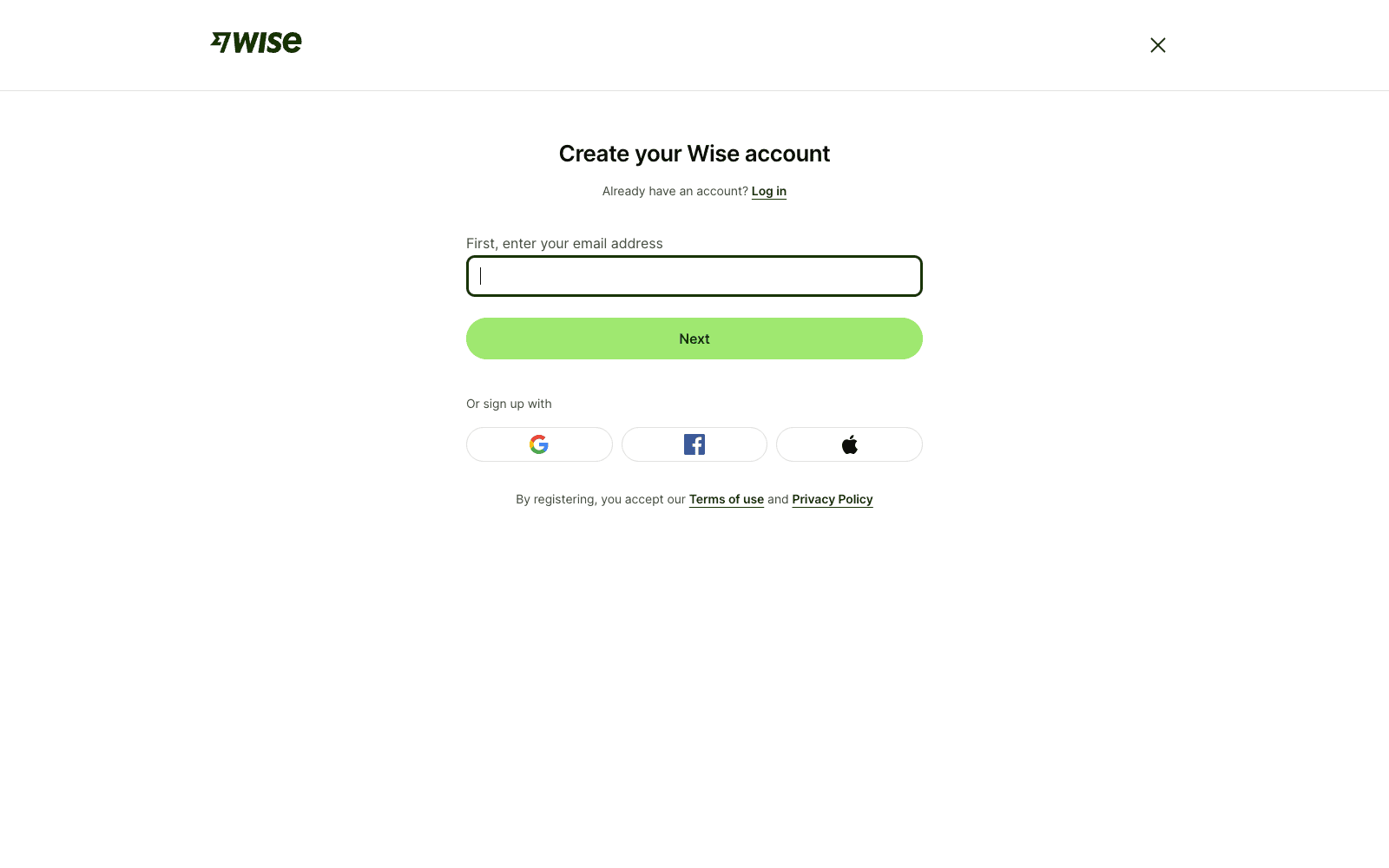
    Wise account sign-up page
    1. Step 1: Sign up online. Go to the Wise website or download the app. Create your account using an email address, Google account, or Apple ID. 
    2. Step 2: Select your account type. Choose between a personal or business account based on your needs. Most freelancers in Sri Lanka start with a personal account. 
    3. Step 3: Enter your details. Fill in your basic information, such as your full name, country of residence, and address. Make sure the details match your official documents. 
    4. Step 4: Verify your identity. Upload a valid ID (NIC or passport) and complete the identity check. In some cases, you may also need to take a selfie for confirmation. 
    5. Step 5: Add currencies. Once your account is verified, you can enable and hold multiple currencies like USD, GBP, and EUR, depending on your requirements. 
    6. Step 6: Start using Wise. After setup is complete, you can send money abroad, receive international payments, and manage funds in different currencies directly from your Wise account. 

    How Long Verification Takes

    In most cases, verification on Wise is completed quickly. Many users are approved within 1–2 working days after submitting their documents. In simpler cases, the process can be even faster and may take only a few hours. However, if additional checks or extra documentation are required, verification may take a bit longer before the account is fully activated. 

    Opening a Wise account in Sri Lanka is quick and beginner-friendly. Most users can complete the setup within a day, and once verified, you can start receiving and managing international payments right away. 

    Wise Fees in Sri Lanka

    When using Wise from Sri Lanka, the fees are generally transparent and depend on the amount you send, the currency you convert, and the payment method you use. 

    Transfer Fees

    Wise charges a small, upfront transfer fee for each transaction. This fee is usually a combination of:

    • A fixed fee (small flat charge per transfer)
    • A variable fee (percentage of the transfer amount, depending on currency)

    In most cases, the total cost stays low compared to traditional banks, especially for international payments. 

    Currency Conversion Charges

    When you convert money (for example, USD to LKR or GBP to USD), Wise uses the real mid-market exchange rate without adding hidden markups. Instead of inflating the rate like banks, Wise shows a separate conversion fee clearly before you confirm the transfer.

    This is one of the main reasons users save money compared to traditional banking systems. 

    Transfer Limits to Know

    For Sri Lanka-related transfers, Wise supports relatively high limits depending on the currency and method. For example:

    • You can send up to around 4.98 million LKR per transfer to Sri Lankan bank accounts
    • Daily limits may apply depending on verification status

    Limits can vary based on your account verification level and destination currency. 

    How to Check Your Fee Before Sending
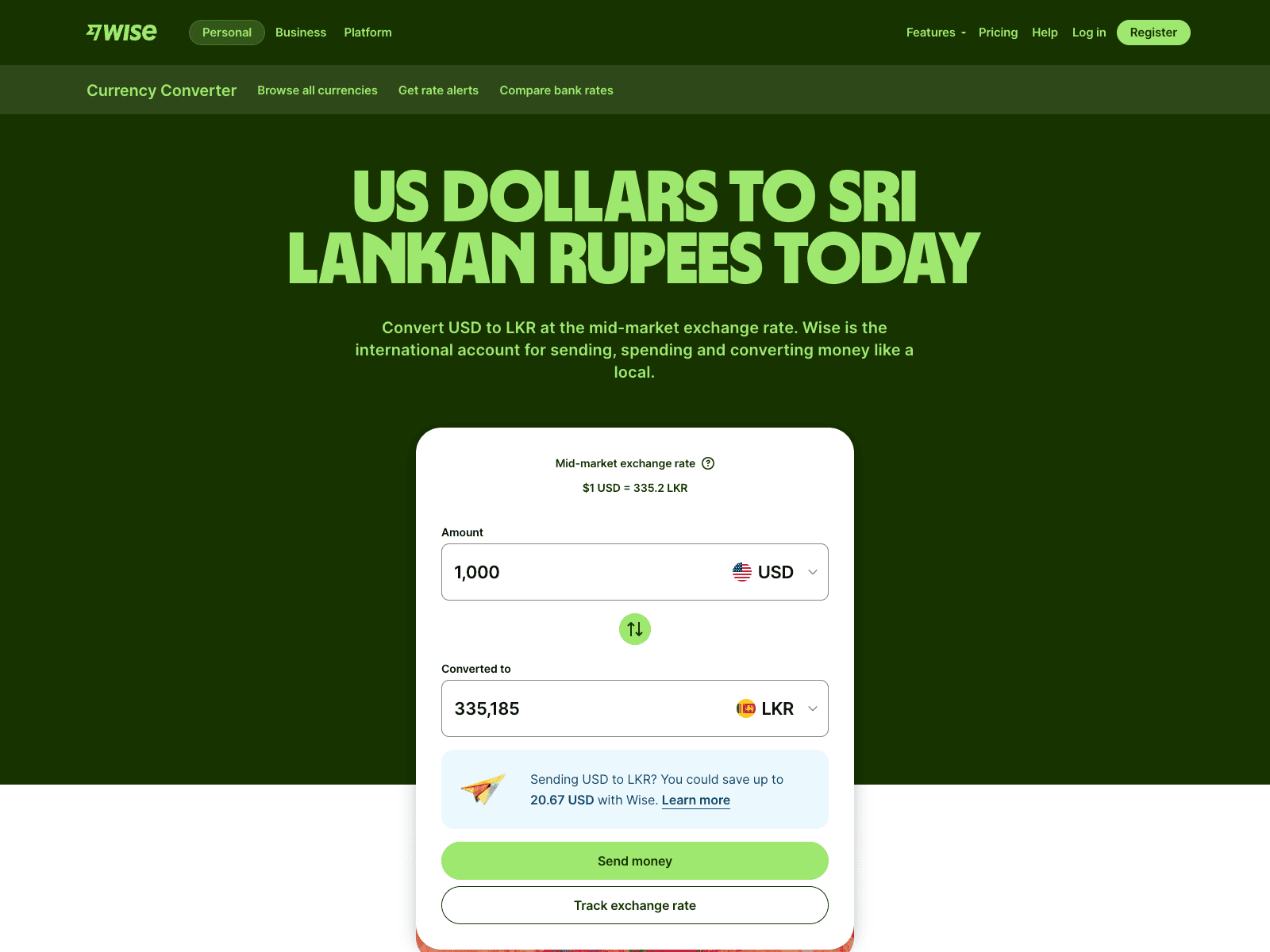
    Wise currency converter showing 1,000 USD converted to Sri Lankan Rupees

    One of the best features of Wise is transparency. Before you send money, you can:

    • Enter the amount you want to transfer
    • See the exact fee breakdown instantly
    • View the exchange rate and estimated arrival time
    • Confirm the total cost before making payment

    This helps avoid surprises and lets you compare costs easily. Use our Wise calculator to estimate fees before sending. 

    Wise vs Banks and Other Platforms

    FeatureWiseBanksOther Transfer Services
    Exchange rateReal mid-market rateMarked-up rateOften marked-up
    Transfer feesLow & transparentHigh (plus hidden charges)Medium to high
    SpeedFast (hours to 1–2 days)Slow (2–5 days)Varies
    Fee visibilityAlways shown upfrontOften unclearSometimes unclear
    Ease of useFully online/appBranch-based + onlineApp/web-based

    Important Fact:

    Wise’s own data shows that 74% of transfers arrive in under 20 seconds, and 95% arrive in less than a day, significantly faster than traditional bank transfers, which typically take 2–5 working days. 

    For Sri Lankan users, Wise is generally cheaper and more transparent than banks, especially for international payments. The biggest advantage is that you always know the exact fee before sending money, with no hidden charges. 

    How Freelancers in Sri Lanka Can Use Wise to Get Paid
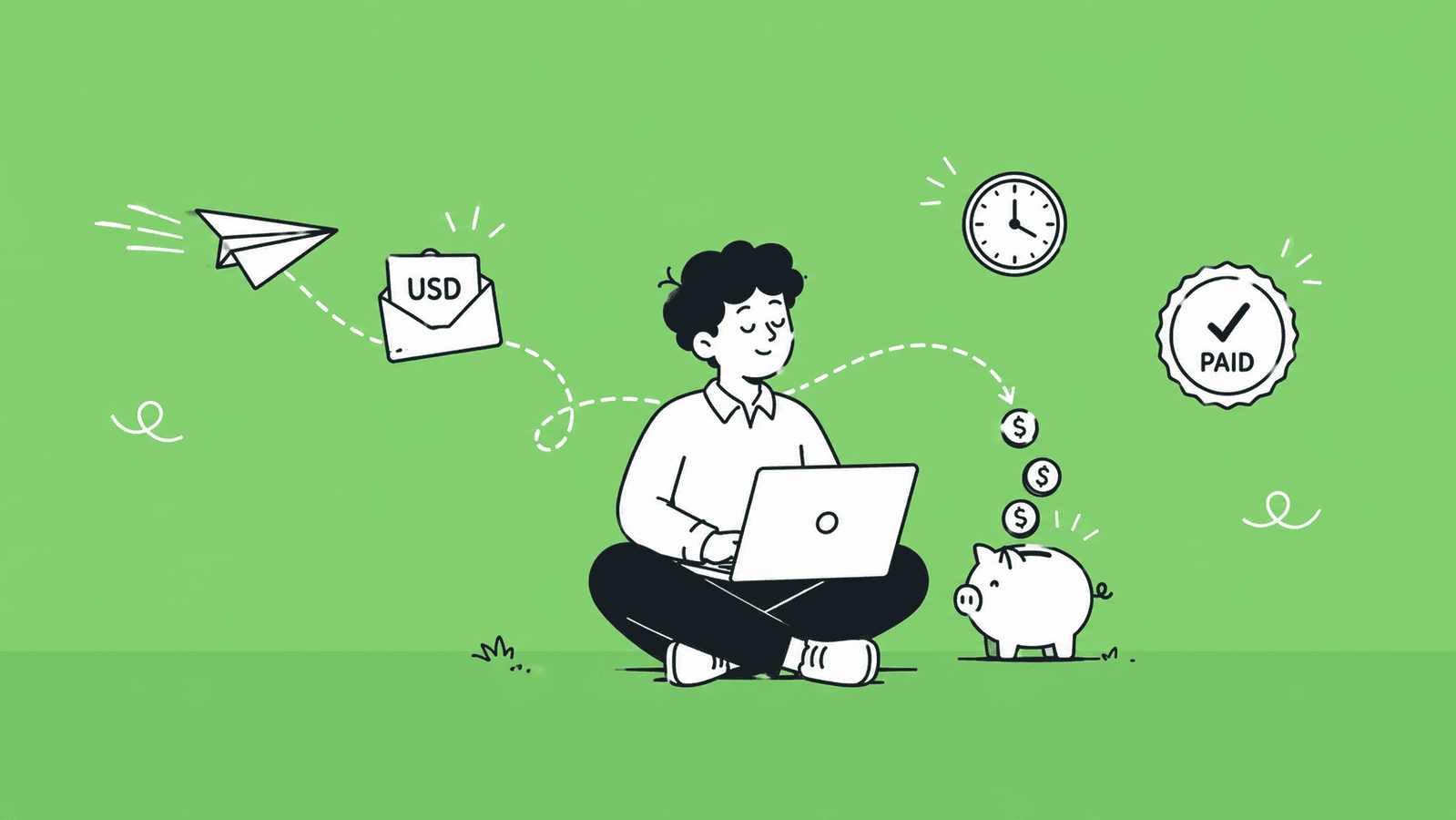
    Illustration of a Sri Lankan freelancer receiving international client payments through Wise

    Freelancers in Sri Lanka can use Wise as a simple and cost-effective way to receive international payments from clients and freelancing platforms. It helps reduce fees, speeds up transfers, and makes it easier to manage global income. 

    1. Get Paid from Freelance Platforms: You can receive payments from popular platforms such as Upwork, Fiverr, and Freelancer.com by connecting your Wise account or using your Wise receiving details (where available). Once linked, your earnings are transferred directly into your Wise account instead of going through expensive banking routes. 
    2. Share Payment Details with International Clients: If you work directly with clients, you can simply share your Wise payment details. Clients in supported countries can send money to you using local or international bank transfers through Wise, making it easier to get paid without complicated payment setups. 
    3. Receive USD, GBP, EUR into Your Account: One of the biggest advantages is the ability to receive and hold multiple currencies like USD, GBP, and EUR. This is especially useful for freelancers who work with clients from different countries and want to avoid unnecessary currency conversion losses. 
    4. Move Money to Your Sri Lankan Bank Account: Once you receive payments in Wise, you can easily transfer funds to your local Sri Lankan bank account when needed. This gives you flexibility to either hold foreign currency or convert and withdraw to LKR, depending on exchange rates. 

    How Much You Save vs PayPal and Bank Transfers

    Compared to traditional options, Wise can significantly reduce costs for freelancers:

    • Lower transaction fees than banks
    • Better exchange rates (real mid-market rate)
    • No hidden conversion charges

    In many cases, freelancers report saving a noticeable percentage of their income compared to services like PayPal or direct bank wire transfers, especially on frequent international payments. 

    For Sri Lankan freelancers, Wise acts as a reliable middle layer between global clients and local bank accounts, helping you get paid faster, with lower fees, and better control over your international earnings. 

    Wise for Business in Sri Lanka: What You Need to Know

    When it comes to using Wise for business in Sri Lanka, there are a few important limitations and practical workarounds that freelancers and business owners should understand before relying on it. 

    Current Status of Wise Business for Sri Lanka-Based Users

    At the moment, Wise Business is not fully supported for Sri Lanka-registered businesses. This means you generally cannot open a fully functional business account under a Sri Lankan company or access all features such as multi-currency receiving details and full business banking tools. In practice, Sri Lanka falls under restricted regions for Wise Business features, especially for receiving account details and advanced functions.

    However, personal Wise accounts are still widely used in Sri Lanka for international transfers, which is why many freelancers rely on alternative setups instead of formal business accounts. 

    Workarounds for Business Owners and Freelancers

    Since full Wise Business access is limited, many users in Sri Lanka use practical alternatives such as:

    These workarounds are commonly used by freelancers who need full multi-currency business functionality. 

    Using a Wise Personal Account for Business Payments

    Even without Wise Business access, many freelancers still use a personal Wise account for business-related income. This setup allows you to:

    • Receive international payments from clients
    • Get paid from freelance platforms
    • Hold and convert multiple currencies
    • Transfer funds to a Sri Lankan bank account

    While this method is not a full business solution, it is often the most practical option for freelancers operating from Sri Lanka. 

    Wise Business Account Features (for Those Who Qualify)

    In countries where Wise Business is fully supported, it offers useful features such as:

    • Multi-currency accounts for 40+ currencies
    • Local receiving details in major currencies like USD, GBP, and EUR
    • Batch payments for teams or contractors
    • Integration with accounting tools like Xero and QuickBooks
    • Lower-cost international transfers compared to banks

    These features make Wise Business a strong option for global businesses. But unfortunately, access depends heavily on where the business is registered and verified. 

    Wise vs Other International Payment Options in Sri Lanka

    When comparing international payment methods in Sri Lanka, it’s important to look at fees, speed, exchange rates, and ease of use. Different platforms serve different needs, but Wise is often considered one of the most cost-efficient options for freelancers and online earners. 

    Side-by-Side Comparison 

    FeatureWisePayoneerPayPalBank Transfers
    Transfer feesLow, transparent feeLow to medium (1–3% for card payments)Higher fees + percentage cutsHigh fixed + hidden charges
    Exchange rateReal mid-market rateSlightly marked-up rateMarked-up (higher cost)Poor exchange rates
    Transfer speedFast (hours to 1–2 days)Fast (1–3 days)Instant to 2–5 days2–5+ working days
    Ease of useFully online, simpleEasy, freelancer-friendlyVery easy for shoppingMore paperwork, slower
    Sri Lanka supportAvailable with some limitsWell supported for freelancersFully available since May 2026, receiving and withdrawal supported via partner banks Fully available
    Best forFreelancers, global paymentsFreelancers on major platformsOnline shopping, small payments, and receiving from clients who prefer PayPal Traditional banking needs

    When to Use Each Option

    Use Wise whenUse Payoneer whenUse PayPal whenUse Bank Transfers when
    You want the best exchange rate with no hidden markupYou work regularly on Upwork, Fiverr, or similar platformsYou want to receive international payments directly to a Sri Lankan bank account via partner banks (Bank of Ceylon, Commercial Bank, Sampath), and Your clients already prefer PayPalYou are receiving large, formal business payments
    You receive regular international paymentsYour clients pay via the Payoneer network directlyYou need buyer protection for online shoppingYou prefer traditional banking channels
    You want full fee transparency before every transferYou want a payment setup that is widely accepted by Sri Lankan freelancersYou are doing small one-off online purchasesYou are dealing with compliance-heavy or institutional transactions

    Important note:

    For Sri Lankan freelancers, both Wise and Payoneer are strong options. Wise wins on exchange rates and fee transparency, while Payoneer has a slight edge in platform compatibility and local acceptance among freelancers. 

    Is Wise Safe to Use in Sri Lanka?

    Yes, Wise is generally safe to use in Sri Lanka. The platform follows strict global security standards, regulatory compliance, and advanced fraud protection systems, making it a trusted option for international money transfers. 

    Wise uses multiple layers of security to protect users and funds, including:

    • Two-factor authentication (2FA) for account access and transactions
    • Biometric and encryption security through its mobile app
    • Real-time fraud monitoring systems to detect suspicious activity
    • Safeguarded customer funds, meaning your money is kept separate from company operational funds and stored in regulated partner banks

    These systems are designed to ensure that both your account and your money remain protected at all times.  

    Regulations and Compliance

    Wise operates under strict financial regulations in multiple countries. It is licensed and regulated by financial authorities across different regions, which requires:

    • Strong anti-money laundering (AML) checks
    • Identity verification before using the platform
    • Regular audits and compliance monitoring
    • Secure handling of customer funds

    This regulatory framework is one of the main reasons Wise is considered a safe global payment platform. 

    User Trust and Reputation

    Wise has built strong global trust over the years:

    • Rated around 4.3 out of 5 on Trustpilot with hundreds of thousands of reviews
    • Millions of users worldwide rely on it for daily international transfers
    • Most users highlight fast transfers, low fees, and ease of use
    • A smaller number of users report issues such as temporary account restrictions or delays during security checks

    Overall, user sentiment is strongly positive, especially among freelancers and online earners who rely on international payments. 

    Wise is considered safe and reliable for Sri Lankan users, especially for receiving and sending international payments. While occasional account checks or delays can happen due to compliance rules, the platform is widely trusted and protected by strong global security and regulatory systems. 

    Pros and Cons of Using Wise in Sri Lanka

    Here is a simple breakdown of the main advantages and disadvantages of using Wise in Sri Lanka: 

    ProsCons
    Low transfer fees compared to banksLimited features for Sri Lanka users (especially Wise Business)
    Real mid-market exchange rates (no hidden markup)Cannot access full USD/GBP local receiving details in some cases
    Fast international transfers (often within hours or 1–2 days)Some account verification or compliance delays can occur
    Easy-to-use app and fully online processNot all services (like Wise debit card) are available locally
    Multi-currency support (USD, GBP, EUR, etc.)Restrictions on business account availability in Sri Lanka
    Transparent pricing shown before sending moneyOccasional customer support delays during complex issues

    Wise is a strong option for Sri Lankan freelancers and online earners because of its low fees, fast transfers, and fair exchange rates. However, it has some limitations, especially around business features and advanced banking tools, so it works best as a personal international payment solution rather than a full banking replacement. 

    Best Workarounds to Use Wise from Sri Lanka
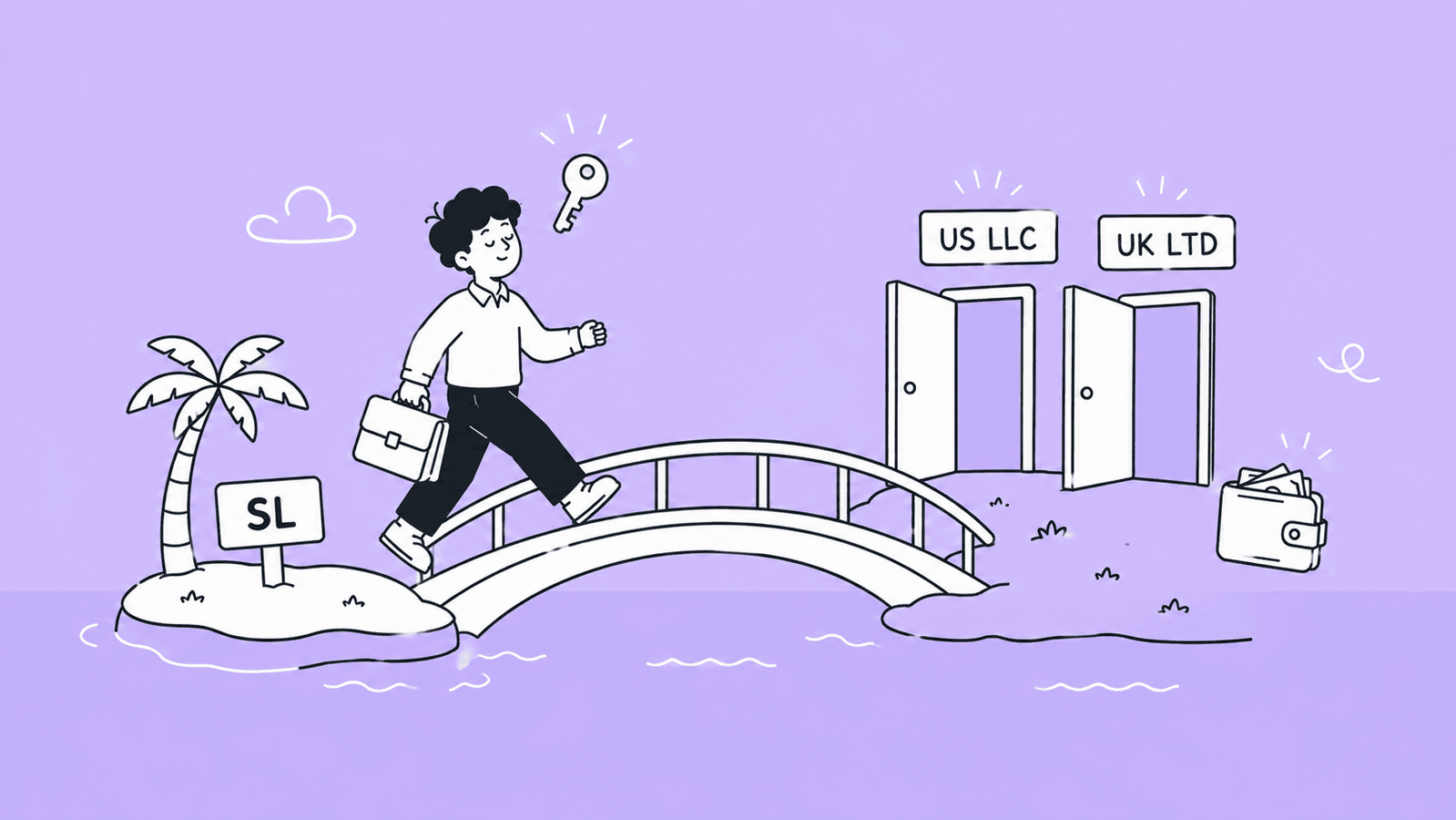
    Illustration of a Sri Lankan business owner using a US LLC or UK company as a workaround to access Wise Business

    Since Wise has some limitations for Sri Lanka-based users, especially for business features, many freelancers and online business owners use practical workarounds to access its full benefits. 

    1. Opening a UK/US Business Entity

    One of the most common methods is registering a business in a supported country like the UK or US. This allows you to access full Wise features that are not available in Sri Lanka.

    With this setup, you can:

    • Open a fully supported Wise Business account
    • Get access to multi-currency receiving details
    • Manage international payments more professionally

    This approach is widely used by freelancers who earn consistently from global clients and want a more “international” business setup.  

    Need Help in Registering Your Business in USA or UK from Sri Lanka? 

    At BR.lk, we help Sri Lankan freelancers and online sellers unlock global payment opportunities by legally setting up their business abroad. Whether it’s a US LLC or a UK company, we handle the complex processes so you can focus on getting paid internationally.

    Here’s why BR.lk is the trusted choice for Sri Lankan entrepreneurs:

    • Expert Guidance & Compliance: Our team guides you through every step of company registration, ensuring full compliance with international and local regulations.
    • Seamless Payment Setup: We help link your new company to PayPal, Stripe, Wise, and other global payment platforms, enabling you to receive payments from clients worldwide.
    • Fast & Hassle-Free Process: Complete registration and account setup in just 24–48 hours, with minimal paperwork and clear instructions every step of the way.
    • Local Language Support: Receive personalized support in Sinhala or Tamil, making the process simple and easy to understand. 

    Take the first step to get paid globally and grow your online business with confidence. 

     2. Using Third-Party or Local Company Services

    Another option is using trusted service providers that help with overseas business registration or payment setups. These companies assist with:

    • Company formation in supported countries
    • Bank account setup guidance
    • Payment gateway integration support

    This method helps freelancers bypass regional restrictions, but it should always be done through legitimate and compliant providers to avoid account issues later. 

    3. Combining Wise with Other Platforms

    Many freelancers in Sri Lanka also combine Wise with other payment platforms for better flexibility.

    For example:

    • Use Upwork, Fiverr, or similar platforms for client payments
    • Receive funds into Wise when possible
    • Transfer earnings to a local Sri Lankan bank account when needed

    This hybrid approach helps balance limitations while still taking advantage of Wise’s low fees and good exchange rates. 

    The most effective way to use Wise from Sri Lanka is to either operate through a supported foreign business setup or combine Wise with other payment platforms. This helps freelancers unlock better payment flexibility while working around regional restrictions. 

    Tips to Get the Most Out of Wise in Sri Lanka

    To make the most of Wise and reduce unnecessary costs, it’s important to use it smartly, especially when handling international payments and currency conversion.

    1. Time Your Currency Conversions Right: Exchange rates change frequently, so converting your money when the rate is stronger can help you get more value, especially for larger transfers.
    2. Use Wise for Online Spending Instead of Frequent Conversions: If you earn in foreign currencies, it’s often better to keep funds in that currency and spend directly when needed instead of converting everything into LKR immediately, which helps reduce extra conversion costs.
    3. Set Up Rate Alerts: Wise lets you track exchange rates and receive alerts when your target rate is reached, helping you choose better timing for conversions instead of guessing.
    4. Always Check Fees Before Confirming a Transfer: Before sending money, review the full breakdown, including fees, exchange rate, and the final amount the receiver will get, to avoid surprises and make sure you are getting the best deal.

    Using Wise effectively in Sri Lanka is all about timing, planning, and checking details before every transaction. Small decisions, like when to convert or how to send money, can help you save more in the long run. 

    Tax Rules for International Income in Sri Lanka

    If you are earning money from overseas clients using platforms like Wise, it’s important to understand how taxation works in Sri Lanka.

    1. All International Income is Taxable and Must Be Declared: Any money earned from overseas clients, freelancing platforms, or international business activities is considered taxable income in Sri Lanka and must be reported to the Inland Revenue Department.
    2. Keep Records of Wise Transactions: It is important to maintain proper records of all incoming and outgoing transactions, including Wise payments. Proper bookkeeping makes this much easier at tax time, as these may be required when filing taxes or during audits.
    3. Speak to a Tax Professional: Tax rules can change and may vary depending on your income level and business type, so it is always recommended to consult a qualified tax professional to ensure you are fully compliant and avoid any penalties.

    If you are earning internationally in Sri Lanka, always treat it as taxable income, keep proper records of your Wise transactions, and get professional advice to stay fully compliant with local tax laws. 

    Common Problems and How to Fix Them

    While using Wise in Sri Lanka is usually smooth, some users may face occasional issues. Here are the most common problems and how to handle them. 

    1. Account Verification Issues: Sometimes users face delays or rejections during verification on Wise due to unclear documents or mismatched details. To fix this, make sure your NIC or passport is valid, your personal details match exactly across all documents, and your proof of address is clear and recent. 
    2. Receiving Money Problems: In some cases, payments may not arrive correctly or may be delayed if incorrect account details are shared or if the sender uses the wrong transfer type. To avoid this, always double-check your Wise receiving details and ensure the sender follows the correct payment instructions. 
    3. Transfer Delays: Although Wise is usually fast, delays can happen due to bank processing times, currency routes, or additional compliance checks. If a transfer is delayed, check the transaction status in your Wise account first, and if needed, contact support with the transaction reference for updates.

    Most issues with Wise are related to verification, payment details, or compliance checks. In most cases, they can be solved by double-checking information and ensuring all documents and details are correct from the beginning. 

    Conclusion: Is Wise Worth It for Sri Lankans in 2026?

    After looking at how Wise works, its fees, limitations, and real user experience, it’s clear that Wise is still one of the most practical tools for handling international payments in Sri Lanka—but it depends on your needs and how you use it. 

    Who Should Use It

    Wise is a great option if you are:

    • A freelancer working with international clients on platforms like Upwork or Fiverr
    • A remote worker receiving regular payments in USD, GBP, or EUR
    • Someone who wants lower fees and better exchange rates than banks
    • A small online business owner who mainly uses personal accounts for payments
    • A user who values speed, transparency, and simplicity in global transfers

    For these users, Wise offers a strong balance of low cost, fast transfers, and easy money management, making it especially useful for earning and receiving money from abroad. 

    Who Should Avoid It

    Wise may not be the best fit if you:

    • Need full business banking features under a Sri Lankan-registered company
    • Rely heavily on advanced business tools like full multi-currency business accounts
    • Need a local USD/GBP receiving account in your own name within Sri Lanka
    • Expect full access to Wise Business features without foreign registration workarounds
    • Prefer traditional banking services or in-person support for complex financial needs

    In these cases, the limitations of Wise in Sri Lanka may require you to look at alternative payment solutions or hybrid setups.  

    Final Recommendation

    Overall, Wise is worth using in Sri Lanka in 2026, especially for freelancers and online earners who want a simple and cost-effective way to receive international payments. While it does have restrictions, particularly around business features and local banking integration, it still performs far better than traditional banks in terms of fees, speed, and transparency.

    If you use it correctly and understand its limitations, Wise can become a powerful tool for managing your global income efficiently. 

    Key Takeaways

    • Wise is a low-cost international money transfer service that helps Sri Lankans send and receive money globally.
    • It offers real mid-market exchange rates, which helps users avoid hidden currency conversion charges.
    • Freelancers in Sri Lanka widely use Wise to receive payments from platforms like Upwork and Fiverr.
    • Wise is available in Sri Lanka, but some features are limited compared to fully supported countries.
    • Wise Business accounts are not fully available for Sri Lanka-registered companies, so many users rely on personal accounts.
    • Users can hold and manage multiple currencies such as USD, GBP, and EUR in a single account.
    • Transfers through Wise are generally faster and cheaper compared to traditional bank transfers.
    • The platform is considered safe, with strong security features and global regulatory compliance.
    • Wise is more suitable for freelancers and online earners than for large traditional business banking needs.
    • Proper use of Wise, including checking fees and timing conversions, can help users save more money over time. 

    FAQs 

    Can I use the Wise debit card at ATMs in Sri Lanka?

    No, the Wise debit card is not available for Sri Lankan residents, so ATM withdrawals and local card usage in Sri Lanka are not supported. 

    Is there a monthly fee for holding a Wise account?

    No, Wise does not charge a monthly fee for holding an account. You only pay fees when you send money, convert currencies, or use specific services. 

    How long do Wise transfers take to arrive?

    Most Wise transfers are completed within a few hours to 1–2 working days. The exact time depends on the currency, destination country, and payment method used. 

    Can I top up my Wise account from a Sri Lankan bank?

    In most cases, direct top-ups from Sri Lankan bank accounts may be limited or not supported. However, you can still receive international transfers and fund your account through supported methods. 

    Does Wise support Sri Lankan Rupees (LKR)?

    Yes, Wise supports Sri Lankan Rupees for sending and receiving money, but availability may depend on the specific transfer route and service conditions. 

    What happens if my Wise account gets flagged or restricted?

    If your Wise account is flagged, it is usually due to security or compliance checks. You may be asked to verify your identity or provide additional documents. Once verified, most accounts are restored after review. 
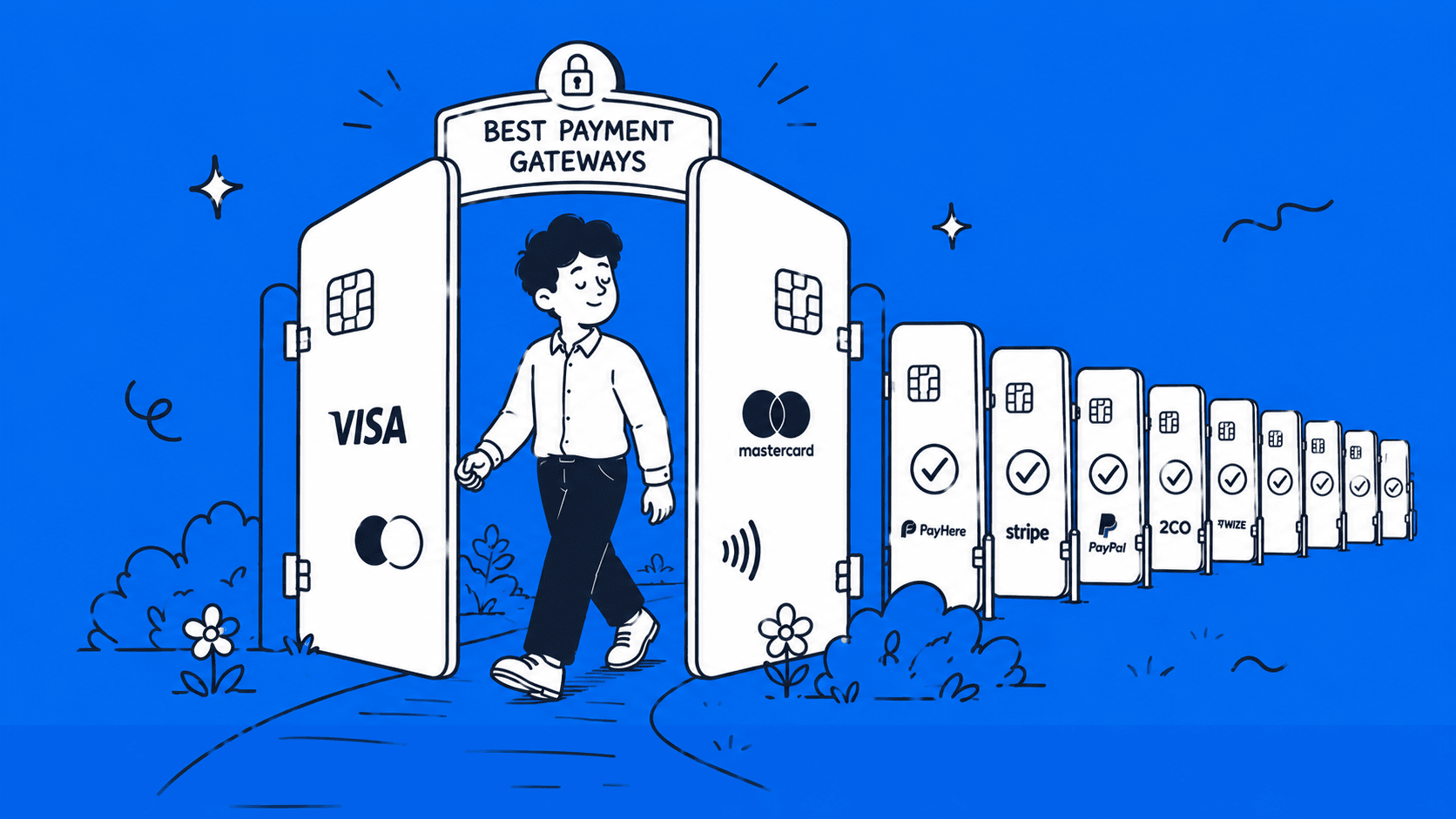
  • 12 Best Payment Gateways in Sri Lanka (2026 Comparison)

    12 Best Payment Gateways in Sri Lanka (2026 Comparison)

    If you’re trying to find the best payment gateway in Sri Lanka, you’re probably facing a lot of confusion, different platforms, different fees, and different rules depending on whether you’re dealing with local or international payments. The truth is, not every gateway works the same way in Sri Lanka, and choosing the wrong one can cost you time, money, and missed opportunities. 

    In this guide, we break down the 12 best payment gateways in Sri Lanka for 2026, covering both local options and international solutions, so you can clearly decide which one fits your business or freelance needs. 

    What Is a Payment Gateway and How Does It Work in Sri Lanka?

    Illustration explaining how a payment gateway connects a customer, an online store, and a bank in Sri Lanka

    A payment gateway is a tool that allows you to accept payments online. It connects your website or app to a bank or financial service and processes transactions securely. When a customer enters their card details or chooses a payment method, the gateway sends that information to the bank, checks if the payment is valid, and then confirms whether the transaction is approved or declined, all within a few seconds.

    In Sri Lanka, payment gateways operate under the supervision of the Central Bank of Sri Lanka. This matters because CBSL-approved gateways follow strict rules around security, data protection, and financial compliance. Choosing a gateway that is approved or aligned with these regulations helps ensure safer transactions, builds customer trust, and reduces the risk of fraud or payment issues. It’s especially important for businesses handling local payments in LKR. 

    Two Types of Payment Needs in Sri Lanka

    Before choosing a payment gateway, it’s important to understand that Sri Lanka has two very different payment use cases. The best option depends heavily on who you are selling to and where your money is coming from.

    1. Local Businesses Accepting Payments from Sri Lankan Customers

    If you run a local business, such as an eCommerce store or service-based website, your main goal is to accept payments from customers within Sri Lanka. These payments are usually made in LKR using debit cards, credit cards, mobile wallets, or QR-based systems like LankaQR.

    For this type of setup, you need a local payment gateway that connects directly with Sri Lankan banks and supports local payment methods. These gateways are typically approved or regulated under CBSL guidelines, which ensures smoother transactions and faster settlements to your local bank account. Options like PayHere or bank-based gateways are designed specifically for this purpose. 

    2. Freelancers & Exporters Receiving Money from International Clients

    If you’re a freelancer, digital service provider, or selling products/services to customers abroad, your needs are completely different. You are mainly receiving payments in foreign currencies like USD, EUR, or GBP from clients in regions such as North America, the UK, or Europe.

    In this case, local payment gateways won’t be enough. You need international payment solutions that can handle cross-border transactions, currency conversion, and global payouts. Platforms like Wise, Payoneer, or services like Stripe (via overseas company setup) are more suitable here.

    Overall, a gateway that works perfectly for a local Sri Lankan business may not work at all for a freelancer dealing with international clients, and vice versa. Choosing the right type from the start will save you time, fees, and a lot of frustration. 

    Best Local Payment Gateways in Sri Lanka (For Businesses)

    If you’re selling to Sri Lankan customers, these are your main options:

    1. PayHere  

    PayHere is one of the most widely used payment gateways in Sri Lanka, designed for startups, SMEs, and online sellers who want a quick and simple setup. Their payment gateway can connect directly with local banks and allows you to accept LKR payments via cards, mobile wallets, and LankaQR. It supports plugins for platforms like WooCommerce and Shopify, making it easy to integrate even without technical skills.

    Fees:

    • No setup fee (in most cases)
    • Transaction fee: 2.69%–3.30% depending on your plan (Lite: 3.30%, Plus: 2.99%, Premium: 2.69%).
    • Settlement: usually within a few business days 

    Benefits and limitations  

    BenefitsLimitations 
    Easy to get startedMainly focused on local payments
    No upfront costLimited support for advanced international use cases
    Supports multiple local payment methods
    Good documentation and plugins

    Best for: Startups, small businesses, and anyone launching a local eCommerce store quickly. 

    2. WEBXPAY

    WEBXPAY is a SaaS-based payment platform used by a large number of Sri Lankan businesses, offering a more enterprise-level solution. Their payment gateway allows businesses to accept card payments, bank transfers, and recurring payments. It integrates with websites and also supports invoicing and subscription billing.

    Fees:

    • Setup fee: may apply depending on business type
    • Transaction fee: varies (usually competitive)
    • Settlement: as fast as next-day

    Benefits and limitations   

    Benefits:Limitations:
    Fast settlementsSetup process can be more complex
    Supports subscriptions and invoicingMay require business registration and documentation
    Scalable for growing businesses

    Best for: Growing businesses, SaaS platforms, and companies needing recurring billing. 

    3. Genie by Dialog

    Genie by Dialog is a mobile-focused payment solution backed by Dialog, designed for digital-first and app-based businesses. Their payment gateway allows customers to pay using mobile wallets, cards, and QR codes. It’s especially useful for businesses targeting mobile users and social commerce.

    Fees:

    • Setup fee: varies
    • Transaction fee: competitive with market rates
    • Settlement: depends on agreement 

    Benefits and limitations   

    Benefits:Limitations:
    Strong mobile payment ecosystemLess flexible for complex eCommerce setups
    PCI DSS 4.0 compliance (high security standard)Not as widely used for full-scale online stores
    Good for QR and wallet payments

    Best for: Mobile-first businesses, delivery services, and social media sellers. 

    4. OnePay 

    OnePay is a fast-growing payment platform focused on QR-based and digital payments. It enables payments via LankaQR, cards, and mobile apps. It also supports recurring billing, which is useful for subscription-based services.

    Fees:

    • Setup fee: may apply
    • Transaction fee: varies
    • Settlement: typically within a few days

    Benefits and limitations  

    BenefitsLimitations
    Strong LankaQR integrationSmaller ecosystem compared to PayHere
    Supports recurring paymentsIntegration options may be limited depending on platform
    Good for both online and offline use

    Best for: Businesses using QR payments, subscriptions, or hybrid (online + offline) models. 

    5. Sampath Bank Payment Gateway

    Sampath Bank offers its own payment gateway solution for merchants with business accounts. This gateway is directly linked to your Sampath Bank account, allowing you to accept card payments and settle funds directly into your account.

    Fees:

    • Setup fee: typically required
    • Transaction fee: bank-based rates
    • Settlement: depends on bank processing

    Benefits and limitations   

    Benefits:Limitations:
    Direct bank integrationRequires a Sampath Bank account
    Reliable and trusted institutionLess flexible compared to SaaS gateways
    Good support for established businessesLonger setup process

    Best for: Established SMEs already banking with Sampath. 

    6. Commercial Bank (SimplePay) 

    Commercial Bank of Ceylon offers SimplePay, a payment gateway powered by MasterCard Internet Gateway Service (MIGS). It allows businesses to accept both local and international card payments securely, with strong fraud protection and bank-level infrastructure.

    Fees:

    • Setup fee: required
    • Transaction fee: varies
    • Settlement: based on bank cycles

    Benefits and limitations   

    Benefits:Limitations:
    High security (MIGS integration)More complex onboarding
    Supports international cardsNot beginner-friendly
    Backed by a major bankRequires full business compliance

    Best for: Medium to large businesses needing a secure, bank-backed solution. 

    7. HNB Internet Payment Gateway

    Hatton National Bank (HNB) provides a payment gateway for businesses that want both local and international payment support. HNB’s gateway allows you to accept payments via cards and integrates with your business account for direct settlements.

    Fees:

    • Setup fee: required
    • Transaction fee: varies
    • Settlement: depends on bank processing time

    Benefits and limitations   

    Benefits Limitations    
    Accepts both local and international cardsRequires business registration
    Strong banking supportSlower onboarding compared to SaaS tools
    Suitable for scaling businesses

    Best for: Businesses that want a bank-backed gateway with international card support. 

    Best International Payment Options for Sri Lankans (For Freelancers & Exporters)

    If you need to receive money from clients abroad, local bank gateways won’t cut it. Here are the options that actually work. 

    8. Wise (formerly TransferWise) 

    Wise is a global payment platform that lets you receive, hold, and convert money in multiple currencies at low fees. You can create a Wise account and get virtual bank details (USD, GBP, EUR, etc.). Clients can send money as if they are paying a local bank account in their country. You can then convert and withdraw funds to your Sri Lankan bank account in LKR.

    Fees:

    Benefits and limitations  

    Benefits:Limitations:
    Very low exchange rate marginsNot a full payment gateway (no checkout system)
    Multi-currency account supportLimited direct integration for eCommerce
    Transparent pricing
    Easy to use

    Best for: Freelancers, remote workers, and service providers receiving international bank transfers. 

    9. Payoneer  

    Payoneer is a widely used platform for freelancers and online sellers to receive international payments. It provides virtual receiving accounts in USD, EUR, and GBP. It integrates directly with platforms like Upwork, Fiverr, and Amazon. Funds can be withdrawn to your local bank account in Sri Lanka.

    Fees:

    • No setup fee
    • Receiving payments: free or up to 1% depending on method
    • Withdrawal fee: around 1%–2% currency conversion margin. [Source: payoneer.com/about/pricing]

    Benefits and limitations  

    Benefits:Limitations:
    Strong integration with freelance platformsHigher fees compared to Wise in some cases
    Multi-currency receiving accountsAccount approval can take time
    Global acceptance

    Best for: Freelancers, affiliate marketers, and marketplace sellers. 

    10. 2Checkout (Verifone)

    2Checkout (now part of Verifone) is a global payment gateway that allows you to sell products and services worldwide. You can sign up and integrate 2Checkout into your website to accept payments from customers globally. It handles payment processing, taxes, and compliance, even if you don’t have a company registered in Sri Lanka.

    Fees:

    • No setup fee
    • Transaction fee: 2.4%–3.9% + $0.30–$0.45 per sale, depending on your plan and country. [Source: 2checkout.com/pricing]
    • Additional fees for currency conversion and payouts

    Benefits and limitations  

    BenefitsLimitations:
    Supports global payments in 200+ countriesHigher transaction fees
    Handles VAT/tax complianceApproval process can be strict
    Works without a local companyLimited control compared to Stripe

    Best for: Digital product sellers, SaaS businesses, and online course creators. 

    11. Stripe (via Overseas Company Setup)

    Stripe is one of the most powerful payment gateways in the world, used by startups and large companies alike. 

    For a fact, Stripe is not officially available in Sri Lanka. However, many Sri Lankans access it by registering a company in countries like the US or UK. This can be done by registering a company overseas, typically as a US LLC or UK company. Once set up, you can open a business bank account (or use services like Wise) and fully use Stripe to accept global payments.

    Fees:

    • Setup cost: from $500 via Stripe Atlas (one-time, includes Delaware filing and EIN)
    • Transaction fee: around 2.9% + $0.30 per transaction. [Source: stripe.com/pricing]
    • Additional fees for currency conversion

    Benefits and limitations  

    BenefitsLimitations
    Full-featured payment gateway (subscriptions, APIs, checkout)Not directly supported in Sri Lanka
    Global acceptanceRequires overseas company setup
    Highly scalableCompliance and tax responsibilities

    Best for: SaaS founders, startups, and businesses targeting global markets.

    12. PayPal in Sri Lanka 

    PayPal is one of the most recognized payment platforms worldwide.

    As of May 2026, PayPal is now fully available in Sri Lanka. Following an official launch on May 15, 2026, in partnership with Bank of Ceylon, Commercial Bank of Ceylon, and Sampath Bank, Sri Lankan users can now receive international payments and withdraw funds directly to a local bank account through their partner bank’s mobile app.

    One important limitation: 

    PayPal in Sri Lanka currently supports cross-border payments only. You can receive money from PayPal users abroad, but not from other Sri Lankan PayPal users.

    Fees:

    • Sending payments: standard PayPal fees apply (You can estimate costs using our PayPal calculator).
    • Receiving payments: fees apply via partner banks. Check the official PayPal Sri Lanka fees page for current rates. 

    Benefits and limitations   

    Benefits:Limitations:
    Widely trusted globallyOnly cross-border payments supported, local Sri Lanka to Sri Lanka transfers not available.
    Easy to use for paymentsPartner banks currently limited to Bank of Ceylon, Commercial Bank, and Sampath Bank.
    Now supports receiving and withdrawing international payments in Sri Lanka since May 2026Higher currency conversion markup compared to Wise and Payoneer

    Best for: Freelancers and businesses receiving payments from clients who prefer PayPal, online payments, and e-commerce. 

    Explore our deep guide about PayPal in Sri Lanka for more details.

    Local vs. International Payment Gateways: Side-by-Side Comparison

    Here’s a simple comparison to help you quickly understand the differences between local and international payment options available for Sri Lankans:

    GatewayTypeSetup FeeTransaction FeeCurrenciesBest For
    PayHereLocalFree~2.5%–3.5%LKRSmall businesses, startups
    WEBXPAYLocalVariesCompetitiveLKRGrowing businesses, subscriptions
    Genie by DialogLocalVariesCompetitiveLKRMobile-first businesses
    OnePayLocalVariesCompetitiveLKRQR-based and hybrid businesses
    Sampath BankLocalRequiredBank ratesLKRSMEs with Sampath accounts
    Commercial Bank of Ceylon (SimplePay)LocalRequiredBank ratesLKR + Intl cardsMedium–large businesses
    Hatton National BankLocalRequiredBank ratesLKR + Intl cardsScaling businesses
    WiseInternationalFree~0.35%–2% (FX)USD, EUR, GBP + moreFreelancers, remote workers
    PayoneerInternationalFreeUp to ~1% + FXUSD, EUR, GBPFreelancers, marketplaces
    2CheckoutInternationalFree2.4%–3.9% + fixed fee200+ currenciesDigital products, SaaS
    Stripe*InternationalVaries (LLC setup)~2.9% + $0.30Global currenciesStartups, SaaS
    PayPalInternationalFree
    Standard PayPal fees

    USD, EUR, GBP + more 
    Freelancers and businesses receiving from international clients 

    *Stripe is not directly available in Sri Lanka and requires an overseas company setup. 

    How to Choose the Right Payment Gateway in Sri Lanka

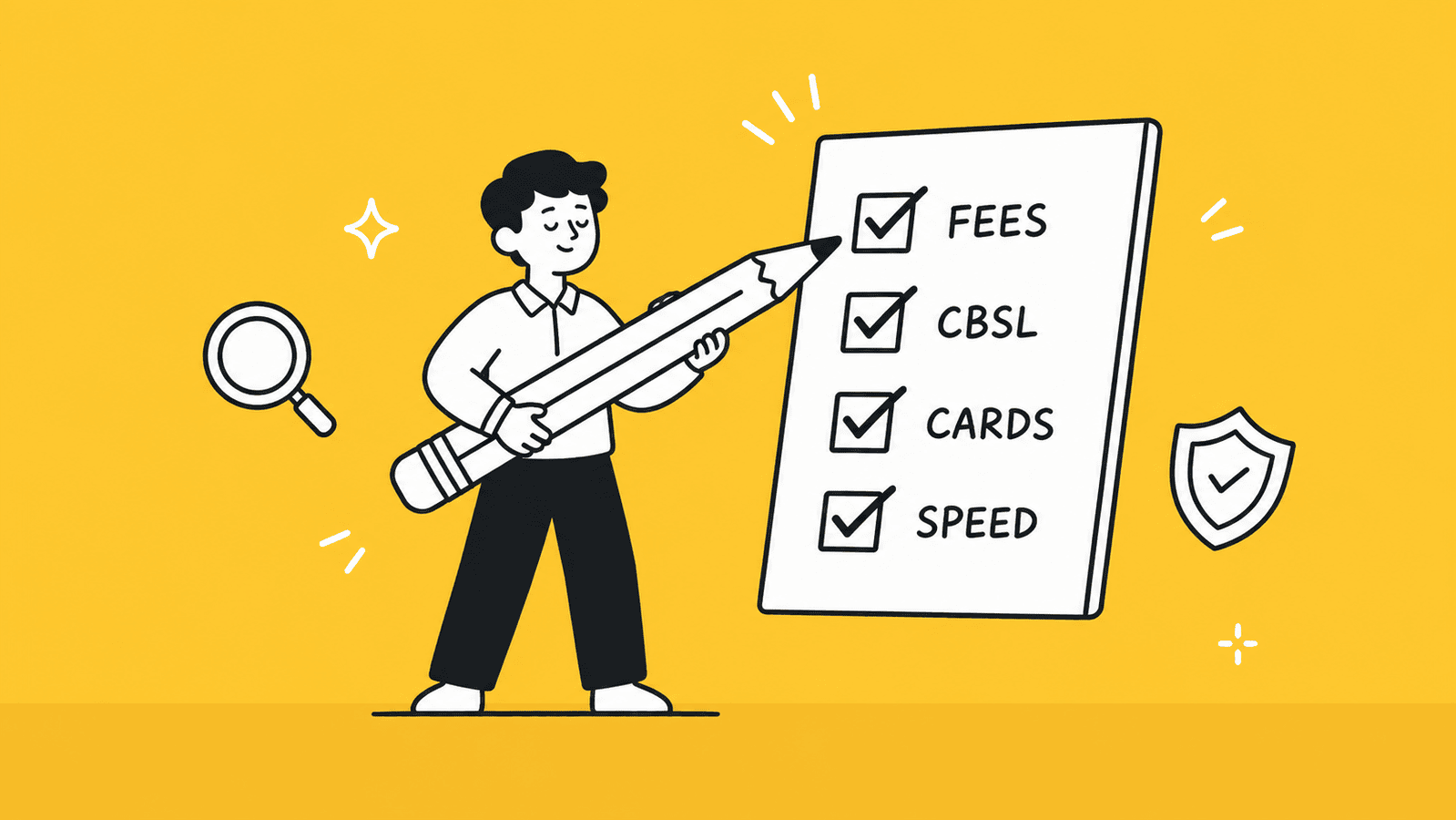
    Illustration of a checklist for choosing the right payment gateway in Sri Lanka including fees and CBSL compliance

    Choosing the right payment gateway in Sri Lanka is not just about picking a popular option. It depends on your business type, your customers, and how you plan to receive payments. Here are the key factors you should carefully evaluate before making a decision. 

    1. CBSL Compliance and Licensing

    In Sri Lanka, payment systems are regulated by the Central Bank of Sri Lanka. This means not all payment providers operate under the same level of oversight.

    Choosing a gateway that is approved or aligned with CBSL regulations ensures:

    • Secure transactions
    • Better protection against fraud
    • Higher trust among local customers

    This is especially important for businesses accepting LKR payments. Non-compliant solutions may create legal or operational risks over time. 

    2. Transaction Fees and Hidden Costs

    Every payment gateway charges fees, but the structure can vary a lot.

    Typical costs include:

    • Transaction fee (e.g., 2.5%–3.5% per payment)
    • Currency conversion fees (for international payments)
    • Withdrawal fees
    • Monthly or setup fees (in some cases)

    Platforms like Wise are known for low FX fees, while gateways like 2Checkout may charge higher transaction percentages but offer global reach.

    Always look beyond the headline rate and check for hidden costs. 

    3. Supported Payment Methods (Cards, Wallets, QR, Bank Transfer)

    Your gateway should support the payment methods your customers actually use.

    In Sri Lanka, this usually includes:

    • Debit and credit cards (Visa, Mastercard)
    • Mobile wallets
    • QR payments (like LankaQR)
    • Bank transfers

    For example:

    • PayHere supports cards and local payment options
    • OnePay is strong in QR-based payments

    The more options you provide, the easier it is for customers to complete payments. 

    4. Multi-Currency and International Reach

    If you plan to work with international clients or customers, this becomes critical.

    You should check:

    • Can the gateway accept USD, EUR, GBP?
    • Are exchange rates reasonable?
    • Can you hold multiple currencies?

    For example:

    • Payoneer and Wise are strong for multi-currency support
    • Stripe (via overseas setup) allows full global payments

    If you choose a local-only gateway, you may struggle to scale internationally. 

    5. Integration with Your Website or Platform (WooCommerce, Shopify, Custom API)

    A good payment gateway should be easy to integrate with your existing setup.

    Check whether it supports:

    • WooCommerce (WordPress)
    • Shopify
    • Custom websites (via API)
    • Payment links or invoices

    For example:

    • PayHere offers easy plugins for beginners
    • Stripe provides powerful APIs for developers

    Choosing a gateway with poor integration can slow down your launch or require extra development work. 

    6. Settlement Speed and Support

    Settlement time is how long it takes for money to reach your bank account after a payment is made.

    This can vary:

    • Local gateways: usually 1–3 business days
    • International platforms: may take longer depending on currency conversion

    Also consider:

    • Customer support quality
    • Availability of local support teams
    • Dispute handling

    For example:

    • WEBXPAY offers faster (sometimes next-day) settlements
    • Bank gateways may take longer but offer more stability

    Faster settlements improve your cash flow, which is important for growing businesses.

    There is no single “best” payment gateway in Sri Lanka. The right choice depends on your business model, your customers, and how you plan to scale. 

    Payment Gateway Fees in Sri Lanka: Comparison for 2026

    If you’re choosing a payment gateway in Sri Lanka, fees are one of the most important factors. Below is a clear breakdown of setup costs, monthly fees, transaction charges, and settlement times based on the latest available data. 

    Payment Gateway Fees Comparison (Sri Lanka – 2026)

    GatewaySetup FeeMonthly FeeTransaction FeeSettlement Period
    PayHereFreeFree – LKR 3,990+ (varies by plan)2.69% – 3.30%2–3 business days
    WEBXPAY~LKR 15,000~LKR 4,990+~2.5% – 3.5%T+1 (next day)
    Genie by DialogFreeFree~1.5%+1–3 days
    OnePay~LKR 1,500Varies~3.5% (cards), 1% (QR)1–3 days
    Sampath Bank~LKR 15,000~LKR 75,000/year~3% – 5%2–5 days
    Commercial Bank of Ceylon~LKR 15,000~LKR 36,000/year~2.5% – 3%2–5 days
    Hatton National Bank~LKR 15,000–25,000~LKR 60,000+/year~4%2–5 days
    2CheckoutFreeNone~3.5% + fixed feeWeekly payouts
    Stripe*Varies (LLC setup)None~2.9% + $0.302–7 days
    PayoneerFreeNoneUp to ~1% + FX1–3 days
    WiseFreeNone~0.5% – 1% (FX)1–2 days
    PayPal Free None ~3.49% + fixed fee for receiving payments / Up to 4% FX markup 3 to 5 business days via partner bank 

    Key Insights (Important for Decision Making)

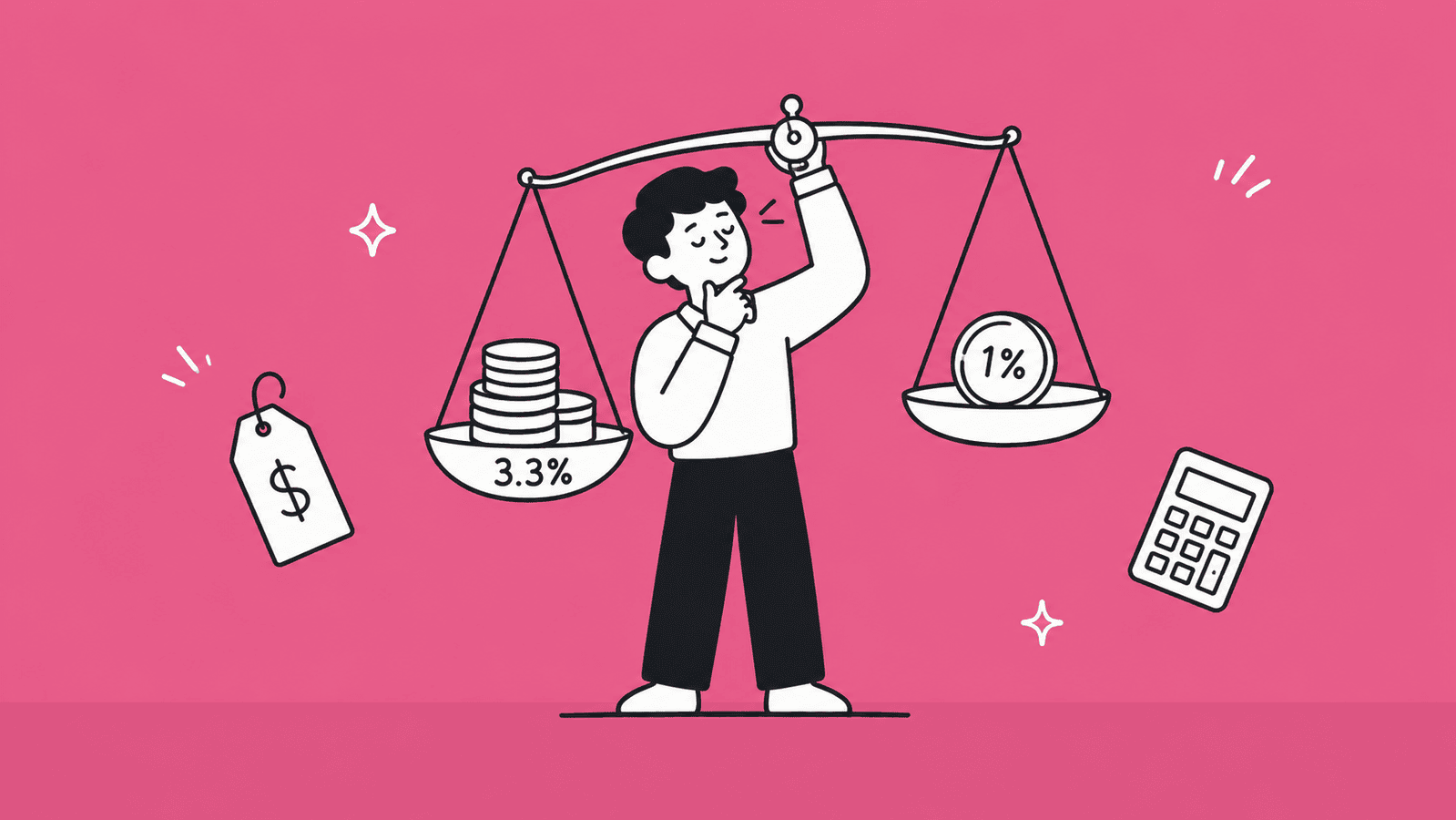
    Illustration comparing payment gateway transaction fees in Sri Lanka on a balance scale
    • Lowest startup cost: PayHere and Wise offer free entry, making them ideal for beginners.
    • Best for low transaction fees (local): WEBXPAY and Commercial Bank of Ceylon offer competitive rates around ~2.5%–3%.
    • Best for QR and low-cost local payments: OnePay offers ~1% fees for LankaQR payments.
    • Highest overall cost (bank gateways): Bank gateways like Sampath Bank and Hatton National Bank have higher setup and annual fees but offer strong reliability.
    • Highest currency conversion cost (international): PayPal carries the highest FX markup among international options at up to 4% above the mid-market rate. Wise remains the cheaper choice for currency conversion. 
    • Best for international payments (low FX cost): Wise is the cheapest for currency conversion. 

    Payment gateway fees in Sri Lanka are not always fixed and can vary based on several factors. Your business volume plays a big role, as higher transaction volumes can sometimes help you negotiate better rates. The industry you operate in also matters, since certain high-risk industries may be subject to higher fees. In addition, many providers offer flexible pricing, meaning there is often room for negotiation depending on your business profile and needs.

    Because of this, it’s always a good idea to confirm the latest pricing directly with the payment provider before making a final decision.

    Which Payment Gateway Is Best for Your Situation as a Sri Lankan? 

    Choosing the “best” payment gateway in Sri Lanka depends entirely on how you earn money and who your customers are. Here’s a clear breakdown based on the two most common situations.

    If You’re Running a Local or International eCommerce Store

    If you are selling products or services online, whether to Sri Lankan customers or targeting countries like the USA, UK, or Europe, your needs will vary based on your target market.

    For local eCommerce (Sri Lanka), gateways like PayHere or WEBXPAY are usually the best choice. These platforms are built to handle LKR payments, support local cards, mobile wallets, and QR systems, and are aligned with local banking systems. They also offer easier setup and faster settlements for Sri Lankan businesses. Many businesses prefer these because they directly connect with local banks and improve trust among local customers.

    If you are targeting international customers (USA, UK, Europe), then local gateways alone are not enough. You need a global solution like Stripe or 2Checkout. Stripe is especially powerful for eCommerce and SaaS because it supports subscriptions, global cards, and advanced integrations, but it requires an overseas company setup.

    Best choice summary:

    • Local customers → PayHere or WEBXPAY
    • Global customers → Stripe (with LLC) or 2Checkout 

    If You’re Freelancing for Foreign Clients

    If you are a freelancer working with clients in the US, UK, or Europe, your focus is not on checkout systems but on receiving international payments easily and cheaply.

    In this case, Wise is one of the best options. It offers multi-currency accounts and very low conversion fees, making it ideal for direct bank transfers from clients. Studies show Wise typically charges around 0.35%–2%, making it one of the cheapest ways to receive money internationally.

    Another strong option is Payoneer, especially if you work on platforms like Upwork, Fiverr, or Amazon. It provides virtual USD, EUR, and GBP accounts and integrates directly with global marketplaces, making it very convenient for freelancers.

    If you want to look more professional and accept card payments directly from clients, Stripe (via overseas setup) can also work, but it’s more advanced and requires extra setup.

    Best choice summary:

    • Direct client payments (bank transfer) → Wise
    • Freelance platforms (Upwork, Fiverr) → Payoneer
    • Personal website / premium clients → Stripe (with LLC), PayPal (local Sri Lankan account or via US/UK company for Stripe access)

    Need Help in Registering Your Business in USA or UK from Sri Lanka?

    At BR.lk, we help Sri Lankan freelancers and online sellers unlock global payment opportunities by legally setting up their business abroad. Whether it’s a US LLC or a UK company, we handle the complex processes so you can focus on getting paid internationally.

    Here’s why BR.lk is the trusted choice for Sri Lankan entrepreneurs:

    • Expert Guidance & Compliance: Our team guides you through every step of company registration, ensuring full compliance with international and local regulations.
    • Seamless Payment Setup: We help link your new company to PayPal, Stripe, Wise, and other global payment platforms, enabling you to receive payments from clients worldwide.
    • Fast & Hassle-Free Process: Complete registration and account setup in just 24–48 hours, with minimal paperwork and clear instructions every step of the way.
    • Local Language Support: Receive personalized support in Sinhala or Tamil, making the process simple and easy to understand.

    Take the first step to get paid globally and grow your online business with confidence.

    Key Takeaways

    • Choosing the right payment gateway in Sri Lanka depends mainly on whether you are dealing with local customers or international clients.
    • Local payment gateways like PayHere and WEBXPAY are best suited for accepting LKR payments within Sri Lanka.
    • International platforms like Wise and Payoneer are more practical for freelancers and businesses receiving money from abroad.
    • Stripe and 2Checkout are powerful global solutions but may require additional setup, such as an overseas company.
    • PayPal is now fully available in Sri Lanka since May 2026, supporting international payment receiving and withdrawals to local bank accounts via approved partner banks. 
    • Payment gateway fees in Sri Lanka typically range between 2.5% to 3.5% for local transactions and vary for international payments based on currency conversion.
    • CBSL compliance is important when choosing a gateway, especially for businesses handling local transactions.
    • Supported payment methods like cards, mobile wallets, and QR payments can impact your customer experience and conversion rates.
    • Settlement speed varies between providers, with some offering next-day payouts while others may take several days.
    • There is no single “best” gateway, and the right choice depends on your business type, target market, and long-term growth plans. 

    FAQs

    What is the difference between a payment gateway and a payment processor?

    A payment gateway is the tool that collects and securely sends payment details from your website or app. A payment processor is the system that actually moves the money between banks. In simple terms, the gateway handles the front-end transaction, while the processor completes the payment in the background. 

    Why do you need a payment gateway in Sri Lanka?

    A payment gateway allows you to accept payments online securely and automatically. Without it, you may have to rely on manual bank transfers, which can reduce customer trust, slow down transactions, and limit your ability to scale your business. 

    Can I use Stripe in Sri Lanka?

    Stripe is not directly available in Sri Lanka. However, many Sri Lankans use it by registering a company in countries like the US or UK. Once set up, you can use Stripe to accept global payments. 

    Is PayPal available in Sri Lanka?

    Yes, PayPal is now fully available in Sri Lanka since May 2026. Sri Lankan users can receive international payments and withdraw funds to local bank accounts via three approved partner banks: Bank of Ceylon, Commercial Bank of Ceylon, and Sampath Bank. Note that only cross-border payments are supported. 

    Which payment gateway has the lowest fees in Sri Lanka?

    For local payments, gateways like PayHere and WEBXPAY offer competitive transaction fees around 2.5%–3.5%. For international payments, Wise is known for having the lowest currency conversion fees. 

    Do I need a registered business to use a payment gateway in Sri Lanka?

    It depends on the provider. Local gateways and bank-based solutions usually require a registered business. However, some international platforms like Wise or Payoneer can be used without a formal business setup. 

    What is the best payment gateway for WooCommerce in Sri Lanka?

    PayHere is one of the best options for WooCommerce in Sri Lanka because it offers easy plugin integration and supports local payment methods. For international payments, Stripe (via overseas setup) is a strong option. 

    What are the requirements to get a payment gateway in Sri Lanka?

    Most providers require a business registration, a local bank account, and a working website. You may also need to submit verification documents such as ID, business details, and compliance information. 

    What challenges do businesses face with payment gateways in Sri Lanka?

    Common challenges include limited access to global gateways, currency restrictions, higher fees for international transactions, and compliance requirements set by local regulations. 

    What are the best alternatives if I can’t use a payment gateway in Sri Lanka?

    If you can’t use a payment gateway, you can rely on bank transfers, payment links, freelance platforms, or international services like Wise and Payoneer to receive payments.

  • How to Get Stripe in Sri Lanka: Complete Guide for 2026

    How to Get Stripe in Sri Lanka: Complete Guide for 2026

    Are you a freelancer, online business owner, or entrepreneur in Sri Lanka looking to accept international payments? If so, you’ve probably heard of Stripe, one of the most popular payment platforms in the world. While Stripe isn’t officially available in Sri Lanka, there are ways to set it up legally and start receiving payments from global customers. 

    In this guide, we’ll walk you step by step through everything you need to know, from setting up a business in a supported country to receiving payouts safely in Sri Lanka. Read on to learn how you can unlock the power of Stripe for your business. 

    Is Stripe Available in Sri Lanka?

    Stripe global payments use-case page

    If you’re searching for “stripe sri lanka,” the short answer is: no, Stripe is not officially available in Sri Lanka as of 2026. [Source: https://stripe.com/en-gi/global]

    This means you cannot directly sign up for a Stripe account using a Sri Lankan address, bank account, or business entity. Stripe only supports specific countries, and Sri Lanka is not currently on that list.

    However, this doesn’t mean Sri Lankan freelancers and businesses are completely blocked from using Stripe. There are still legal workarounds, which we’ll cover later in this guide. 

    Why Stripe Does Not Officially Support Sri Lanka

    There are a few key reasons why Stripe has not yet launched in Sri Lanka:

    • Regulatory requirements: Stripe must follow strict financial laws in every country it operates in. Local regulations in Sri Lanka can make entry more complex.
    • Banking infrastructure: Stripe relies on strong integration with local banks, which may not yet meet its requirements.
    • Compliance and risk factors: Payment companies must manage fraud, disputes, and compliance (KYC/AML), which can vary by country.
    • Market priorities: Stripe usually expands to countries with higher demand and easier compliance processes first.  

    Because of these factors, Stripe has chosen to expand gradually and has not yet included Sri Lanka in its supported regions. 

    Can Sri Lankans Still Use Stripe?  

    Yes, but not directly. Sri Lankans can still use Stripe by setting up a business in a supported country such as the US or UK. This allows you to create a Stripe account under that foreign business.

    In simple terms:

    • You cannot open Stripe with a Sri Lankan setup
    • But you can use Stripe through a foreign company

    This method is commonly used by:

    • Freelancers working with international clients
    • SaaS and online businesses
    • E-commerce store owners

    However, it’s important to follow the correct legal steps (which we’ll cover later) and avoid shortcuts like using fake details, as that can lead to account suspension. 

    Why Sri Lankan Businesses Want to Use Stripe

    Even though Stripe is not officially available in Sri Lanka, many businesses still try to access it. That’s because Stripe offers features that are hard to find in most local payment gateways.

    Here are the main reasons why Sri Lankan businesses prefer Stripe: 

    1. Accept Payments from Global Customers

    One of the biggest advantages of Stripe is the ability to accept payments from customers all over the world.

    With Stripe, you can:

    • Accept international credit and debit cards
    • Get payments from clients in the US, UK, Europe, and more
    • Run global online businesses without location limits

    This is especially useful for:

    • Freelancers working with overseas clients
    • SaaS businesses
    • E-commerce stores selling internationally 

    2. Multi-Currency Support

    Stripe supports multiple currencies, which makes it easier to sell globally without worrying about currency issues.

    With Stripe, you can:

    • Charge customers in their local currency
    • Reduce friction during checkout
    • Improve conversion rates

    This gives a better experience for international customers and helps build trust with your audience. 

    3. Easy Integration with Websites and Platforms

    Stripe is known for its simple and flexible integration options. You can easily connect Stripe with:

    • E-commerce platforms like Shopify and WooCommerce
    • Subscription tools for SaaS businesses
    • Custom websites using APIs

    Even if you’re not a developer, many platforms already support Stripe, making setup much easier compared to traditional payment gateways. 

    Overall, Stripe gives Sri Lankan businesses the tools they need to grow internationally, which is why it remains a popular choice despite not being officially supported. 

    What You Need Before Setting Up Stripe in Sri Lanka

    Before you can use Stripe from Sri Lanka, you need to prepare a few important things. Since Stripe is not officially supported locally, you must set up your account through a supported country.

    Here’s what you need: 

    1. A Registered Business Entity (US LLC or UK Company)

    To create a Stripe account, you must have a registered business in a supported country.

    The most common options are:

    • US LLC (Limited Liability Company)
    • UK Limited Company

    This business will be used to:

    • Open your Stripe account
    • Receive payments legally
    • Handle taxes and compliance

    Most Sri Lankan freelancers and online business owners prefer a US LLC because it is easier to manage and widely accepted. 

    2. A Tax ID (EIN for US or UTR for UK)

    Once your company is registered, you need a tax identification number.

    • For a US company → EIN (Employer Identification Number)
    • For a UK company → UTR (Unique Taxpayer Reference)

    This is required by Stripe to verify your business and ensure it follows tax rules in that country.

    Without a valid tax ID, your Stripe account cannot be fully activated. 

    3. A Business Bank Account (Wise or Mercury)

    You also need a business bank account in the same country as your company.

    Two popular options are:

    • Wise – Easy to set up and supports international users
    • Mercury – Popular for US-based businesses

    This account is used to:

    • Receive payouts from Stripe
    • Hold your earnings in foreign currency
    • Transfer money to Sri Lanka 

    4. Valid Government-Issued Passport

    Finally, you need a valid passport for identity verification.

    Stripe requires:

    • A clear government-issued ID (passport is preferred)
    • Personal details that match your business records

    This step is part of Stripe’s KYC (Know Your Customer) process, which helps prevent fraud and ensures legal compliance. 

    How to Get Stripe in Sri Lanka: Step by Step

    Illustration of the step-by-step process to get Stripe in Sri Lanka via a US LLC EIN and business bank account

    Since Stripe is not directly available in Sri Lanka, you need to go through a proper setup using a business registered in a supported country. This may sound complex at first, but if you follow each step carefully, the process is quite manageable. 

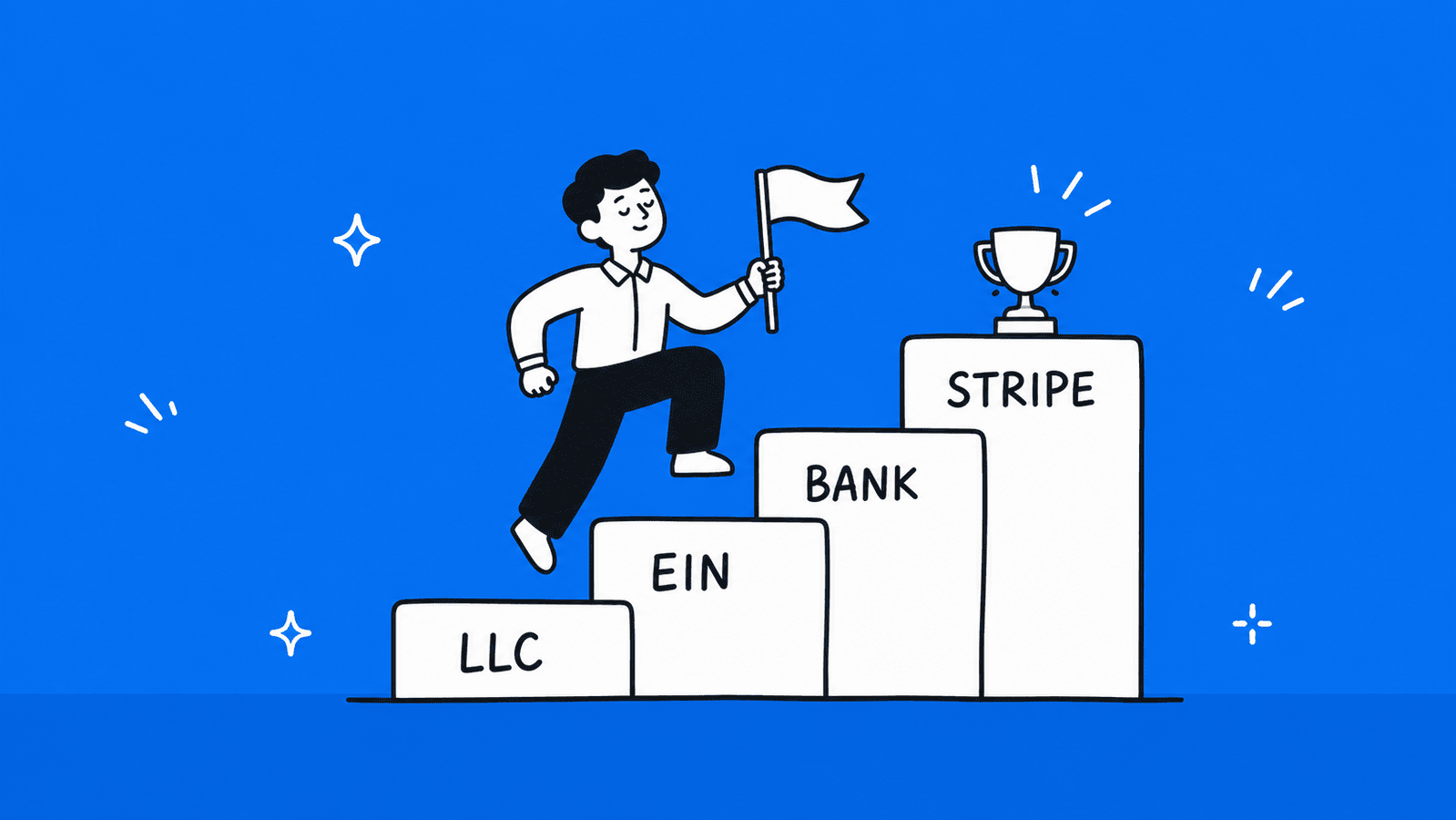
    Step 1: Register a US LLC or UK Company

    The first step is to create a legal business entity in a country where Stripe is supported. Most Sri Lankans choose to register a US LLC because it is simple to set up, does not require you to live in the US, and is widely accepted by Stripe. However, keep in mind that most US LLCs also require a registered agent in the state of formation. 

    A UK company is also an option, but it usually involves slightly more ongoing compliance.

    You can register your company online through formation services. Once your company is approved, you will receive official documents such as your certificate of formation and company details. These documents are important because Stripe will later use them to verify your business.

    This step is essential because Stripe only allows accounts that are tied to legally registered businesses in supported countries. 

    Not sure which to pick?

    Read our UK vs USA company comparisonfor Sri Lankan entrepreneurs. 

    Step 2: Get Your Tax ID (EIN or UTR)

    After your company is registered, the next step is to get a tax identification number.

    If you set up a US LLC, you will need an EIN (Employer Identification Number) from the IRS. If you chose a UK company, you will receive a UTR (Unique Taxpayer Reference) from HMRC.

    This number is required when creating your Stripe account. It confirms that your business exists for tax purposes and helps Stripe stay compliant with financial regulations.

    Getting an EIN can take a few days to a couple of weeks depending on how you apply, so it’s important to plan for this step. 

    Step 3: Open a Business Bank Account

    Once you have your company and tax ID, you need a business bank account that matches your business location.

    Many Sri Lankan users choose online banking solutions like Wise or Mercury. These platforms are popular because they allow non-residents to open accounts remotely and support international transactions.

    This account is where Stripe will send your payouts. It also allows you to hold money in foreign currencies like USD or GBP and later transfer those funds to your Sri Lankan bank account.

    Make sure the name on your bank account matches your company name exactly, as Stripe checks this during verification. 

    Step 4: Create Your Stripe Account

    With your business, tax ID, and bank account ready, you can now create your Stripe account.

    During the signup process, you will be asked to provide detailed information about your business and yourself. This includes your company registration details, tax ID, bank account information, and a valid ID such as your passport.

    Stripe has a strict verification process, so all the information you provide must match your official documents. If there are mismatches, your account could be delayed or even rejected.

    Once your account is submitted, Stripe will review your details. In most cases, approval happens within a few days, but sometimes additional verification may be required. 

    Step 5: Link Your Bank Account and Start Accepting Payments

    After your Stripe account is approved, the final step is to connect your business bank account and start using the platform.

    Once everything is set up, you can begin accepting payments from customers around the world. Stripe will process these payments and send the funds to your connected bank account based on your payout schedule.

    From there, you can transfer your earnings to Sri Lanka using services like Wise or through international bank transfers.

    At this stage, your setup is complete, and you can run your online business using Stripe just like any business in a supported country. 

    Following this step-by-step process ensures that you are using Stripe legally and safely from Sri Lanka, without risking account restrictions or payment issues.  

    How to Receive Stripe Payouts in Sri Lanka

    Illustration of receiving Stripe payouts in Sri Lanka through Wise into a local LKR bank account

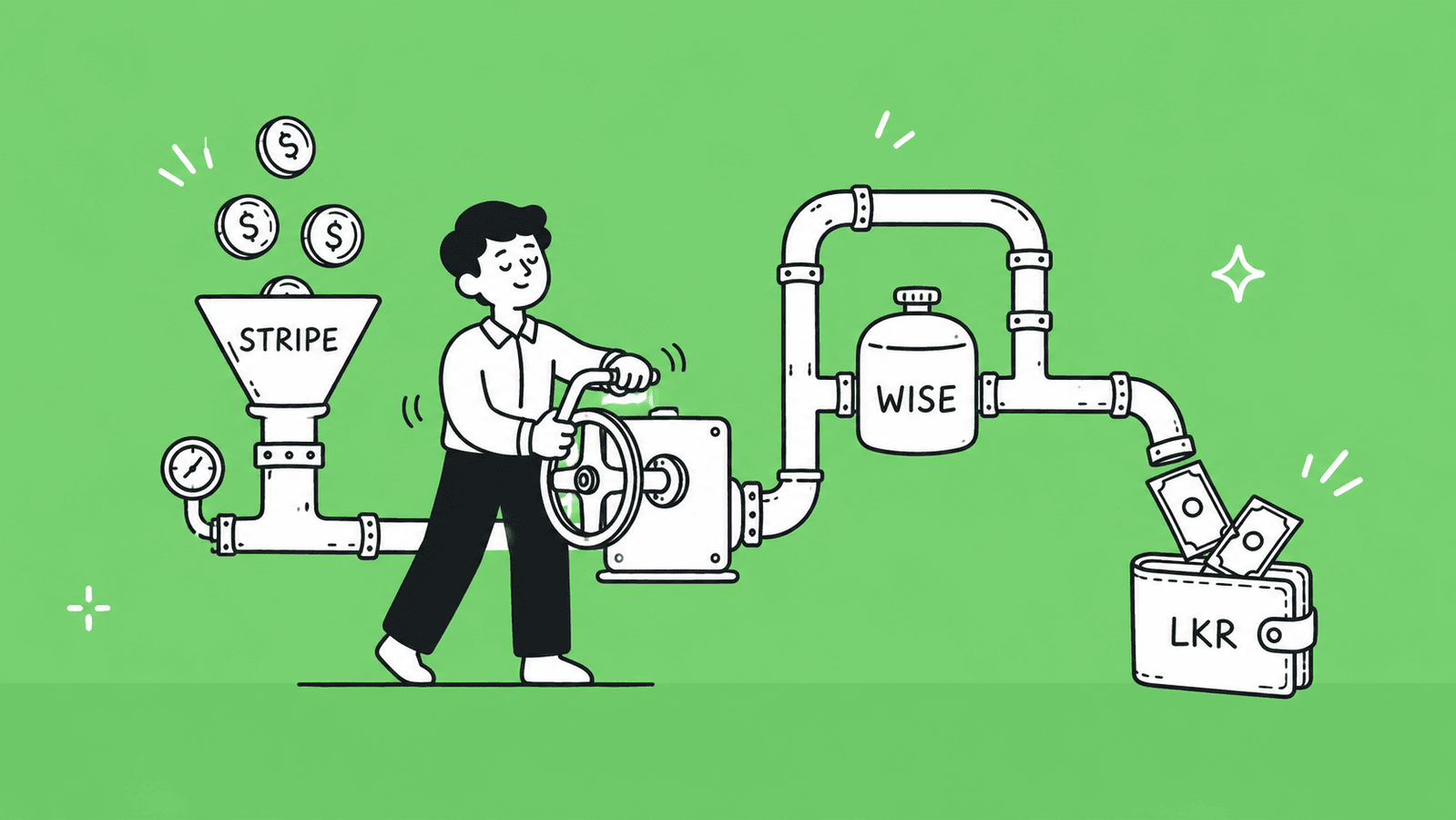
    Once you start accepting payments through Stripe, the next important step is getting that money into Sri Lanka. Since your Stripe account is connected to a foreign business, payouts are first sent to your business bank account, and then you can transfer the funds to your local bank.

    Here are the most common ways to do this: 

    1. Using Wise to Transfer Money

    Wise is one of the most popular options for Sri Lankans because it makes international transfers simple and cost-effective.

    When you connect Wise to Stripe:

    • Stripe sends your payouts to your Wise account (usually in USD or GBP)
    • You can hold the money in foreign currency or convert it when needed
    • You can transfer the funds directly to your Sri Lankan bank account

    Wise is preferred because it offers:

    • Lower currency conversion fees compared to traditional banks
    • Transparent exchange rates
    • Faster transfers to Sri Lanka

    For many freelancers and small businesses, Wise is the easiest way to manage Stripe payouts. 

    2. Using Mercury as a Business Bank Account

    Mercury is another popular option, especially if you have a US LLC.

    With Mercury:

    • Stripe payouts are sent to your US business account
    • Your funds are held in USD
    • You can manage your business finances like a standard US company

    Mercury does support sending international wires directly to Sri Lankan bank accounts, so an extra step isn’t always necessary. However, there are two cost paths to consider:

    1. Option A: Mercury to Sri Lanka bank (direct SWIFT wire). Mercury doesn’t charge you a fee to send USD wires, but the SWIFT network can involve intermediary banks that deduct their own fees along the way, and your Sri Lankan bank will apply its own exchange rate when converting USD to LKR, which is often less favorable than the mid-market rate.
    2. Option B: Mercury to Wise to Sri Lanka bank. The slightly longer route but often more cost-effective. Since Mercury’s USD wire to Wise is free, you only pay Wise’s transparent fee on the final leg, which is a small fixed amount plus around 0.35% to 0.7% of the transfer, at the real mid-market exchange rate with no hidden markup. For example, sending $3,000 this way costs roughly $21 in total fees.

    For frequent or smaller payouts, routing through Wise saves money overall. For larger one-off transfers where simplicity matters, a direct SWIFT wire from Mercury is a perfectly valid option, just factor in the intermediary and receiving bank fees on the Sri Lankan end. 

    3. Sending Money to a Sri Lankan Bank Account

    After receiving your Stripe payouts in Wise or Mercury, the final step is transferring money to your local bank account in Sri Lanka.

    This usually involves:

    • Converting your funds into LKR (Sri Lankan Rupees)
    • Sending the transfer to your personal or business bank account

    Things to keep in mind:

    • Exchange rates can affect how much you receive
    • Transfer fees vary depending on the method you use
    • Some banks may take a few working days to process international transfers

    Using services like Wise can help reduce costs and speed up the process compared to traditional bank transfers. 

    By setting up the right payout method, you can smoothly receive your Stripe earnings in Sri Lanka and manage your international income without major issues. 

    Stripe Fees You Should Know

    Stripe official pricing page

    When using Stripe, it’s important to understand the different fees involved. Knowing these costs helps you plan your pricing and manage your business finances effectively. Stripe’s fee structure is transparent, but since you’re operating from Sri Lanka through a foreign business, there are a few extra points to keep in mind. 

    1. Transaction Fees

    Stripe charges a fee for every payment you receive. For most businesses, this fee is a percentage of the transaction plus a fixed amount per payment. For example, in the US, it’s typically around 2.9% + $0.30 per successful card charge.

    This fee applies to:

    • Credit and debit card payments
    • Payments through digital wallets like Apple Pay or Google Pay
    • Recurring subscription payments

    It’s important to note that these fees are charged in the currency of the payment and deducted automatically from your payout. 

    2. Currency Conversion Fees

    Currency conversion fees come into play at two different points in your payment flow.

    1. First, when a customer pays in a currency different from your Stripe account’s settlement currency, Stripe charges a conversion fee on that transaction. For US-based accounts this is 1%, and for UK or EU-based accounts it is 2%.
    2. Second, when you transfer your earnings from Wise or Mercury to your Sri Lankan bank account, another conversion happens from USD or GBP into LKR. This is where using Wise makes a real difference, as it converts at the mid-market exchange rate with a small transparent fee, whereas traditional banks often apply a less favorable rate with hidden markups.

    Use our Wise calculator to estimate how much you’ll receive after conversion. 

    3. Payout and Withdrawal Fees

    Payout fees are usually minimal if you are transferring funds within the same country. However, because you are receiving funds in a foreign account:

    • Stripe does not charge a separate fee for sending payouts to your connected bank, but your bank or service (Wise/Mercury) may charge transfer fees.
    • Some delays or limits may apply depending on the country of your bank account.
    • Withdrawals to Sri Lanka may involve additional charges, especially if converting to LKR.

    By understanding these fees upfront, you can plan your pricing, factor costs into your business model, and avoid surprises when funds reach your Sri Lankan bank account. 

    Legal and Tax Things to Keep in Mind

    When using Stripe from Sri Lanka, it’s not just about setting up a foreign business and receiving payments. You also need to follow the legal and tax requirements to avoid penalties or issues with authorities. 

    Rules from the Central Bank of Sri Lanka

    The Central Bank of Sri Lanka (CBSL) regulates all foreign currency transactions in the country. If you receive payments from Stripe in a foreign account, you must be aware of the following:

    • Any international income must comply with CBSL rules for foreign remittances.
    • Large or frequent transfers may require additional documentation for verification.
    • You cannot use shortcuts like bypassing official channels to bring money into Sri Lanka, as this can lead to fines or account freezes.

    Essentially, the CBSL ensures that foreign income enters the country legally and is properly accounted for. Using regulated services like Wise makes it easier to comply with these rules. 

    Taxes on Foreign Income

    All income earned from Stripe, even if received in a foreign bank account, is subject to Sri Lankan taxes if you are a resident for tax purposes.

    Key points:

    • Foreign income must be reported in your annual tax return.
    • Depending on your business structure, income may be taxed under personal income tax or business tax rules.
    • Maintaining clear records of Stripe payouts and conversions is crucial for accurate tax reporting. Doing proper bookkeeping from the start makes this much easier. 

    Failing to report foreign income can result in penalties from the Inland Revenue Department. Keeping proper documentation of all transfers and fees helps make the process smoother. 

    KYC and Compliance Requirements

    Stripe has strict KYC (Know Your Customer) and compliance policies to prevent fraud, money laundering, and illegal transactions.

    When creating your account, you will need:

    • Valid government-issued ID (passport preferred)
    • Company registration documents
    • Bank account details that match your business

    Stripe may request additional verification if any information is inconsistent. Following all KYC requirements ensures your account remains active and avoids potential freezes. 

    By understanding the CBSL rules, correctly reporting taxes, and following Stripe’s KYC procedures, you can safely manage your international income and avoid legal or financial issues while using Stripe from Sri Lanka. 

    Common Mistakes to Avoid

    Using Stripe from Sri Lanka can be very rewarding, but it’s easy to make mistakes that can lead to account suspension, legal issues, or financial losses. 

    Here are the most common errors and how to avoid them: 

    1. Using Fake Details or VPNs

    Some people think they can bypass Stripe’s restrictions by using fake personal information or a VPN to appear as if they are in a supported country. This is a major mistake.

    Stripe has advanced verification systems and can detect mismatched details. Using false information can result in:

    • Account suspension or permanent bans
    • Frozen funds with no access
    • Difficulty opening future accounts

    The safest approach is to provide accurate personal and business information that matches official documents from the country where your business is registered. 

    2. Skipping Tax Registration

    Another common mistake is ignoring tax obligations in your business’s registered country or in Sri Lanka.

    • Failing to register your business or obtain a tax ID can prevent Stripe from verifying your account.
    • Not reporting income earned through Stripe in Sri Lanka may lead to penalties from the Inland Revenue Department.

    Always register your business, obtain the required tax ID (EIN or UTR), and maintain accurate records of all payments. 

    3. Choosing the Wrong Country Setup

    Many users try to save time or money by setting up a business in a country that is not optimal for Stripe. For example:

    • Choosing a country with strict banking requirements can complicate payouts.
    • Using a company in a country you cannot easily manage may make tax reporting and banking difficult.

    It’s best to stick with countries widely used for Stripe by international users, such as the US or UK, and ensure your business is legally registered and compliant. 

    By avoiding these mistakes, you can use Stripe safely and efficiently from Sri Lanka without risking account issues or legal problems. 

    Best Stripe Alternatives for Sri Lanka

    While Stripe is popular for global payments, it’s not officially available in Sri Lanka. Fortunately, there are several alternatives that Sri Lankan businesses and freelancers can use depending on their needs. 

    PayHere (Best for Local Payments)

    PayHere is one of the most widely used local payment gateways. It is ideal for businesses that mainly serve Sri Lankan customers.

    Key features:

    • Accepts local debit and credit cards
    • Supports recurring payments for subscriptions
    • Easy integration with websites and e-commerce platforms

    PayHere is cost-effective for local transactions and does not require a foreign business setup, making it a convenient option for small businesses operating entirely in Sri Lanka. 

    PayPal (Best for Freelancers)

    PayPal is popular among freelancers who work with international clients. It allows you to receive payments in multiple currencies and withdraw funds to a foreign or local bank account.

    Pros for Sri Lankans:

    Furthermore, PayPal now supports receiving and withdrawing international payments directly to Sri Lankan bank accounts via approved partner banks (Bank of Ceylon, Commercial Bank of Ceylon, and Sampath Bank) following the May 2026 launch. 

    Note that PayPal still carries a higher currency conversion markup compared to Wise and Payoneer, so it is worth comparing costs before making it your primary receiving method.

    Verifone / 2Checkout (Best for Global Sales)

    For e-commerce businesses targeting customers outside Sri Lanka, platforms like Verifone or 2Checkout (now part of Verifone) are great alternatives.

    • Accept payments from multiple countries and currencies
    • Provide advanced fraud protection
    • Integrate easily with popular e-commerce platforms

    These platforms are suitable for online stores or SaaS businesses that want to reach an international audience without setting up a foreign company. 

    Payoneer (Best for Freelancers)

    Payoneer is another option for freelancers and small businesses who receive international payments.

    • Provides a virtual US or EU bank account
    • Allows easy withdrawals to local Sri Lankan bank accounts
    • Supports multiple currencies

    Payoneer is ideal if you work with clients on platforms like Upwork, Fiverr, or direct contracts, offering a straightforward way to access your earnings. 

    WebXPay / Onepay (Local Gateways)

    For businesses focused on local transactions, WebXPay and Onepay are other Sri Lankan payment gateways worth considering.

    • Accept payments in LKR directly to your local bank account
    • Offer secure payment processing for online stores
    • Integration with local e-commerce platforms

    These are particularly useful for small businesses or online stores that do not require international payment support. 

    By choosing the right alternative based on your business model, local vs. international, you can manage payments smoothly without relying on Stripe. 

    Stripe vs Local Payment Gateways: Which One is Better?

    When choosing a payment solution for your business in Sri Lanka, it’s important to compare options like Stripe against local gateways such as PayHere, WebXPay, and Onepay. Each option has strengths and limitations, and the best choice depends on what kind of business you run and where your customers are located. 

    Who Stripe is Best For

    Stripe is designed for businesses that want to sell internationally. If your customers are outside Sri Lanka, Stripe offers several advantages:

    • Global payment acceptance: Stripe works with customers from many countries and supports most major credit and debit cards.
    • Multi‑currency support: You can charge customers in their local currency, which can increase trust and conversion rates.
    • Advanced features: Stripe offers tools for subscriptions, invoicing, recurring billing, and APIs for custom payment experiences.

    Businesses that benefit most from Stripe include:

    • E‑commerce stores selling to international markets
    • SaaS and subscription businesses
    • Freelancers with clients in multiple countries

    However, because Stripe isn’t officially supported in Sri Lanka, setting it up requires a foreign business and bank account. This adds extra steps and costs that may not be worth it for every business. 

    Who Local Payment Gateways are Best For

    Local payment gateways like PayHere, WebXPay, and Onepay are meant for businesses that primarily serve customers in Sri Lanka. They offer advantages that make them better suited for local transactions:

    • Easy setup: You can usually start accepting payments with just a Sri Lankan business and bank account.
    • LKR transactions: Payments are processed in Sri Lankan Rupees, which avoids conversion fees for local customers.
    • Direct payouts: Funds go straight to your Sri Lankan bank account, without needing foreign bank accounts or transfer services.

    Local gateways are ideal for:

    • Online stores selling mainly within Sri Lanka
    • Small businesses and startups with local customer bases
    • Services where international demand is low or not a focus

    The trade‑off is that local gateways typically don’t support as many international payment methods or currencies as Stripe does. 

    A Practical Comparison

    FeatureStripeLocal Gateways (PayHere, WebXPay, Onepay)
    Official support in Sri LankaNot supportedSupported
    International paymentsExcellentLimited
    Multi‑currency supportYesMostly LKR only
    Ease of setupComplex (needs foreign setup)Simple
    Bank transfers to Sri LankaExtra steps (Wise/Mercury)Direct

    Which One Should You Choose?

    • If most of your customers are outside Sri Lanka, and you want powerful tools for subscriptions, global cards, and multi‑currency sales, Stripe (via foreign setup) may be worth the extra work.
    • If your market is mainly in Sri Lanka, and you want a straightforward setup with direct payouts and transactions in LKR, a local gateway like PayHere, WebXPay, or Onepay is usually the better choice.
    • Some businesses use both, local gateways for Sri Lankan customers and Stripe or other global solutions for international sales. 

    In short, neither option is strictly better for everyone. The right choice depends on where your customers are, how you price your products or services, and how much effort you want to put into setup and compliance. 

    Need Help in Registering Your Business in USA or UK from Sri Lanka?

    At BR.lk, we help Sri Lankan freelancers and online sellers unlock global payment opportunities by legally setting up their business abroad. Whether it’s a US LLC or a UK company, we handle the complex processes so you can focus on getting paid internationally.

    Here’s why BR.lk is the trusted choice for Sri Lankan entrepreneurs:

    • Expert Guidance & Compliance: Our team guides you through every step of company registration, ensuring full compliance with international and local regulations.
    • Seamless Payment Setup: We help link your new company to PayPal, Stripe, Wise, and other global payment platforms, enabling you to receive payments from clients worldwide.
    • Fast & Hassle-Free Process: Complete registration and account setup in just 24–48 hours, with minimal paperwork and clear instructions every step of the way.
    • Local Language Support: Receive personalized support in Sinhala or Tamil, making the process simple and easy to understand.

    Take the first step to get paid globally and grow your online business with confidence. 

    Conclusion

    Using Stripe from Sri Lanka may seem complicated at first, but with the right setup, it’s completely possible to accept international payments safely and legally. By registering a business in a supported country, obtaining a tax ID, and linking a reliable business bank account like Wise or Mercury, Sri Lankan freelancers and online business owners can access Stripe’s powerful global payment features.

    At the same time, it’s important to follow legal and tax requirements, avoid common mistakes, and understand the fees involved to ensure smooth operations. For businesses that mainly serve local customers, Sri Lankan gateways like PayHere, WebXPay, and Onepay provide simpler alternatives with direct payouts in LKR.

    Ultimately, whether you choose Stripe, a local payment gateway, or a combination of both depends on your business goals and customer base. With careful planning and compliance, you can expand your reach globally while managing your payments efficiently from Sri Lanka. 

    Key Takeaways

    • Stripe is not officially available in Sri Lanka as of 2026, so direct sign-ups with a Sri Lankan business or bank are not possible.
    • Sri Lankans can still use Stripe legally by setting up a business in a supported country like the US or UK.
    • Stripe is popular for its ability to accept payments from global customers, making it ideal for freelancers, SaaS, and e-commerce businesses.
    • Multi-currency support in Stripe allows businesses to charge customers in their local currency, improving conversions and trust.
    • Easy integration with platforms like Shopify, WooCommerce, and custom websites makes Stripe accessible even to non-developers.
    • To use Stripe, you need a registered foreign business, a tax ID (EIN for US or UTR for UK), a business bank account, and a valid passport.
    • Payouts from Stripe can be received in Sri Lanka using services like Wise or Mercury, with Wise offering cost-effective currency conversion.
    • Stripe charges transaction fees, currency conversion fees, and potential payout/withdrawal fees that should be factored into your pricing.
    • Legal compliance is crucial, following Central Bank of Sri Lanka rules, reporting foreign income for taxes, and meeting KYC requirements avoids penalties.
    • For businesses targeting mainly local customers, Sri Lankan gateways like PayHere, WebXPay, or Onepay may be simpler alternatives, while Stripe is best for international sales. 

    FAQs

    Can I use Stripe in Sri Lanka without a US LLC?

    Yes, but not directly with a Sri Lankan setup. Instead, you can register a business in a supported country like the US or UK and then create a Stripe account under that entity. Services like BR.LK can help you set up your company abroad and handle the process smoothly. Once your foreign business is ready, you can legally access Stripe and start accepting payments. 

    Is it legal to use Stripe in Sri Lanka?

    Yes, via a registered foreign entity (US/UK LLC) or compliant platforms, following Sri Lankan forex regulations and Stripe’s terms.

    How long does it take to set up Stripe from Sri Lanka?

    Typically 3–14 days: 1–5 days for foreign company registration, 1–3 days for Stripe application, and 2–7 days for verification and bank linking.

    Can I link a Sri Lankan bank account to Stripe?

    No, Stripe requires a bank account in a supported country (e.g., US/UK/EU). Payouts to Sri Lankan banks aren’t supported directly.

    Can I link a Sri Lankan bank account to Stripe?

    No, Stripe requires a bank account in a supported country (e.g., US/UK/EU). Payouts to Sri Lankan banks aren’t supported directly.

    What are local alternatives to Stripe in Sri Lanka?

    PayHere, WebXPay, PayPal, Onepay, and Payoneer are popular alternatives. PayPal is now fully available in Sri Lanka since May 2026 for receiving and withdrawing international payments. 

    Can Sri Lankan businesses use Stripe for international transactions?

    Yes, but only via a foreign-registered business. Direct local Stripe accounts are not supported yet. 

  • PayPal in Sri Lanka (2026): How to Create, Send & Receive Money

    PayPal in Sri Lanka (2026): How to Create, Send & Receive Money

    If you’re a freelancer, online seller, or just someone looking to make international payments, you might be wondering how PayPal works in Sri Lanka in 2026. After years of restrictions, PayPal officially launched full services in Sri Lanka in May 2026, meaning you can now send money, receive international payments, and withdraw funds directly to your local bank account.

    In this article, we’ll guide you step by step through creating an account, sending and receiving money, withdrawing funds, fees, and security, so you can confidently use PayPal for your international transactions. 

    Does PayPal Work in Sri Lanka in 2026?

    Illustration of PayPal fully launching in Sri Lanka in 2026 with receiving payments now unlocked

    Yes, PayPal is now fully available in Sri Lanka. After years of restrictions, Sri Lanka officially launched full PayPal services on May 15, 2026, in partnership with local banks. This means Sri Lankan users can now not only send money and make online payments, but also receive international payments and withdraw funds directly to their local bank accounts.

    The launch was announced at a ceremony held at the Galle Face Hotel, attended by Prime Minister Dr. Harini Amarasuriya, the Central Bank Governor, and PayPal’s Senior Vice President, marking a major milestone for Sri Lanka’s digital economy.

    To access the full range of PayPal services, including receiving and withdrawing money, you need to link your PayPal account to one of the approved local partner banks: Bank of Ceylon, Commercial Bank of Ceylon, or Sampath Bank. More banks are expected to join the partnership in the coming months.

    One important thing to note: 

    PayPal in Sri Lanka currently supports cross-border payments only. This means you can receive money from PayPal users abroad, but not from other Sri Lankan PayPal users. Local peer-to-peer transfers between Sri Lankan accounts are not supported. 

    A Brief History: Why Sri Lanka Was “Send Only” for So Long 

    For many years, Sri Lankan PayPal accounts were restricted to sending money only. Users could make payments and shop online, but could not receive funds from abroad or withdraw any balance to a local bank account.

    This restriction existed due to a combination of factors:

    • Strict Central Bank of Sri Lanka (CBSL) foreign exchange regulations.
    • PayPal’s own risk classification of the Sri Lankan market.
    • The absence of a formal integration between PayPal and local banks.
    • Discussions to resolve these barriers had been ongoing for over a decade.

    That changed in May 2026, when the government, the Central Bank, and Sri Lanka’s private banking sector successfully completed the necessary regulatory and technical groundwork to bring full PayPal services to the country.  

    What You Can and Cannot Do with PayPal as a Sri Lankan

    With the May 2026 launch, Sri Lankan users now have access to most core PayPal features. Here is a clear breakdown of what is currently supported:

    You Can DoYou Cannot Do
    Send money to other PayPal users worldwideReceive money from other Sri Lankan PayPal users (local transfers not supported)
    Receive money from international PayPal usersUse PayPal as a local peer-to-peer payment method
    Withdraw funds to your local bank account (via partner banks)Withdraw without linking a partner bank account
    Shop on international websites like eBay and Amazon
    Pay for subscriptions (Netflix, Adobe, SEMrush, etc.)
    Link a Visa or Mastercard (debit or credit)
    Send and receive invoices
    Use PayPal Checkout for your online business
    Use PayPal as a secure way to pay without sharing card details

    Paypal Personal Account vs Business Account: Which One Do You Need?

    Choosing between a Personal and Business PayPal account depends on how you plan to use it. Both account types are fully available in Sri Lanka following the May 2026 launch.

    Personal vs Business Account: Comparison

    Personal Account is Good ForBusiness Account is Good For
    Sending money to friends and familyRunning an online business or service
    Shopping on international websitesAccepting payments from international customers
    Paying for subscriptions (Netflix, tools, etc.)Creating invoices and payment links
    Receiving money from abroad (personal use)Managing payments under a brand name
    Basic PayPal use with minimal setupFreelancers, agencies, and online sellers
    Individuals with no business activityPayPal Checkout integration for your website

    Which One Should You Choose in Sri Lanka?

    • For general users: A Personal account is enough if you want to send money, shop online, pay for subscriptions, or receive occasional payments from abroad.
    • For freelancers and online sellers: A Business account is the better choice as it unlocks invoicing, payment links, PayPal Checkout, and the ability to receive payments under your business name.

    Simple Recommendation:

    • Go with a Personal account if you only need PayPal for payments and occasional receiving.
    • Go with a Business account if you offer services or sell products to international clients.

    What You Need Before Creating a PayPal Account in Sri Lanka

    Before signing up for PayPal, it’s important to have a few essentials ready. These items ensure a smooth account setup and help avoid verification issues later.

    1. Valid NIC or Passport: You need a valid National Identity Card (NIC) or passport to open a PayPal account. PayPal may request identity verification, especially when your account activity increases or for security checks. Make sure your name and details match exactly with your official documents to prevent delays or account limitations.
    2. Active Email Address: An active email address is required because it serves as your main login and communication method. PayPal will use this email to send notifications, confirm transactions, and allow you to reset your password if needed. Using an email you check regularly ensures you won’t miss any important updates or alerts.
    3. A Local Visa or Mastercard (Debit or Credit): To use PayPal in Sri Lanka, you must link a Visa or Mastercard, either debit or credit. This card allows you to send money, make online purchases, and verify your PayPal account. Ensure that the card supports international transactions and that the details you enter on PayPal match exactly with your card information.
    4. A Sri Lankan Bank Account with a Partner Bank: To receive and withdraw money through PayPal, you must link your account to one of the approved partner banks, such as one from Bank of Ceylon, Commercial Bank of Ceylon, or Sampath Bank. Without this link, incoming payments will not be successful. If you bank with a different institution, you can still use PayPal for sending and shopping while waiting for more banks to join the partnership.

    Having these ready before you start will help you set up your PayPal account quickly and avoid delays during verification. 

    How to Create a PayPal Account in Sri Lanka (Step by Step)

    PayPal sign-up page showing Personal and Business account options

    Creating a PayPal account in Sri Lanka is straightforward if you have all the required items ready. Follow these steps carefully to ensure a smooth setup:

    1. Go to PayPal.com and Click “Sign Up”: Start by visiting “paypal.com” and clicking the “Sign Up” button. Make sure you are on the official website to avoid scams or phishing attempts.
    2. Choose Personal or Business Account: Select the account type based on your needs. Choose a Personal Account if you want to send money, shop online, and pay subscriptions. Or select a Business Account if you are a freelancer, online seller, or anyone who needs invoicing and business tools.
    3. Enter Your Email and Create a Password: Provide an active email address and choose a strong password. This email will serve as your login and communication channel for all PayPal activities.
    4. Fill in Your Personal Details: Enter your full name, address, and phone number accurately. Ensure these match your official documents (NIC or passport) to avoid verification problems later.
    5. Verify Your Account: PayPal will ask you to verify your email address by sending a confirmation link. In some cases, they may also ask for phone verification. Completing this step is essential to activate your account.
    6. Link Your Debit or Credit Card: Add a local Visa or Mastercard to your account. This card will be used for sending money and making payments online. Ensure that the card supports international transactions.
    7. Link Your Partner Bank Account: To receive and withdraw international payments, connect your PayPal account to your bank through your mobile banking app. Currently supported banks are Bank of Ceylon, Commercial Bank of Ceylon, and Sampath Bank. Log into your bank’s mobile app, look for the PayPal section, and follow the steps to link your accounts securely.
    8. Enable Two-Factor Authentication (2FA): For added security, turn on Two-Factor Authentication (2FA). This adds a second layer of protection, requiring a code from your phone or authentication app each time you log in.
    9. Additional Verifications for Higher Transactions: Once your account reaches certain transaction limits, PayPal may ask for additional verification. This could include uploading your NIC, passport, or proof of address. These checks help prevent fraud and secure your account.

    Following these steps carefully will set up your PayPal account correctly and prepare it for sending, receiving, and withdrawing money in Sri Lanka. 

    How to Send Money with PayPal from Sri Lanka

    Sending money through PayPal works smoothly for Sri Lankan users. You can pay friends, shop online, and pay for subscriptions or services. Here’s how to do it step by step, depending on your requirement:

    1. How to Send Money to Another PayPal User

    1. Log in to your PayPal account.
    2. Click “Send & Request” at the top of the page.
    3. Enter the recipient’s email address or mobile number linked to their PayPal account.
    4. Enter the amount and select the currency.
    5. Choose the payment type: “Friends and Family” or “Goods and Services.”
    6. Review the payment and click “Send Money.”

    This allows you to transfer money instantly to another PayPal user anywhere in the world.

    2. How to Pay for International Subscriptions and Services

    You can use PayPal to pay for online subscriptions like Adobe, SEMrush, Netflix, and other global services.

    1. On the service’s website, select PayPal as the payment method.
    2. Log in to your PayPal account when prompted.
    3. Confirm the payment and complete the transaction.

    PayPal also handles currency conversion automatically, so you can pay in USD or other currencies.

    3. How to Shop on Global Platforms

    PayPal can be used to shop on platforms like eBay, Amazon, and other international stores:

    1. At checkout, select PayPal as your payment option.
    2. Log in to PayPal and choose your linked card for payment.
    3. Confirm the payment to complete your order.

    This makes shopping online safer because you don’t have to share your card details with multiple merchants.

    4. How to Pay Freelancers on Fiverr and Upwork

    You can use PayPal to pay freelancers internationally on platforms like Fiverr and Upwork:

    1. Select PayPal as your payment method on Fiverr or Upwork.
    2. Enter your PayPal login credentials.
    3. Confirm the payment.

    This is useful for businesses or individuals in Sri Lanka who hire freelancers abroad.

    With these options, PayPal is a reliable and secure method for sending money and paying online from Sri Lanka.

    [For more info:https://www.paypal.com/lk/webapps/mpp/send-money-online] 

    How to Receive Money with PayPal in Sri Lanka 

    As of May 2026, Sri Lankan PayPal users can now receive international payments directly. This became possible following the official launch of full PayPal services in partnership with three local banks: Bank of Ceylon, Commercial Bank of Ceylon, and Sampath Bank.

    Here is how receiving money works:

    • Your PayPal account must be linked to at least one partner bank account to receive payments.
    • Once linked, international clients can send money directly to your Sri Lankan PayPal account.
    • You can receive payments for goods and services, request money, and send invoices.
    • Personal accounts support receiving money and invoicing. Business accounts additionally support PayPal Checkout for your website.
    • Only cross-border payments are supported. You cannot receive money from another Sri Lankan PayPal user.

    How to Receive an International Payment

    Here’ how to do it:

    1. Log in to your PayPal account and ensure it is linked to a partner bank.
    2. Share your PayPal email address with your international client.
    3. Once the client sends the payment, it will appear in your PayPal balance.
    4. To withdraw, open your partner bank’s mobile app, navigate to the PayPal section, and follow the steps to transfer funds to your LKR account.

    Still Want to Use Paypal, Stripe Through a Foreign Business Setup?

    While PayPal is now available locally, some freelancers and online sellers may still prefer to operate through a foreign business for access to platforms like Stripe, which is not yet available in Sri Lanka. If that applies to you, the setup below remains a valid option:

    1. Register a business abroad. For example, you can register a business in the USA or register a business in the UK.
    2. Open a supported bank account (US bank account or UK bank account) in the country where your business is registered.
    3. Set up an international payment account and create a PayPal, Stripe, or other global payment account using your foreign business and bank details.
    4. Clients can then send money to your foreign account and you can withdraw it through the foreign bank account. 

    Need Help in Registering Your Business in USA or UK from Sri Lanka? 

    At BR.lk, we help Sri Lankan freelancers and online sellers unlock global payment opportunities by legally setting up their business abroad. Whether it’s a US LLC or a UK company, we handle the complex processes so you can focus on getting paid internationally.

    Here’s why BR.lk is the trusted choice for Sri Lankan entrepreneurs:

    • Expert Guidance & Compliance: Our team guides you through every step of company registration, ensuring full compliance with international and local regulations.
    • Seamless Payment Setup: We help link your new company to PayPal, Stripe, Wise, and other global payment platforms, enabling you to receive payments from clients worldwide.
    • Fast & Hassle-Free Process: Complete registration and account setup in just 24–48 hours, with minimal paperwork and clear instructions every step of the way.
    • Local Language Support: Receive personalized support in Sinhala or Tamil, making the process simple and easy to understand.

    Here’s what our trusted customers say about our efforts:

    “Absolutely fantastic experience with BR.LK! They made setting up my US LLC from Sri Lanka feel like a breeze. From day one, their team was super responsive and walked me through every single step — company registration, getting a US address and phone number, bank account setup, even helping with Stripe. If you’re in Sri Lanka looking to register a US company, BR.LK is the way to go.”— Malinda Alahakoon (Check his Full Google review)

    Take the first step to get paid globally and grow your online business with confidence. 

    PayPal Fees in Sri Lanka

    PayPal official consumer fees page

    While PayPal is convenient for sending money, receiving international payments, and shopping online, users in Sri Lanka should be aware of certain fees. Here’s a breakdown:

    Fee TypeDetails for Sri Lankan Users
    Buying / PurchasingFree to use for international purchases if no currency conversion is involved.
    International TransactionsFees can be high. Usually, a 5% commission applies on payments using credit/debit cards, plus an additional fixed fee depending on the transaction.
    Currency ConversionPayPal charges a markup on exchange rates, which can make payments more expensive when converting between LKR and USD or other currencies.
    Receiving MoneyNow available in Sri Lanka through partner banks. Fees for receiving international payments apply. Check the official PayPal fees page for current rates.
    Withdrawing to Local BankWithdrawal fees are set by each partner bank, not PayPal. Contact your bank (Bank of Ceylon, Commercial Bank, or Sampath Bank) for their specific fee structure.

    Important Note: 

    Fees and limits may change, so it is recommended to check the official PayPal Sri Lanka website for the latest information.

    [Source:https://www.paypal.com/lk/digital-wallet/paypal-consumer-fees] 

    Common Problems Associated with Paypal in Sri Lanka and How to Fix Them

    Illustration of fixing common PayPal problems in Sri Lanka like card declines and verification issues

    Even though PayPal now works fully for Sri Lankan users, some common issues may still come up during setup and everyday use. Here’s a breakdown with solutions:

    1. Email Verification Not Arriving

    If you don’t receive the confirmation email from PayPal, the first step is to check your spam or junk folder, as it may have been filtered there. Make sure your email provider is not blocking messages from PayPal, and if the email still hasn’t arrived, go back to your account settings and resend the verification email. This usually resolves the issue and allows you to complete your account setup smoothly.

    2. Card Declined or Not Accepted

    If your Visa or Mastercard is declined or not accepted by PayPal, check that your card is enabled for international transactions and has sufficient funds. Sometimes banks restrict online or international payments, so contacting your bank to confirm your card’s settings can resolve the problem and allow you to link it successfully.

    3. Partner Bank Linking Not Working

    If you are having trouble linking your Bank of Ceylon, Commercial Bank, or Sampath Bank account to PayPal, first ensure your mobile banking app is updated to the latest version. Check that your bank account is active, verified, and that all KYC documents are up to date. If the problem persists, contact your bank’s customer support directly as PayPal is unable to contact the bank on your behalf.

    4. Withdrawal Not Processing

    If your withdrawal from PayPal to your local bank account is not going through, confirm that your PayPal account is successfully linked to an eligible partner bank. Without a completed link, incoming and outgoing transfers will not work. Also check that you are withdrawing within any limits set by your bank.

    5. Account Getting Limited or Flagged

    PayPal may limit or flag your account temporarily if it detects unusual activity or requires verification. To resolve this, promptly submit any requested documents, such as proof of identity, card statements, or proof of address, and carefully follow PayPal’s instructions to restore full account access.

    6. Number Verification Not Coming

    If PayPal’s verification code doesn’t arrive on your mobile phone, double-check that your number is correct and can receive international SMS messages. If the problem persists, try using a different number or contact PayPal support for assistance to complete the verification process.

    7. Additional Issues

    • Currency conversion charges or high international fees.
    • Some features may still show as “coming soon” depending on your partner bank’s rollout status.
    • Payments from other Sri Lankan PayPal users will not go through as only cross-border payments are supported.

    Tip:

    Always keep your account and mobile banking app updated, follow PayPal’s security guidelines, and contact your partner bank or PayPal support promptly for unresolved issues. 

    Is PayPal Safe to Use in Sri Lanka?

    Absolutely, PayPal is generally considered safe for Sri Lankan users, thanks to robust security features and protections for both buyers and sellers.

    • Security Features: PayPal uses advanced encryption and fraud detection systems to protect your account and financial information. Features like two-factor authentication (2FA) add an extra layer of security, making it difficult for unauthorized users to access your account.
    • Buyer and Seller Protection: PayPal offers protections for eligible transactions, helping users recover funds if products are not received or services are not delivered as promised. This makes online shopping, payments, and receiving money more secure.
    • Partner Bank Security: Withdrawals to your local bank account are processed through PayPal’s official partner banks using secure authentication. You will need to authorize the connection between your PayPal account and your bank, ensuring your funds are protected at every step.
    • Tips to Keep Your Account Safe: Always use a strong, unique password, enable 2FA, avoid sharing your account login with anyone, and regularly monitor your account activity for suspicious transactions. Avoid using public Wi-Fi for logging in, and be cautious of phishing emails pretending to be PayPal.

    By following these precautions, Sri Lankan users can safely use PayPal to send money, receive international payments, withdraw funds, and shop online.

    [Source: http://paypal.com/us/security/protect-your-account] 

    Best Alternatives to Receive Money in Sri Lanka 

    While PayPal is now fully available in Sri Lanka, some freelancers and online sellers may prefer to use additional payment platforms alongside PayPal, or their clients may not use PayPal at all. Here are the most reliable alternatives:

    1. Payoneer: Ideal for freelancers on platforms like Fiverr and Upwork. Payoneer allows you to receive payments from global marketplaces and withdraw funds to your local bank. It’s widely used, reliable, and supports multiple currencies.
    2. Wise (formerly TransferWise): Best for receiving direct client payments with low foreign exchange fees. Wise offers real exchange rates with minimal markup, making it perfect for freelancers and small businesses that work with international clients.
    3. SWIFT / Bank Wire Transfer: Suitable for large B2B payments or corporate transactions. While fees may be higher, SWIFT transfers are secure and can handle large sums efficiently.

    Payoneer vs Wise: Quick Comparison

    FeaturePayoneerWise
    Best ForFreelancers on Fiverr, Upwork, marketplacesDirect payments from international clients
    Currency Conversion FeesModerateLow, real exchange rate
    Withdrawal to Local BankSupportedSupported
    Setup SpeedFastFast
    PopularityVery popular among online freelancersGrowing rapidly for direct client payments

    By choosing the right combination of platforms, Sri Lankan freelancers and online sellers can receive international payments safely and efficiently alongside PayPal. 

    Conclusion

    PayPal in Sri Lanka in 2026 has reached a major milestone. Following the official launch in May 2026, Sri Lankan users can now send money, receive international payments, withdraw funds to local bank accounts, and use invoicing and PayPal Checkout, all through partnerships with Bank of Ceylon, Commercial Bank of Ceylon, and Sampath Bank.

    While fees, currency conversions, and verification issues may pose occasional challenges, careful account setup and security practices can make transactions safe and smooth. It is also worth noting that PayPal in Sri Lanka supports cross-border payments only, meaning local transfers between Sri Lankan PayPal users are not supported.

    For freelancers and online sellers who need access to payment gateway platforms like Stripe, or whose clients prefer other payment methods, alternatives like Payoneer, Wise, and SWIFT transfers remain useful options alongside PayPal. 

    With the right combination of payment platforms and proper account setup, Sri Lankan entrepreneurs can now confidently connect with international clients, get paid efficiently, and grow their online businesses on a global scale. 

    Key Takeaways 

    • PayPal officially launched full services in Sri Lanka on May 15, 2026, meaning Sri Lankan users can now send money, receive international payments, and withdraw funds to local bank accounts.
    • Receiving and withdrawing money requires linking your PayPal account to a partner bank. The current partner banks are Bank of Ceylon, Commercial Bank of Ceylon, and Sampath Bank.
    • Only cross-border payments are supported. You can receive money from PayPal users abroad, but not from other Sri Lankan PayPal users.
    • Sri Lankan users can safely use PayPal to send money, pay for subscriptions, shop on international platforms like Amazon and eBay, and receive payments from international clients.
    • Personal accounts are sufficient for general payments, online shopping, and receiving occasional payments. Business accounts are better for freelancers and online sellers who need invoicing and PayPal Checkout.
    • Setting up a PayPal account requires a valid NIC or passport, an active email, a local Visa or Mastercard, and a partner bank account for receiving and withdrawing funds.
    • International transactions through PayPal may incur high fees, including a 5% commission and currency conversion charges. Withdrawal fees are set by each partner bank.
    • Common issues include email verification delays, card declines, partner bank linking problems, and account limitations, all of which can be resolved with proper steps.
    • PayPal is generally safe in Sri Lanka, thanks to strong encryption, two-factor authentication, and buyer and seller protection features.
    • Alternatives like Payoneer, Wise, and SWIFT transfers remain useful for freelancers whose clients prefer other payment methods or who need access to platforms like Stripe.
    • Freelancers and online sellers who want access to Stripe or foreign payment platforms can still legally set up a business in the USA or UK through services like BR.lk. 

    FAQs   

    Is it true that PayPal is now officially available in Sri Lanka?

    Yes. PayPal officially launched full services in Sri Lanka on May 15, 2026. Sri Lankan users can now send money, receive international payments, and withdraw funds to local bank accounts through partner banks.

    Can I withdraw money from PayPal in Sri Lanka?

    Yes. Log into your partner bank’s mobile app (Bank of Ceylon, Commercial Bank, or Sampath Bank), go to the PayPal section, and follow the steps to transfer funds to your LKR account. Withdrawal fees vary by bank.

    Which banks support PayPal in Sri Lanka?

    The current official partner banks are Bank of Ceylon, Commercial Bank of Ceylon, and Sampath Bank. More banks are expected to join in the coming months.

    Can I use PayPal for freelancing in Sri Lanka?

    Yes. You can now receive client payments, send invoices, and withdraw funds directly to your local bank account. A Business account is recommended for freelancers.

    Is using a VPN or a foreign PayPal account legal?

    No. Both practices violate PayPal’s Terms of Service and can get your account permanently banned. With full PayPal services now available in Sri Lanka, there is no need for such workarounds.

    Are there any limitations to PayPal in Sri Lanka?

    Yes. You can only receive money from PayPal users abroad, not from other Sri Lankan PayPal users. Some bank features may still be rolling out depending on your bank.