|
Getting your Trinity Audio player ready…
|
If you’re a freelancer, online seller, or just someone looking to make international payments, you might be wondering how PayPal works in Sri Lanka in 2026. After years of restrictions, PayPal officially launched full services in Sri Lanka in May 2026, meaning you can now send money, receive international payments, and withdraw funds directly to your local bank account.
In this article, we’ll guide you step by step through creating an account, sending and receiving money, withdrawing funds, fees, and security, so you can confidently use PayPal for your international transactions.
Does PayPal Work in Sri Lanka in 2026?
Yes, PayPal is now fully available in Sri Lanka. After years of restrictions, Sri Lanka officially launched full PayPal services on May 15, 2026, in partnership with local banks. This means Sri Lankan users can now not only send money and make online payments, but also receive international payments and withdraw funds directly to their local bank accounts.
The launch was announced at a ceremony held at the Galle Face Hotel, attended by Prime Minister Dr. Harini Amarasuriya, the Central Bank Governor, and PayPal’s Senior Vice President, marking a major milestone for Sri Lanka’s digital economy.
To access the full range of PayPal services, including receiving and withdrawing money, you need to link your PayPal account to one of the approved local partner banks: Bank of Ceylon, Commercial Bank of Ceylon, or Sampath Bank. More banks are expected to join the partnership in the coming months.
One important thing to note:
PayPal in Sri Lanka currently supports cross-border payments only. This means you can receive money from PayPal users abroad, but not from other Sri Lankan PayPal users. Local peer-to-peer transfers between Sri Lankan accounts are not supported.
A Brief History: Why Sri Lanka Was “Send Only” for So Long
For many years, Sri Lankan PayPal accounts were restricted to sending money only. Users could make payments and shop online, but could not receive funds from abroad or withdraw any balance to a local bank account.
This restriction existed due to a combination of factors:
- Strict Central Bank of Sri Lanka (CBSL) foreign exchange regulations.
- PayPal’s own risk classification of the Sri Lankan market.
- The absence of a formal integration between PayPal and local banks.
- Discussions to resolve these barriers had been ongoing for over a decade.
That changed in May 2026, when the government, the Central Bank, and Sri Lanka’s private banking sector successfully completed the necessary regulatory and technical groundwork to bring full PayPal services to the country.
What You Can and Cannot Do with PayPal as a Sri Lankan
With the May 2026 launch, Sri Lankan users now have access to most core PayPal features. Here is a clear breakdown of what is currently supported:
| You Can Do | You Cannot Do |
| Send money to other PayPal users worldwide | Receive money from other Sri Lankan PayPal users (local transfers not supported) |
| Receive money from international PayPal users | Use PayPal as a local peer-to-peer payment method |
| Withdraw funds to your local bank account (via partner banks) | Withdraw without linking a partner bank account |
| Shop on international websites like eBay and Amazon | |
| Pay for subscriptions (Netflix, Adobe, SEMrush, etc.) | |
| Link a Visa or Mastercard (debit or credit) | |
| Send and receive invoices | |
| Use PayPal Checkout for your online business | |
| Use PayPal as a secure way to pay without sharing card details |
Paypal Personal Account vs Business Account: Which One Do You Need?
Choosing between a Personal and Business PayPal account depends on how you plan to use it. Both account types are fully available in Sri Lanka following the May 2026 launch.
Personal vs Business Account: Comparison
| Personal Account is Good For | Business Account is Good For |
| Sending money to friends and family | Running an online business or service |
| Shopping on international websites | Accepting payments from international customers |
| Paying for subscriptions (Netflix, tools, etc.) | Creating invoices and payment links |
| Receiving money from abroad (personal use) | Managing payments under a brand name |
| Basic PayPal use with minimal setup | Freelancers, agencies, and online sellers |
| Individuals with no business activity | PayPal Checkout integration for your website |
Which One Should You Choose in Sri Lanka?
- For general users: A Personal account is enough if you want to send money, shop online, pay for subscriptions, or receive occasional payments from abroad.
- For freelancers and online sellers: A Business account is the better choice as it unlocks invoicing, payment links, PayPal Checkout, and the ability to receive payments under your business name.
Simple Recommendation:
- Go with a Personal account if you only need PayPal for payments and occasional receiving.
- Go with a Business account if you offer services or sell products to international clients.
What You Need Before Creating a PayPal Account in Sri Lanka
Before signing up for PayPal, it’s important to have a few essentials ready. These items ensure a smooth account setup and help avoid verification issues later.
- Valid NIC or Passport: You need a valid National Identity Card (NIC) or passport to open a PayPal account. PayPal may request identity verification, especially when your account activity increases or for security checks. Make sure your name and details match exactly with your official documents to prevent delays or account limitations.
- Active Email Address: An active email address is required because it serves as your main login and communication method. PayPal will use this email to send notifications, confirm transactions, and allow you to reset your password if needed. Using an email you check regularly ensures you won’t miss any important updates or alerts.
- A Local Visa or Mastercard (Debit or Credit): To use PayPal in Sri Lanka, you must link a Visa or Mastercard, either debit or credit. This card allows you to send money, make online purchases, and verify your PayPal account. Ensure that the card supports international transactions and that the details you enter on PayPal match exactly with your card information.
- A Sri Lankan Bank Account with a Partner Bank: To receive and withdraw money through PayPal, you must link your account to one of the approved partner banks, such as one from Bank of Ceylon, Commercial Bank of Ceylon, or Sampath Bank. Without this link, incoming payments will not be successful. If you bank with a different institution, you can still use PayPal for sending and shopping while waiting for more banks to join the partnership.
Having these ready before you start will help you set up your PayPal account quickly and avoid delays during verification.
How to Create a PayPal Account in Sri Lanka (Step by Step)
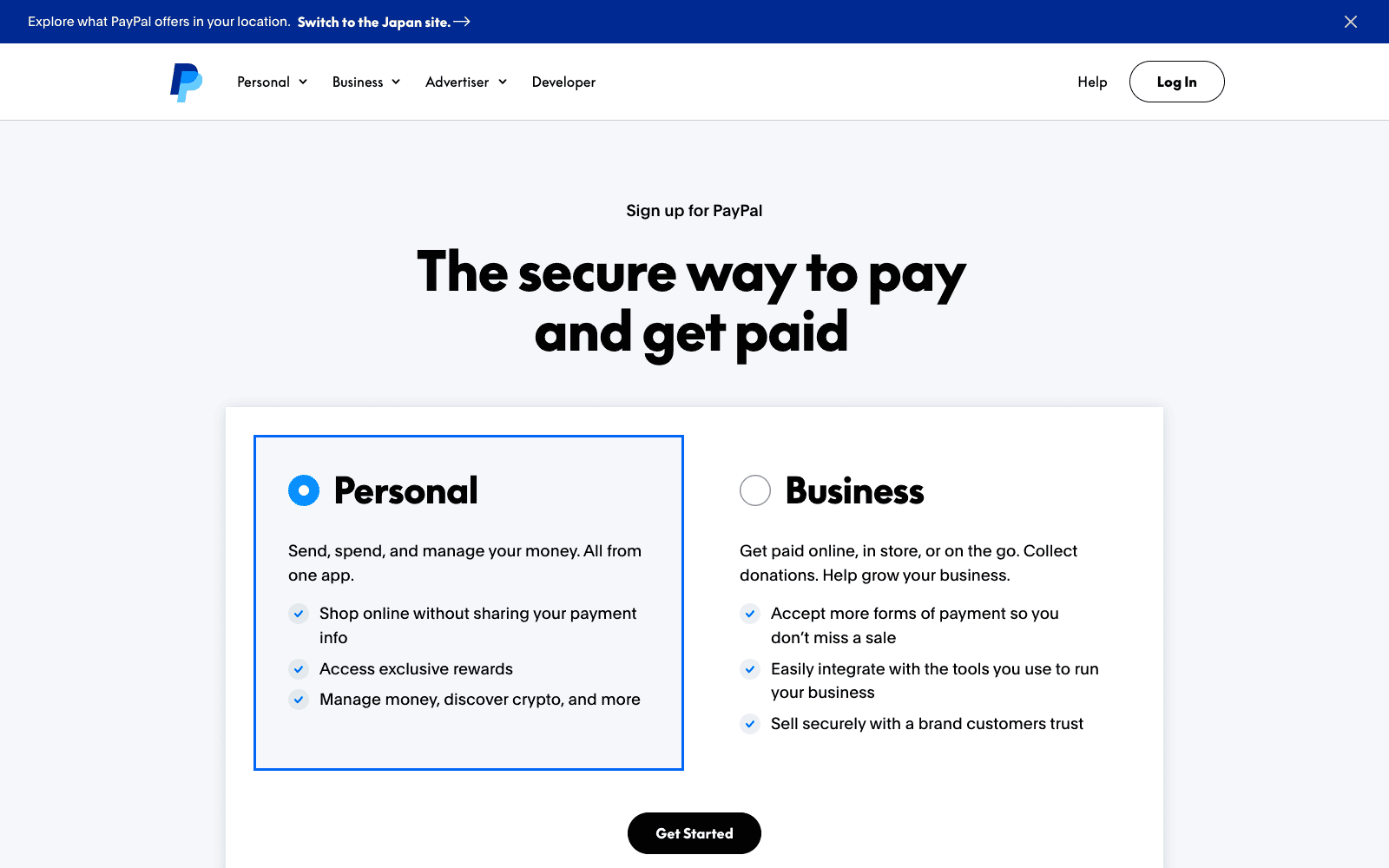
Creating a PayPal account in Sri Lanka is straightforward if you have all the required items ready. Follow these steps carefully to ensure a smooth setup:
- Go to PayPal.com and Click “Sign Up”: Start by visiting “paypal.com” and clicking the “Sign Up” button. Make sure you are on the official website to avoid scams or phishing attempts.
- Choose Personal or Business Account: Select the account type based on your needs. Choose a Personal Account if you want to send money, shop online, and pay subscriptions. Or select a Business Account if you are a freelancer, online seller, or anyone who needs invoicing and business tools.
- Enter Your Email and Create a Password: Provide an active email address and choose a strong password. This email will serve as your login and communication channel for all PayPal activities.
- Fill in Your Personal Details: Enter your full name, address, and phone number accurately. Ensure these match your official documents (NIC or passport) to avoid verification problems later.
- Verify Your Account: PayPal will ask you to verify your email address by sending a confirmation link. In some cases, they may also ask for phone verification. Completing this step is essential to activate your account.
- Link Your Debit or Credit Card: Add a local Visa or Mastercard to your account. This card will be used for sending money and making payments online. Ensure that the card supports international transactions.
- Link Your Partner Bank Account: To receive and withdraw international payments, connect your PayPal account to your bank through your mobile banking app. Currently supported banks are Bank of Ceylon, Commercial Bank of Ceylon, and Sampath Bank. Log into your bank’s mobile app, look for the PayPal section, and follow the steps to link your accounts securely.
- Enable Two-Factor Authentication (2FA): For added security, turn on Two-Factor Authentication (2FA). This adds a second layer of protection, requiring a code from your phone or authentication app each time you log in.
- Additional Verifications for Higher Transactions: Once your account reaches certain transaction limits, PayPal may ask for additional verification. This could include uploading your NIC, passport, or proof of address. These checks help prevent fraud and secure your account.
Following these steps carefully will set up your PayPal account correctly and prepare it for sending, receiving, and withdrawing money in Sri Lanka.
How to Send Money with PayPal from Sri Lanka
Sending money through PayPal works smoothly for Sri Lankan users. You can pay friends, shop online, and pay for subscriptions or services. Here’s how to do it step by step, depending on your requirement:
1. How to Send Money to Another PayPal User
- Log in to your PayPal account.
- Click “Send & Request” at the top of the page.
- Enter the recipient’s email address or mobile number linked to their PayPal account.
- Enter the amount and select the currency.
- Choose the payment type: “Friends and Family” or “Goods and Services.”
- Review the payment and click “Send Money.”
This allows you to transfer money instantly to another PayPal user anywhere in the world.
2. How to Pay for International Subscriptions and Services
You can use PayPal to pay for online subscriptions like Adobe, SEMrush, Netflix, and other global services.
- On the service’s website, select PayPal as the payment method.
- Log in to your PayPal account when prompted.
- Confirm the payment and complete the transaction.
PayPal also handles currency conversion automatically, so you can pay in USD or other currencies.
3. How to Shop on Global Platforms
PayPal can be used to shop on platforms like eBay, Amazon, and other international stores:
- At checkout, select PayPal as your payment option.
- Log in to PayPal and choose your linked card for payment.
- Confirm the payment to complete your order.
This makes shopping online safer because you don’t have to share your card details with multiple merchants.
4. How to Pay Freelancers on Fiverr and Upwork
You can use PayPal to pay freelancers internationally on platforms like Fiverr and Upwork:
- Select PayPal as your payment method on Fiverr or Upwork.
- Enter your PayPal login credentials.
- Confirm the payment.
This is useful for businesses or individuals in Sri Lanka who hire freelancers abroad.
With these options, PayPal is a reliable and secure method for sending money and paying online from Sri Lanka.
[For more info:https://www.paypal.com/lk/webapps/mpp/send-money-online]
How to Receive Money with PayPal in Sri Lanka
As of May 2026, Sri Lankan PayPal users can now receive international payments directly. This became possible following the official launch of full PayPal services in partnership with three local banks: Bank of Ceylon, Commercial Bank of Ceylon, and Sampath Bank.
Here is how receiving money works:
- Your PayPal account must be linked to at least one partner bank account to receive payments.
- Once linked, international clients can send money directly to your Sri Lankan PayPal account.
- You can receive payments for goods and services, request money, and send invoices.
- Personal accounts support receiving money and invoicing. Business accounts additionally support PayPal Checkout for your website.
- Only cross-border payments are supported. You cannot receive money from another Sri Lankan PayPal user.
How to Receive an International Payment
Here’ how to do it:
- Log in to your PayPal account and ensure it is linked to a partner bank.
- Share your PayPal email address with your international client.
- Once the client sends the payment, it will appear in your PayPal balance.
- To withdraw, open your partner bank’s mobile app, navigate to the PayPal section, and follow the steps to transfer funds to your LKR account.
Still Want to Use Paypal, Stripe Through a Foreign Business Setup?
While PayPal is now available locally, some freelancers and online sellers may still prefer to operate through a foreign business for access to platforms like Stripe, which is not yet available in Sri Lanka. If that applies to you, the setup below remains a valid option:
- Register a business abroad. For example, you can register a business in the USA or register a business in the UK.
- Open a supported bank account (US bank account or UK bank account) in the country where your business is registered.
- Set up an international payment account and create a PayPal, Stripe, or other global payment account using your foreign business and bank details.
- Clients can then send money to your foreign account and you can withdraw it through the foreign bank account.
Need Help in Registering Your Business in USA or UK from Sri Lanka?
At BR.lk, we help Sri Lankan freelancers and online sellers unlock global payment opportunities by legally setting up their business abroad. Whether it’s a US LLC or a UK company, we handle the complex processes so you can focus on getting paid internationally.
Here’s why BR.lk is the trusted choice for Sri Lankan entrepreneurs:
- Expert Guidance & Compliance: Our team guides you through every step of company registration, ensuring full compliance with international and local regulations.
- Seamless Payment Setup: We help link your new company to PayPal, Stripe, Wise, and other global payment platforms, enabling you to receive payments from clients worldwide.
- Fast & Hassle-Free Process: Complete registration and account setup in just 24–48 hours, with minimal paperwork and clear instructions every step of the way.
- Local Language Support: Receive personalized support in Sinhala or Tamil, making the process simple and easy to understand.
Here’s what our trusted customers say about our efforts:
“Absolutely fantastic experience with BR.LK! They made setting up my US LLC from Sri Lanka feel like a breeze. From day one, their team was super responsive and walked me through every single step — company registration, getting a US address and phone number, bank account setup, even helping with Stripe. If you’re in Sri Lanka looking to register a US company, BR.LK is the way to go.”— Malinda Alahakoon (Check his Full Google review)
Take the first step to get paid globally and grow your online business with confidence.
PayPal Fees in Sri Lanka
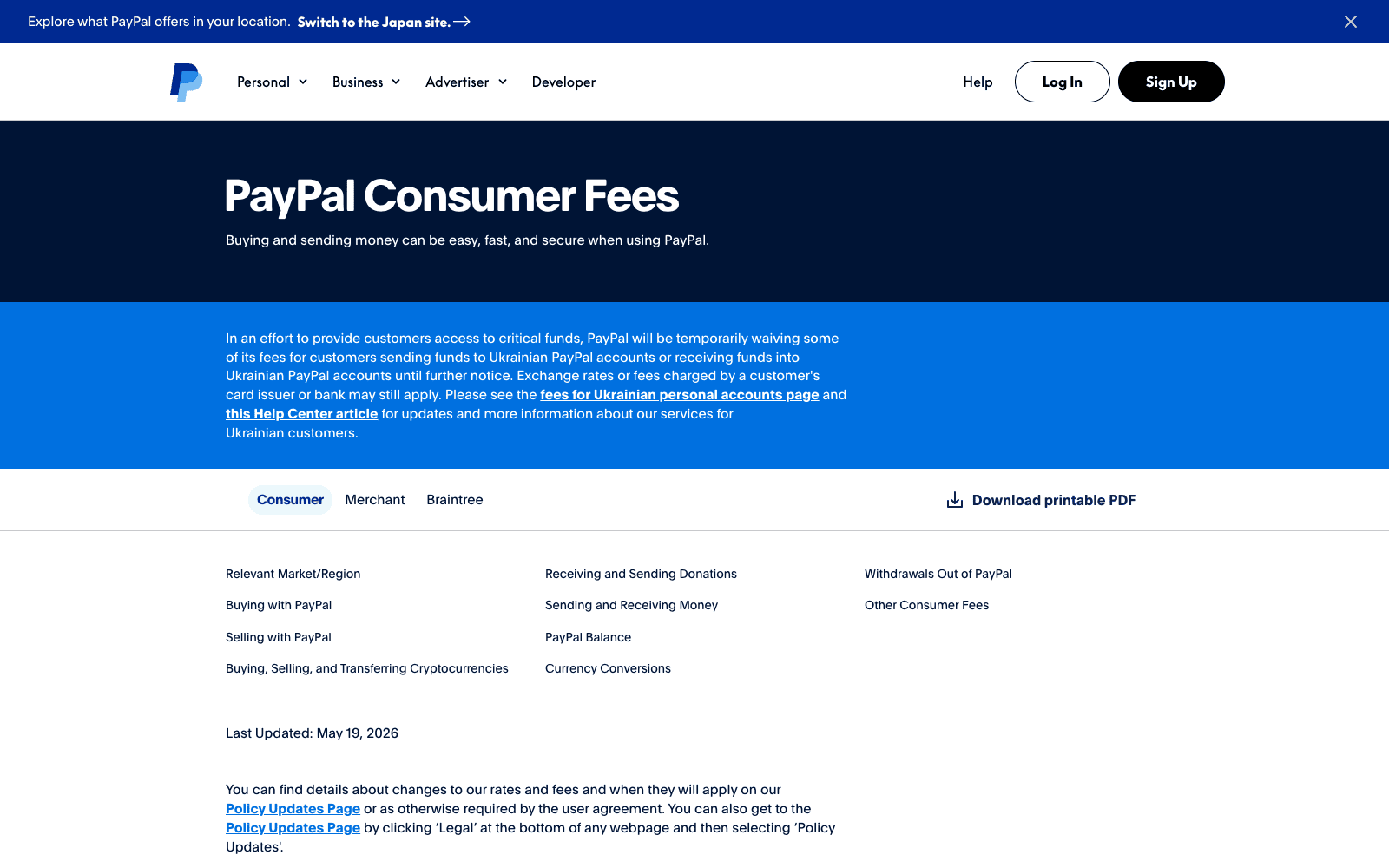
While PayPal is convenient for sending money, receiving international payments, and shopping online, users in Sri Lanka should be aware of certain fees. Here’s a breakdown:
| Fee Type | Details for Sri Lankan Users |
| Buying / Purchasing | Free to use for international purchases if no currency conversion is involved. |
| International Transactions | Fees can be high. Usually, a 5% commission applies on payments using credit/debit cards, plus an additional fixed fee depending on the transaction. |
| Currency Conversion | PayPal charges a markup on exchange rates, which can make payments more expensive when converting between LKR and USD or other currencies. |
| Receiving Money | Now available in Sri Lanka through partner banks. Fees for receiving international payments apply. Check the official PayPal fees page for current rates. |
| Withdrawing to Local Bank | Withdrawal fees are set by each partner bank, not PayPal. Contact your bank (Bank of Ceylon, Commercial Bank, or Sampath Bank) for their specific fee structure. |
Important Note:
Fees and limits may change, so it is recommended to check the official PayPal Sri Lanka website for the latest information.
[Source:https://www.paypal.com/lk/digital-wallet/paypal-consumer-fees]
Common Problems Associated with Paypal in Sri Lanka and How to Fix Them
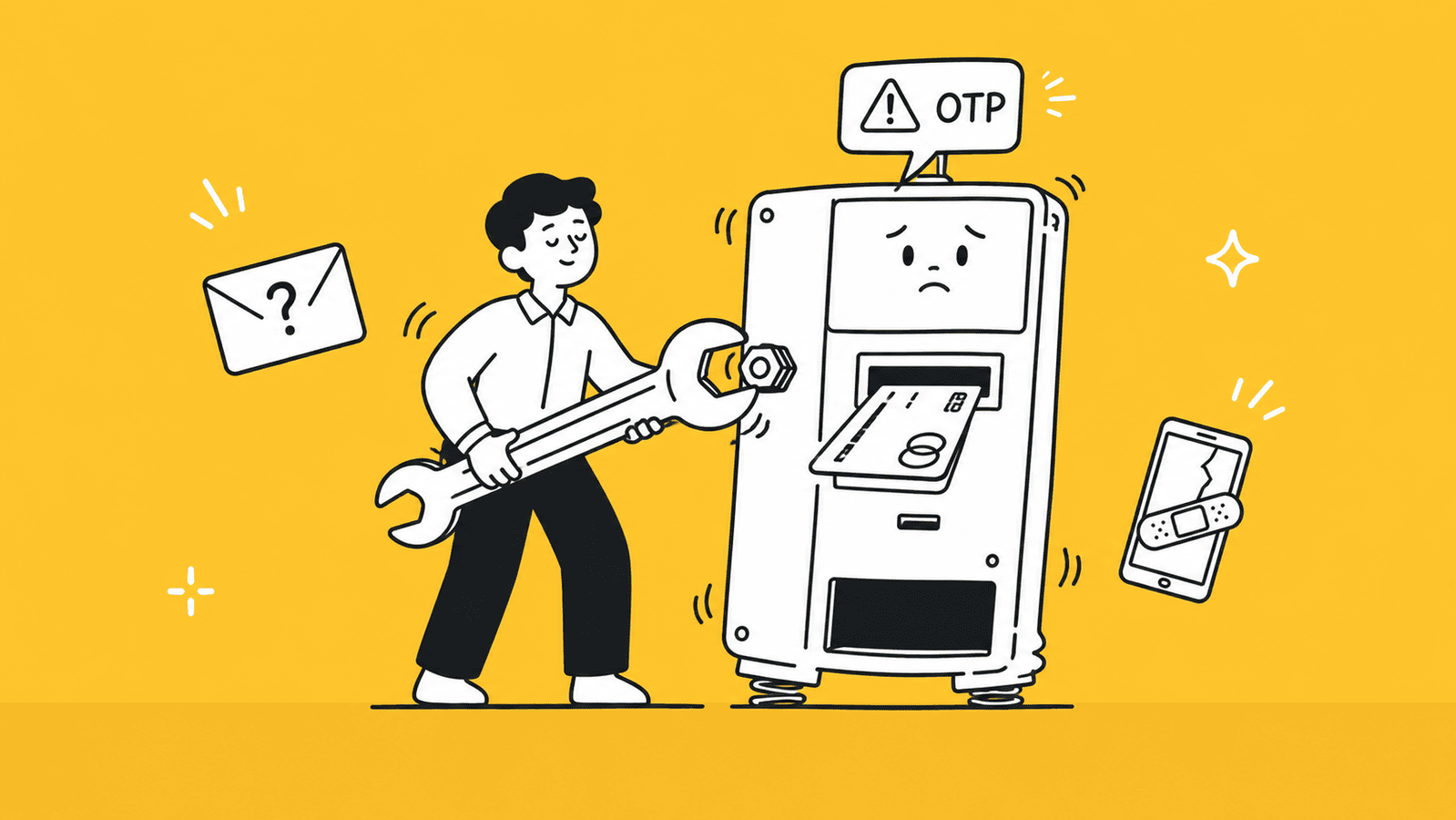
Even though PayPal now works fully for Sri Lankan users, some common issues may still come up during setup and everyday use. Here’s a breakdown with solutions:
1. Email Verification Not Arriving
If you don’t receive the confirmation email from PayPal, the first step is to check your spam or junk folder, as it may have been filtered there. Make sure your email provider is not blocking messages from PayPal, and if the email still hasn’t arrived, go back to your account settings and resend the verification email. This usually resolves the issue and allows you to complete your account setup smoothly.
2. Card Declined or Not Accepted
If your Visa or Mastercard is declined or not accepted by PayPal, check that your card is enabled for international transactions and has sufficient funds. Sometimes banks restrict online or international payments, so contacting your bank to confirm your card’s settings can resolve the problem and allow you to link it successfully.
3. Partner Bank Linking Not Working
If you are having trouble linking your Bank of Ceylon, Commercial Bank, or Sampath Bank account to PayPal, first ensure your mobile banking app is updated to the latest version. Check that your bank account is active, verified, and that all KYC documents are up to date. If the problem persists, contact your bank’s customer support directly as PayPal is unable to contact the bank on your behalf.
4. Withdrawal Not Processing
If your withdrawal from PayPal to your local bank account is not going through, confirm that your PayPal account is successfully linked to an eligible partner bank. Without a completed link, incoming and outgoing transfers will not work. Also check that you are withdrawing within any limits set by your bank.
5. Account Getting Limited or Flagged
PayPal may limit or flag your account temporarily if it detects unusual activity or requires verification. To resolve this, promptly submit any requested documents, such as proof of identity, card statements, or proof of address, and carefully follow PayPal’s instructions to restore full account access.
6. Number Verification Not Coming
If PayPal’s verification code doesn’t arrive on your mobile phone, double-check that your number is correct and can receive international SMS messages. If the problem persists, try using a different number or contact PayPal support for assistance to complete the verification process.
7. Additional Issues
- Currency conversion charges or high international fees.
- Some features may still show as “coming soon” depending on your partner bank’s rollout status.
- Payments from other Sri Lankan PayPal users will not go through as only cross-border payments are supported.
Tip:
Always keep your account and mobile banking app updated, follow PayPal’s security guidelines, and contact your partner bank or PayPal support promptly for unresolved issues.
Is PayPal Safe to Use in Sri Lanka?
Absolutely, PayPal is generally considered safe for Sri Lankan users, thanks to robust security features and protections for both buyers and sellers.
- Security Features: PayPal uses advanced encryption and fraud detection systems to protect your account and financial information. Features like two-factor authentication (2FA) add an extra layer of security, making it difficult for unauthorized users to access your account.
- Buyer and Seller Protection: PayPal offers protections for eligible transactions, helping users recover funds if products are not received or services are not delivered as promised. This makes online shopping, payments, and receiving money more secure.
- Partner Bank Security: Withdrawals to your local bank account are processed through PayPal’s official partner banks using secure authentication. You will need to authorize the connection between your PayPal account and your bank, ensuring your funds are protected at every step.
- Tips to Keep Your Account Safe: Always use a strong, unique password, enable 2FA, avoid sharing your account login with anyone, and regularly monitor your account activity for suspicious transactions. Avoid using public Wi-Fi for logging in, and be cautious of phishing emails pretending to be PayPal.
By following these precautions, Sri Lankan users can safely use PayPal to send money, receive international payments, withdraw funds, and shop online.
[Source: http://paypal.com/us/security/protect-your-account]
Best Alternatives to Receive Money in Sri Lanka
While PayPal is now fully available in Sri Lanka, some freelancers and online sellers may prefer to use additional payment platforms alongside PayPal, or their clients may not use PayPal at all. Here are the most reliable alternatives:
- Payoneer: Ideal for freelancers on platforms like Fiverr and Upwork. Payoneer allows you to receive payments from global marketplaces and withdraw funds to your local bank. It’s widely used, reliable, and supports multiple currencies.
- Wise (formerly TransferWise): Best for receiving direct client payments with low foreign exchange fees. Wise offers real exchange rates with minimal markup, making it perfect for freelancers and small businesses that work with international clients.
- SWIFT / Bank Wire Transfer: Suitable for large B2B payments or corporate transactions. While fees may be higher, SWIFT transfers are secure and can handle large sums efficiently.
Payoneer vs Wise: Quick Comparison
| Feature | Payoneer | Wise |
| Best For | Freelancers on Fiverr, Upwork, marketplaces | Direct payments from international clients |
| Currency Conversion Fees | Moderate | Low, real exchange rate |
| Withdrawal to Local Bank | Supported | Supported |
| Setup Speed | Fast | Fast |
| Popularity | Very popular among online freelancers | Growing rapidly for direct client payments |
By choosing the right combination of platforms, Sri Lankan freelancers and online sellers can receive international payments safely and efficiently alongside PayPal.
Conclusion
PayPal in Sri Lanka in 2026 has reached a major milestone. Following the official launch in May 2026, Sri Lankan users can now send money, receive international payments, withdraw funds to local bank accounts, and use invoicing and PayPal Checkout, all through partnerships with Bank of Ceylon, Commercial Bank of Ceylon, and Sampath Bank.
While fees, currency conversions, and verification issues may pose occasional challenges, careful account setup and security practices can make transactions safe and smooth. It is also worth noting that PayPal in Sri Lanka supports cross-border payments only, meaning local transfers between Sri Lankan PayPal users are not supported.
For freelancers and online sellers who need access to payment gateway platforms like Stripe, or whose clients prefer other payment methods, alternatives like Payoneer, Wise, and SWIFT transfers remain useful options alongside PayPal.
With the right combination of payment platforms and proper account setup, Sri Lankan entrepreneurs can now confidently connect with international clients, get paid efficiently, and grow their online businesses on a global scale.
Key Takeaways
- PayPal officially launched full services in Sri Lanka on May 15, 2026, meaning Sri Lankan users can now send money, receive international payments, and withdraw funds to local bank accounts.
- Receiving and withdrawing money requires linking your PayPal account to a partner bank. The current partner banks are Bank of Ceylon, Commercial Bank of Ceylon, and Sampath Bank.
- Only cross-border payments are supported. You can receive money from PayPal users abroad, but not from other Sri Lankan PayPal users.
- Sri Lankan users can safely use PayPal to send money, pay for subscriptions, shop on international platforms like Amazon and eBay, and receive payments from international clients.
- Personal accounts are sufficient for general payments, online shopping, and receiving occasional payments. Business accounts are better for freelancers and online sellers who need invoicing and PayPal Checkout.
- Setting up a PayPal account requires a valid NIC or passport, an active email, a local Visa or Mastercard, and a partner bank account for receiving and withdrawing funds.
- International transactions through PayPal may incur high fees, including a 5% commission and currency conversion charges. Withdrawal fees are set by each partner bank.
- Common issues include email verification delays, card declines, partner bank linking problems, and account limitations, all of which can be resolved with proper steps.
- PayPal is generally safe in Sri Lanka, thanks to strong encryption, two-factor authentication, and buyer and seller protection features.
- Alternatives like Payoneer, Wise, and SWIFT transfers remain useful for freelancers whose clients prefer other payment methods or who need access to platforms like Stripe.
- Freelancers and online sellers who want access to Stripe or foreign payment platforms can still legally set up a business in the USA or UK through services like BR.lk.
FAQs
Yes. PayPal officially launched full services in Sri Lanka on May 15, 2026. Sri Lankan users can now send money, receive international payments, and withdraw funds to local bank accounts through partner banks.
Yes. Log into your partner bank’s mobile app (Bank of Ceylon, Commercial Bank, or Sampath Bank), go to the PayPal section, and follow the steps to transfer funds to your LKR account. Withdrawal fees vary by bank.
The current official partner banks are Bank of Ceylon, Commercial Bank of Ceylon, and Sampath Bank. More banks are expected to join in the coming months.
Yes. You can now receive client payments, send invoices, and withdraw funds directly to your local bank account. A Business account is recommended for freelancers.
No. Both practices violate PayPal’s Terms of Service and can get your account permanently banned. With full PayPal services now available in Sri Lanka, there is no need for such workarounds.
Yes. You can only receive money from PayPal users abroad, not from other Sri Lankan PayPal users. Some bank features may still be rolling out depending on your bank.
Leave a Reply